Idea Statica
  • Steel
  • Concrete
  • BIM & workflows
  • Support & Learning
  • Pricing
  • Company
  • Steel overview
  • Connection design
  • Member design
  • Parametric design
  • Steel case studies
  • Concrete overview
  • Walls and D-regions
  • Anchoring design
  • Members & cross-sections
  • Concrete case studies
  • BIM overview
  • Supported integrations
  • Checkbot
  • Viewer
  • APIs
  • Support Center
  • E-learning & certification
  • Blog
  • Downloads & Licensing
  • Plans
  • Free community tool
  • Enterprise customers
  • Students & educators
  • How much will you save?
  • About us
  • Contact
  • Research & development
  • Authorized resellers
  • Meet our customers
  • Career
  • Steel
    Steel overviewConnection designMember designParametric designSteel case studies
  • Concrete
    Concrete overviewWalls and D-regionsAnchoring designMembers & cross-sectionsConcrete case studies
  • BIM & workflows
    BIM overviewSupported integrationsCheckbotViewerAPIs
  • Support & Learning
    Support CenterE-learning & certificationBlogDownloads & Licensing
  • Pricing
    PlansFree community toolEnterprise customersStudents & educatorsHow much will you save?
  • Company
    About usContactResearch & developmentAuthorized resellersMeet our customersCareer
14-Day Trial
14-Day Trial
  • Steel
  • Concrete
  • BIM & workflows
  • Support & Learning
  • Pricing
  • Company

Subscribe to our newsletter

Company

  • About us
  • Partners
  • Careers
  • Patent

Resources

  • Customer projects
  • Case studies
  • Connection Library
  • Verification books

Legal

  • EULA
  • Privacy policy
  • California Privacy
  • TOS Viewer
  • Licensing

Help

  • Contact
  • Quote request
  • Resellers
  • Downloads
FacebookInstagramLinkedInYouTube

© IDEA StatiCa 2009-2026

Trusted and used worldwide by engineers, fabricators & consultants.

Support CenterKnowledge Base ArticlesHow to set the lever arm properly
ULS results in RCS - Capacity N-M-M, Shear, Torsion, Interaction, Response N-M-M
SLS results in RCS - Stress Limitation, Crack Width, Detailing
Limited interaction check in Beam and RCS
Improvement of interaction check
Crack width check of cross-sections with a large concrete cover
Fatigue check
Shear in RCS - circular cross-sections
How to set the lever arm properly
Accurate calculation of the shear resistance of slabs
How to set the lever arm properly
ConcreteReinforced concretePrestressed concreteKnowledge baseRCS

How to set the lever arm properly

This article is also available in
ENCZDEESFRITPTNLHUROKRPLTHTRVIZH

In this article, we will introduce three typical cases and how the lever arm for the shear check is considered in them. You will see, that sometimes users have to set the value of the lever arm manually and you will also learn how it is calculated in the case of a fully compressed section.

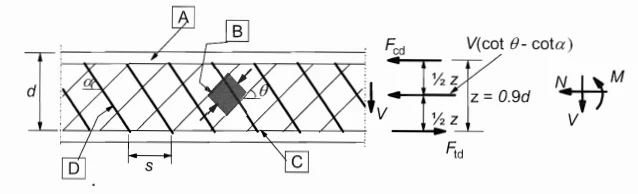
First, let's have a look at how the Eurocode defines the lever arm:

How to set the lever arm properly
figure 6.5 art. 6.2.3 EC2

The cases

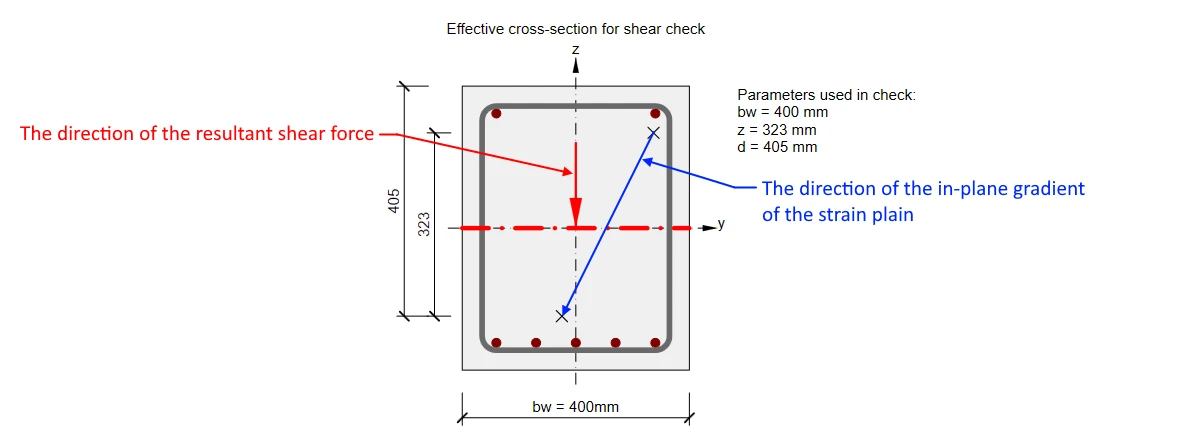
1) The direction of the biaxial bending moment and shear differs by less than 20°

This is the most common case where the direction of the biaxial bending moment (in-plane gradient of the strain plain) and the resultant shear force are the same or almost the same. The values of z and d are calculated automatically as shown in the figure.
2) The direction of the biaxial bending moment and shear differs by more than 20°

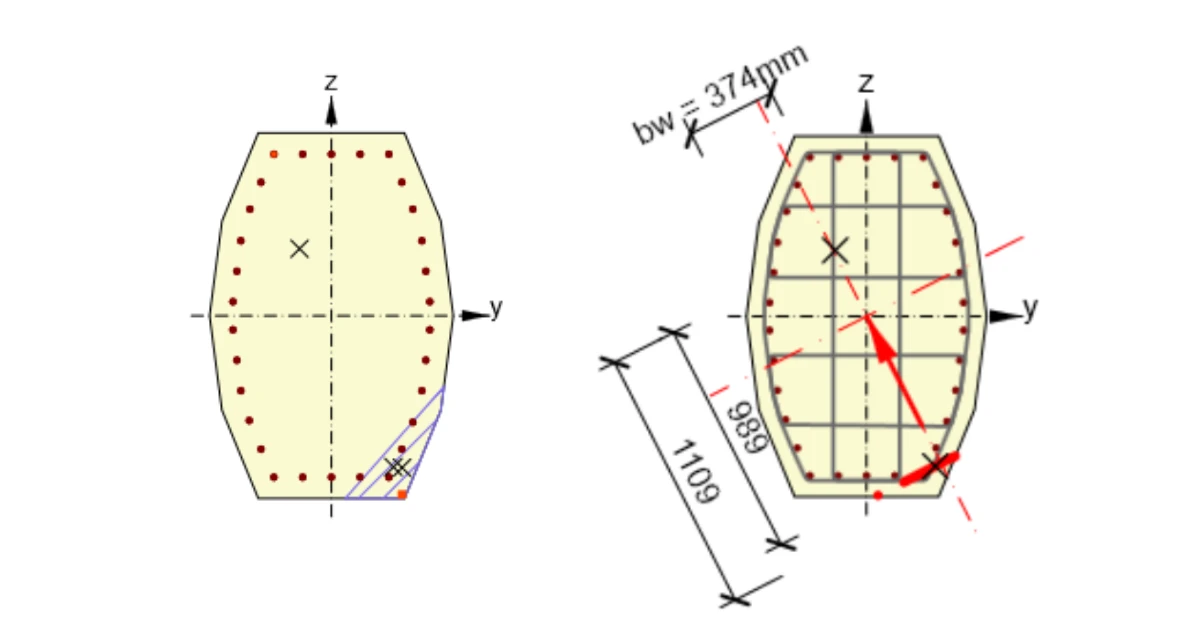
Lever arm z is defined in the same way. But for this case, the values of z is lower. And it could adversely affect consequently calculated strength in shear. 
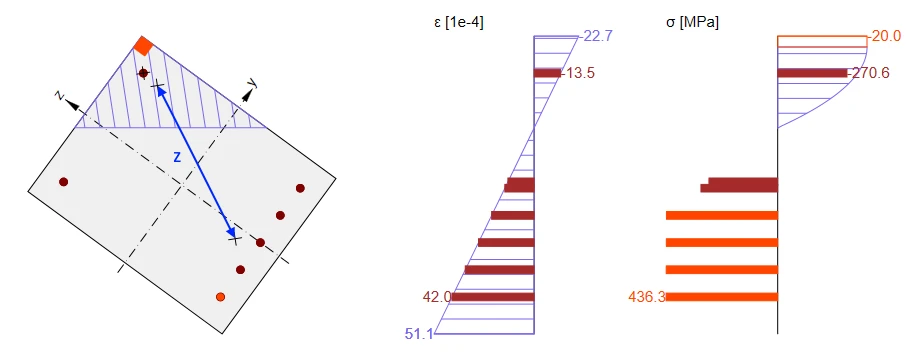
In this case, the value of z should be taken into account from the direction of the shear. So for our cross-section, it should be almost the same as in the previous case. You can read more in Shear in the Lever arm of internal forces chapter. That's why the nonconformity message appears. 

How to set the lever arm properly

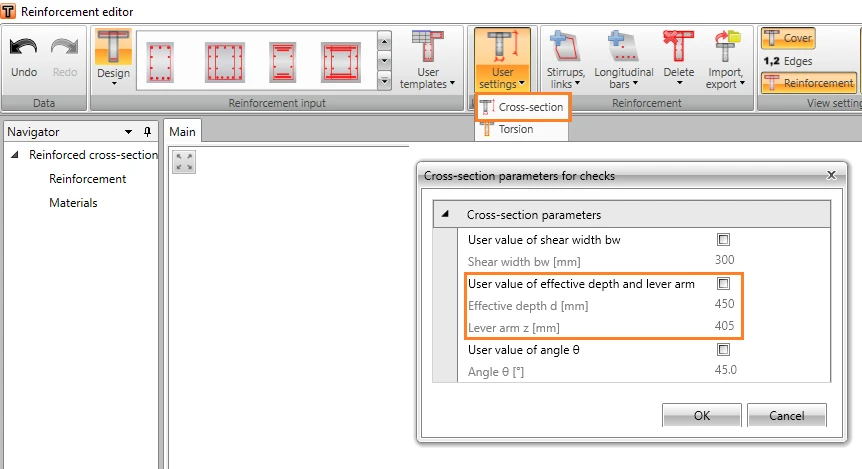
In this case, we recommend using the user-defined value of z. This value can be for example set as the distance of main layers of rebars (compressed layer and tensioned layer)  in the Reinforcement editor -> User settings -> Cross-section.
How to set the lever arm properly

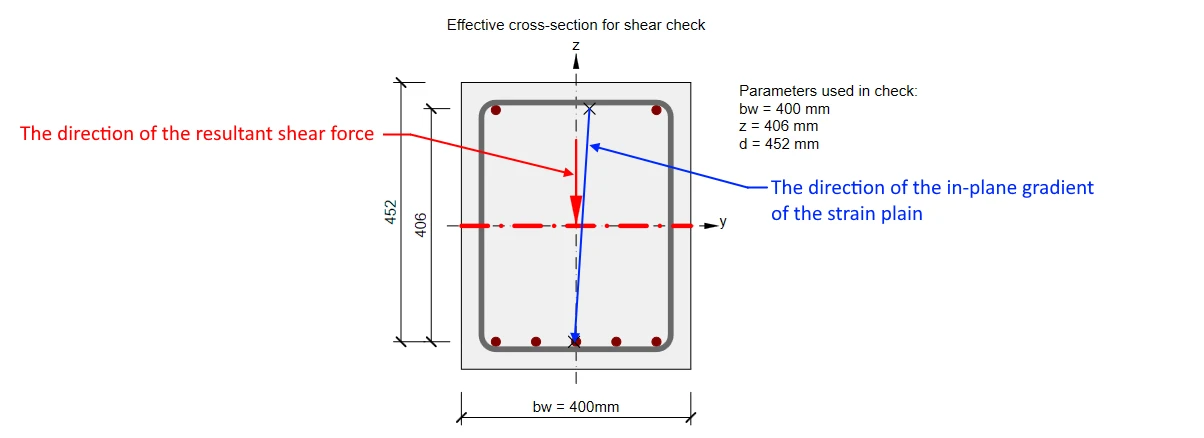
3) Cross-section fully subjected to compression

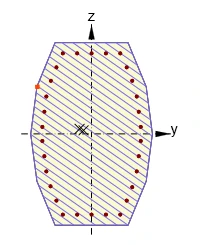
No zones under tension appear in cross-sections fully subjected to compression. As the response can’t be found, lever arm value can‘t be determined from it and default value z = 0.9 d will be used. Although, this value is defined by the code with the assumption, that no axial force is introduced.
How to set the lever arm properly

Conclusion

Always check the value of the lever arm z used for the shear check. As you could see, there can be unusual situations where the automatically calculated value should be manually adjusted.