Idea Statica
  • Steel
  • Concrete
  • BIM & Workflows
  • Support & Learning
  • Pricing
  • Company
  • Steel overview
  • Connection design
  • Member design
  • Parametric design
  • Steel case studies
  • Concrete overview
  • Walls and D-regions
  • Anchoring design
  • Concrete case studies
  • BIM Overview
  • Supported integrations
  • Checkbot
  • Viewer
  • APIs
  • Support Center
  • E-learning & certification
  • Blog
  • Downloads & Licensing
  • Plans
  • Free community tool
  • Enterprise customers
  • Students & educators
  • How much will you save?
  • About us
  • Contact
  • Research & development
  • Authorized resellers
  • Meet our customers
  • Career
  • Steel
    Steel overviewConnection designMember designParametric designSteel case studies
  • Concrete
    Concrete overviewWalls and D-regionsAnchoring designConcrete case studies
  • BIM & Workflows
    BIM OverviewSupported integrationsCheckbotViewerAPIs
  • Support & Learning
    Support CenterE-learning & certificationBlogDownloads & Licensing
  • Pricing
    PlansFree community toolEnterprise customersStudents & educatorsHow much will you save?
  • Company
    About usContactResearch & developmentAuthorized resellersMeet our customersCareer
14-Day Trial
14-Day Trial

Subscribe to our newsletter

Company

  • About us
  • Partners
  • Careers
  • Patent

Resources

  • Customer projects
  • Case studies
  • Connection Library
  • Verification books

Legal

  • EULA
  • Global privacy policy
  • California Privacy
  • TOS Viewer
  • Licensing

Help

  • Contact
  • Quote request
  • Resellers
  • Downloads
FacebookInstagramLinkedInYouTube

© IDEA StatiCa 2009-2026

Trusted and used worldwide by engineers, fabricators & consultants.

Support CenterKnowledge Base ArticlesBIM link with RFEM 6 and RSTAB 9
IDEA StatiCa BIM interoperability for steel
IDEA StatiCa BIM interoperability for concrete
BIM links: Supported versions of 3rd party applications
How to run old versions of BIM links
BIM link with RFEM 6 and RSTAB 9
Known limitations for RFEM/RSTAB
Troubleshooting BIM link RFEM6/RSTAB9 (gRPC)
BIM link with RFEM 6 and RSTAB 9
SteelConnection designKnowledge baseCheckbotBIM link

BIM link with RFEM 6 and RSTAB 9

This article is also available in
ENCZDEESFRITPTNLHUROKRPLTHTRVIZH

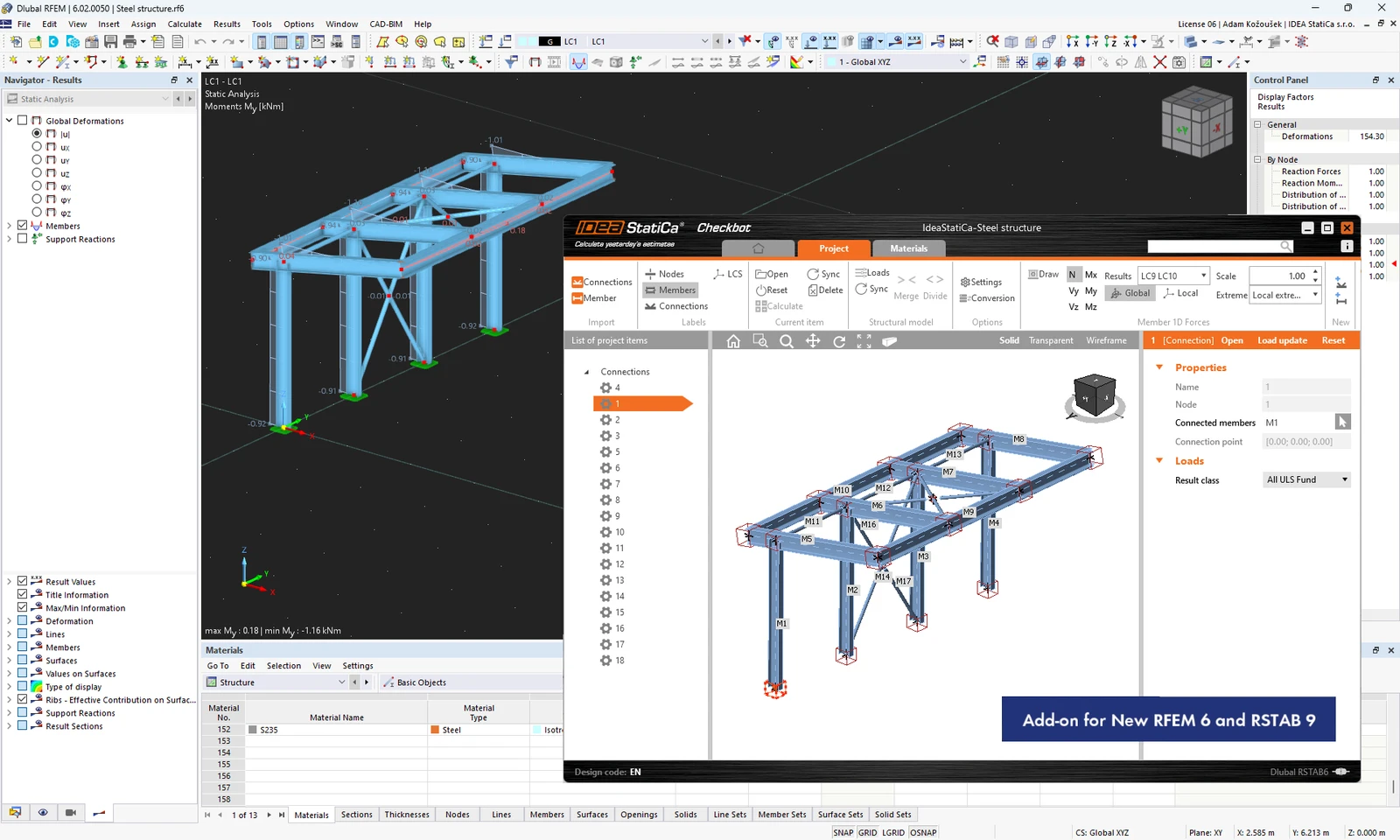
Since patch 22.1.4, IDEA StatiCa Checkbot is compatible with new versions of Dlubal RFEM 6 and RSTAB 9. The BIM link provides the usual data transfer between the FEA applications and IDEA StatiCa with some exceptions.

The list of supported third-party applications was once more extended in patch 22.1.4, enabling RFEM 6 and RSTAB 9 to be a part of the standard Checkbot workflows within the IDEA StatiCa software package.

How to activate the BIM link with RFEM 6 and RSTAB 9

Download and install the latest version of IDEA StatiCa. Open IDEA StatiCa and navigate to the BIM tab and open the BIM link installer (Activate your BIM link...).
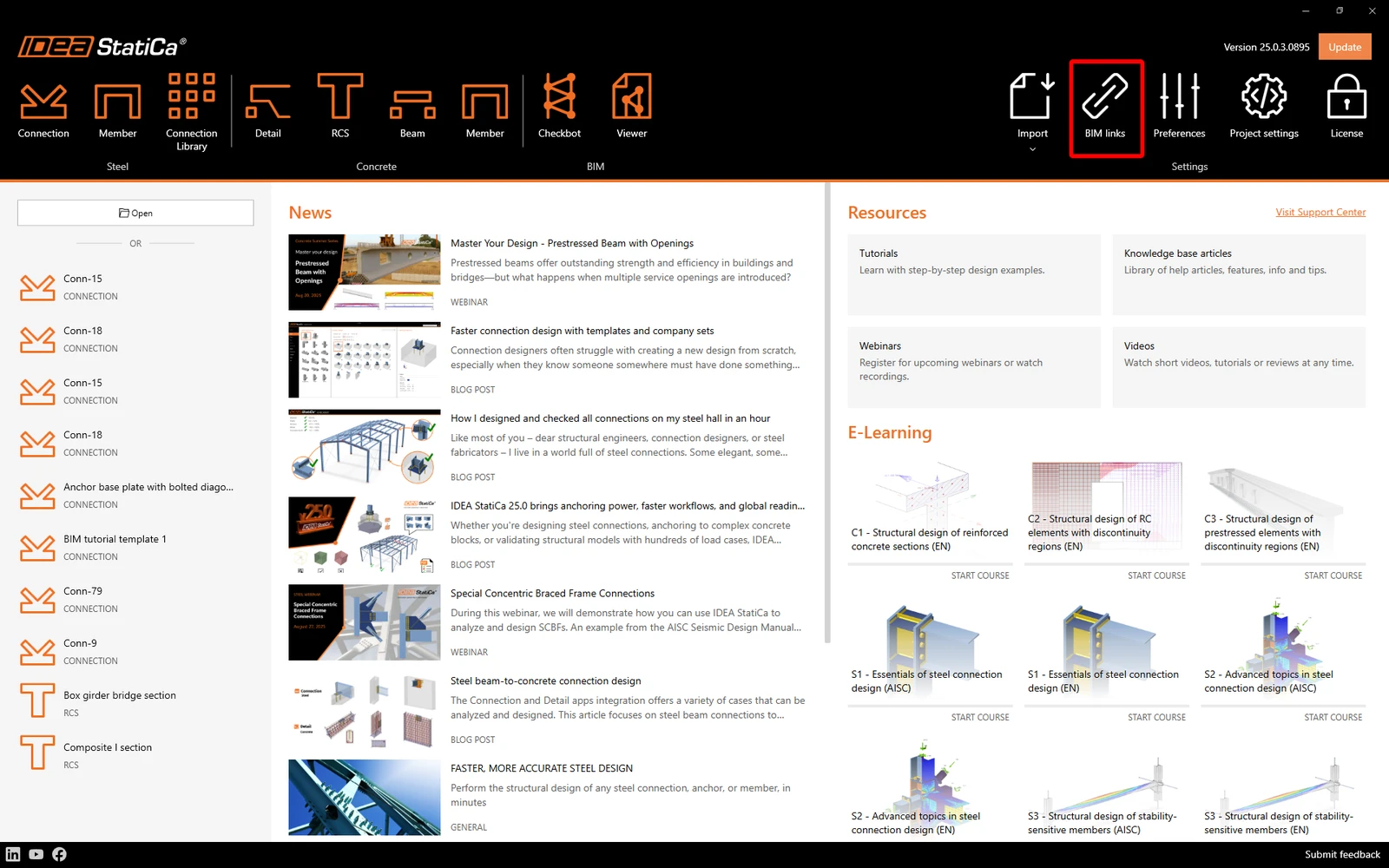
A notification "Do you want to allow this app to make changes to your device?" may appear. If so, please confirm with the Yes button.

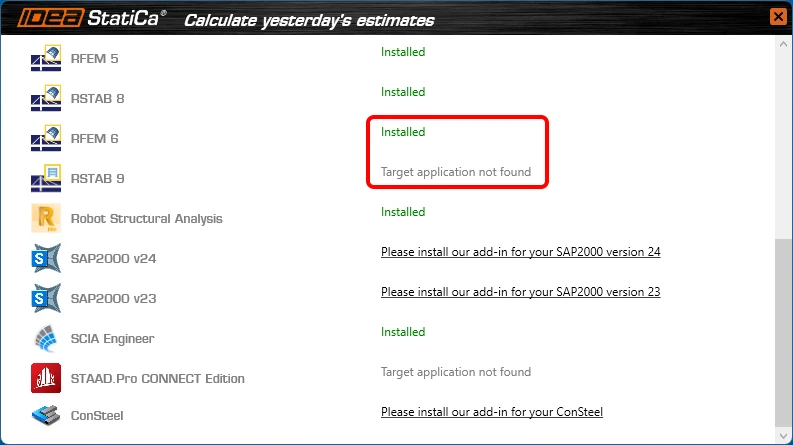
The BIM link for RFEM 6/RSTAB 9 is installed. The screen also tells you the status of other BIM links that are installed or may be installed later.
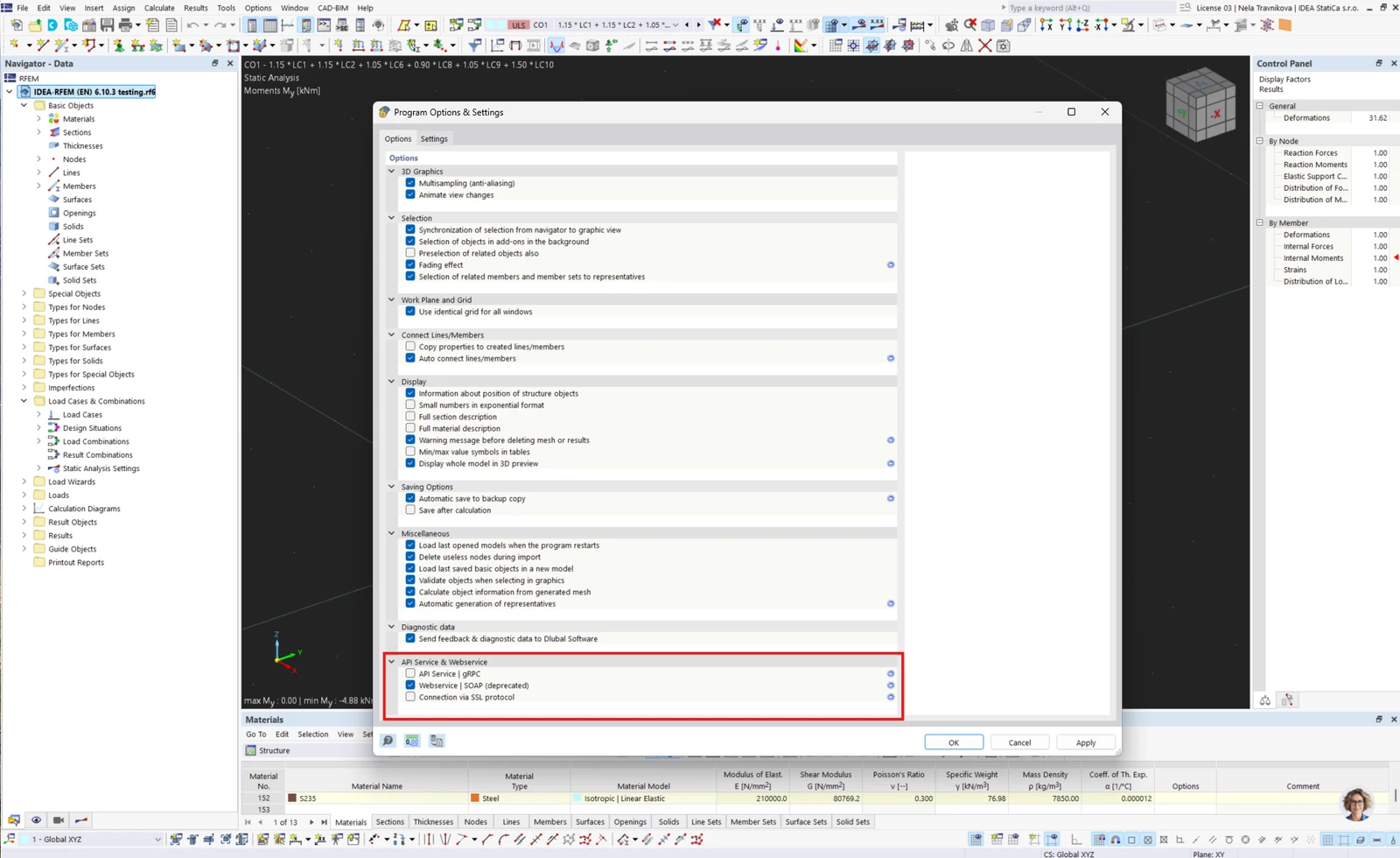
Open RFEM 6/RSTAB 9 and navigate to the menu Options and Program options. Here, scroll down and turn on the WebService feature to enable the data transfer of your RFEM 6/RSTAB 9 and other applications.
How to use Checkbot with RFEM 6 and RSTAB 9

Open an RFEM 6/RSTAB 9 project and run the calculation. To run the Checkbot, open the shortcut icon IdeaRFEMLink/IdeaRSTABLink, by default, located on your desktop (original file in path C:\Program Files\IDEA StatiCa\StatiCa 22.1\net6.0\IdeaRFEMLink.exe).
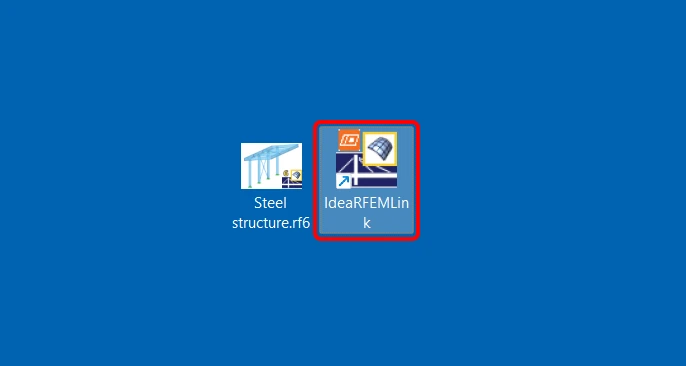
Checkbot for the current RFEM 6/RSTAB 9 project opens, and you can create a new project and start importing connections and members.

Limitations

  • Missing a command directly in the application RFEM 6/RSTAB 9 instead of a desktop shortcut icon.
    Waiting for Dlubal development to add the commands in their menu/interface.
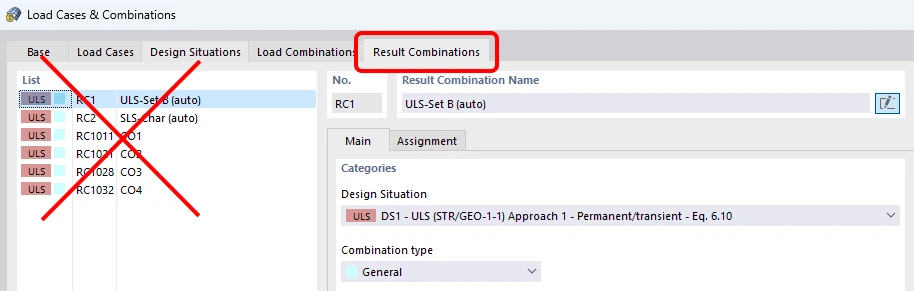
  • Result combinations are not supported.
    Waiting for Dlubal development to provide the necessary data provided in the API.
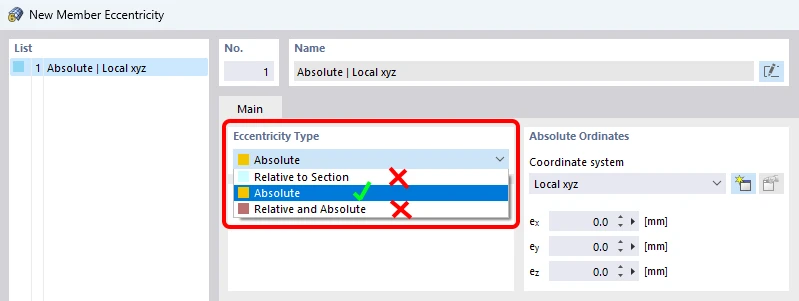
  • Eccentricities specified relatively in RFEM 6/RSTAB 9 are not supported. Only absolute eccentricities can be imported.
Available in both Expert and Enhanced editions of IDEA StatiCa Steel.

Download the new version of IDEA StatiCa and try all the features

Download new version

Related articles

Release notes IDEA StatiCa 23.0
  • Concrete
  • Steel
  • Connection
  • Detail 2D
  • Member
  • Checkbot
  • Viewer
  • RCS
  • IDEA Open Model (API)
  • ACI (USA)
  • AISC (USA)
  • BIM link
  • EN (Eurocode)
  • v23.0
  • +14
  • Concrete
  • Steel
  • Connection
  • Detail 2D
  • Member
  • Checkbot
  • Viewer
  • RCS
  • IDEA Open Model (API)
  • ACI (USA)
  • AISC (USA)
  • BIM link
  • EN (Eurocode)
  • v23.0

Release notes

Release notes IDEA StatiCa 23.0

Read more
Release notes IDEA StatiCa 22.1
  • Concrete
  • Steel
  • Connection
  • Detail 2D
  • Member
  • Checkbot
  • Viewer
  • RCS
  • IDEA Open Model (API)
  • ACI (USA)
  • AISC (USA)
  • BIM link
  • EN (Eurocode)
  • +13
  • Concrete
  • Steel
  • Connection
  • Detail 2D
  • Member
  • Checkbot
  • Viewer
  • RCS
  • IDEA Open Model (API)
  • ACI (USA)
  • AISC (USA)
  • BIM link
  • EN (Eurocode)

Release notes

Release notes IDEA StatiCa 22.1

Read more
IDEA StatiCa 22.1 brings a tool called BimApi. That's the only part of the BIM communication process that vendor developers have to understand and adjust their part of the code to now. Take advance of IDEA StatiCa BIM links integration!
  • Steel
  • Concrete
  • Checkbot
  • BIM link
  • IDEA Open Model (API)
  • +5
  • Steel
  • Concrete
  • Checkbot
  • BIM link
  • IDEA Open Model (API)

Knowledge base

New BimApi workflow

Read more