1) Check RFEM6/RSTAB9 version
This BIM link based on Dlubal API works only with version 6.14/9.14 or later.
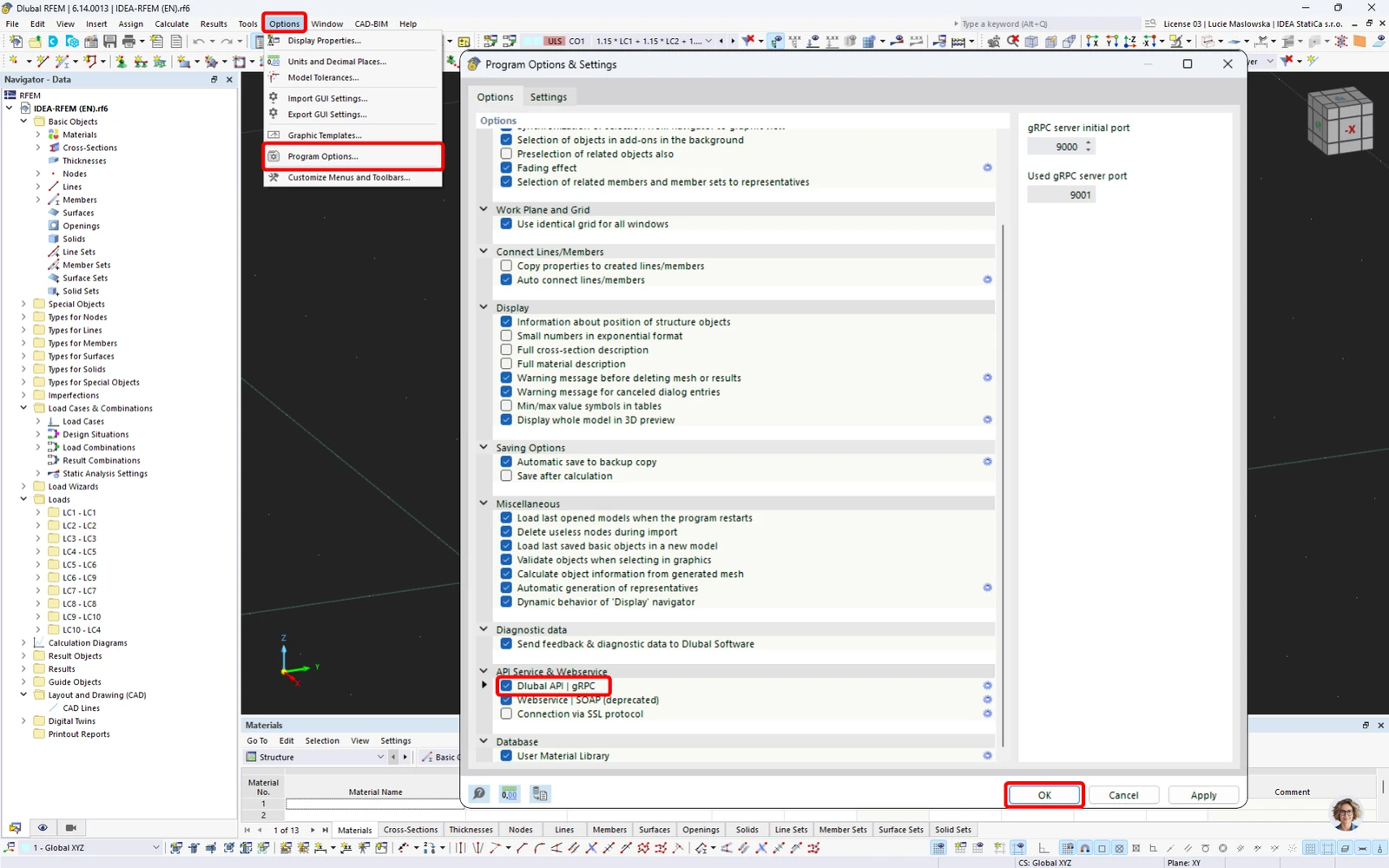
2) Make sure the Dlubal API gRPC is activated in Program options
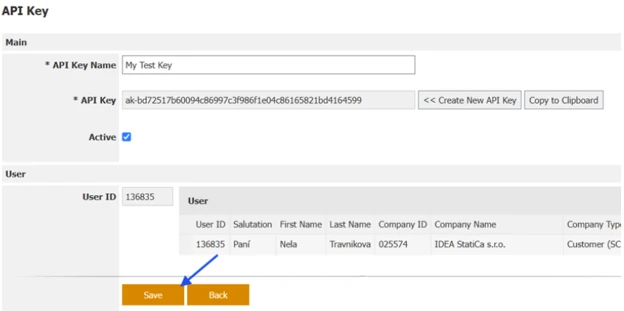
3) Make sure the API Key is saved
If the user generates a new API key and copies it without saving it, the following error occurs:
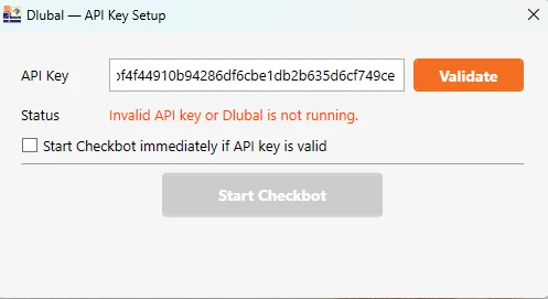
The API key must be saved first, otherwise, it is not valid.
4) Check that RFEM6/RSTAB9 application is open
If the user runs the IDEA StatiCa 26.0 for RFEM 6 (gRPC) application without launching RFEM/RSTAB, the following error appears. The application must be running with an open and saved project.
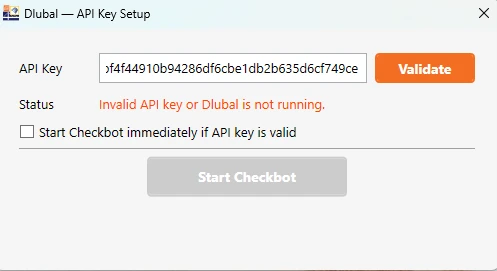
5) API Key can not be validated after repeated start of the BIM link
If the Checkbot can not be started with the Status message "Invalid API key or Dlubal is not running." and the Details message "gRPC Connection error: ResourceExhausted - Another client is already connected to the server", the timeout of the previous session might still be preventing a new session from being started.
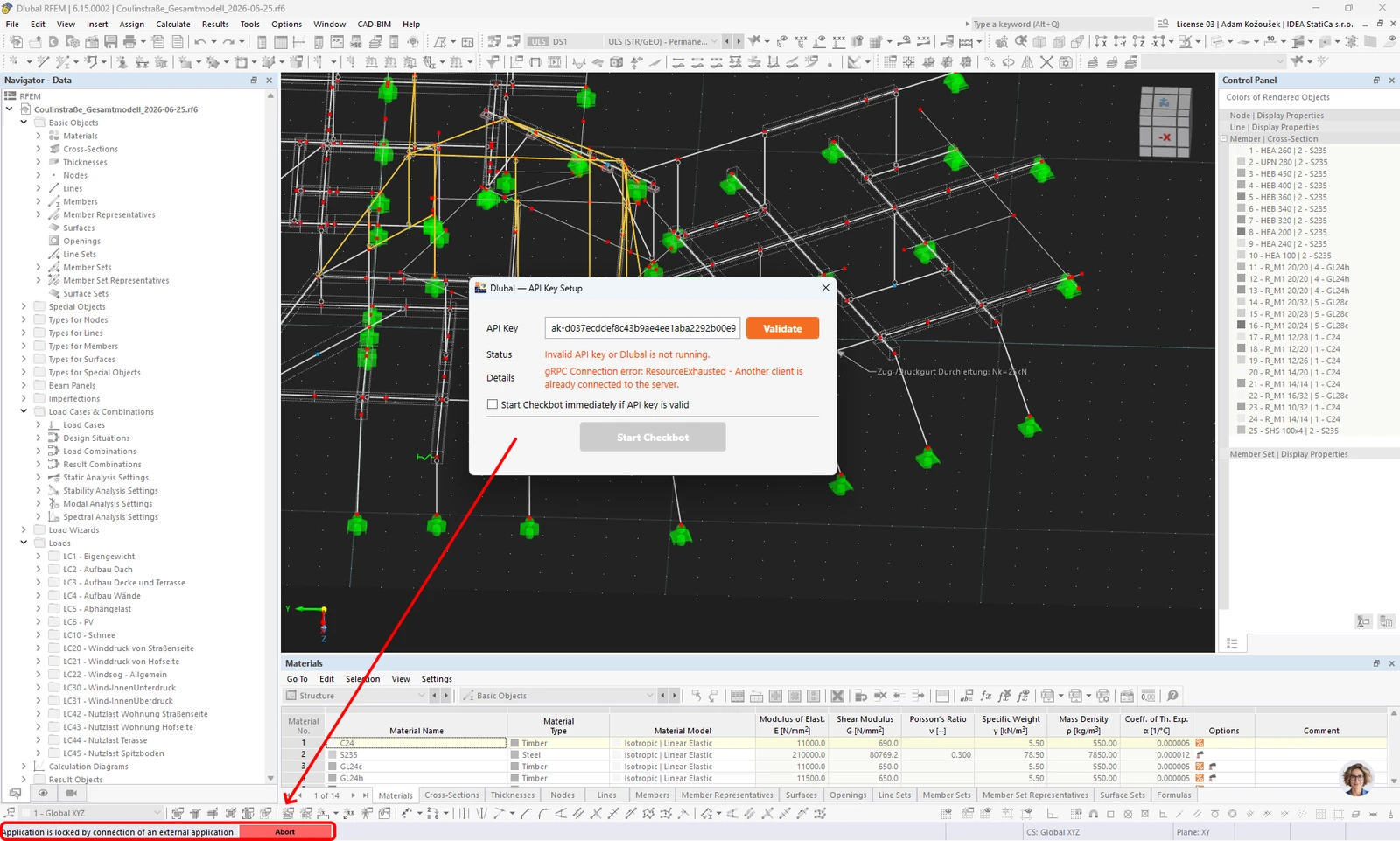
The time out is set for about 10 seconds; you can see the status in the bottom left corner of the RFEM window, and you can wait for the time out to finish the previous session or stop it by clicking the Abort button and then Validate your API Key and Start Checkbot.
6) Deactivate and activate again the Dlubal API-Key
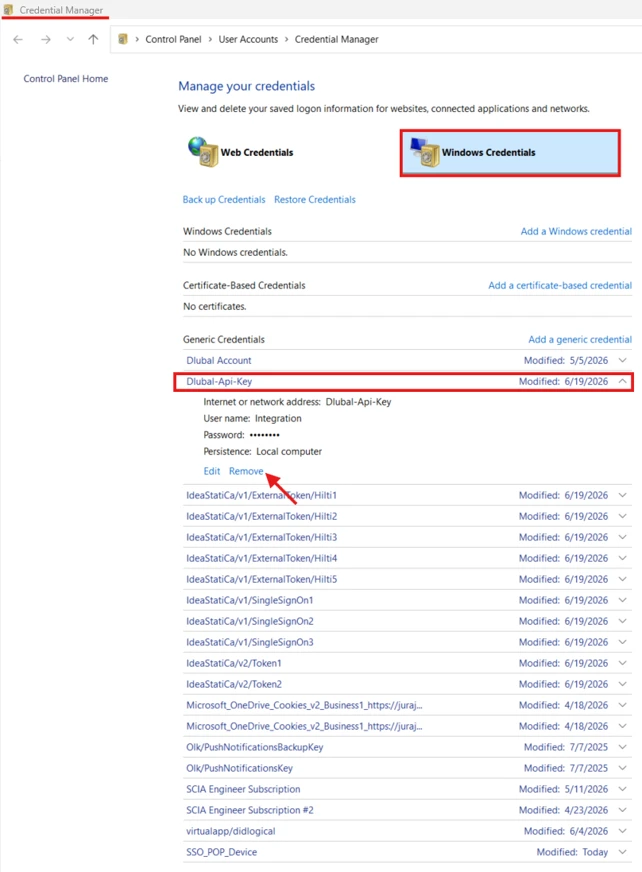
If the Dlubal - API Key Setup for any reason refuses to validate a valid API key, even after restarting the Dlubal application and system, removing the API key from the system credentials might resolve the problem.
Dlubal API Key credentials can be removed through the Windows Credential Manager.