


What is the Parametric Design/Developer tab?
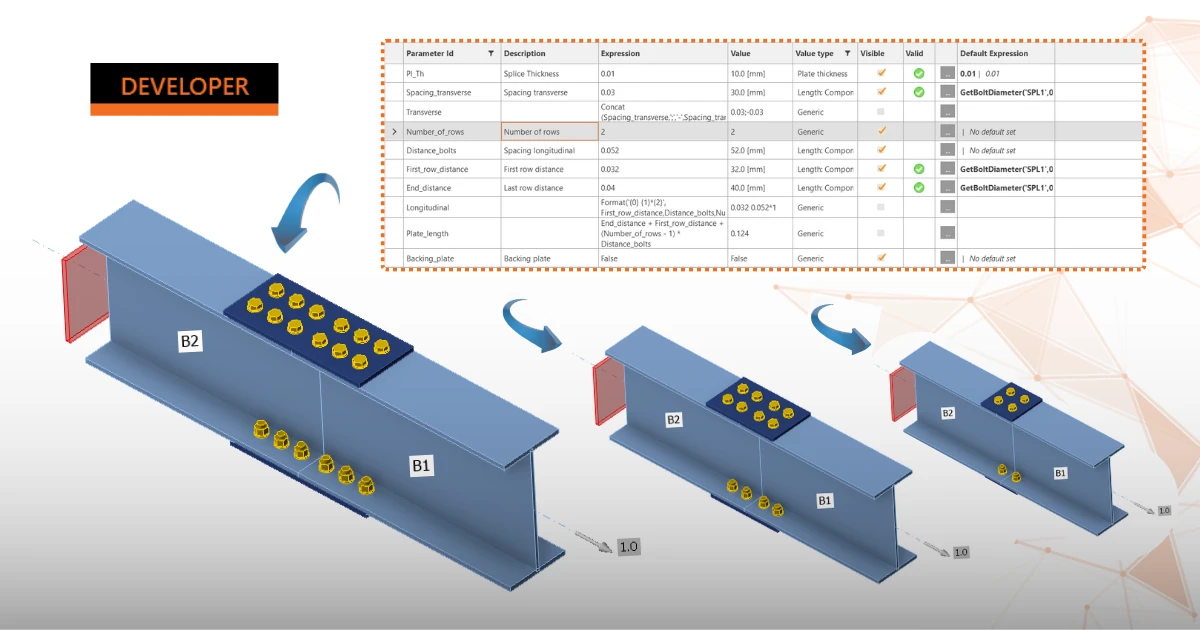
The Developer tab is a hidden mode in IDEA StatiCa Connection that lets you attach parameters — numbers, text, or equations — to the properties of a connection model (plate thickness, bolt count, gaps, weld sizes, etc.). Once properties are linked to parameters, changing a single value can update multiple related items across the model at once, instead of editing each one manually. You turn it on in Preferences by checking the Developer mode.
The prepared parameters are then turned into a parametric template you publish to the Connection Library (design templates database), so it can be reused across projects and by other people.
Use the Developer tab if you:
- Design the same connection type repeatedly (e.g., a standard splice or shear plate) across many projects, and want to stop re-modeling it each time
- Need to enforce company or regional standards — e.g., a warning if a user enters too few bolts, or a plate thickness that's always tied to member size
- Want to build a reusable template that others in your office can pick up from the Connection Library, with the logic already built in
Note: For parametric workflows using the IDEA StatiCa Connection and Rhino/Grasshopper plugin, please navigate to our Rhino/Grasshopper page.
Where to start?
This article collects all the tutorials, documentation, and recordings you need to master parametric design natively within the IDEA StatiCa Connection app and its Developer tab.