Idea Statica
  • Steel
  • Concrete
  • BIM & Workflows
  • Support & Learning
  • Pricing
  • Company
  • Steel overview
  • Connection design
  • Member design
  • Parametric design
  • Steel case studies
  • Concrete overview
  • Walls and D-regions
  • Anchoring design
  • Concrete case studies
  • BIM Overview
  • Supported integrations
  • Checkbot
  • Viewer
  • APIs
  • Support Center
  • E-learning & certification
  • Blog
  • Downloads & Licensing
  • Plans
  • Free community tool
  • Enterprise customers
  • Students & educators
  • How much will you save?
  • About us
  • Contact
  • Research & development
  • Authorized resellers
  • Meet our customers
  • Career
  • Steel
    Steel overviewConnection designMember designParametric designSteel case studies
  • Concrete
    Concrete overviewWalls and D-regionsAnchoring designConcrete case studies
  • BIM & Workflows
    BIM OverviewSupported integrationsCheckbotViewerAPIs
  • Support & Learning
    Support CenterE-learning & certificationBlogDownloads & Licensing
  • Pricing
    PlansFree community toolEnterprise customersStudents & educatorsHow much will you save?
  • Company
    About usContactResearch & developmentAuthorized resellersMeet our customersCareer
14-Day Trial
14-Day Trial

Subscribe to our newsletter

Company

  • About us
  • Partners
  • Careers
  • Patent

Resources

  • Customer projects
  • Case studies
  • Connection Library
  • Verification books

Legal

  • EULA
  • Global privacy policy
  • California Privacy
  • TOS Viewer
  • Licensing

Help

  • Contact
  • Quote request
  • Resellers
  • Downloads
FacebookInstagramLinkedInYouTube

© IDEA StatiCa 2009-2026

Trusted and used worldwide by engineers, fabricators & consultants.

Support CenterKnowledge Base ArticlesHow to use negative volume operation
How to use negative volume operation
SteelConnection designKnowledge baseConnectionManufacturing operations

How to use negative volume operation

This article is also available in
ENCZDEESFRITPTNLHUROKRPLTHTRVIZH

Negative volume operation together with Cut operation can be used for shaping and detailing steel members and plates.

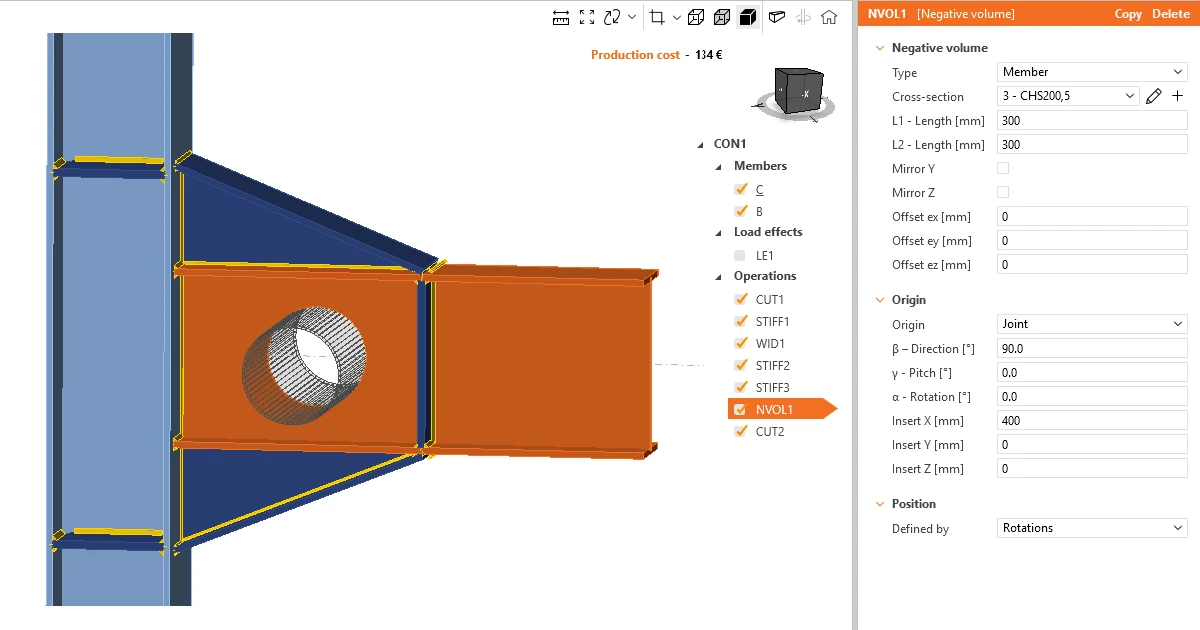
Using negative volume allows you to add a virtual member of any cross-section, either standard library sections or just general plate, or even user-defined or imported sections.
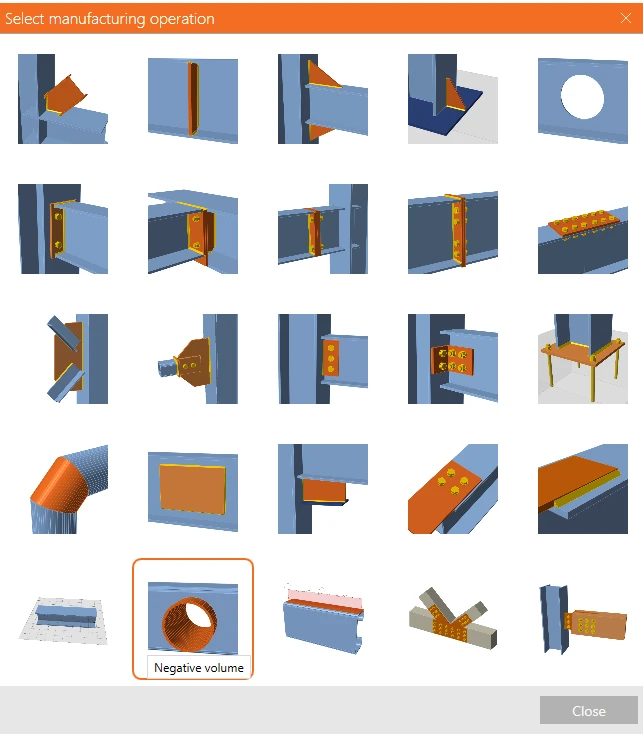
Negative volume

This is visualized in the 3D window as a solid member and can be used to cut out any part of members, stiffening members, and plates that intersect with the negative volume solid.
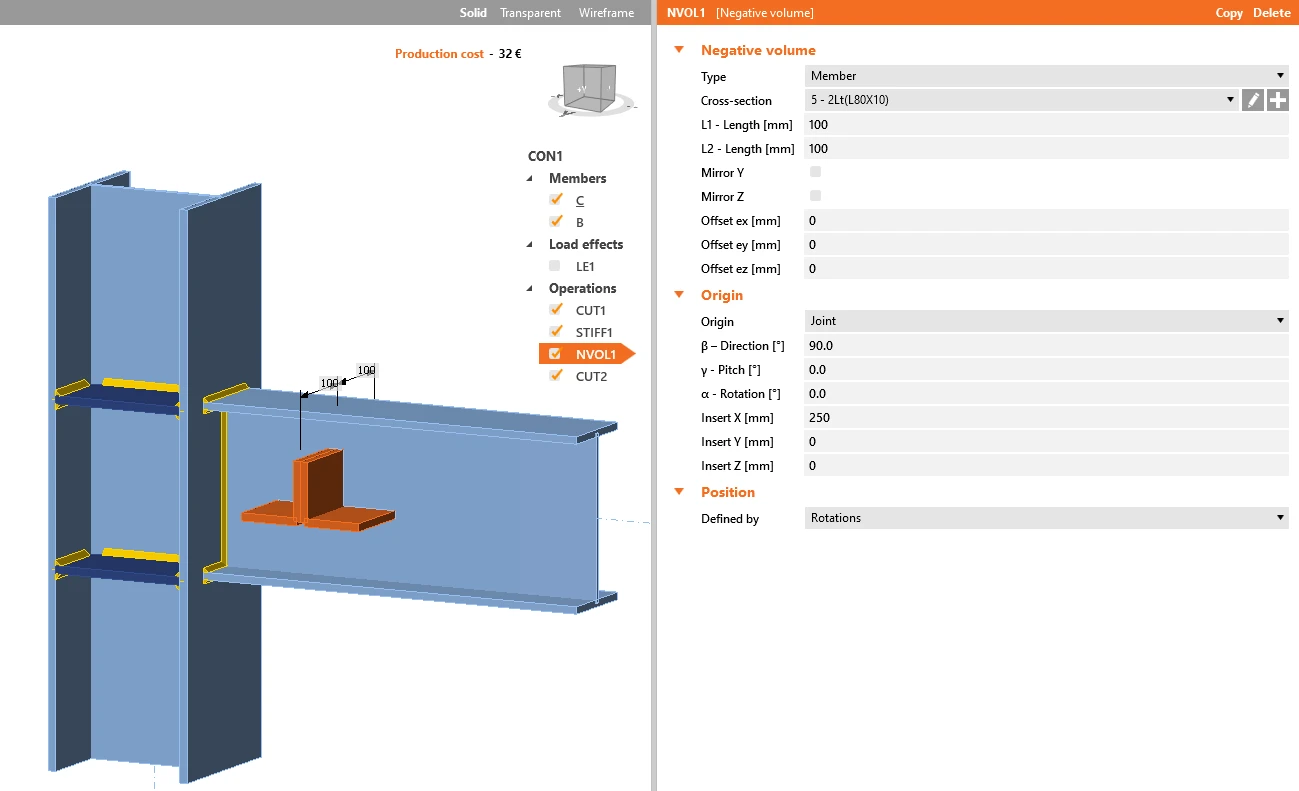
Negative volume

The 3D scene after applying the Cut operation
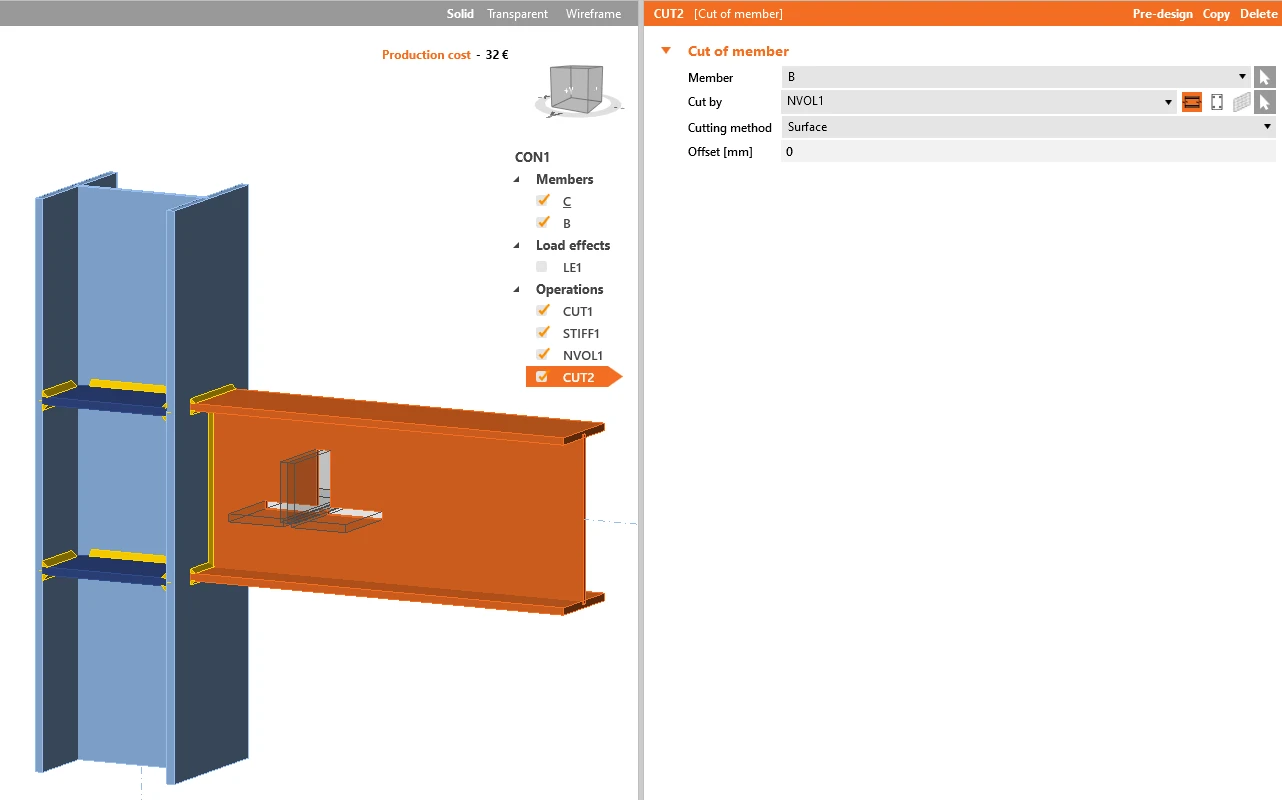
Negative volume

Watch the video for a deeper explanation.

When you need to add an offset to more members around one object like a column, you don't have to set the cut operation manually for each of them. Instead, use the negative volume operation to define the offset boundaries and set one cut operation and copy it for all the other members instantly.
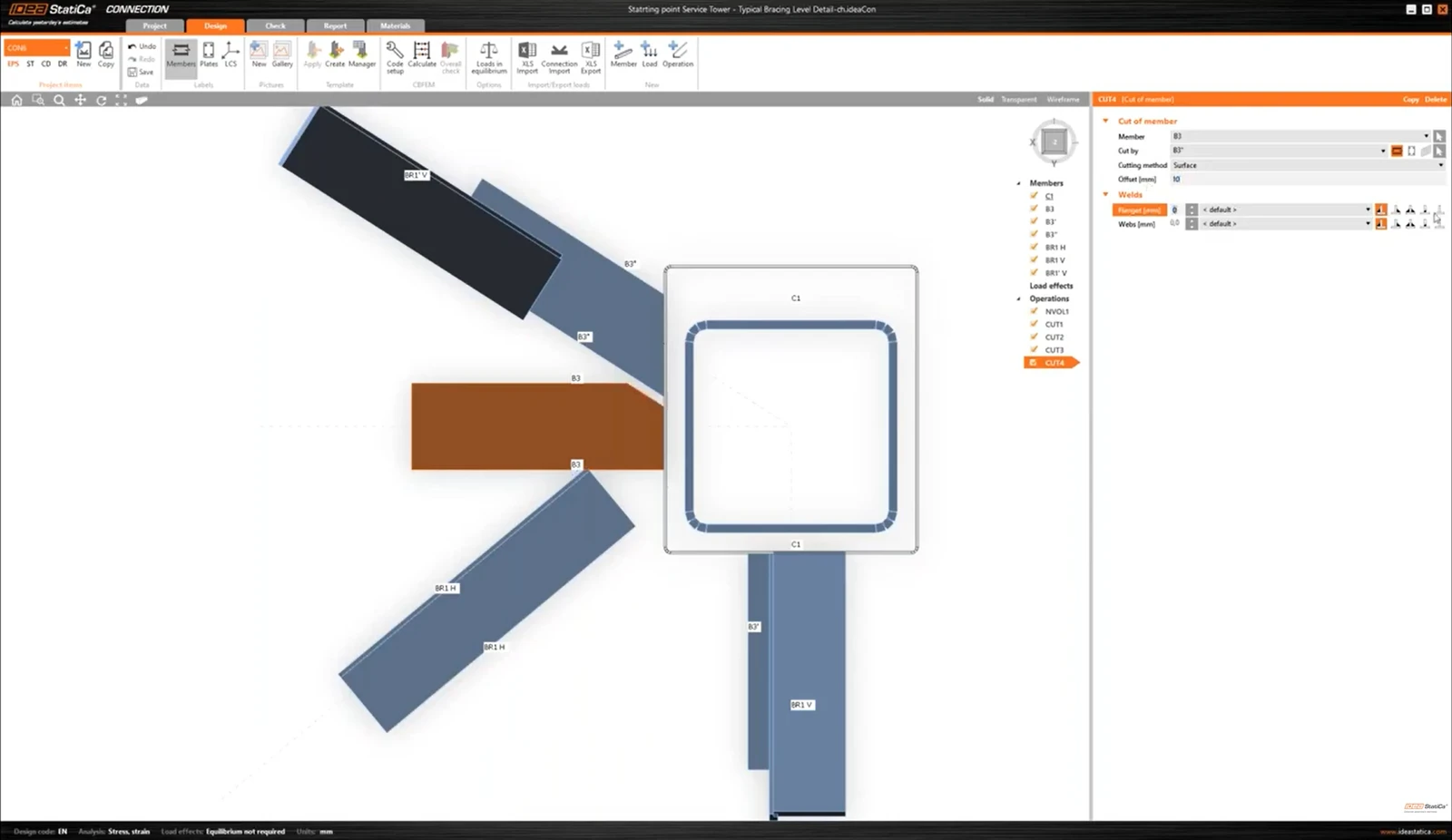
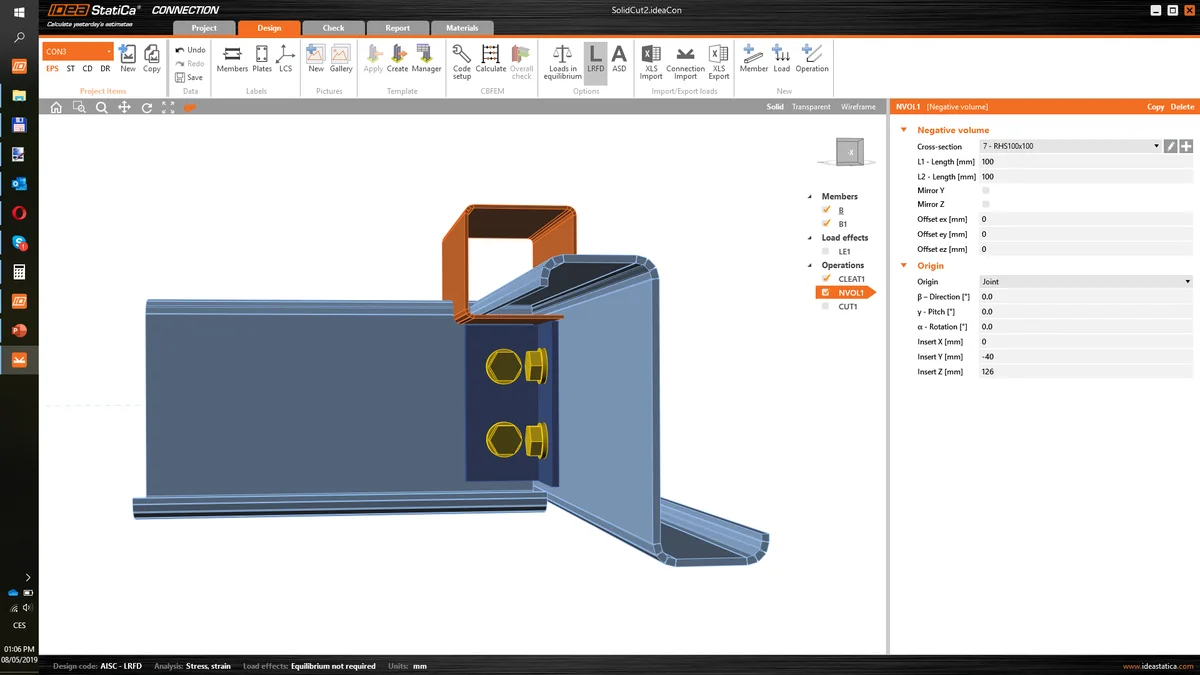
Offset of multiple members using negative volume

Related articles

Negative volume – the new manufacturing operation
  • Steel
  • Connection
  • Manufacturing operations
  • +3
  • Steel
  • Connection
  • Manufacturing operations

Blog post

Negative volume – the new manufacturing operation

Read more
Batch anlysis
  • Steel
  • Connection
  • Member
  • Checkbot
  • Viewer
  • IDEA Open Model (API)
  • AISC (USA)
  • EN (Eurocode)
  • BIM link
  • Advance Steel
  • Tekla Structures
  • SAP2000
  • SCIA Engineer
  • STAAD.Pro
  • Revit
  • Robot Structural Analysis
  • Advance Design
  • AxisVM
  • ETABS
  • midas Civil + Gen
  • RFEM
  • RSTAB
  • +22
  • Steel
  • Connection
  • Member
  • Checkbot
  • Viewer
  • IDEA Open Model (API)
  • AISC (USA)
  • EN (Eurocode)
  • BIM link
  • Advance Steel
  • Tekla Structures
  • SAP2000
  • SCIA Engineer
  • STAAD.Pro
  • Revit
  • Robot Structural Analysis
  • Advance Design
  • AxisVM
  • ETABS
  • midas Civil + Gen
  • RFEM
  • RSTAB

Release notes

Release notes IDEA StatiCa Steel 10.1

Read more
How to create and use a custom cross-section
  • Steel
  • Connection
  • AISC (USA)
  • Geometry
  • Cross-sections
  • DXF
  • EN (Eurocode)
  • Modeling
  • +8
  • Steel
  • Connection
  • AISC (USA)
  • Geometry
  • Cross-sections
  • DXF
  • EN (Eurocode)
  • Modeling

Knowledge base

How to create and use a custom cross-section

Read more