Idea Statica
  • Steel
  • Concrete
  • BIM & Workflows
  • Support & Learning
  • Pricing
  • Company
  • Steel overview
  • Connection design
  • Member design
  • Parametric design
  • Steel case studies
  • Concrete overview
  • Walls and D-regions
  • Anchoring design
  • Concrete case studies
  • BIM Overview
  • Supported integrations
  • Checkbot
  • Viewer
  • APIs
  • Support Center
  • E-learning & certification
  • Blog
  • Downloads & Licensing
  • Plans
  • Free community tool
  • Enterprise customers
  • Students & educators
  • How much will you save?
  • About us
  • Contact
  • Research & development
  • Authorized resellers
  • Meet our customers
  • Career
  • Steel
    Steel overviewConnection designMember designParametric designSteel case studies
  • Concrete
    Concrete overviewWalls and D-regionsAnchoring designConcrete case studies
  • BIM & Workflows
    BIM OverviewSupported integrationsCheckbotViewerAPIs
  • Support & Learning
    Support CenterE-learning & certificationBlogDownloads & Licensing
  • Pricing
    PlansFree community toolEnterprise customersStudents & educatorsHow much will you save?
  • Company
    About usContactResearch & developmentAuthorized resellersMeet our customersCareer
14-Day Trial
14-Day Trial

Subscribe to our newsletter

Company

  • About us
  • Partners
  • Careers
  • Patent

Resources

  • Customer projects
  • Case studies
  • Connection Library
  • Verification books

Legal

  • EULA
  • Global privacy policy
  • California Privacy
  • TOS Viewer
  • Licensing

Help

  • Contact
  • Quote request
  • Resellers
  • Downloads
FacebookInstagramLinkedInYouTube

© IDEA StatiCa 2009-2026

Trusted and used worldwide by engineers, fabricators & consultants.

Support CenterKnowledge Base ArticlesCheckbot Free – the structural design hub for FEA and CAD data
IDEA StatiCa BIM interoperability for steel
IDEA StatiCa BIM interoperability for concrete
Checkbot – bulk BIM workflows
Bulk workflows and critical load filter in Checkbot
Export of editable connections from Checkbot
How to merge connections from CAD and FEA software
Add or merge nodes of connections and members in Checkbot
Import of recommended welds
Checkbot ready for big projects
Checkbot Free – the structural design hub for FEA and CAD data
Model Coordinator (BETA): Combine FEA and CAD models
Checkbot (BIM link) does not start
Checkbot Free – the structural design hub for FEA and CAD data
LicensingKnowledge baseCheckbotLicensingv24.0

Checkbot Free – the structural design hub for FEA and CAD data

This article is also available in
ENCZDEESFRITPTNLHUROKRPLTHTRVIZH

Checkbot Free offers unification and simplification of the workflow for users across various regions. It provides simplification of structural engineering workflows in communication through design data management and sharing between different tools.

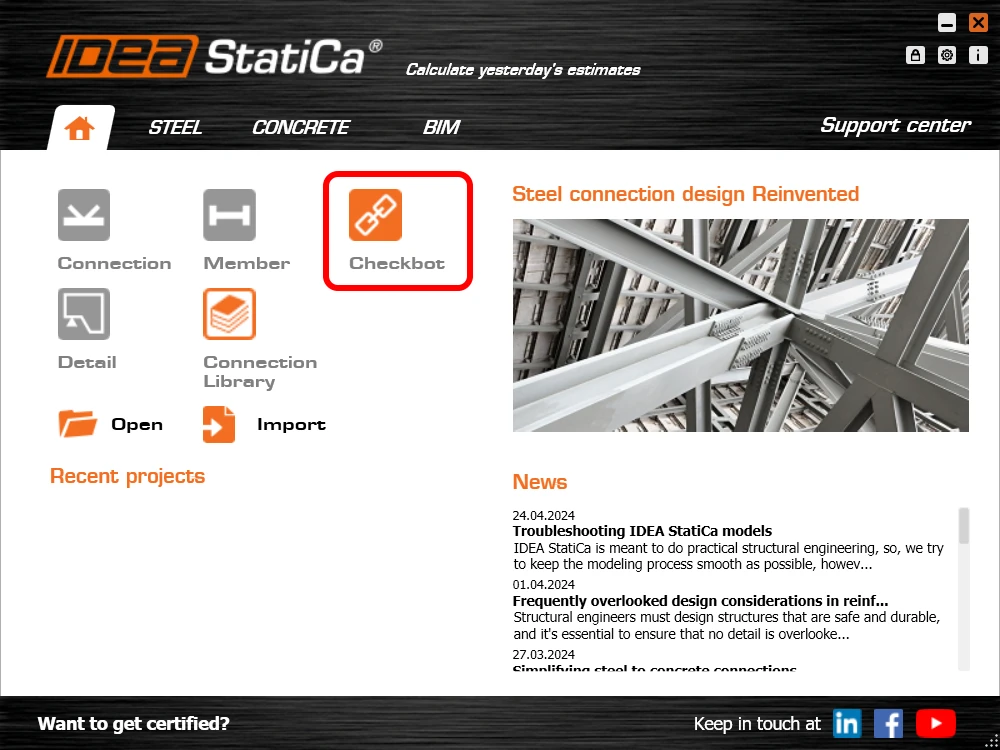
The IDEA StatiCa Checkbot Free application works both as a plugin linked to a specific FEA or CAD tool and as a standalone application capable of importing, managing, and exporting different types of design data. For the majority of its capabilities, the paid license is not necessary. The only necessity for running it is a valid IDEA StatiCa user account. This means that also without the paid, educational, or trial license, the user can still leverage the advantages of the Checkbot Free features.

Checkbot is a part of the IDEA StatiCa install file. If the user has not yet created an IDEA account, they can simply follow this step-by-step guide to set up a Basic account.
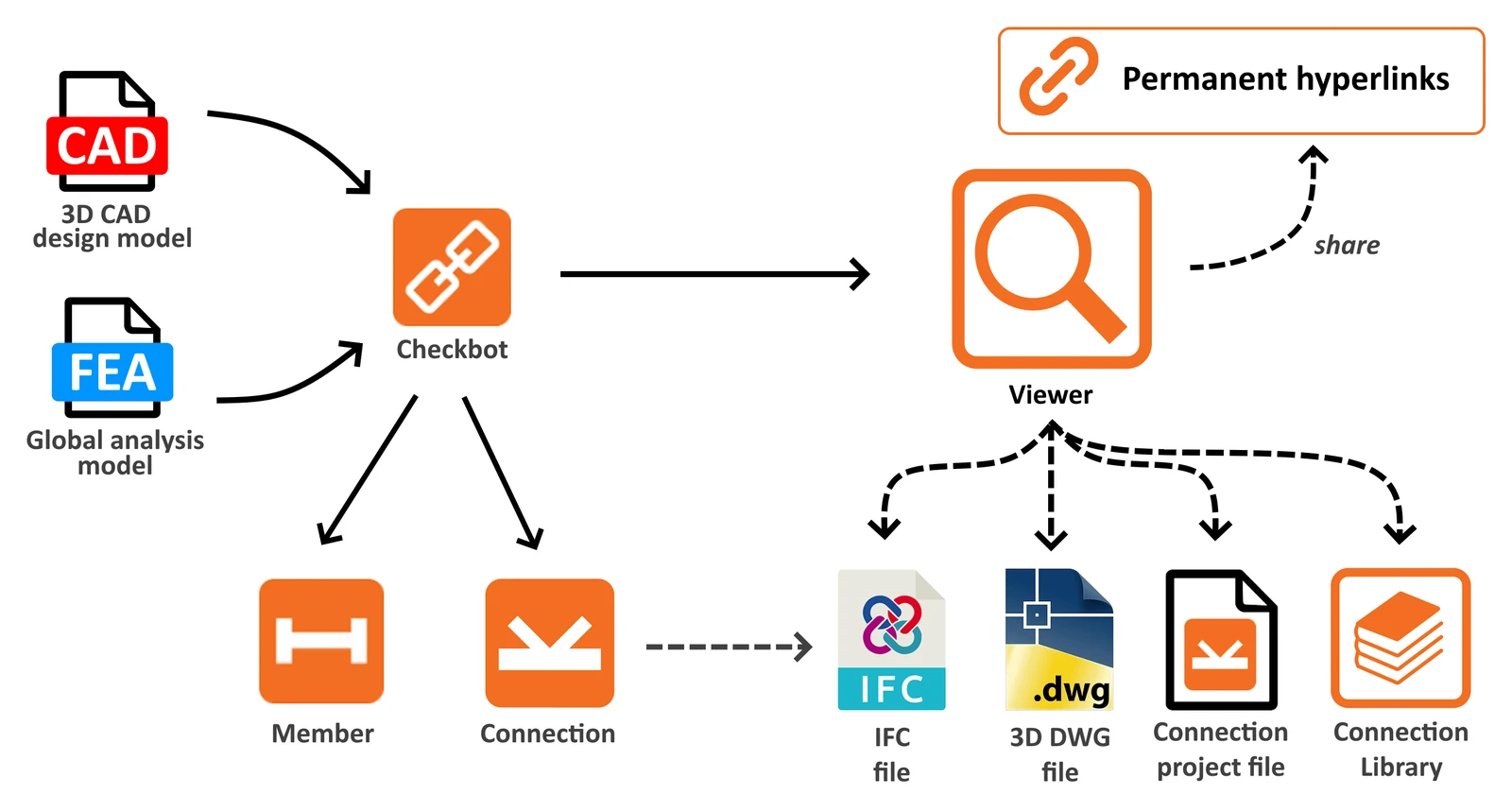
Checkbot Free offers a range of functionalities aimed at improving project collaboration and efficiency:

  • Import compatibility: Users can import model data from all supported CAD and FEA tools directly into IDEA StatiCa Checkbot.
  • Sharing of design objects: Enables sharing of design objects such as members' geometry, cross-sections,  and materials.
    From FEA tools, also the internal forces for specific load cases and combinations are imported together with the structure.
    From CAD tools, the detailed connection elements are transferred with all additional plates, bolts and welds.
  • File-based import: Besides the automated way of integration and importing, Checkbot also provides a direct import option. The stand-alone version of Checkbot can process data from SAF, IOM and RAM files.
  • File export: There is several possible outputs from Checkbot models, useful for sharing within communication. User can export .ideacon files, which can be opened in Connection app or cloud Viewer. Or, IFC file format can be even more useful when reading by other free or licensed tools, especially handy for the CAD models. Both file formats can be exported as for the specific structural node or multiple nodes at once.
  • Viewer access: Allows opening selected connections in our Viewer web browser tool, ensuring project details are easily accessible for review and discussion.

If you're interested in all useful Checkbot's benefits, learn more in this comprehensive feature-explaining article.
User's benefits of being 'Free'

  • Licensing flexibility: Checkbot is always included in a single IDEA setup package, where individual applications are being unlocked with a license. Checkbot tool is a 'Free' app working with all types of licenses. Even when all paid license seats are occupied, users can still perform imports and exports there.
  • Replacement of free Viewer plugins: All the features provided by previous CAD viewer plugins for Advance Steel, Revit, and Tekla are now available in Checkbot feature set. Therefore, these plugins are not being developed and supported any more. All their advantages with many more can be found in Checkbot now.
  • Unified solution: This also means that Checkbot centralized all the features useful for CAD tools users under one plugin button in the ribbon, one installation and one workflow. 

Intuitive user experience

  • Informative tooltips: In Free version, some features are disabled and available only in Paid licenses. These commands were improved by feature tooltips explaining why they are unavailable, enhancing user understanding and navigation.
  • Clear identification: The free version is clearly labeled as "Checkbot Free" in the title, distinguishing it from the paid version.

Who is Checkbot free for?

See how IDEA StatiCa Checkbot and other free tools help you save time, money, and reputation in connection design, specifically in your role.

Released in IDEA StatiCa version 24.0.

Take the latest version of IDEA StatiCa for a test drive today

Get 14 days of full access, completely free.

Check out IDEA StatiCa for free
Release notes IDEA StatiCa 24.0
  • Steel
  • Concrete
  • v24.0
  • +3
  • Steel
  • Concrete
  • v24.0

Release notes

Release notes IDEA StatiCa 24.0

Read more
Project Viewer – useful and costless
  • Steel
  • Geometry
  • Drawing
  • Advance Steel
  • Tekla Structures
  • Revit
  • Viewer
  • Connection
  • +8
  • Steel
  • Geometry
  • Drawing
  • Advance Steel
  • Tekla Structures
  • Revit
  • Viewer
  • Connection

Blog post

Project Viewer – useful and costless

Read more
IDEA StatiCa Basic Plan
  • User actions
  • Licensing
  • Support
  • v23.0
  • +4
  • User actions
  • Licensing
  • Support
  • v23.0

Knowledge base

IDEA StatiCa Basic Plan

Read more