Idea Statica
  • Steel
  • Concrete
  • BIM & Workflows
  • Support & Learning
  • Pricing
  • Company
  • Steel overview
  • Connection design
  • Member design
  • Parametric design
  • Steel case studies
  • Concrete overview
  • Walls and D-regions
  • Anchoring design
  • Concrete case studies
  • BIM Overview
  • Supported integrations
  • Checkbot
  • Viewer
  • APIs
  • Support Center
  • E-learning & certification
  • Blog
  • Downloads & Licensing
  • Plans
  • Free community tool
  • Enterprise customers
  • Students & educators
  • How much will you save?
  • About us
  • Contact
  • Research & development
  • Authorized resellers
  • Meet our customers
  • Career
  • Steel
    Steel overviewConnection designMember designParametric designSteel case studies
  • Concrete
    Concrete overviewWalls and D-regionsAnchoring designConcrete case studies
  • BIM & Workflows
    BIM OverviewSupported integrationsCheckbotViewerAPIs
  • Support & Learning
    Support CenterE-learning & certificationBlogDownloads & Licensing
  • Pricing
    PlansFree community toolEnterprise customersStudents & educatorsHow much will you save?
  • Company
    About usContactResearch & developmentAuthorized resellersMeet our customersCareer
14-Day Trial
14-Day Trial

Subscribe to our newsletter

Company

  • About us
  • Partners
  • Careers
  • Patent

Resources

  • Customer projects
  • Case studies
  • Connection Library
  • Verification books

Legal

  • EULA
  • Global privacy policy
  • California Privacy
  • TOS Viewer
  • Licensing

Help

  • Contact
  • Quote request
  • Resellers
  • Downloads
FacebookInstagramLinkedInYouTube

ยฉ IDEA StatiCa 2009-2026

Trusted and used worldwide by engineers, fabricators & consultants.

Support CenterTutorialsMoment connection: Wide flange to HSS (AISC)
Moment connection: Welded flanges and shear plate
SteelConnection designTutorialsConnectionAISC (USA)

Moment connection: Wide flange to HSS (AISC)

This article is also available in
ENCZDEESFRITPTNLHUROKRPLTHTRVIZH

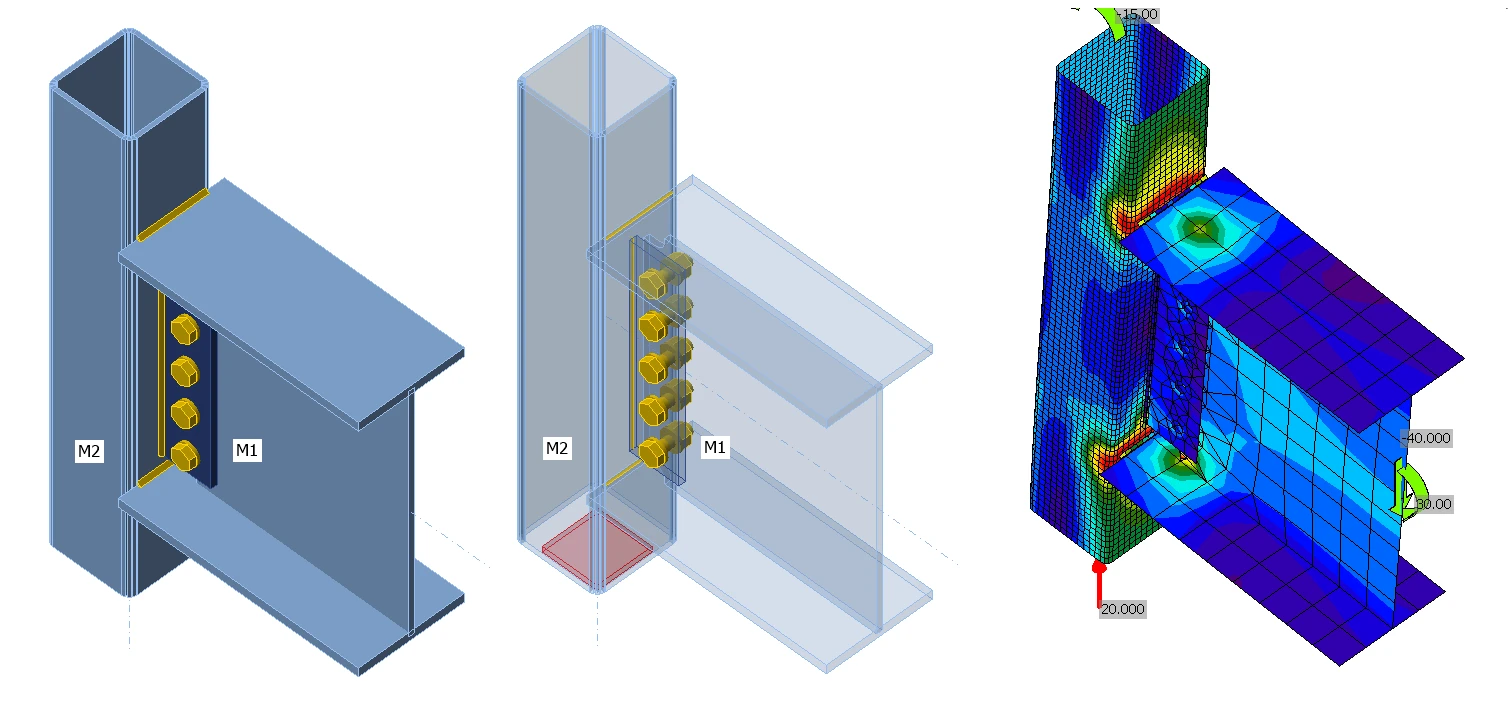
In this tutorial you will learn how to use IDEA StatiCa Connection to model and code-check a structural steel moment connection. Follow the step by step guide to design a Wide flange to HSS Column connection.

1 New projectย 

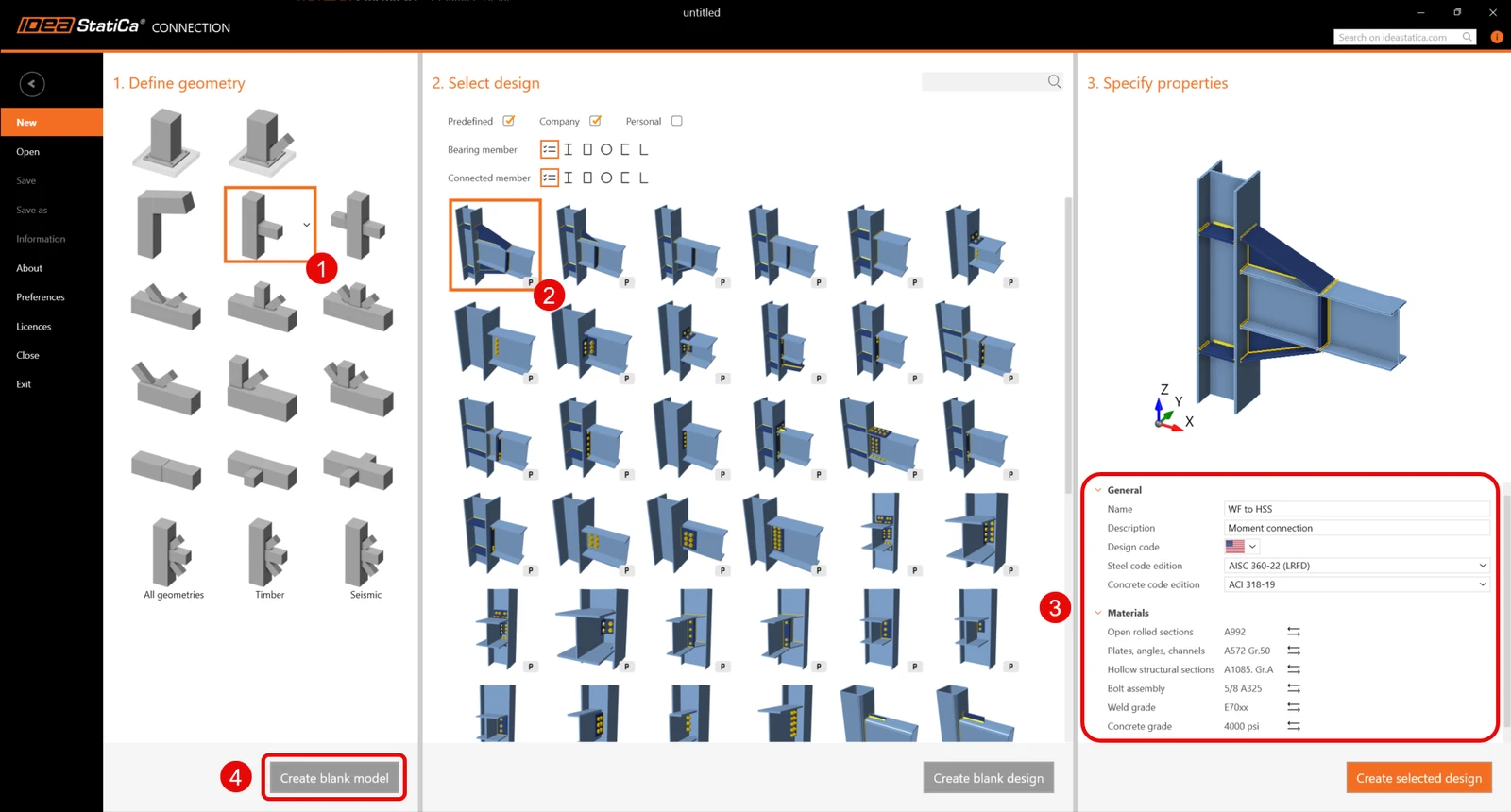
Start by launching the IDEA StatiCa Connection. Create a new project by selecting the blank template, filling in the name, and choosing AISC design code and default steel grade โ€“ A992.

Since you are working under the AISC code, it is best to set the imperial units (see How to change the system of units).

2 Geometryย 

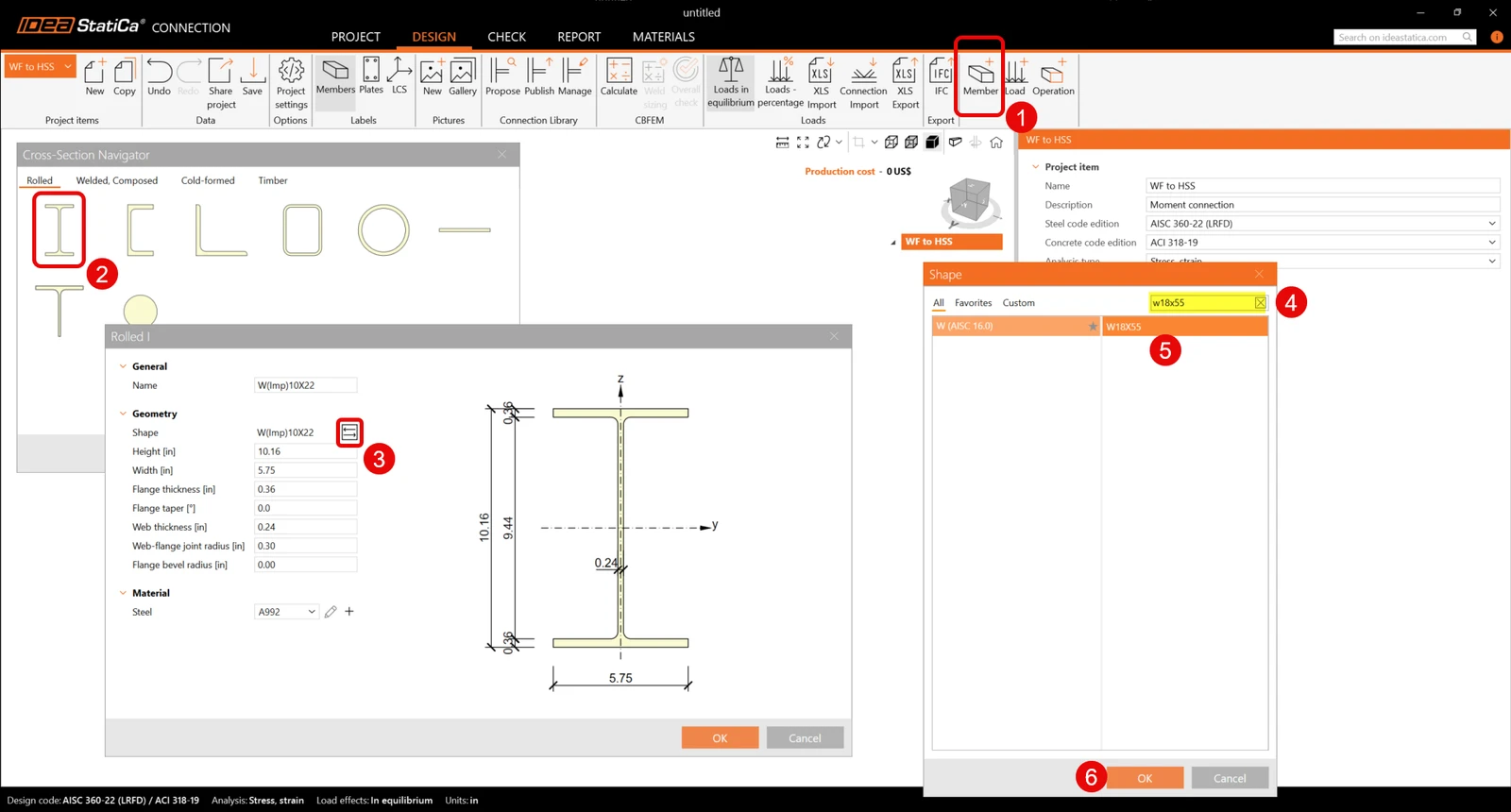
Add a new member by clicking on the New member icon. Select a Wide flange profile, then click the three dots icon to select the size. Search under W (AISC 15.0) for a W18x55 and click OK.ย 

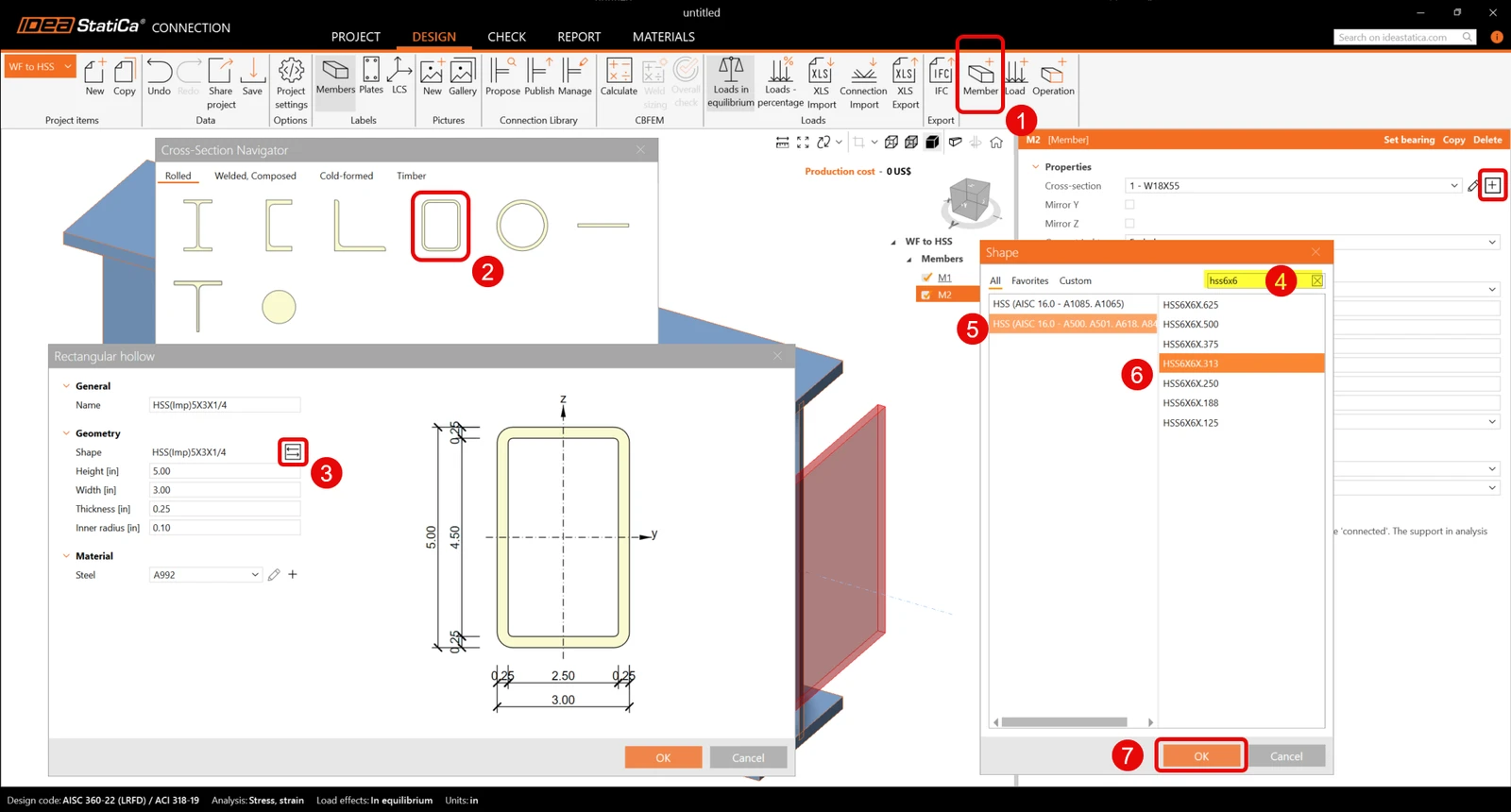
Add another member to model the column by clicking on the New member icon and then click the plus icon. Now select HSS profile, click the tree dots icon to select a HSS 6X6X0.313 within the HSS AISC 15.0 A500 database. Change the material of the HSS to A500 Grade C.ย 

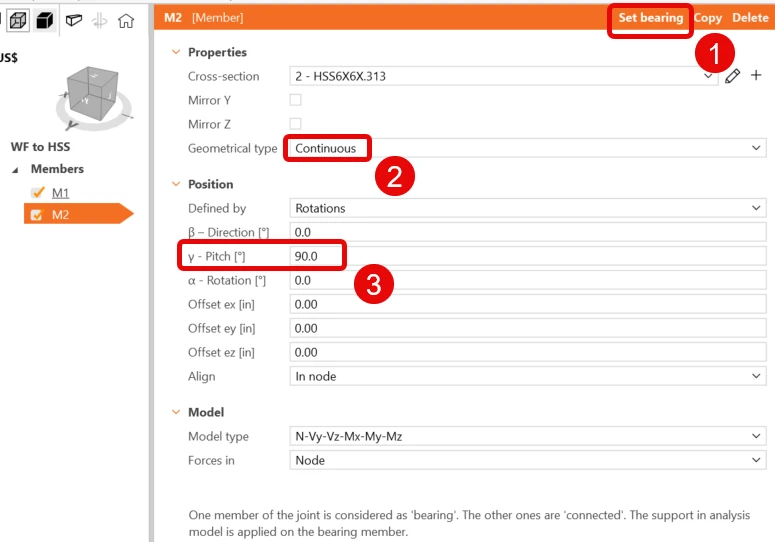
Click on the HSS member and, modify its properties to make it vertical, continuous and the bearing member.ย 

ย 3 Load Effects

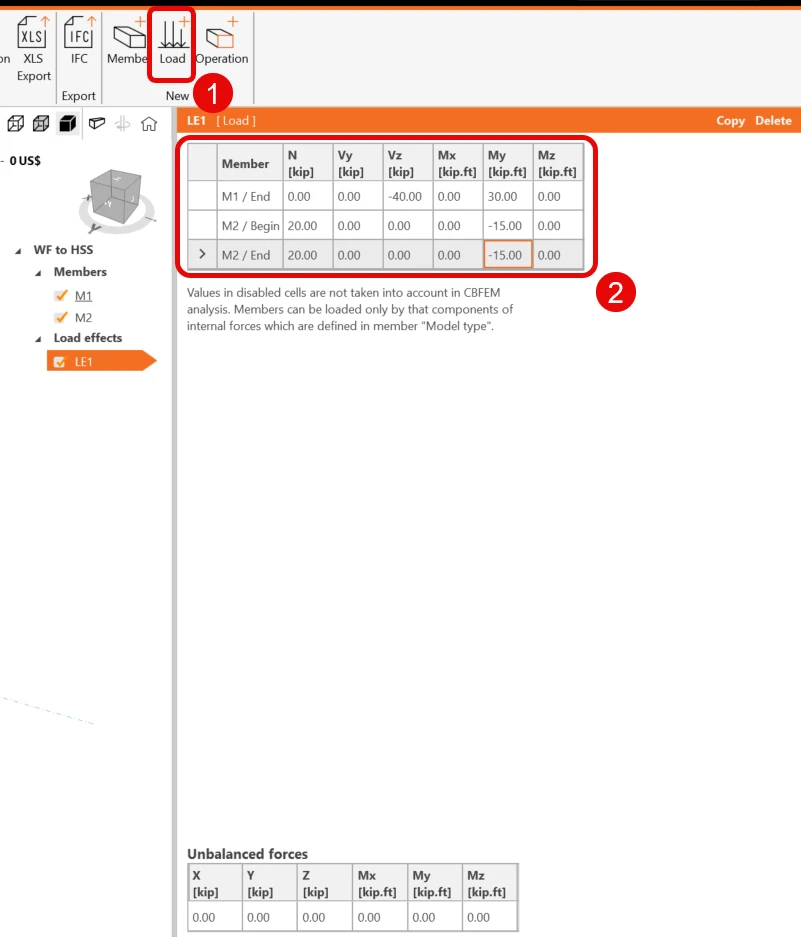
Add a new load effect by clicking in the new load icon, then input the values as shown:ย 

4 Model the connection

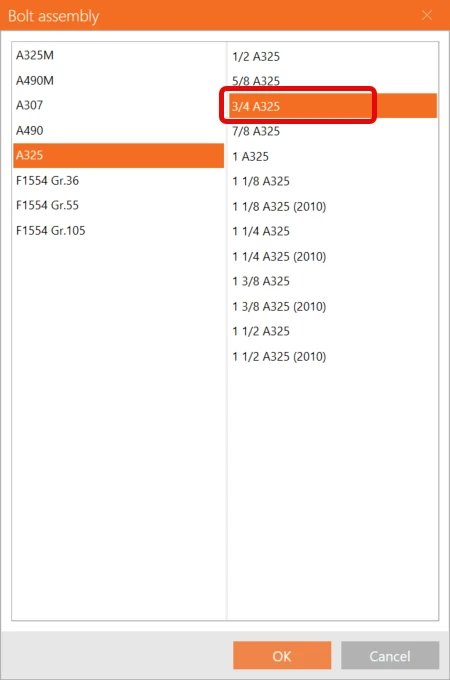
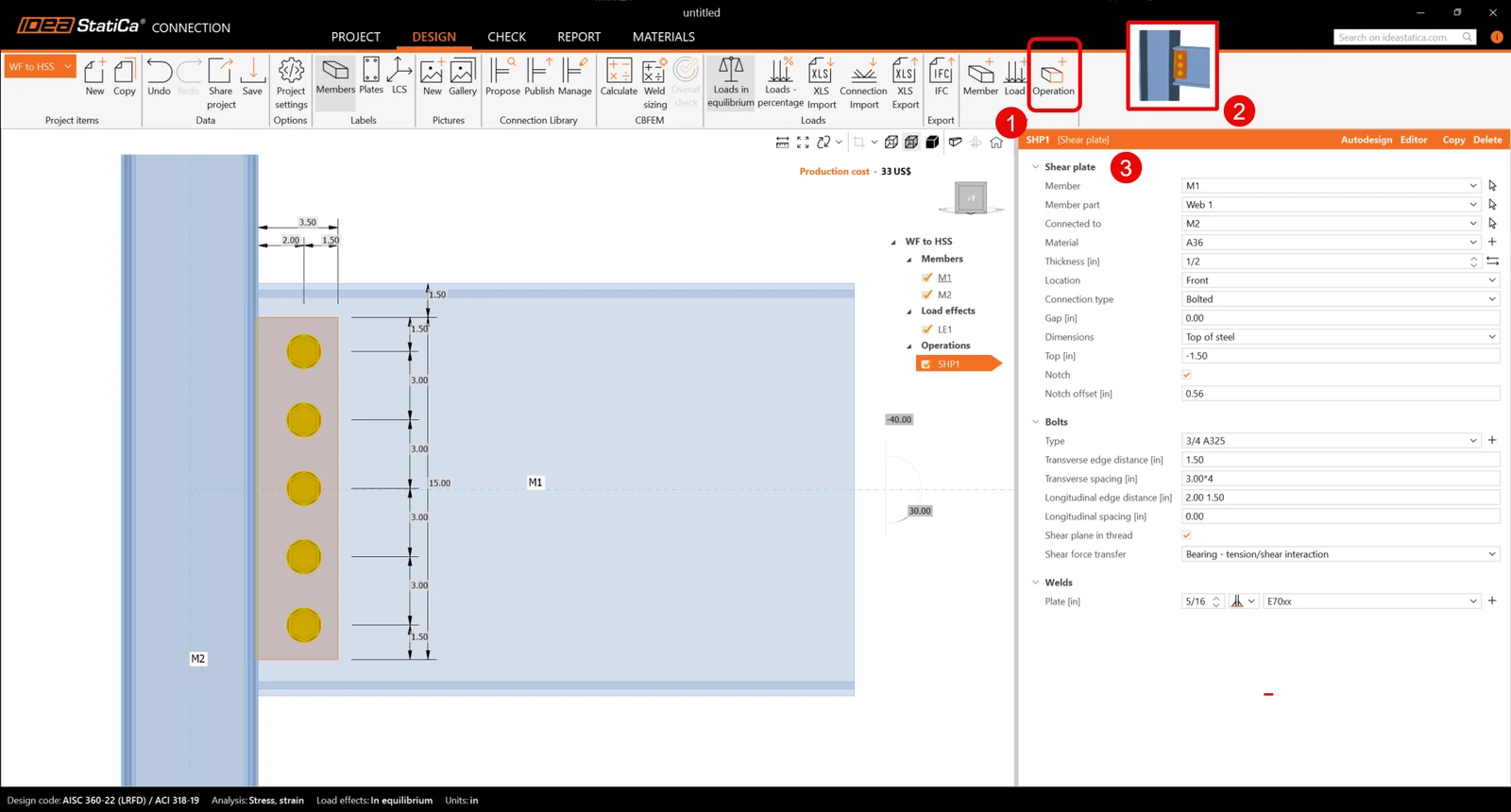
Click on the New operation icon and select Shear plate. Input the values as shown:ย 

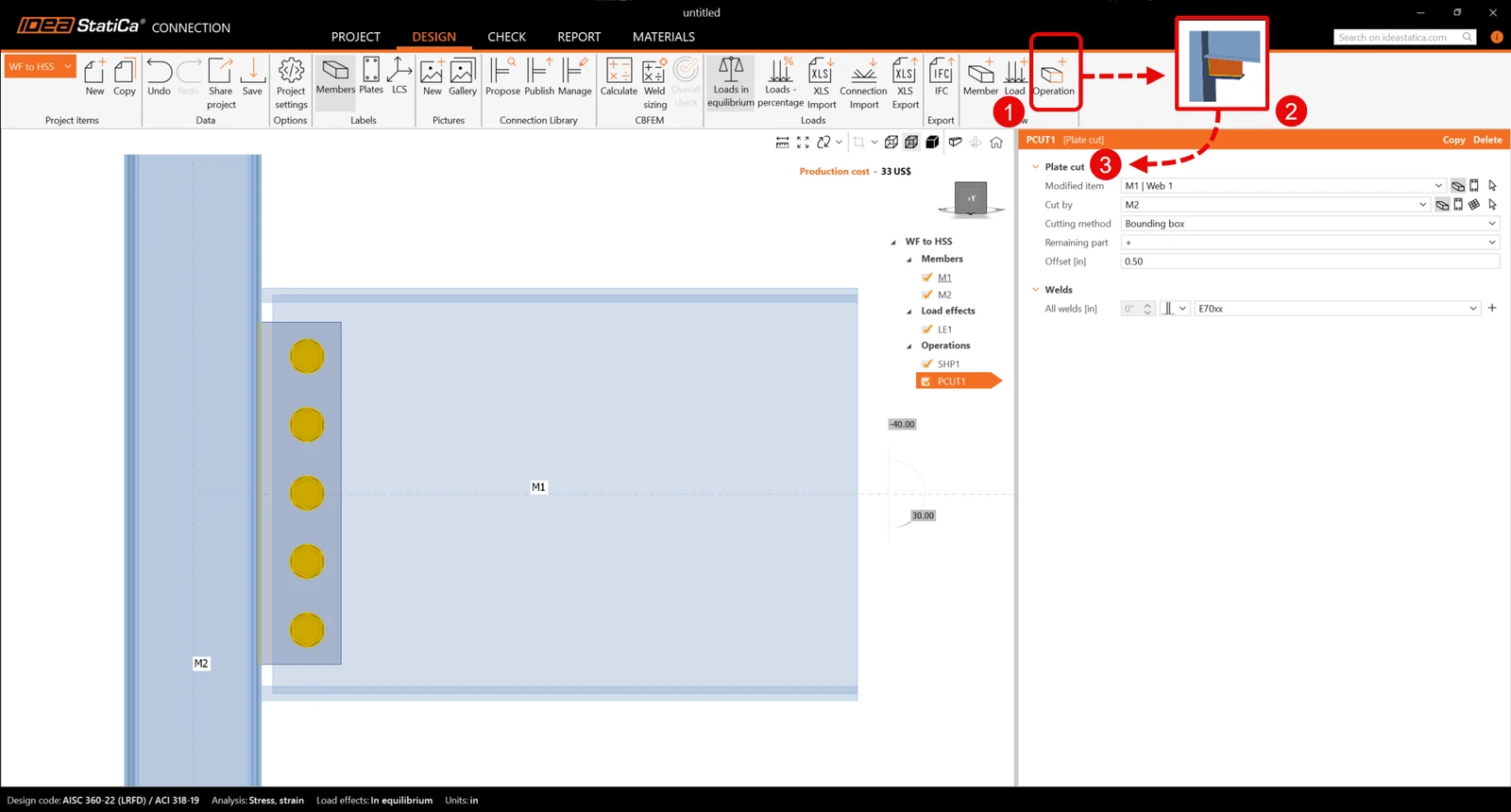
Click on the New operation icon and select Plate cut. Input the values as shown:
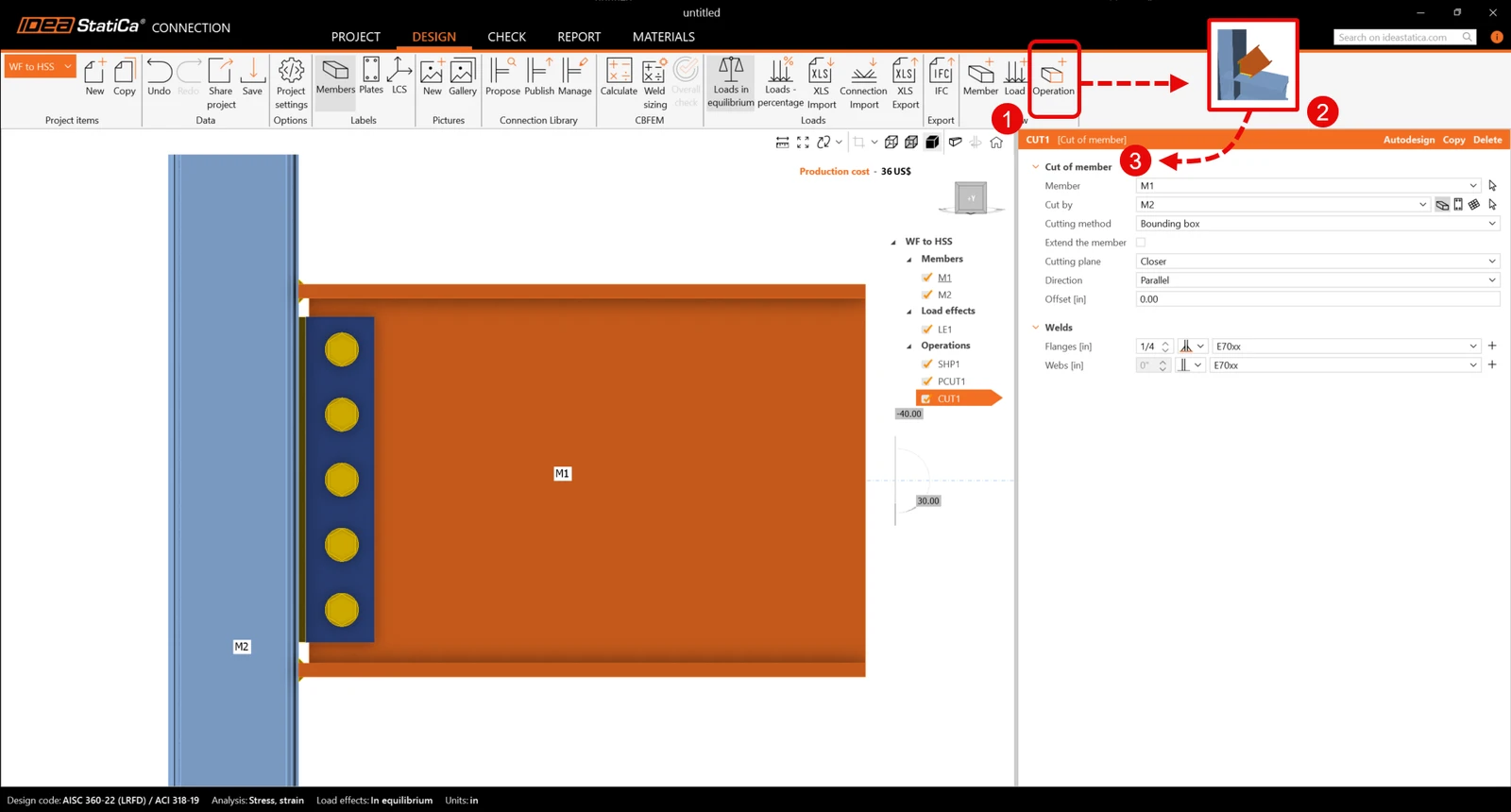
Add a Cut of member operation. Input the values as shown, consider that only welds at the flanges are selected.
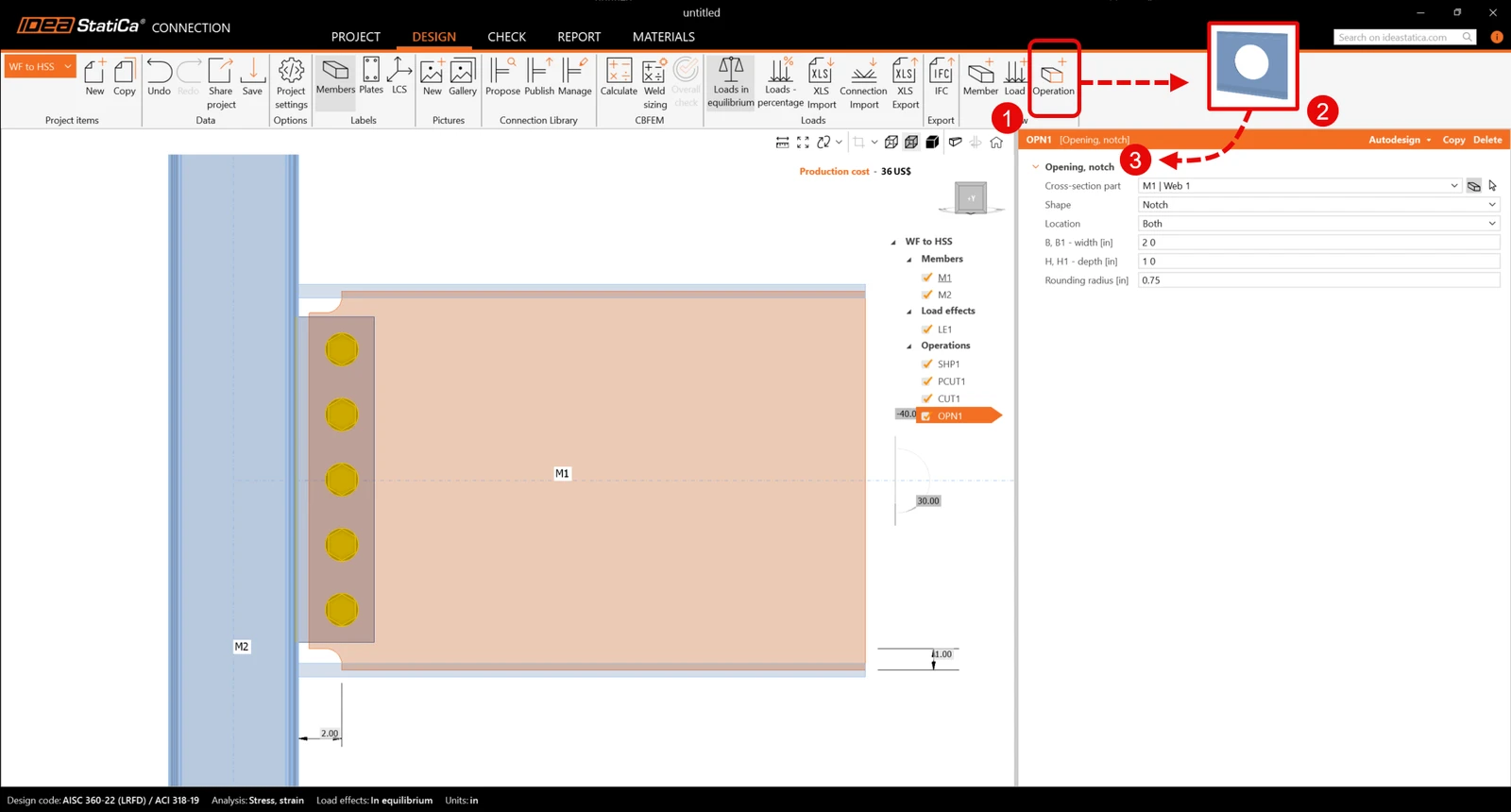
Finally, add an opening operation and input the values as shown:
5 Analysis and report

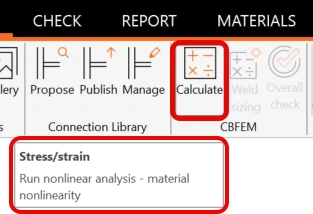
Now that the connection is modeled click the Calculate icon:ย 

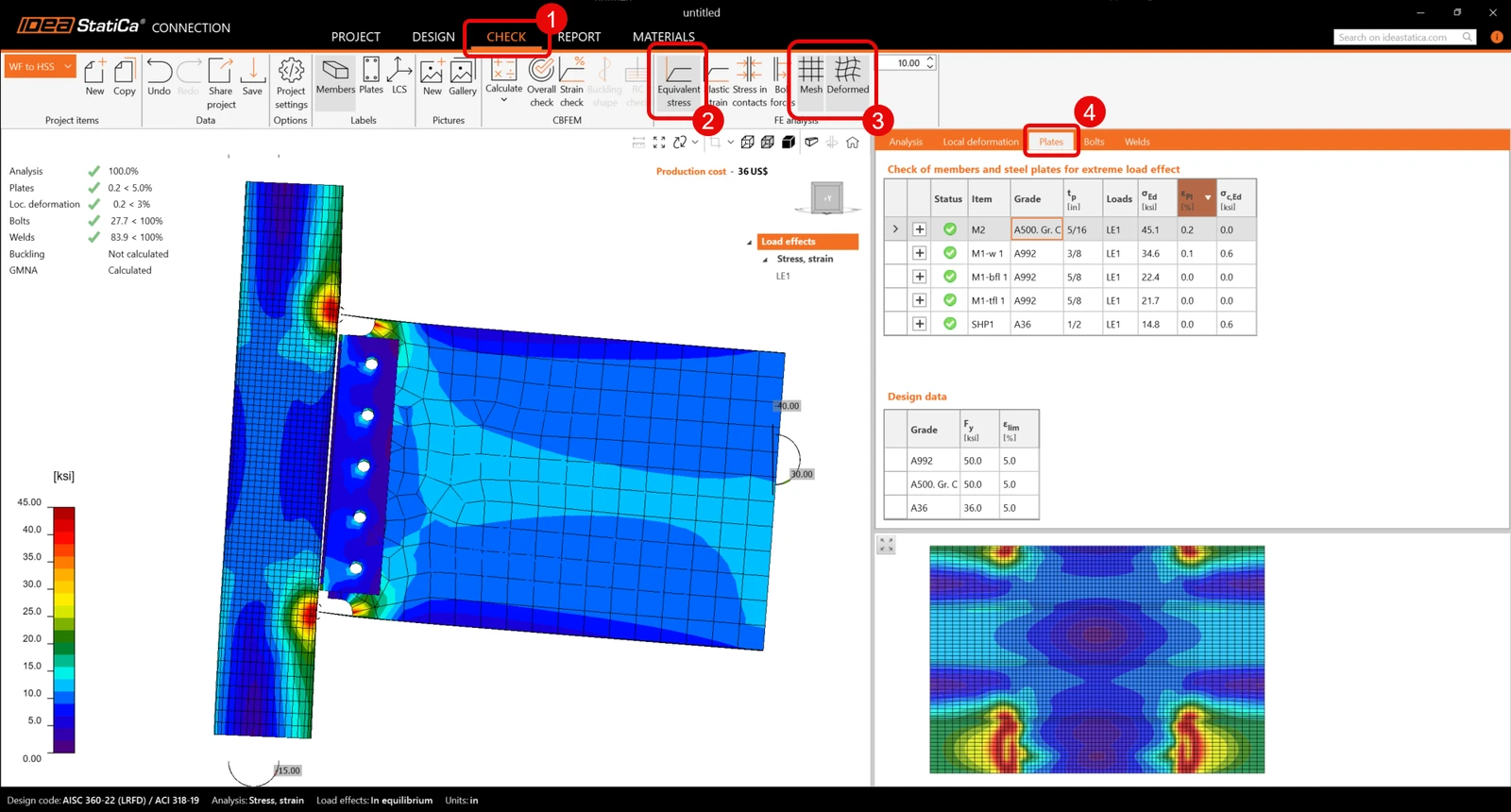
When the analysis finishes, go to the Check tab and click on Equivalent stresses and deformed shape. The first check is the deformed shape to review if the deformation is logical. Also, you can see the summary of checks and confirm that the connection complies with AISC checks.ย 

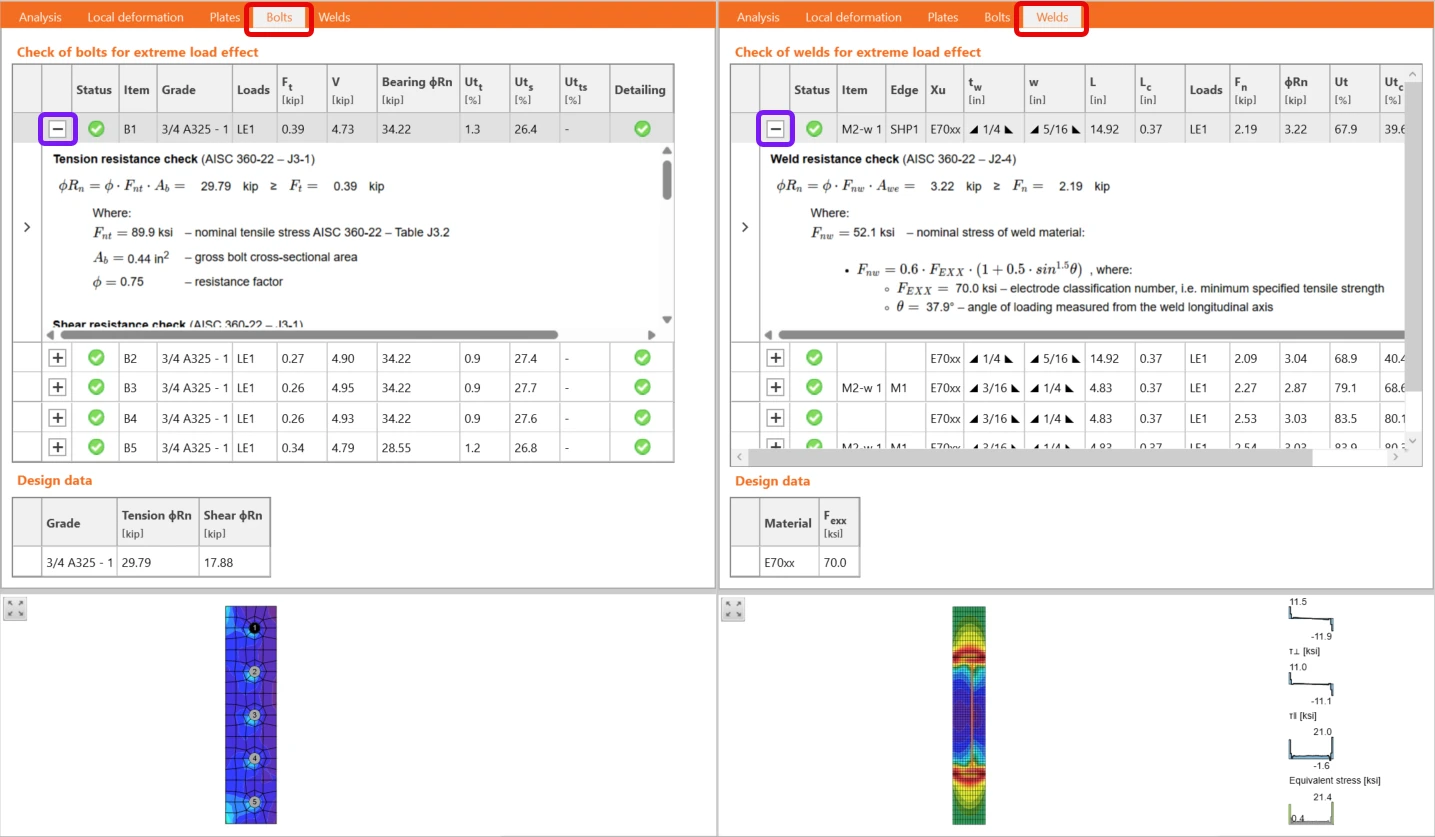
To review the calculations, go through the next tabs and click on the plus icon to get the calculations of every bolt and weld:ย 

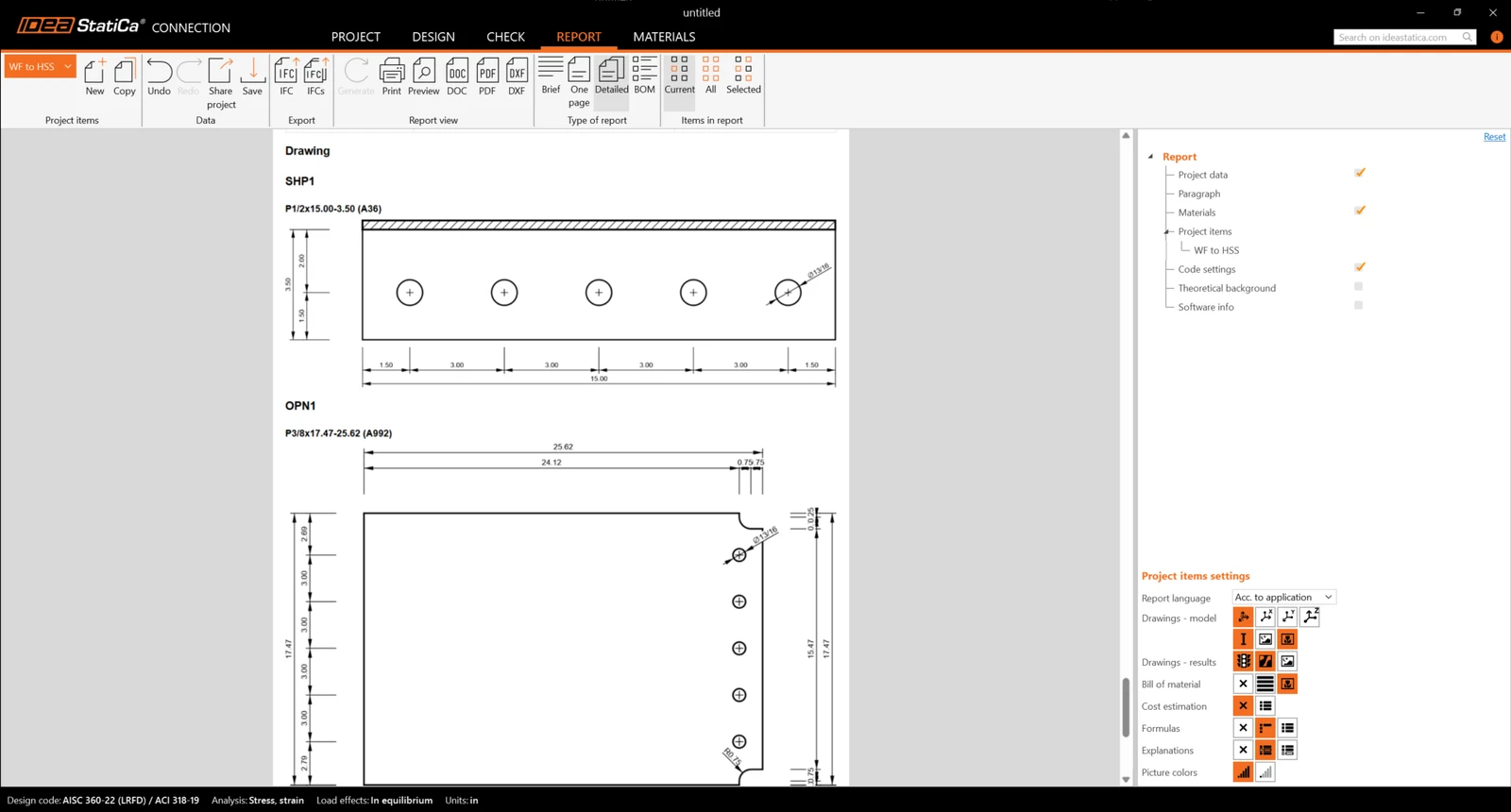
Finally, click on the report and activate the following items to get detailed checks and drawings. A PDF version of the report is available when clicking on the PDF icon: