Idea Statica
  • Steel
  • Concrete
  • BIM & Workflows
  • Support & Learning
  • Pricing
  • Company
  • Steel overview
  • Connection design
  • Member design
  • Parametric design
  • Steel case studies
  • Concrete overview
  • Walls and D-regions
  • Anchoring design
  • Concrete case studies
  • BIM Overview
  • Supported integrations
  • Checkbot
  • Viewer
  • APIs
  • Support Center
  • E-learning & certification
  • Blog
  • Downloads & Licensing
  • Plans
  • Free community tool
  • Enterprise customers
  • Students & educators
  • How much will you save?
  • About us
  • Contact
  • Research & development
  • Authorized resellers
  • Meet our customers
  • Career
  • Steel
    Steel overviewConnection designMember designParametric designSteel case studies
  • Concrete
    Concrete overviewWalls and D-regionsAnchoring designConcrete case studies
  • BIM & Workflows
    BIM OverviewSupported integrationsCheckbotViewerAPIs
  • Support & Learning
    Support CenterE-learning & certificationBlogDownloads & Licensing
  • Pricing
    PlansFree community toolEnterprise customersStudents & educatorsHow much will you save?
  • Company
    About usContactResearch & developmentAuthorized resellersMeet our customersCareer
14-Day Trial
14-Day Trial

Subscribe to our newsletter

Company

  • About us
  • Partners
  • Careers
  • Patent

Resources

  • Customer projects
  • Case studies
  • Connection Library
  • Verification books

Legal

  • EULA
  • Global privacy policy
  • California Privacy
  • TOS Viewer
  • Licensing

Help

  • Contact
  • Quote request
  • Resellers
  • Downloads
FacebookInstagramLinkedInYouTube

© IDEA StatiCa 2009-2026

Trusted and used worldwide by engineers, fabricators & consultants.

Support CenterKnowledge Base ArticlesHow to add inside or outside stiffener on the circular hollow member
What is the difference between Widener , Doubler and Rib?
Using the plate Editor to shape a plate
How to add inside or outside stiffener on the circular hollow member
How to design a haunch
Plate and weld clash check
Inside or outside stiffener for circular hollow members can be added by one manufacturing operation.
SteelConnection designKnowledge baseConnectionManufacturing operations

How to add inside or outside stiffener on the circular hollow member

This article is also available in
ENCZDEESFRITPTNLHUROKRPLTHTRVIZH

Inside or outside stiffener for circular hollow members can be added by a single manufacturing operation.

The operation Stiffener has 3 modes for adding stiffening plates to the hollow-cross section.

The first one is Circle, where you create an outside stiffening:

stiffener on the circular hollow member

You can use also the selection Rectangle, which allows you to shape the plate according your needs using the Editor button:

stiffener on the circular hollow member

The next one is Profile, which creates inner stiffening:

stiffener on the circular hollow member

In case of Ended member or Stiffening member, we have also the possibility  to add a Cap to the end of the hollow-cross-section:  

stiffener on the circular hollow member

Watch our webinar recording to learn this simple workflow. 
Related articles

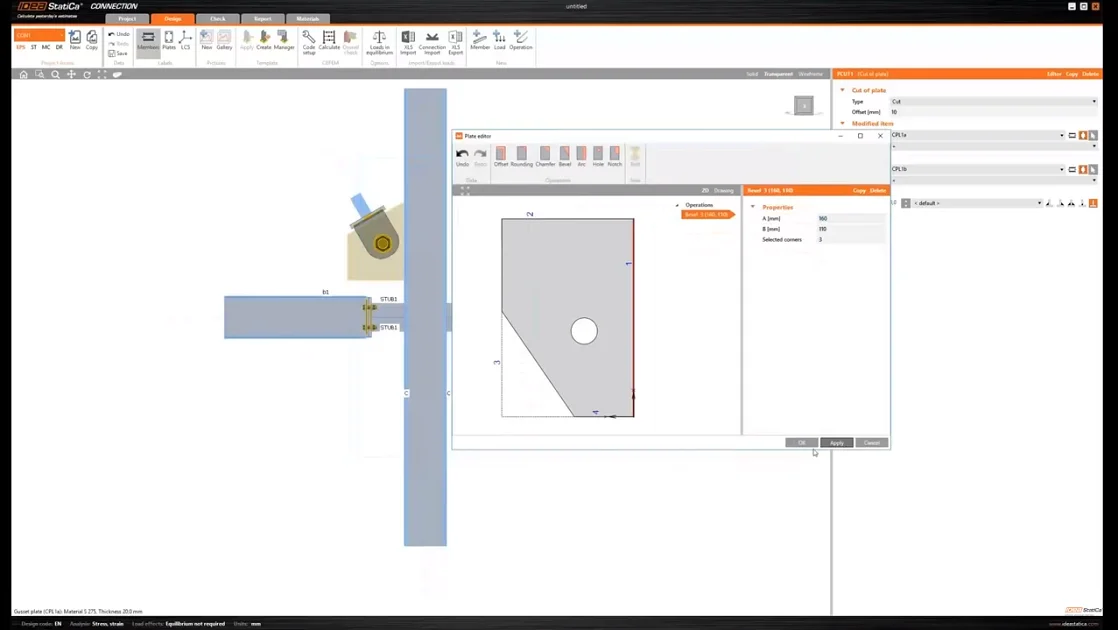
Using the plate Editor to shape a plate
  • Steel
  • Connection
  • Geometry
  • Manufacturing operations
  • Plates
  • +5
  • Steel
  • Connection
  • Geometry
  • Manufacturing operations
  • Plates

Knowledge base

Using the plate Editor to shape a plate

Read more
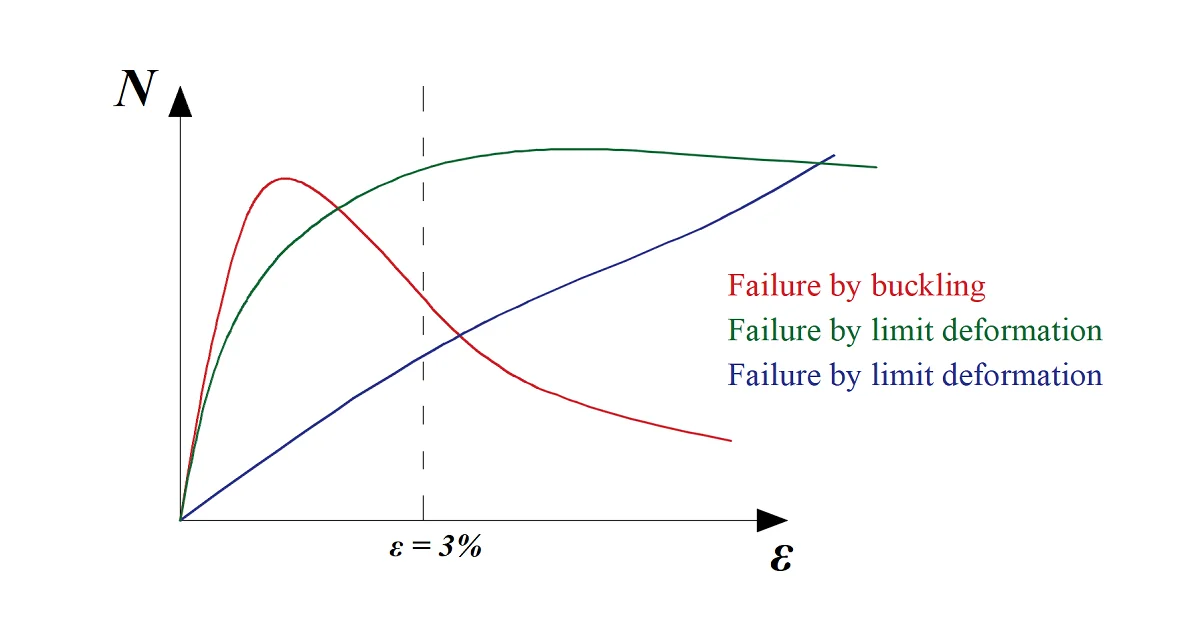
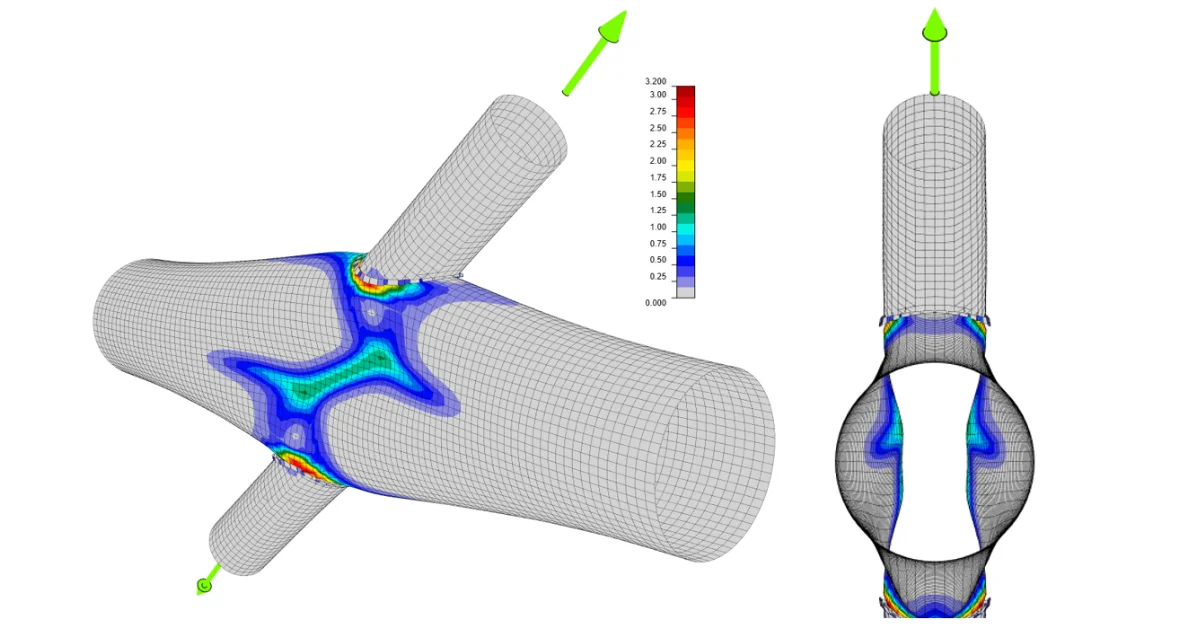
Joints of hollow section members may undergo serious deformations while able to carry still higher loads. IDEA StatiCa - a structural design software for modeling and code-checking of steel beam connections.
  • Steel
  • Connection
  • AISC (USA)
  • CSA (Canada)
  • EN (Eurocode)
  • IS (India)
  • GB (China)
  • HKG (Hong Kong)
  • SP 16 (Russia)
  • CBFEM
  • AS (Australia)
  • +11
  • Steel
  • Connection
  • AISC (USA)
  • CSA (Canada)
  • EN (Eurocode)
  • IS (India)
  • GB (China)
  • HKG (Hong Kong)
  • SP 16 (Russia)
  • CBFEM
  • AS (Australia)

Knowledge base

Steel joints of hollow section cross-section members

Read more
Local deformation check for the hollows member according to the code
  • Steel
  • Connection
  • AISC (USA)
  • Cross-sections
  • Project settings
  • EN (Eurocode)
  • +6
  • Steel
  • Connection
  • AISC (USA)
  • Cross-sections
  • Project settings
  • EN (Eurocode)

Knowledge base

Local deformation check for the hollow members

Read more