Anchor type selection for better understandability
When defining the anchor configurations, there is now a two-step anchor selection process in IDEA StatiCa Connection, designed to improve clarity, consistency, and user control. The new workflow separates the installation process from the anchor type, making it easier for designers to select the correct anchoring method and ensuring a unified experience between the Connection and Detail applications.
Anchor definition now follows a two-step logic:
- Installation process selection – first define whether the anchor is Post-installed or Cast-in-place
- Anchor type selection – based on the installation process, relevant anchor types become available:
- Post-installed: Threaded rod, General anchor
- Cast-in place: Washer plate (Rectangular or Circular), Hooked anchor, Headed stud, Reinforcement

The feature is implemented in all operations supporting anchor definition, including Base Plate and Fastener Grid or Contact operations.
Released in IDEA StatiCa version 25.1.
Embed plates
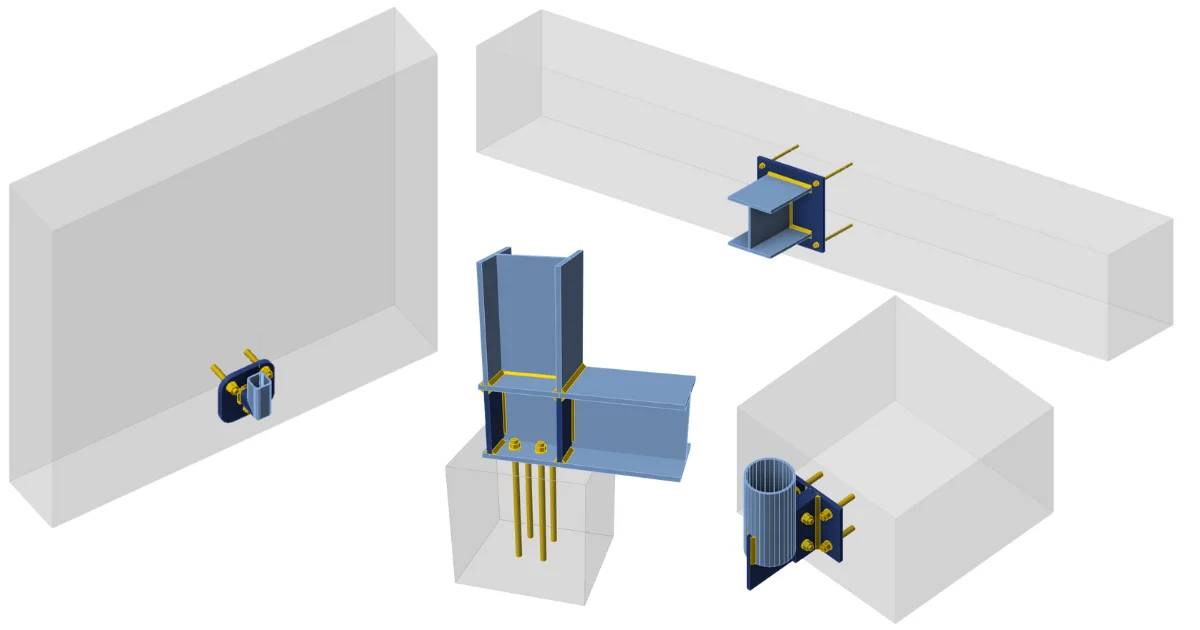
IDEA StatiCa Connection introduces comprehensive support for embed plates anchored with headed studs and reinforcement in IDEA StatiCa Connection. This enhancement allows designers to perform anchorage checks directly in the application without relying on external tools. The implementation follows the provisions of ACI 318-25, enabling verification of both tension and shear resistance for cast-in connections.
Headed studs
A device type for headed studs can be found under the Design tab. The shear force transfer is limited to the Anchors option, with Direct stand-off only. Supported materials include ASTM A108 Types A & B, ensuring compatibility with standard construction practice. Headed studs are defined by diameter, material, head diameter, and embedment depth, with visualization indicating the plate embedded in concrete.

Implemented design checks follow ACI 318-25 and cover the following:
- Tension
- Anchor tensile resistance: ACI 318-25 - 17.6.1
- Concrete breakout resistance of anchor in tension: ACI 318-25 - 17.6.2
- Concrete pullout resistance: ACI 318-25 - 17.6.3
- Concrete sideface blowout resistance: ACI 318-25 - 17.6.4
- Shear
- Shear resistance ACI 318-25 – 17.7.1
- Concrete pryout resistance: ACI 318-25 – 17.7.3
- Interaction of tensile and shear forces in concrete: ACI 318-25 – 17.8.3
- Interaction of tensile and shear forces in steel: ACI 318-25 – 17.8.4
Reinforcement
An option for reinforcement anchorage is also introduced in the Design tab. Again, the shear force transfer is limited to the Anchors option, with Direct stand-off only.
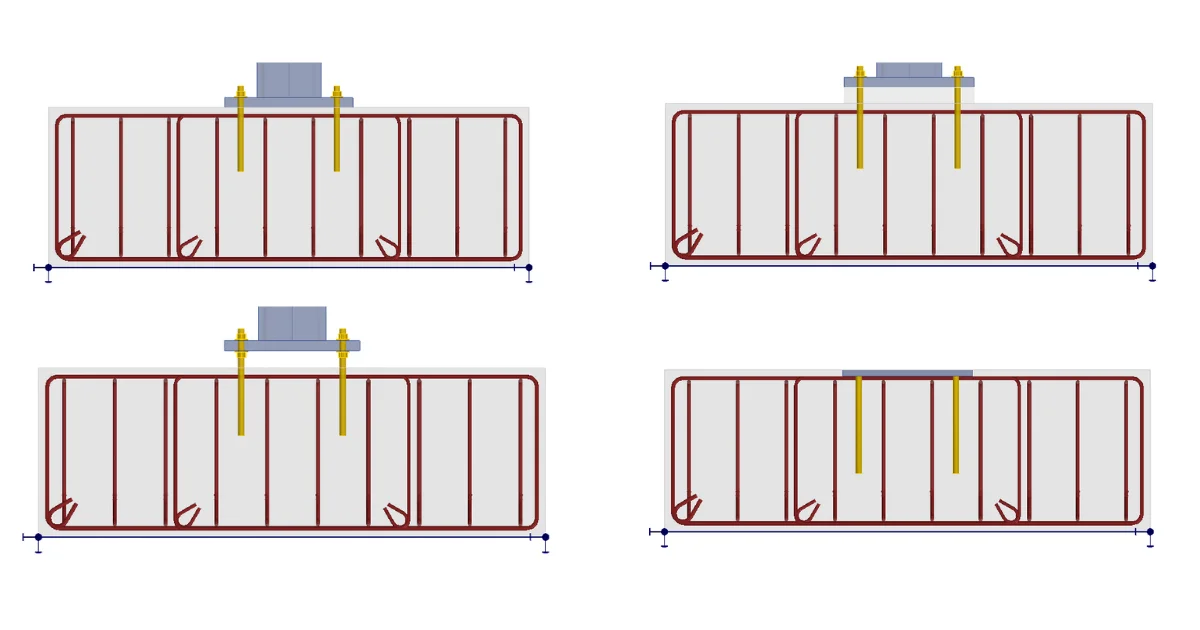
The only available shape is the L-bar, using materials already implemented in the concrete apps (ACI 318). Reinforcement properties include diameter, material, embedment depth, and hook length.

Design checks follow ACI 318-25, covering
- Tension
- Anchor tensile resistance: ACI 318-25 – 20.2.2
- Concrete breakout resistance of anchor in tension: ACI 318-25 – 17.6.2
- Concrete pullout resistance: ACI 318-25 – 25.4.3
- Shear
- Shear resistance: ACI 318-25 – 20.2.2
- Concrete pryout resistance: ACI 318-25 – 17.7.3
- Interaction of tensile and shear forces in concrete: ACI 318-25 – 17.8.3
- Interaction of tensile and shear forces in steel: ACI 318-25 – 17.8.4
Limitations: It is not possible to define different directions of specific rebars. The group of rebars, together with the cast-in plate, can only be rotated as a whole using the rotation parameter of the base plate.
Combining headed studs and reinforcement
In case of higher load, the headed studs and reinforcement can be combined. This is practically modeled using the Fastener Grid or Contact operation.

The redistribution of tension and shear is among all anchors based on their stiffness. The users can‘t change the force distribution (SCI 416).
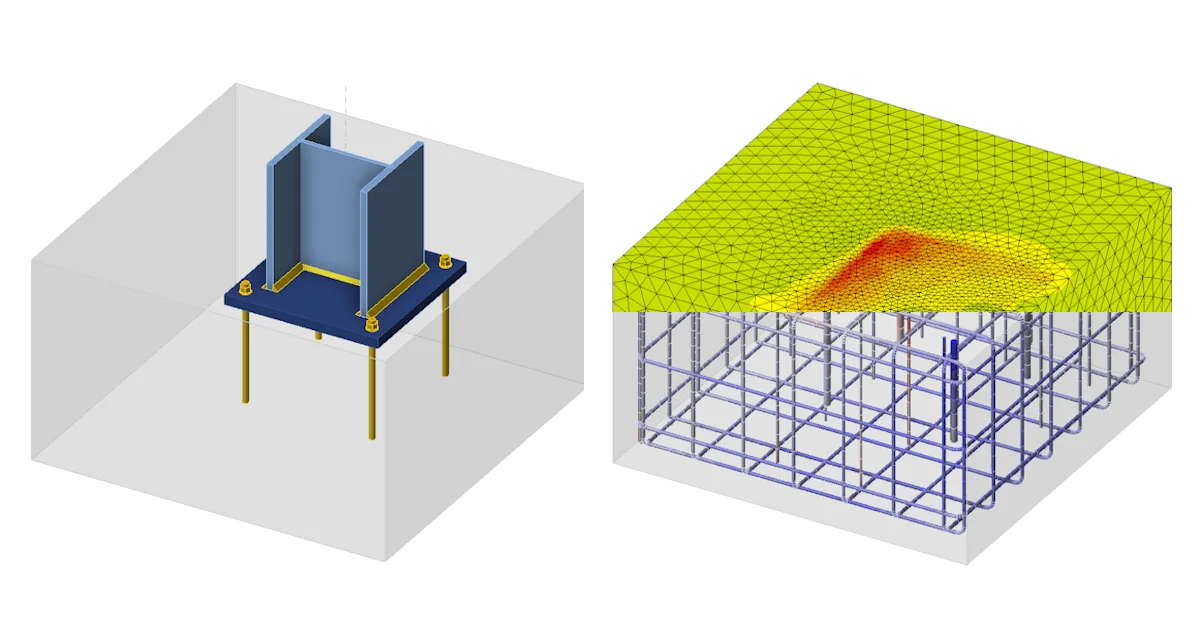
The checks are evaluated in line with CEB-FIP Bulletin 58, marking anchors as failed, even below 100% utilization. The other steel component checks remain available (except anchoring). And for advanced analysis of the concrete block with reinforcement, the model can be exported to IDEA StatiCa Detail.
For cast-in plates with headed studs and/or reinforcement, the base plate is embedded in the concrete.

In the Materials tab, the Headed studs grade and Reinforcement material are placed in the top ribbon as well as in the left tree when used in the model.

Released in IDEA StatiCa version 25.1.1.