

In Stability, the user first builds a beam model of the structure on the MODEL tab, using 1D beam elements with 6 degrees of freedom. On this model, the user defines load cases with line loads and point loads, and combinations of these load cases. The beam model can then be analysed by a linear elastic first-order analysis, without second-order effects (see the article on analysis types). The results of the linear analysis are the distributions of internal forces and deformations along the members and the support reactions, for the individual load cases and their combinations.
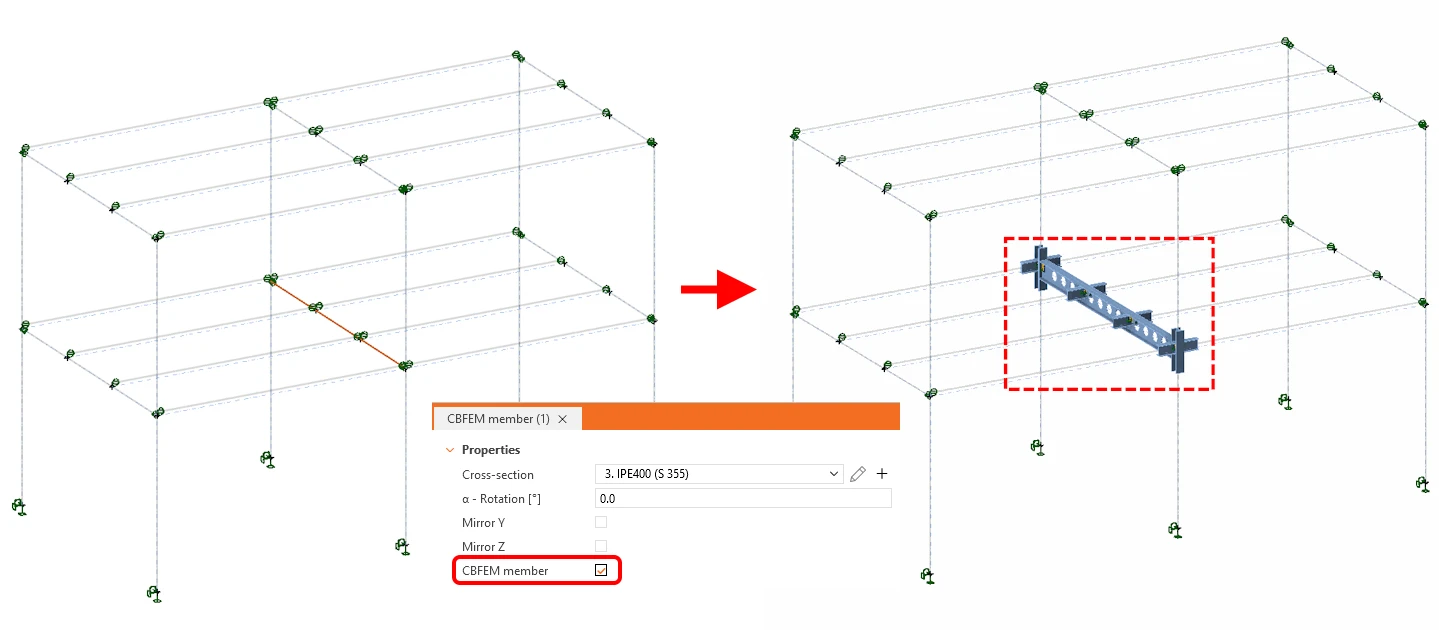
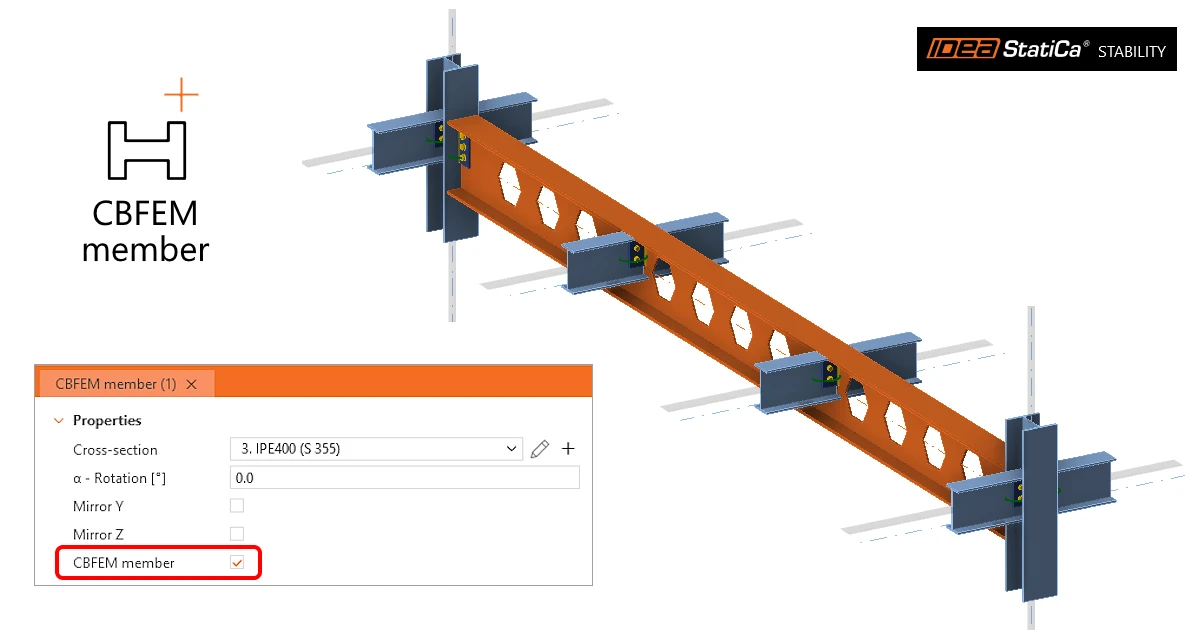
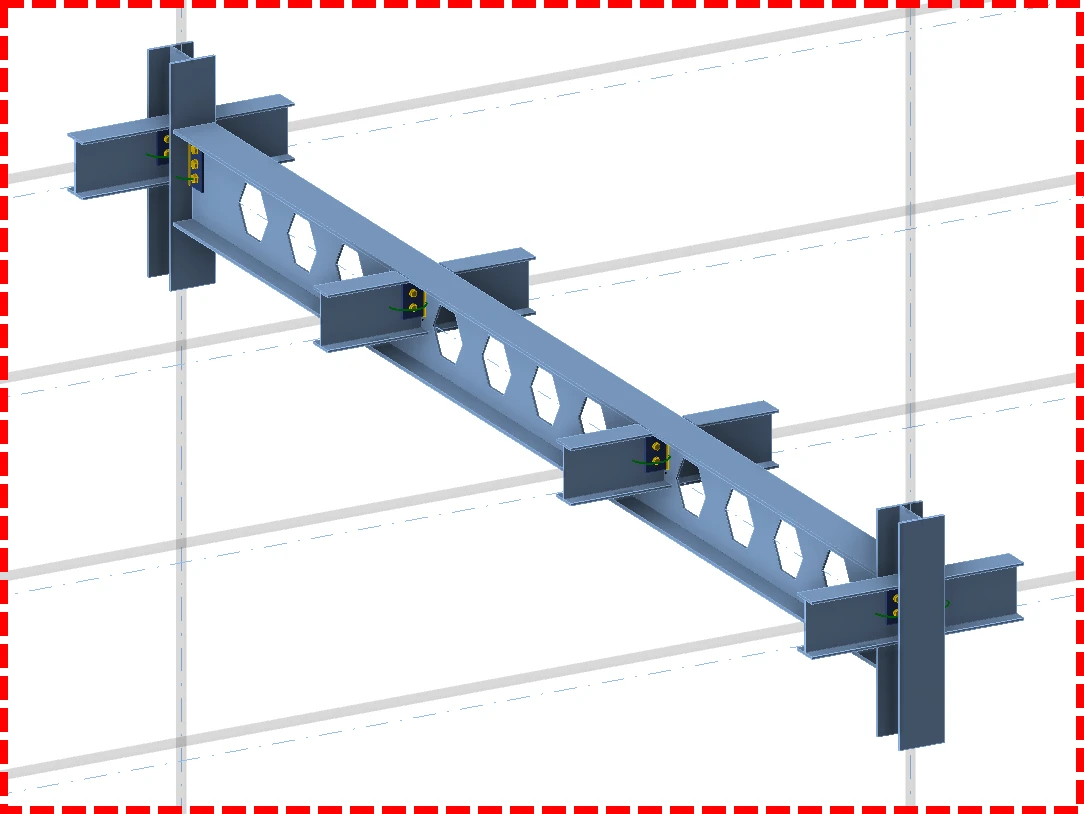
For a more detailed analysis the user selects the so-called CBFEM members, which are modelled with shell elements. The selection of CBFEM members is done on the DESIGN tab: the user selects a member and ticks CBFEM member in the property grid. The stubs of all members connected to the CBFEM members are modelled with shell elements as well. In the next step, this allows the user to model each joint on the CBFEM members in detail and to check each joint separately in the Connection application.
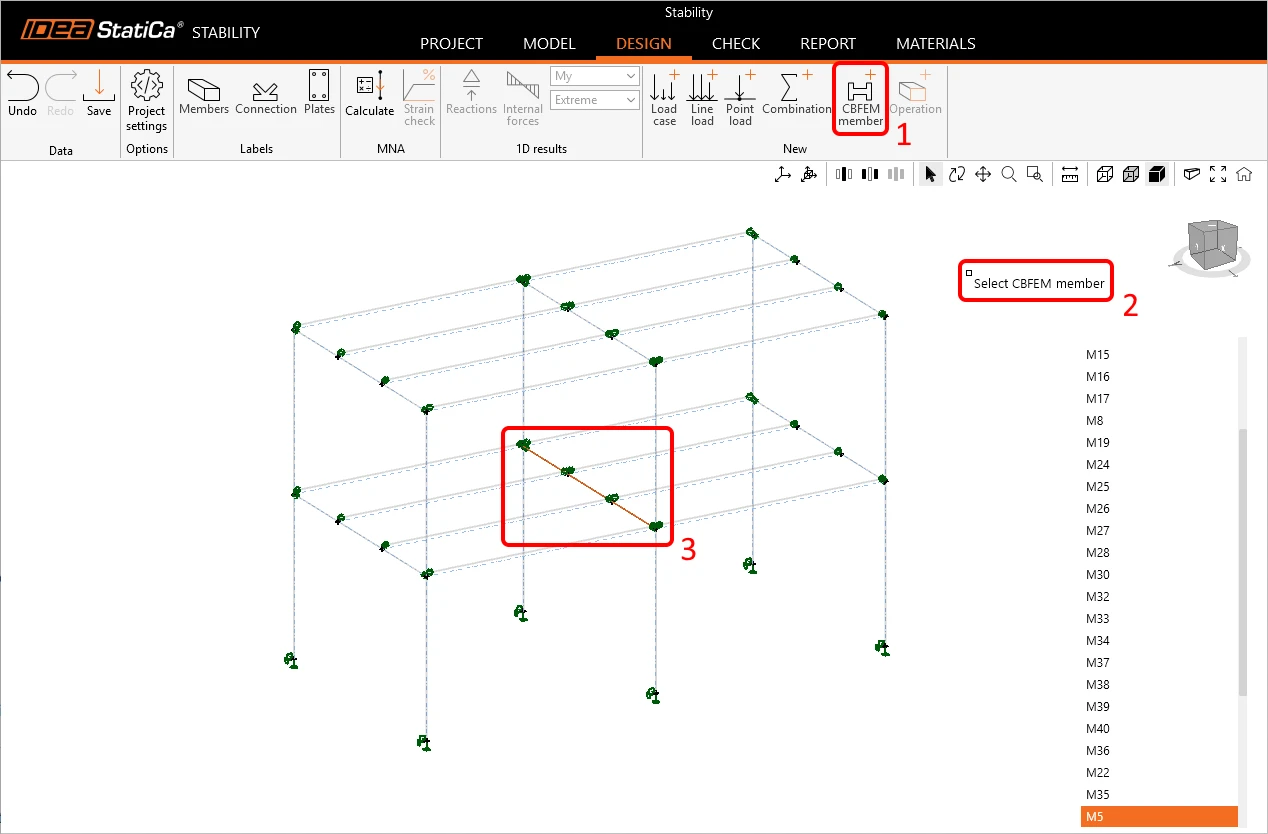
Alternatively, the user can select CBFEM members directly in the 3D scene. On the DESIGN tab, the user clicks the CBFEM member button in the New group of the ribbon (1). The prompt Select CBFEM member appears in the scene (2), and the user picks the required member with the mouse (3).