
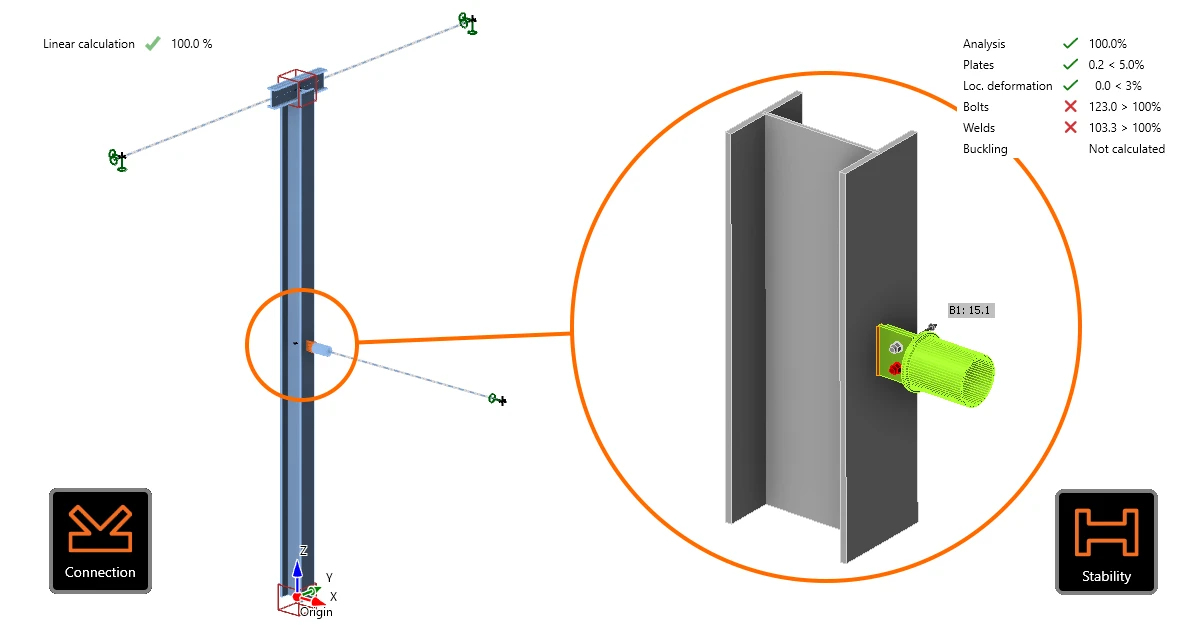


Once a CBFEM member is created in the Design tab of the Stability app, every node it contains becomes a connection, each named after the node (e.g., N2, IN3, …). The connection design is a necessary input for the further analysis of the critical member(s) and represents their actual stiffness in the stability analysis.
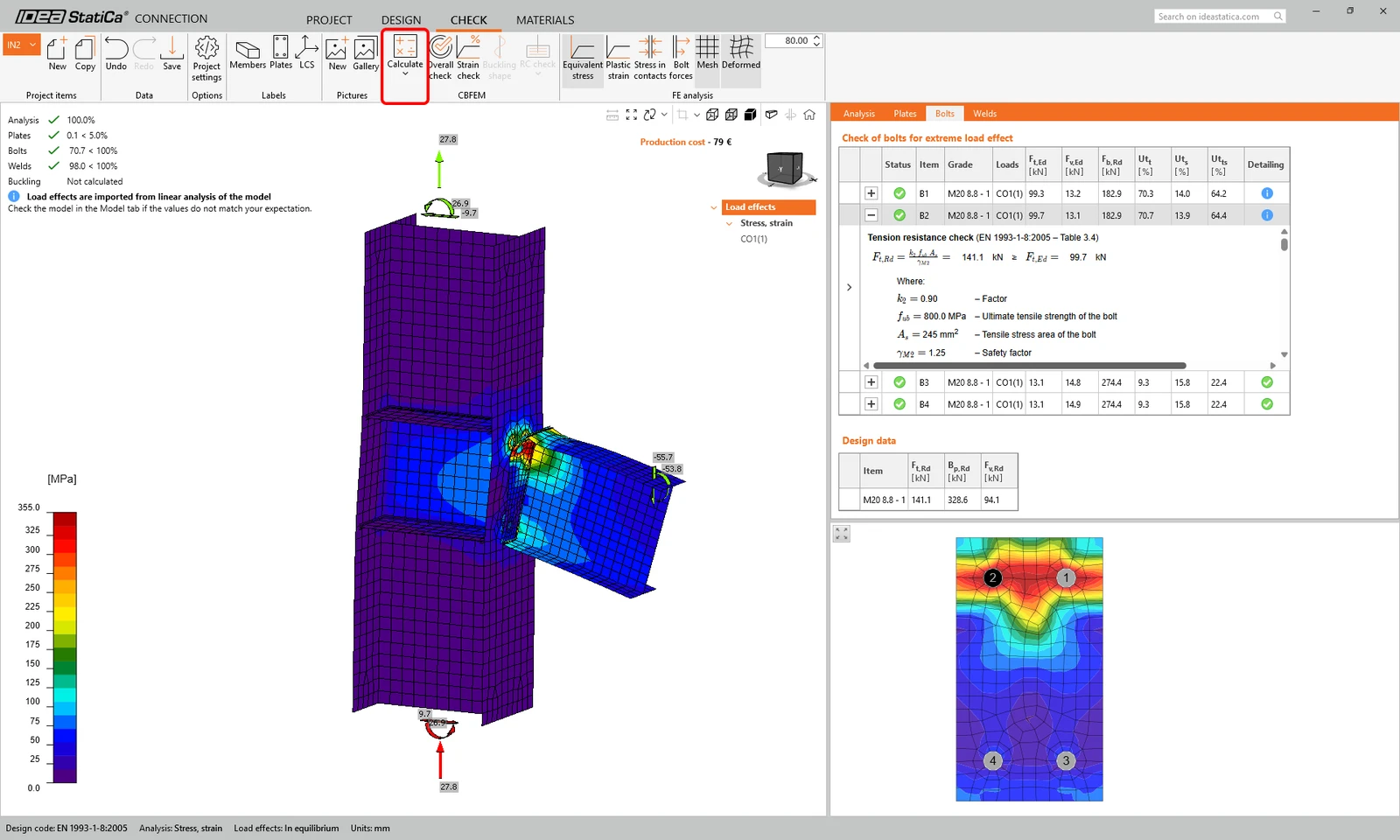
Opening a connection launches the Connection application in single-check mode. The connections can be designed with the standard workflow in the Connection app, using manufacturing operations or templates, and then calculated and code-checked.
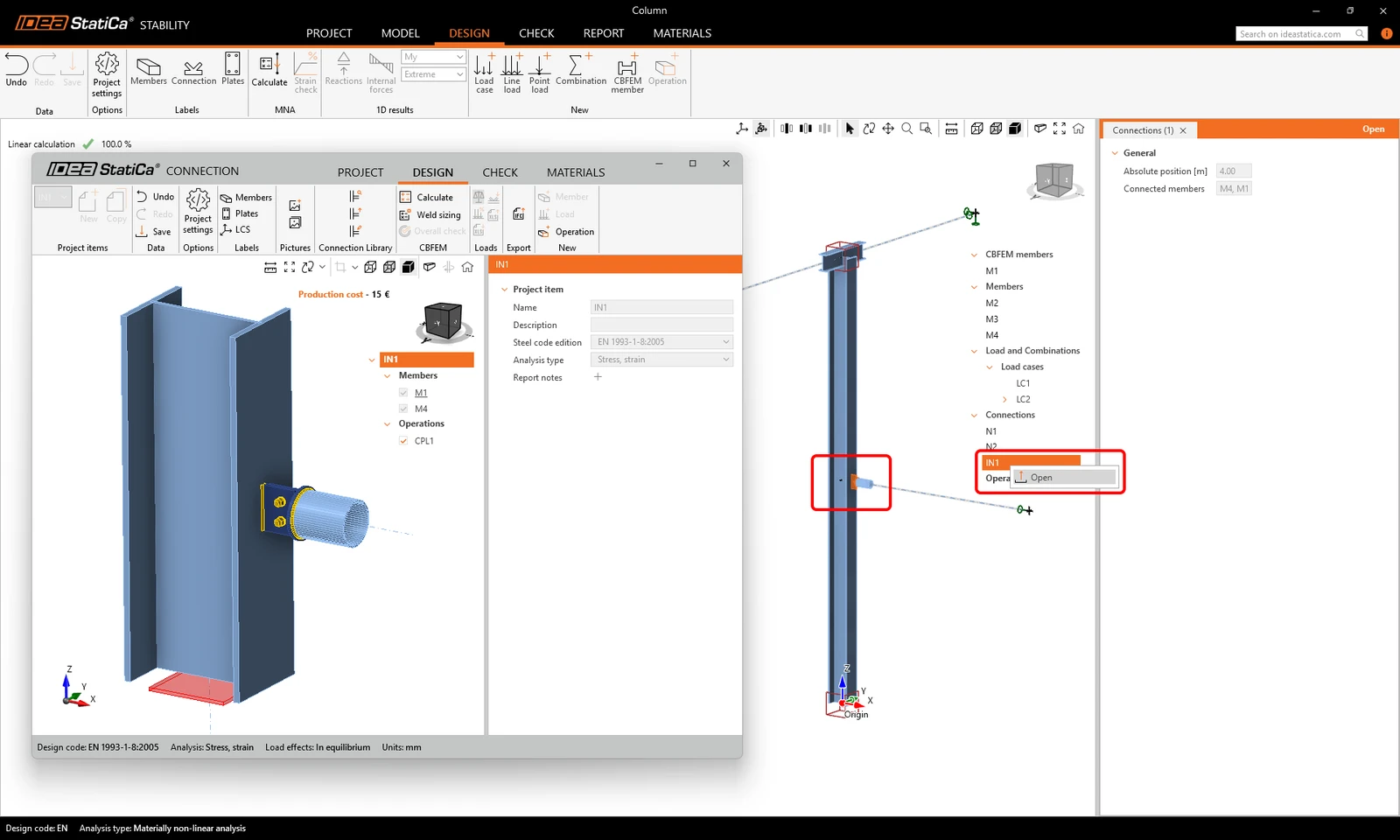
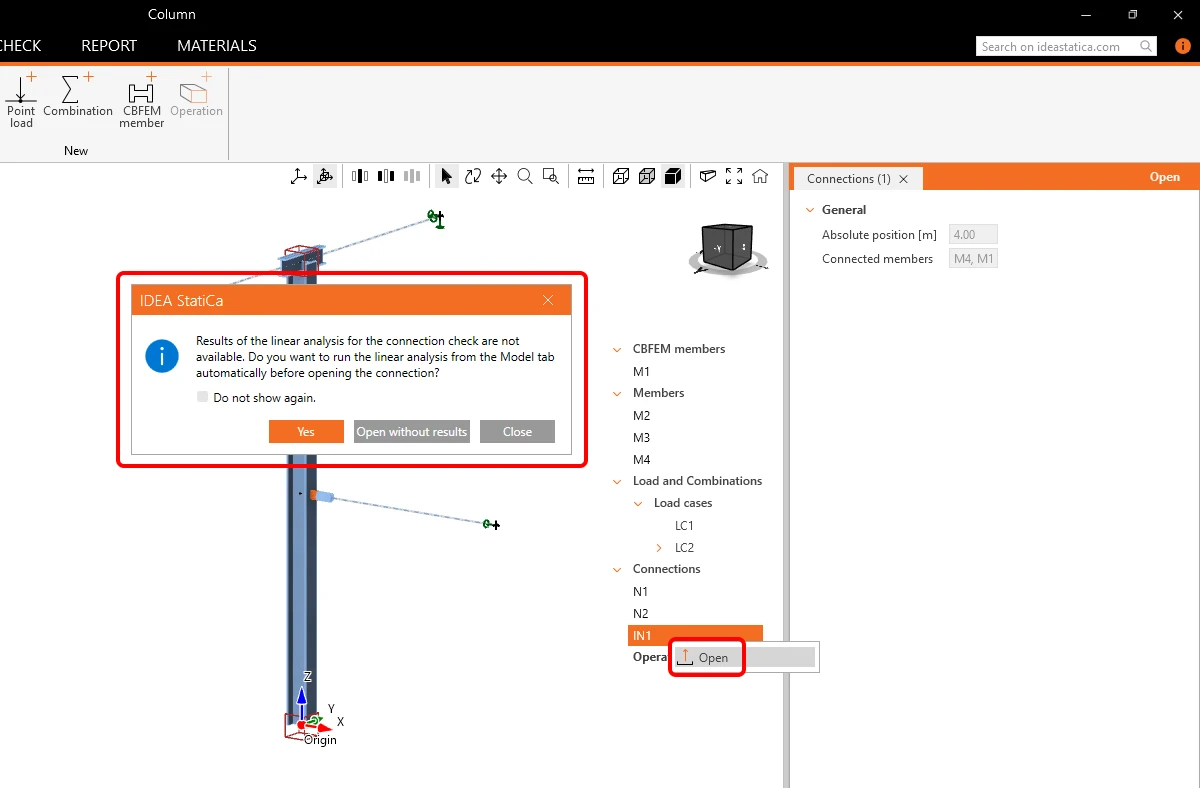
If the linear analysis is not calculated previously in the Model tab of the Stability app, connections can still be opened and designed without load effects. In such a case, an informative dialogue appears - users can set the app to always calculate the linear analysis or open the connections without load effects when opening them.
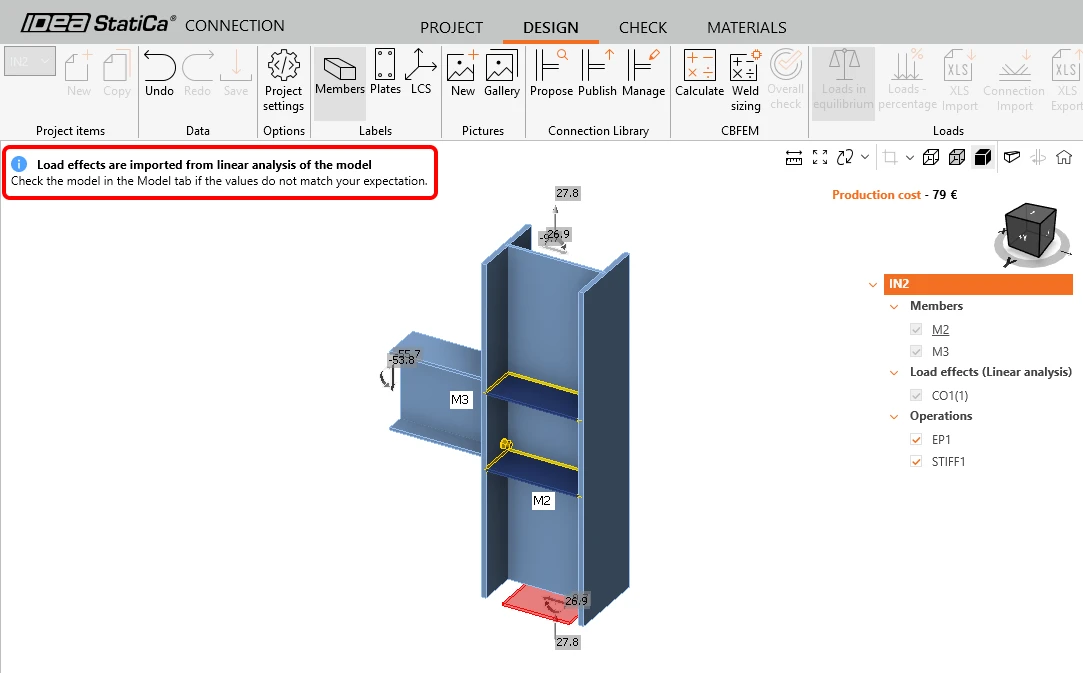
Loads used for the connections code-check
The message "Load effects are imported from linear analysis of the model" in the Connection app keeps appearing. It informs users that the connections are checked against the internal forces calculated in the linear analysis on the Stability model.
The results show standard CBFEM outputs and checks of plates, bolts, and welds, as well as the production cost. Buckling analysis is also available.
Note: The results of the MNA and GMNIA are not used for the connection check. Since the internal forces from the MNA can differ from the internal forces from the linear analysis, the checks of connections in stability are a design against the linear state of the modeled substructure.
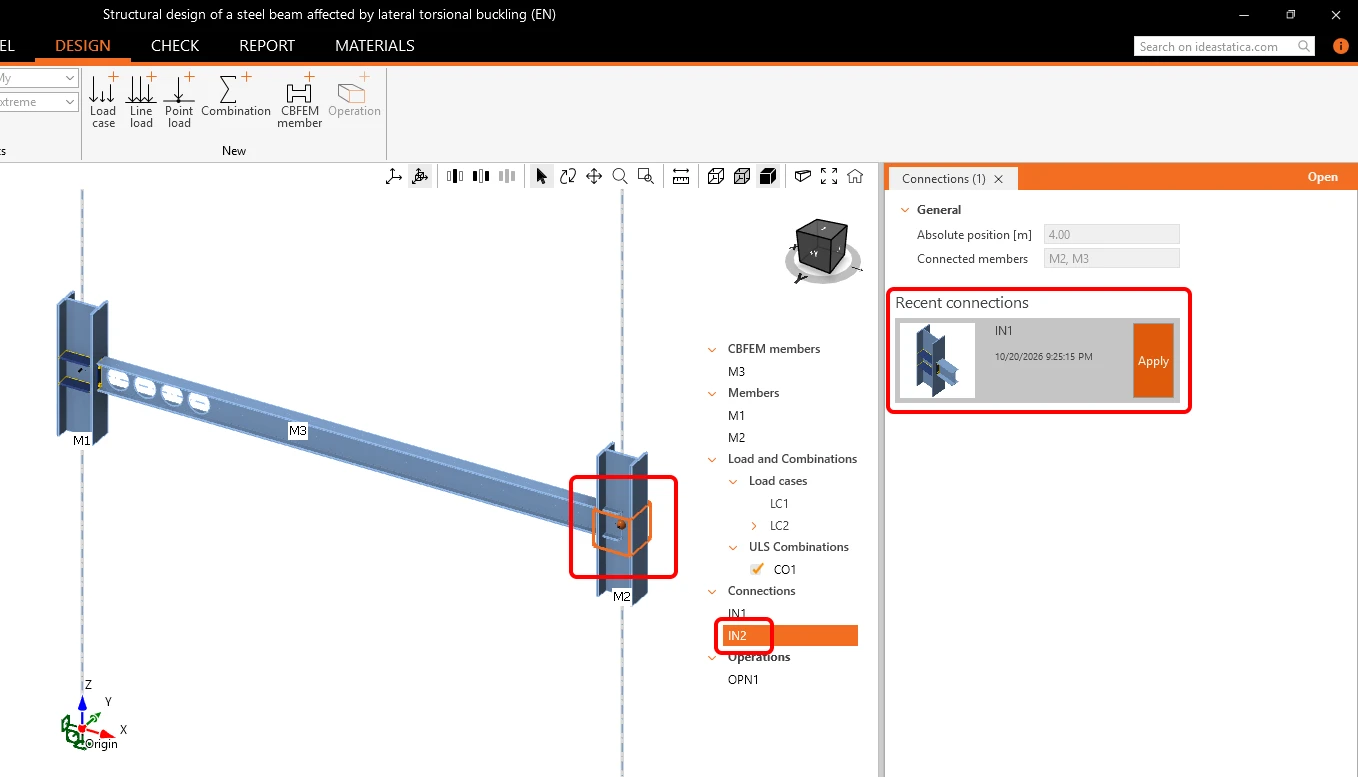
Reuse design with Recent connections
A design already created for a connection can be reused through Recent connections in other connections. Each design is shown as a thumbnail with an Apply button for connections with similar geometry. On a structure with repeating joints, users can design the first one and apply the design to the rest without opening them.
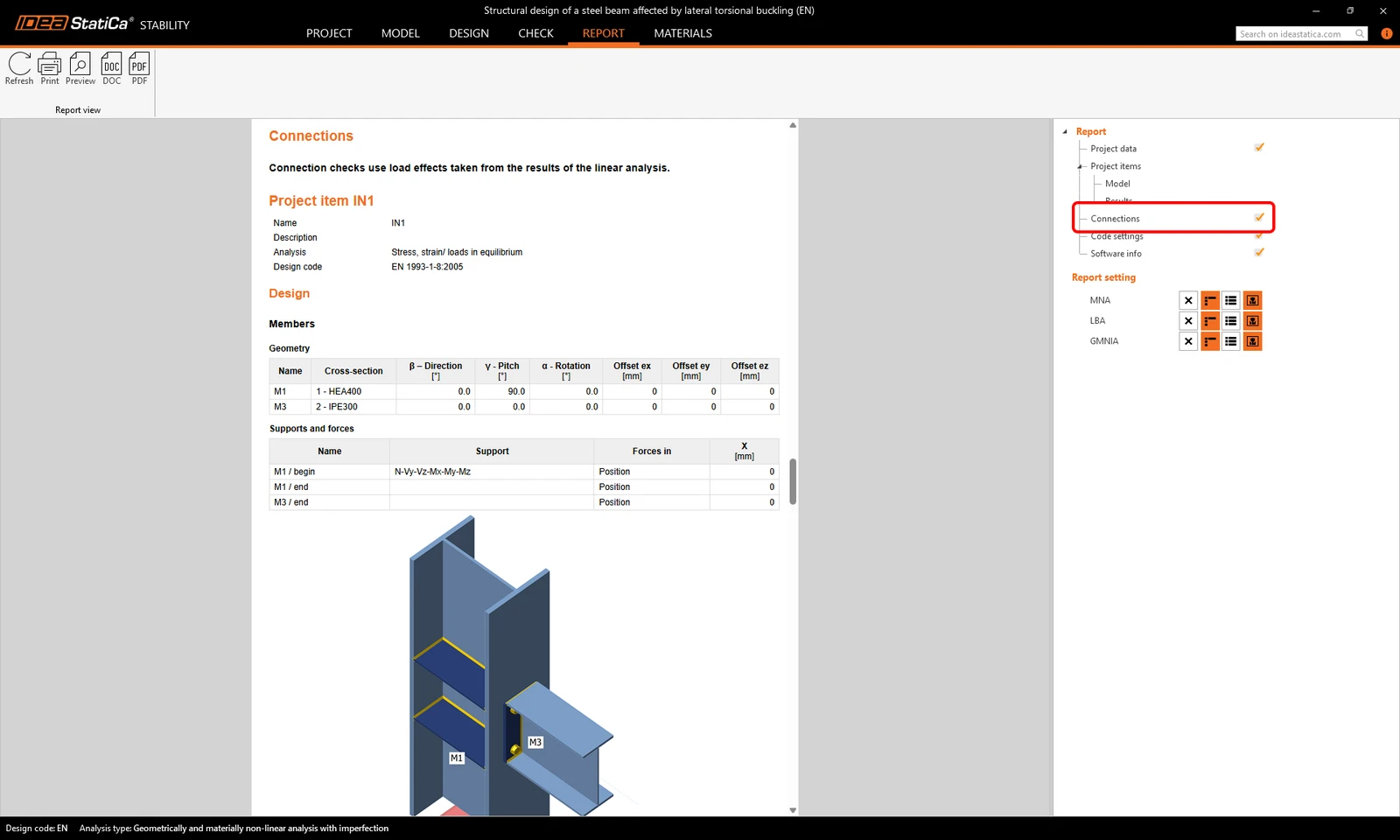
Connections in the report
The Stability report covers the whole structure, and the checks of its connections can be included in the same document. This is off by default. To add connections to the Stability report, go to the Report tab and tick Connections in the properties of the document.
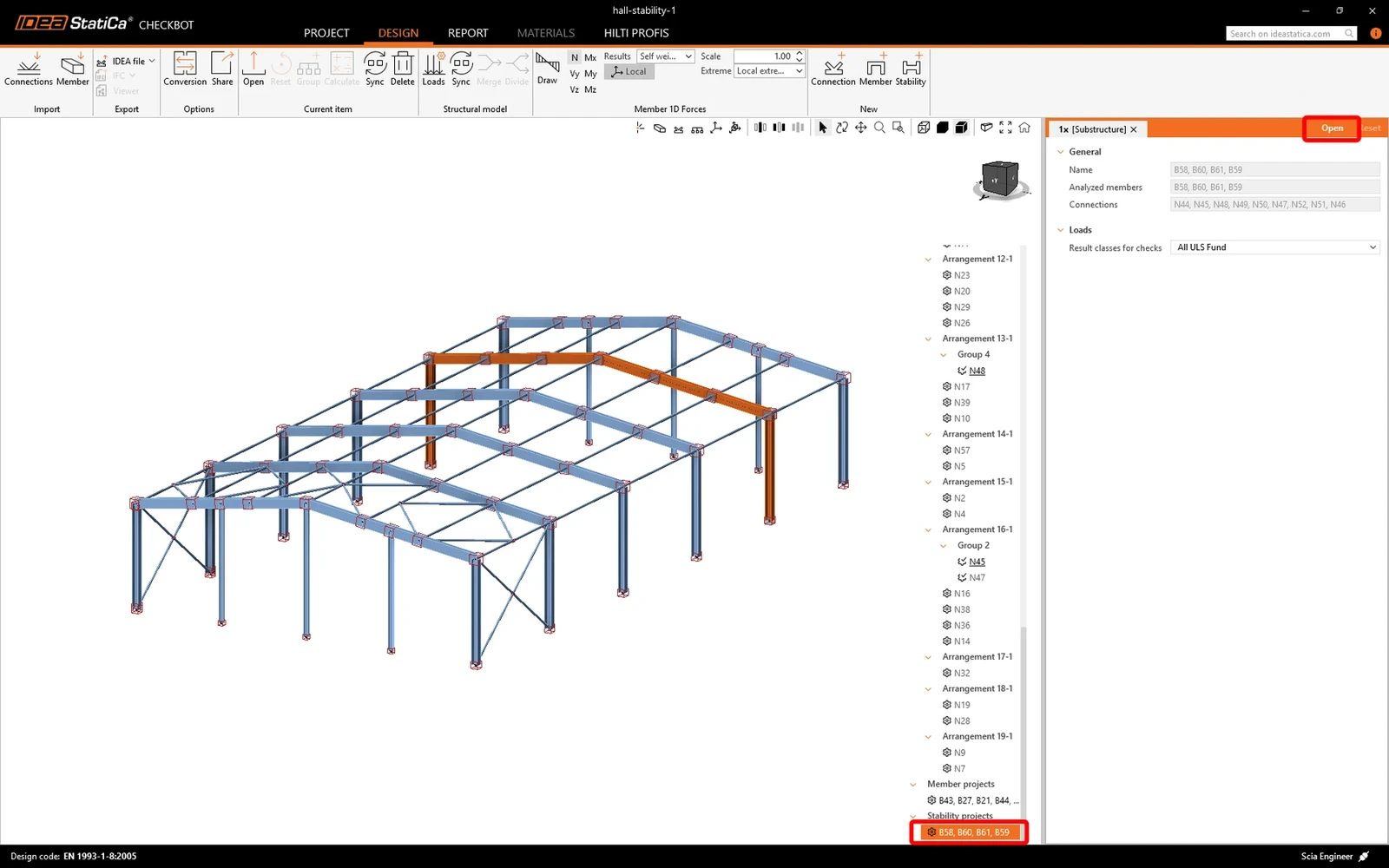
Workflows with Checkbot
In the case of a workflow with Checkbot (BIM links), connections must be designed in Checkbot first, and the Stability app then uses them in its model. When Stability is opened from Checkbot, users cannot design or edit connections within it.
This is different from the standard workflow without Checkbot described above, where you design every connection of a CBFEM member directly from Stability in the Connection application. The reason is the connection groups in Checkbot, where one design serves several identical joints. The workflow, therefore, follows two phases:
1) Design and check the connections in Checkbot.
2) Open the Stability project from Checkbot and run the stability check.
If any connection of the opened Stability model has no design yet, Stability displays the dialogue with missing connections, and the analysis cannot run until they are designed back in Checkbot.
Released in IDEA StatiCa version 26.1.