
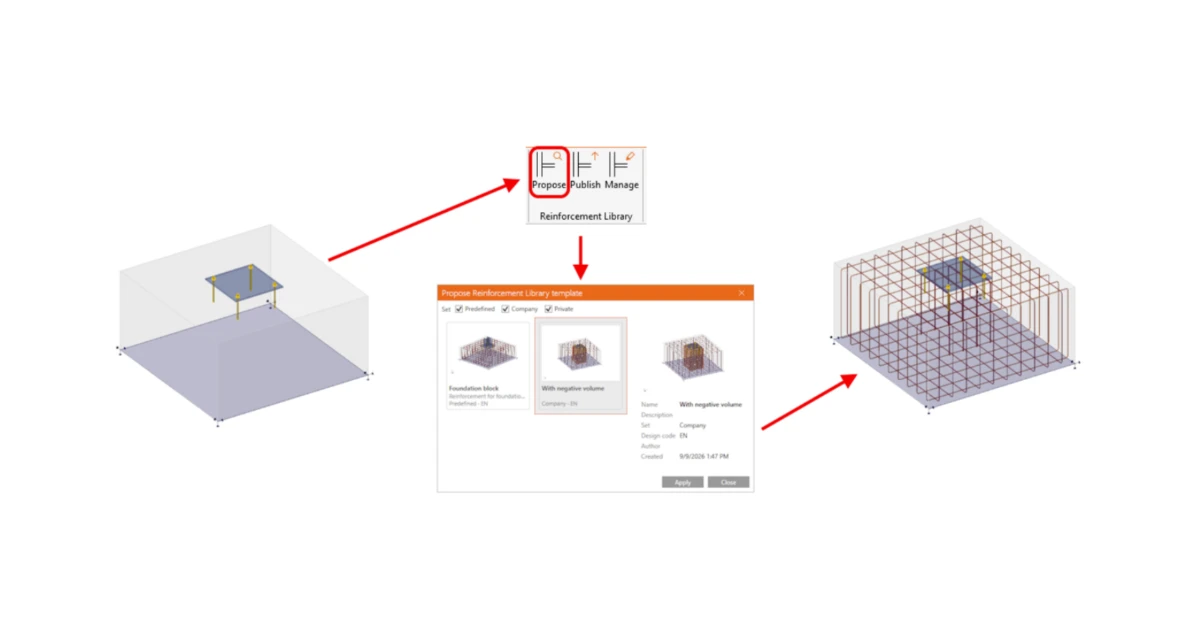


Workflow enables saving complete reinforcement properties—including referenced negative volumes—as cloud templates for reuse across models.
Template library
The library is built on the same infrastructure and the same workflow as the library in the Connection app. It is controlled by three commands in the ribbon:
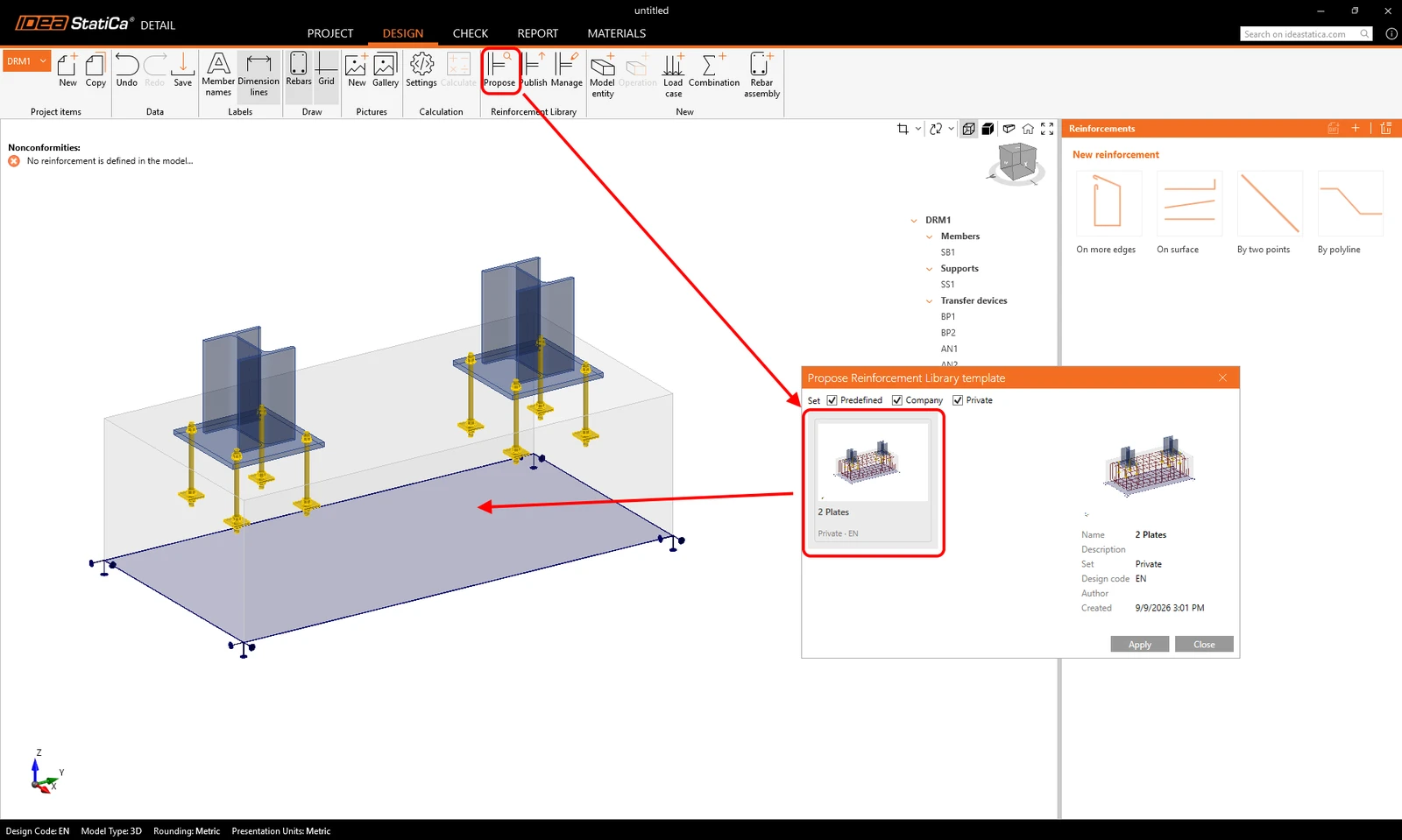
- Propose — shows the templates valid for the current model and applies the selected one.
- Publish — saves the current reinforcement model as a template.
- Manage — organizes templates and their sets.
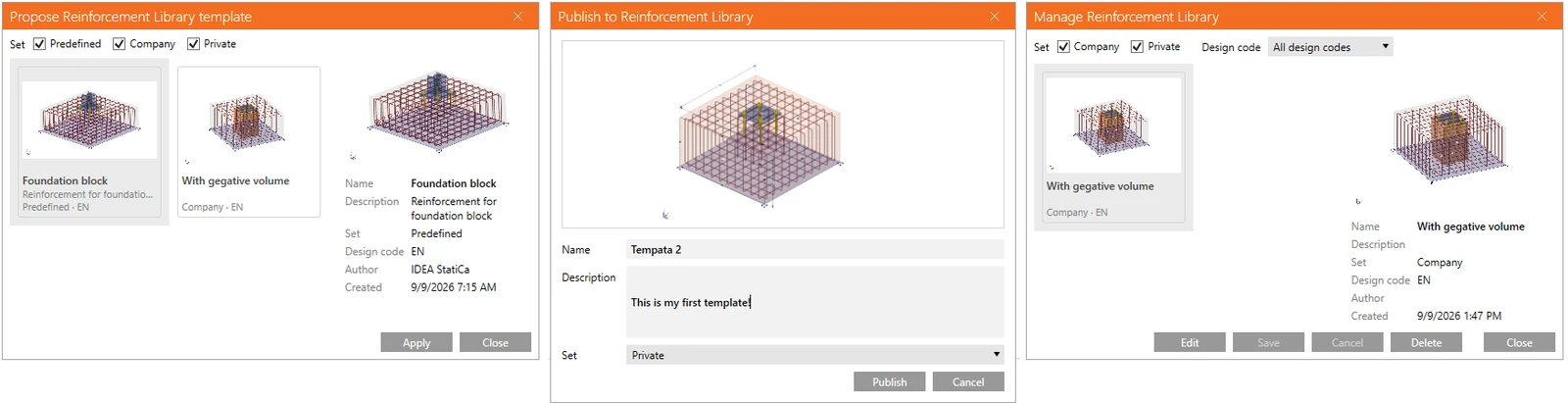
Templates are organized into design sets:
- the predefined IDEA set shipped with the application,
- a private set for the individual user,
- a company set for sharing a standard across the team.
Applying a template on import from Connection
When the RC check is run in Connection, the Detail model opens together with the Propose dialog, offering templates that fit the imported block. The template is applied to the model with one click.
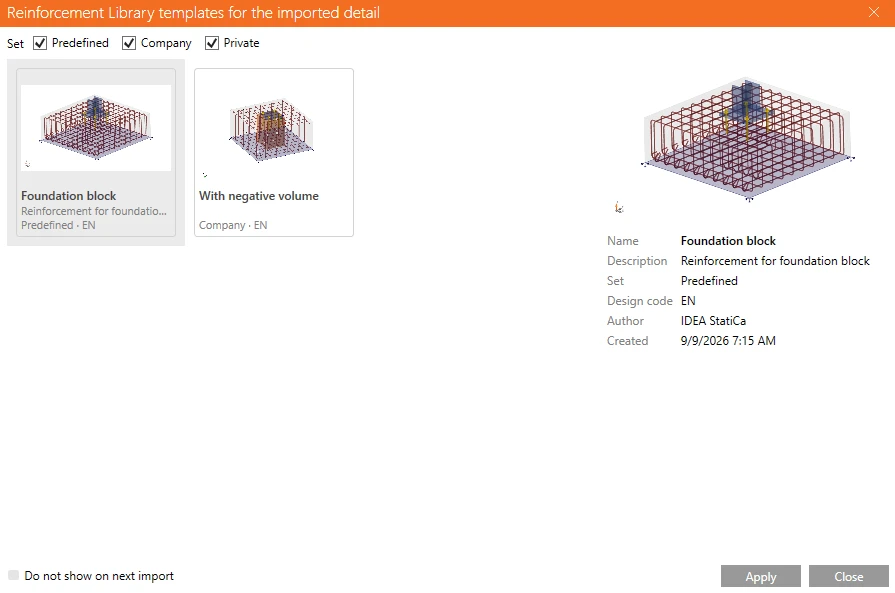
The dialog includes a "Don't show on next import" checkbox. This setting can be changed at any time in the application settings.
Reinforcement around anchors via negative volumes
A template does not carry bars only. Because reinforcement can be referenced to a negative volume instead of to the solid block, the template also carries these negative volumes and creates them on apply, even when the imported model contained none. Designing the reinforcement around the anchors—under the base plate, in the region that governs the anchoring check—is therefore handled by the template rather than by manual modeling.
Matching a template to a model
The templates offered in the library are determined by the following model parameters:
- design code,
- number of solid blocks,
- number of base plates.
Matching is not based on geometric shape recognition. The template is applied as data — the user sees a list of templates authored for the same kind of model, applies the selected one, and adjusts the result.
Scope and limitations
This workflow targets the first simple case: the rectangular concrete block with anchors imported from Connection. Because templates are non-parametric and lack shape recognition, the applied reinforcement does not automatically scale to fit target geometry.
Note: Released in IDEA StatiCa version 26.1.