
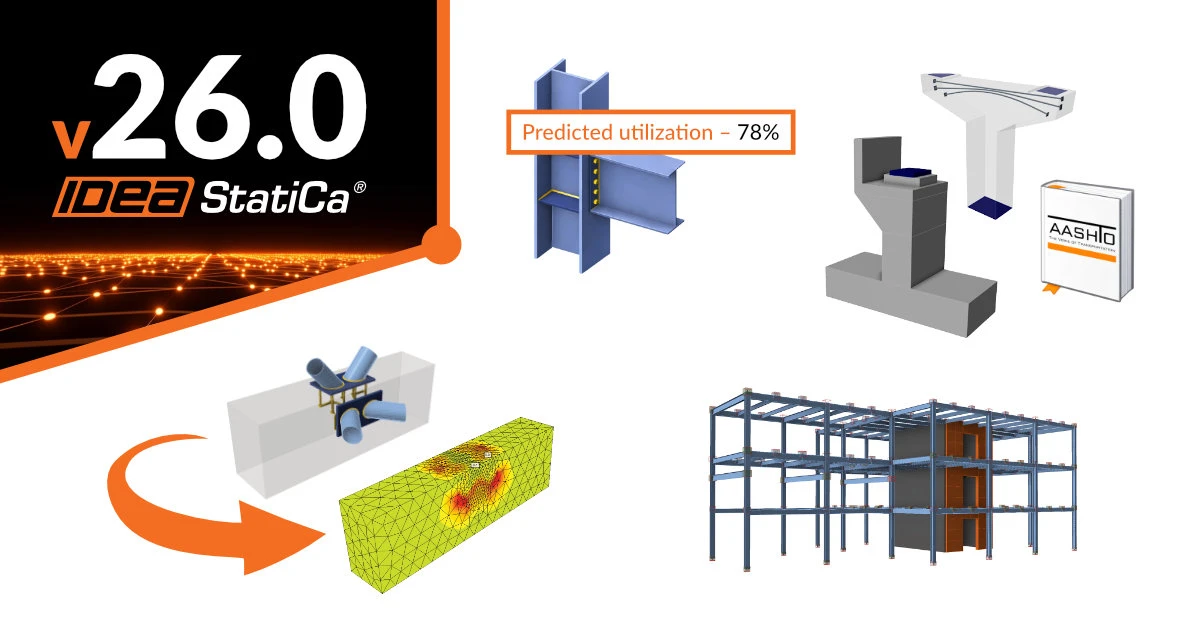


Along with the highlights in version 26.0, read the full list of new functionalities here.
Concrete Design
Cast-in plates – Headed studs and smooth workflow
Cast-in plates are fully integrated in Detail 3D, providing a complete workflow from Connection import, faster modeling, and simpler loading. Engineers can combine welded reinforcement and headed studs on a single plate, apply realistic column forces via a stub, and follow a synchronized Connection → Detail process aligned with SCI P416. Learn more in the knowledge base article.
One-way sync from Connection to Detail
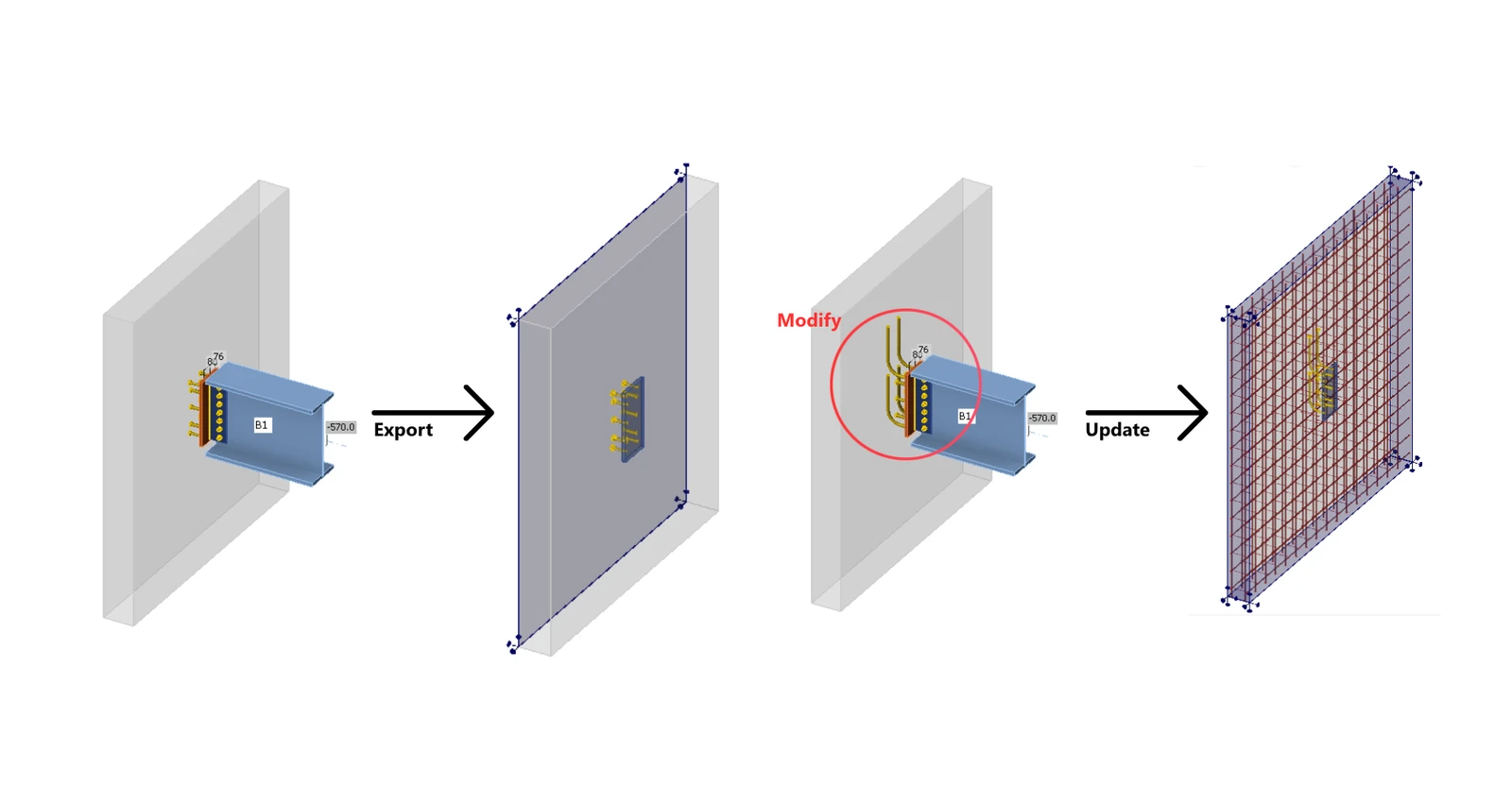
Skip the hassle of rebuilding your model from scratch. With the “Update Existing” button in the Connection application, you can instantly sync your Detail project with the latest Connection data, saving time and keeping everything up to date without having to start over. Learn more in the knowledge base article.
Anchor code-checks in Detail
Previously, Detail could verify the concrete block in steel-concrete connections, but anchor steel (tension, shear, and bending) was not checked, leaving a workflow gap. From version 26.0, anchor steel checks based on the codes are fully integrated into 3D Detail as part of postprocessing. Learn more in the knowledge base article.
Surface support reaction presented
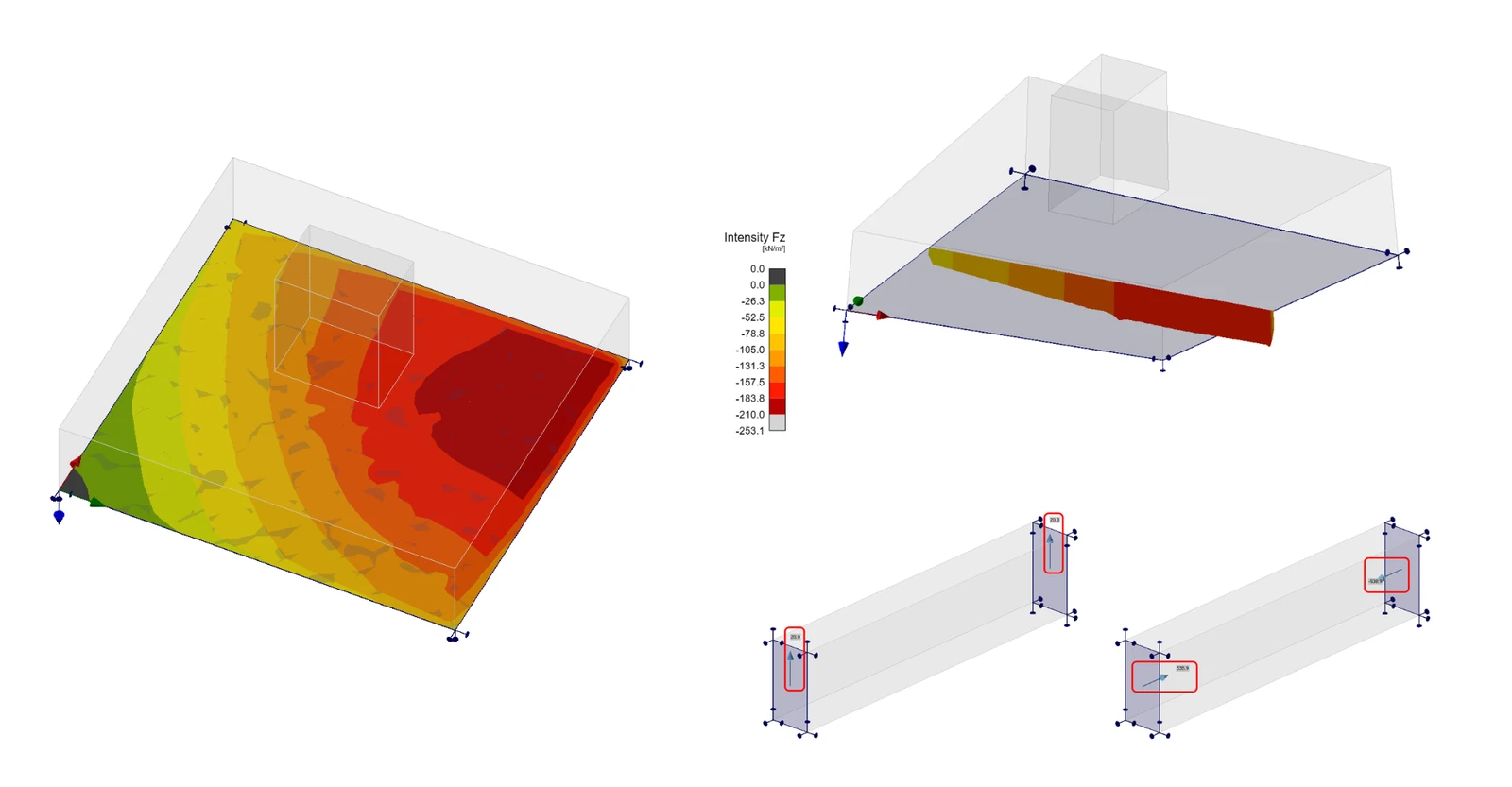
With the latest update, a new results visualization function has been added. The Reactions and Loads section includes a new option to display surface support reactions, allowing engineers to review them directly in two modes – Intensity and Resultant. Learn more in the knowledge base article.
Failing elements identification and warnings in Detail
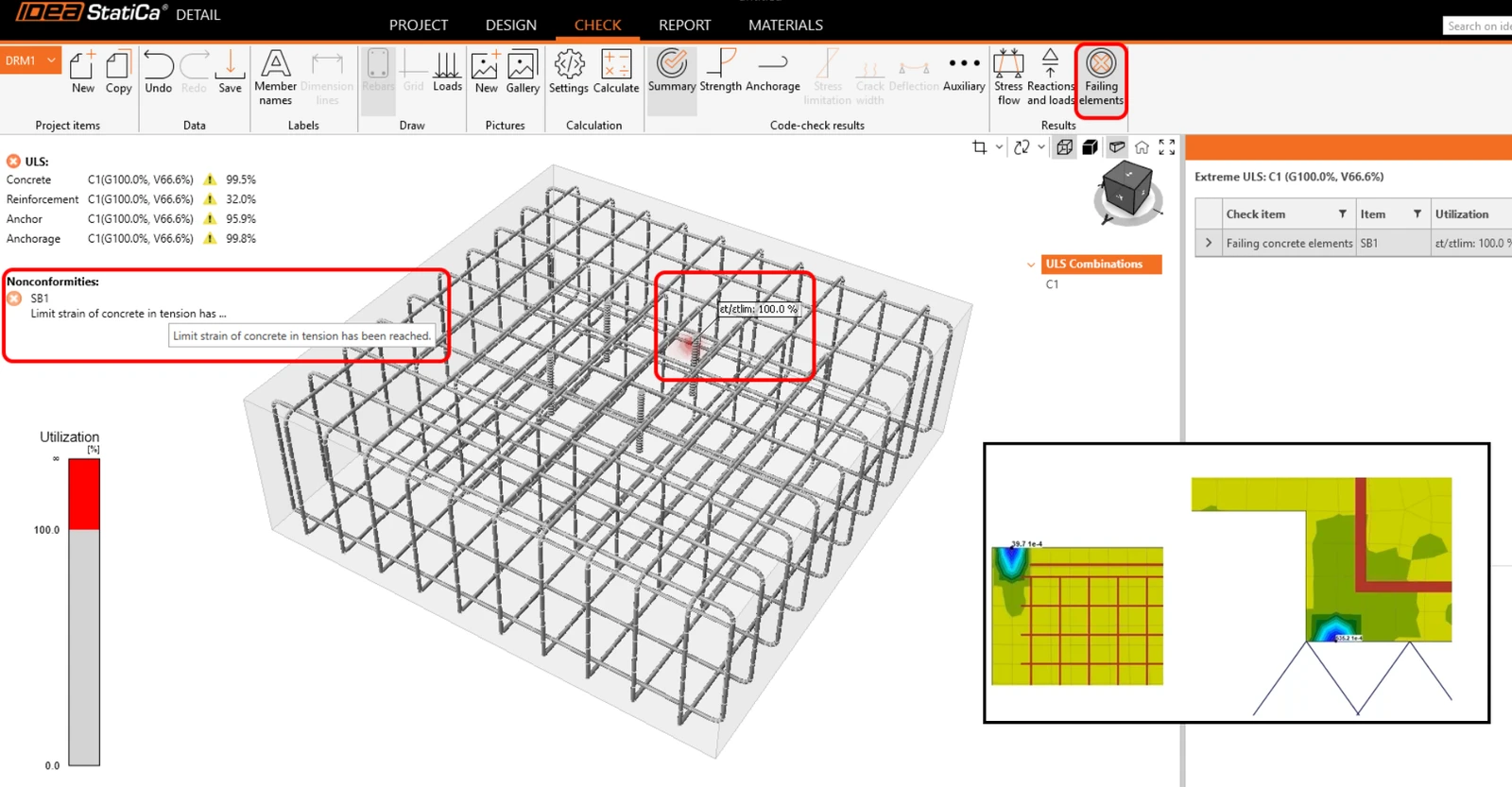
In case of an incomplete nonlinear analysis, it could be time-consuming to determine what was wrong with the model and sometimes, purely a matter of guesswork. In 26.0, when an analysis stops due to a criterion being reached (before 100% load is applied), Detail provides clear information about what happened and where. The exact criterion is named in a warning message, and the critical location is highlighted directly in the scene. Learn more in the knowledge base article.
AASHTO in Detail
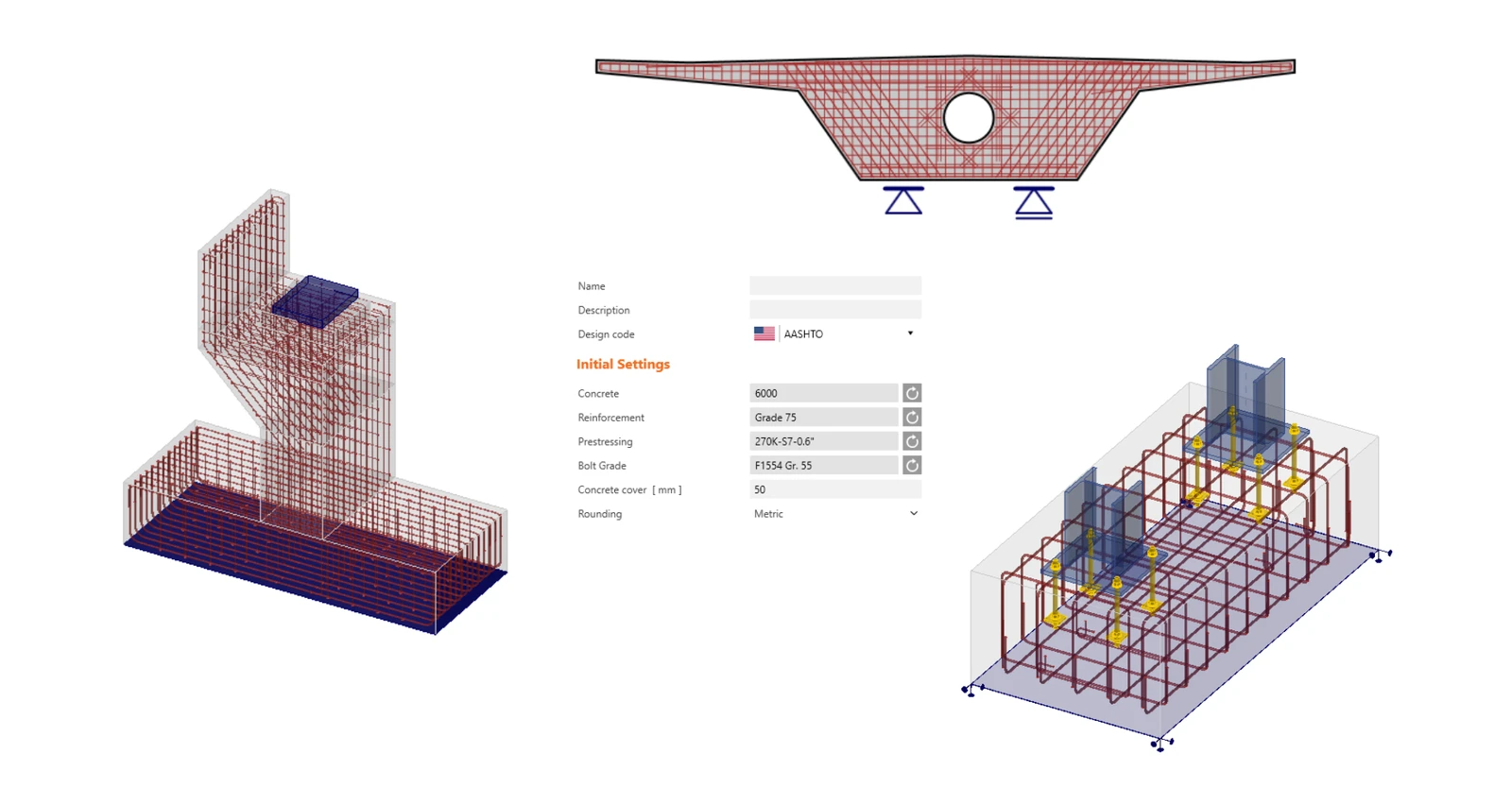
Version 26.0 introduces a native AASHTO design code in Detail to remove a limitation for infrastructural engineering projects. The implementation provides a complete, code-aligned workflow and includes dedicated 2D templates focused on typical bridge structural parts. For 3D, the existing template structure is maintained to ensure consistency across standards.
To fully support AASHTO design, we have added a dedicated material database covering normal- and high-strength concrete with the correct modulus of elasticity approach. Reinforcing and prestressing steel materials are implemented according to relevant ASTM standards. Materials are available in both imperial and metric units. More details are addressed in Theoretical Background under the AASHTO chapter.
Section BETA – An application for the new Eurocodes generation
IDEA StatiCa Section BETA introduces early support for EN 1992-1-1:2023, providing reinforced concrete ULS section design with clearly defined workflows and transparent calculations. It delivers a familiar UI with scalable application architecture, signaling the transition from legacy RCS technology to a next-generation Eurocode platform. Learn more in the knowledge base article.
Steel Design
AI-powered prediction of connection utilization
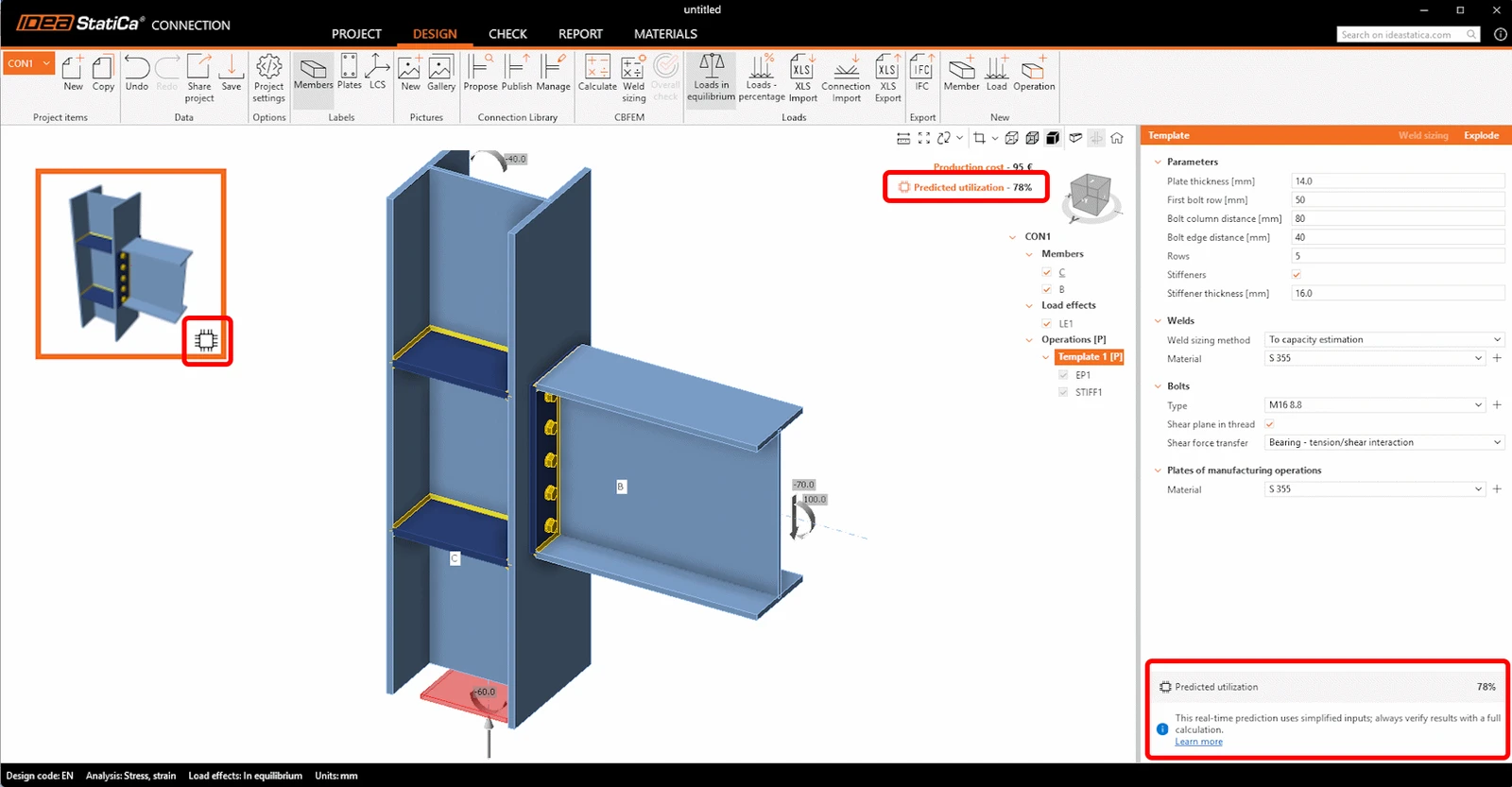
Machine-learned utilization predictions allow engineers to instantly evaluate a connection’s utilization for the governing load case. This significantly accelerates the design process, as there is no need to run a full CBFEM analysis after every minor change. Powered by a dataset of thousands of trained models for each template, the tool delivers immediate utilization results across dozens of load combinations. Learn more in the knowledge base article.
Cast-in plate design available for AISC/ACI codes
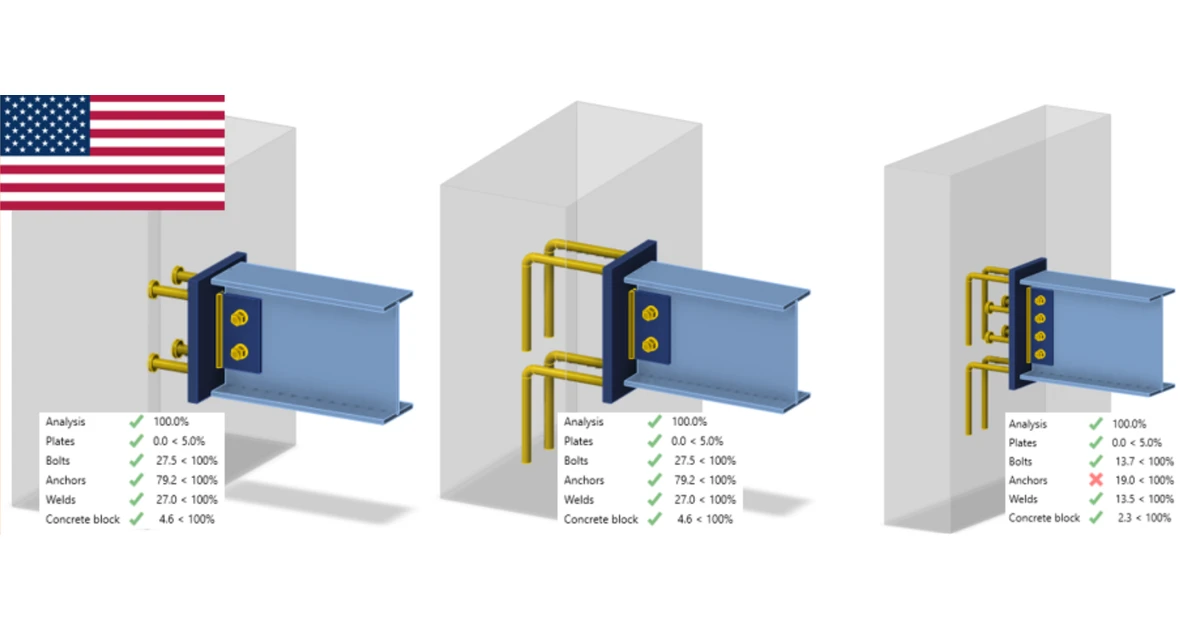
Connection designers working under AISC/ACI codes can now model cast-in plates with realistic anchoring options, including reinforcement, headed studs, or both. This extends the workflow to support steel-to-concrete connections that were previously difficult or impossible to design directly in the Connection app, while also maintaining compatibility with export to Detail. The result is the most advanced anchoring design tool for engineers designing in accordance with these codes. Learn more in the knowledge base article.
Operations usability improvements
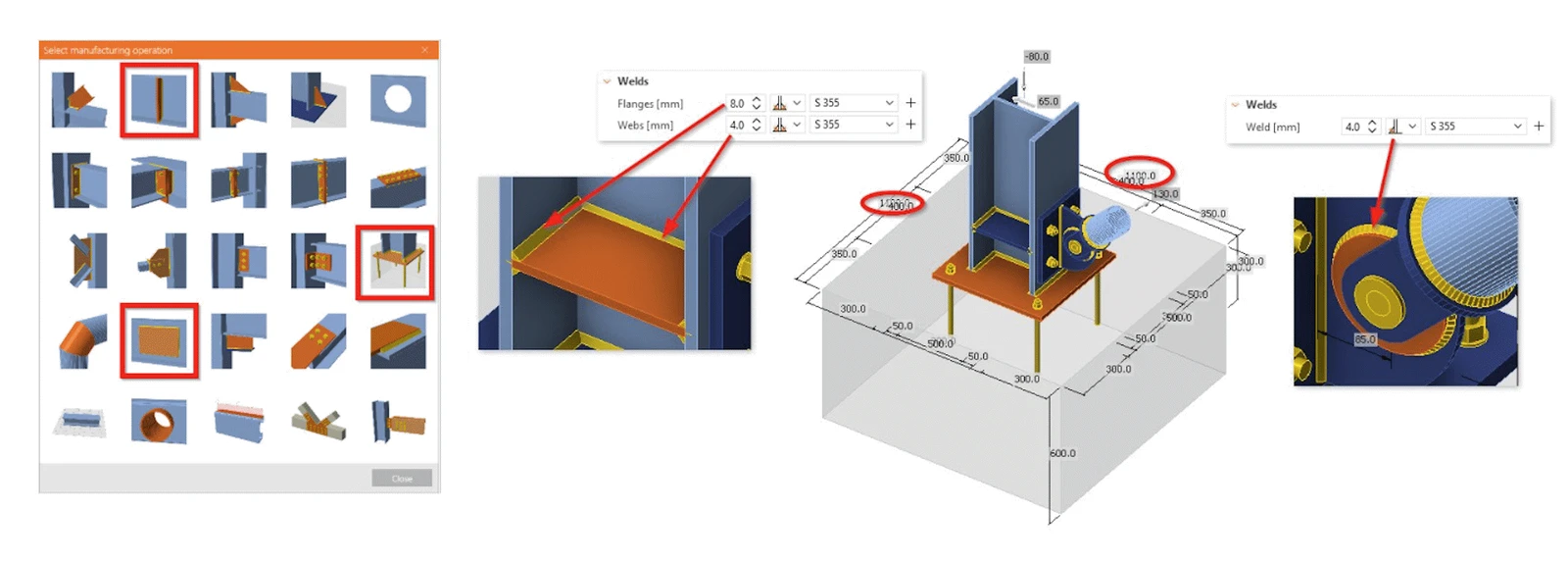
Weld definition for stiffeners is now more flexible, allowing separate settings for web and flanges. Circular stiffening plates set as doublers can now be welded directly without workarounds. Additionally, the total dimensions of concrete blocks are displayed in the 3D scene, giving users instant clarity during modeling.
Localization of the Connection Wizard
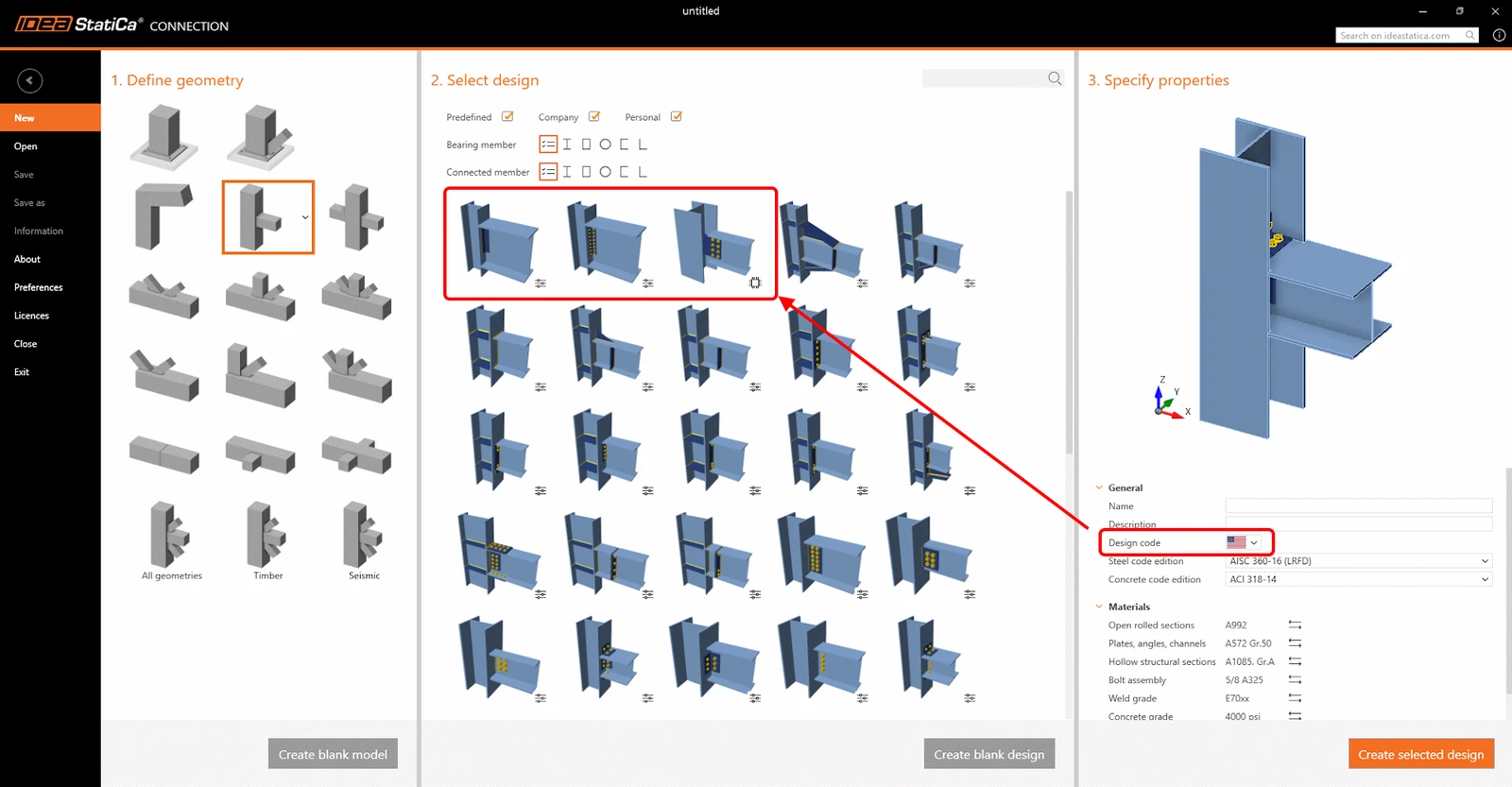
The Connection Wizard is now better adapted to regional standards, introducing AISC-based templates, which are automatically prioritized for US users. In addition, improved rounding behavior ensures that values in imperial units are displayed in clean, expected increments based on Project Settings.
Connection API updates
Theoretical length for stiffness analysis and the Connection Library templates have been made available to the Connection API. The theoretical length values for My and Mz can be edited and set for fully automated stiffness calculations. Users can now directly access the full desktop Connection Library (IDEA, company, and private sets) without relying on external template files, while also applying multiple templates and targeting specific members within a connection model. Learn more on the developer site.
You can try the AI agent in ChatGPT to write scripts for Python using simple prompts instead of manual coding, and create your custom API tools.
BIM and Checkbot
New 3D Scene in Checkbot
The new 3D scene in IDEA StatiCa Checkbot introduces a rebuilt engine that improves performance and reduces memory usage in large 1000+ nodes projects, enabling smooth interaction without lag or crashes.
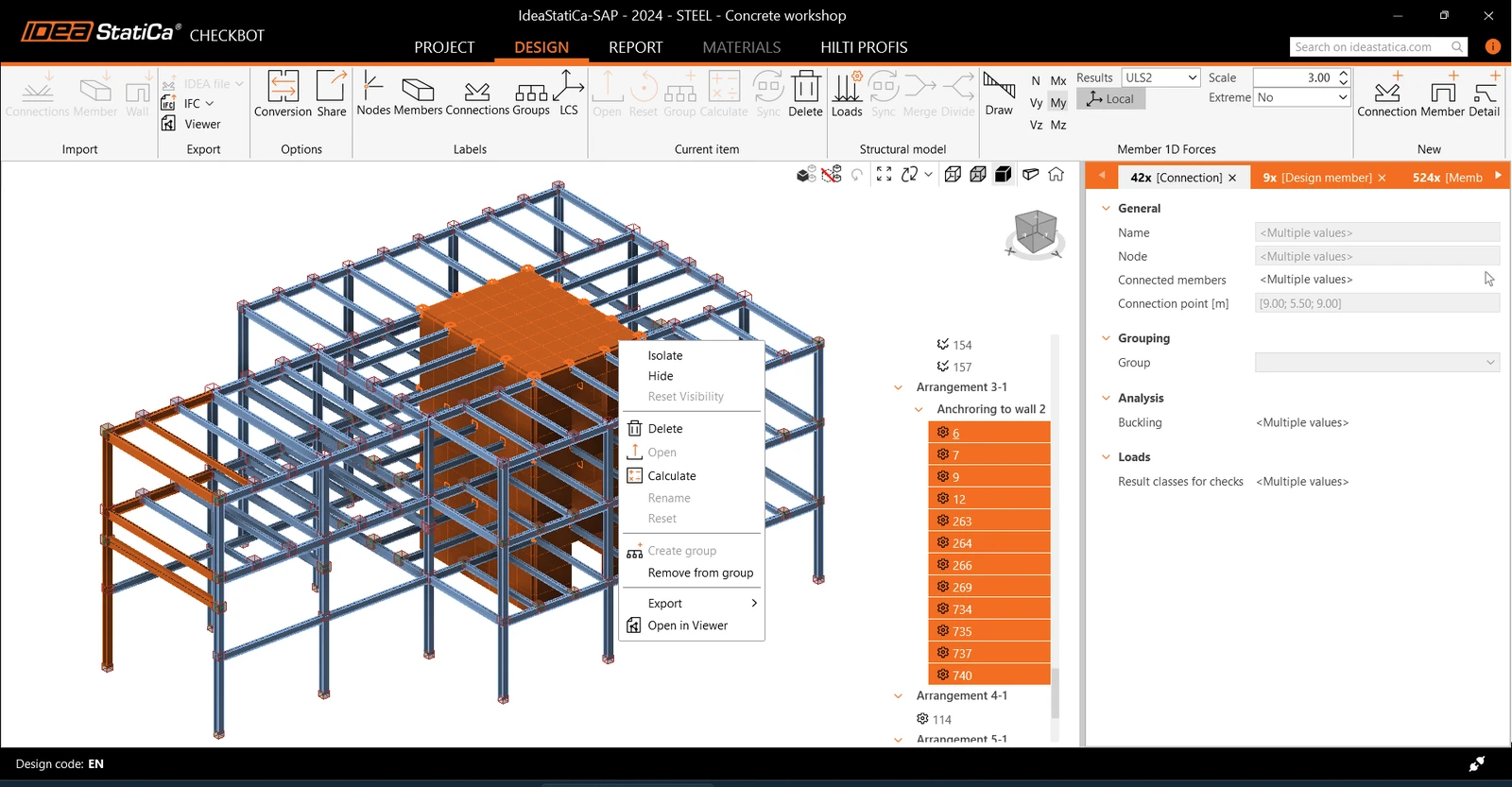
You can now multi-select items directly by mouse drag, refine selections using Ctrl/Shift, and use new multi-selection tabs in the property grid for filtering mixed items. New visibility controls (Hide, Isolate, Reset) allow focusing on specific parts of the model, and forces can be viewed directly on the selected part of the structural model.
We have also updated the right-click context menus and added the option to remove members (beams, columns) completely from the Checkbot project. Learn more in the knowledge base article.
Sharing of Checkbot projects
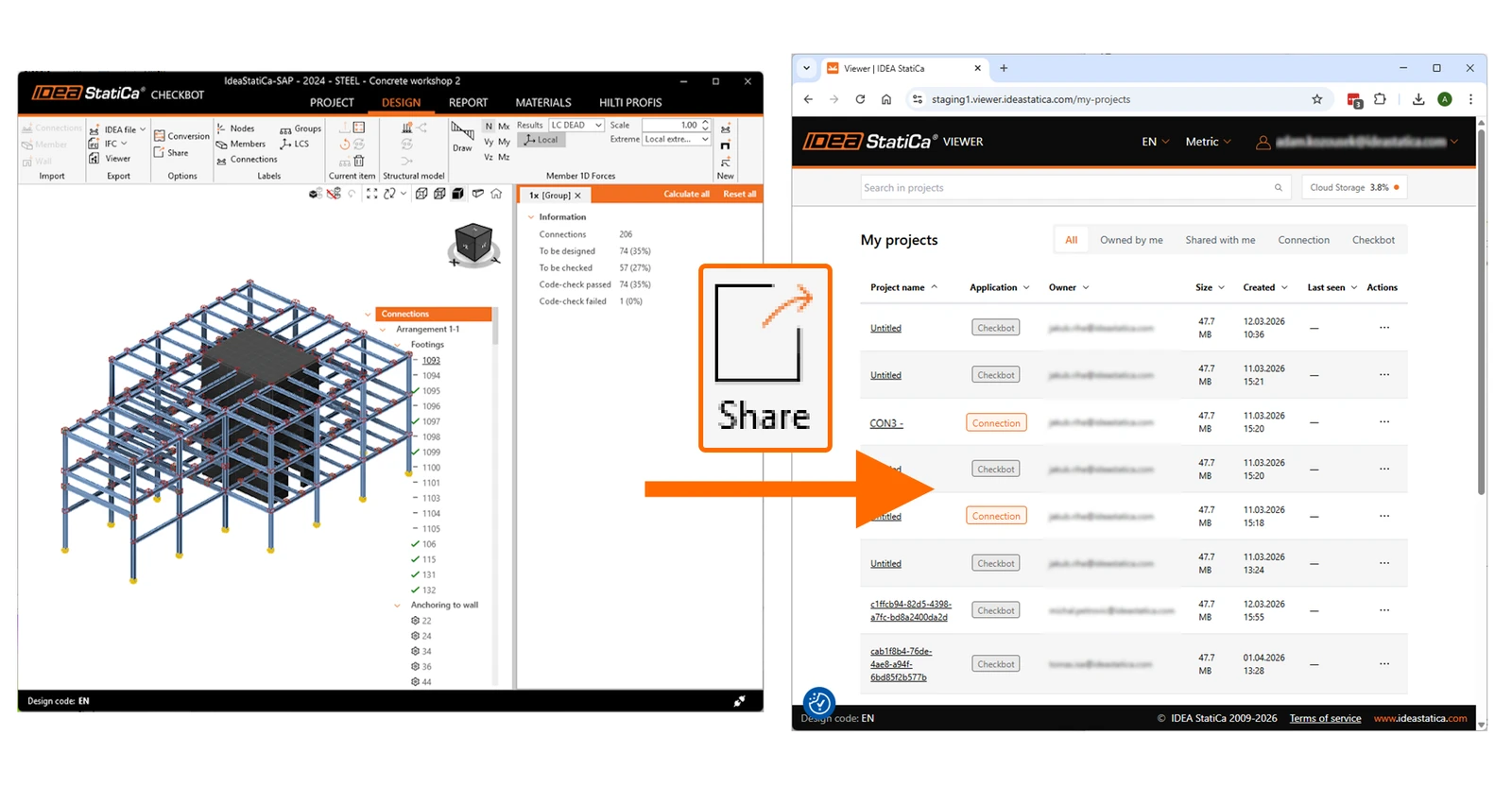
You can now share IDEA StatiCa Checkbot projects directly from the app via email using the built-in Share function, eliminating the need for manual zipping and third-party file transfers, and enabling easy distribution through cloud storage. The shared projects are stored permanently in the cloud and managed in IDEA StatiCa Viewer, where you can also copy the direct URL link, re-share it, or delete it. The storage capacity for standard licenses is now 10 GB. Learn more in the knowledge base article.
Steel and Concrete design items in one Checkbot project
Checkbot now supports multi-material projects, allowing you to manage both steel and concrete entities in a single project file under a single design code, with materials and cross-sections automatically sorted and mapped.
Note: Currently, only steel-to-steel and steel-to-nothing (anchoring) nodes can be opened in the Connection and Member apps, and only concrete walls from ETABS/SAP2000 can be exported to the Detail app.
MIDAS GEN NX - new BIM link to Checkbot
You can now import data directly from MIDAS GEN NX to IDEA StatiCa Checkbot, enabling a standard BIM workflow for steel connection design and steel member design with automated mapping of members, cross-sections, and internal forces from load combinations. Learn more in the tutorial.
Grasshopper plugin updates
We have added two new components to handle Grasshopper workflows – eccentricities and templates. With eccentricities, you can define the insertion point of members and add offsets per local and global coordinate systems to achieve member alignment. With templates, you can now fully manage the Connection Library design templates using components to propose, edit, explode, and delete them. Learn more on the developer site.
Updated BIM links with FEA and CAD apps
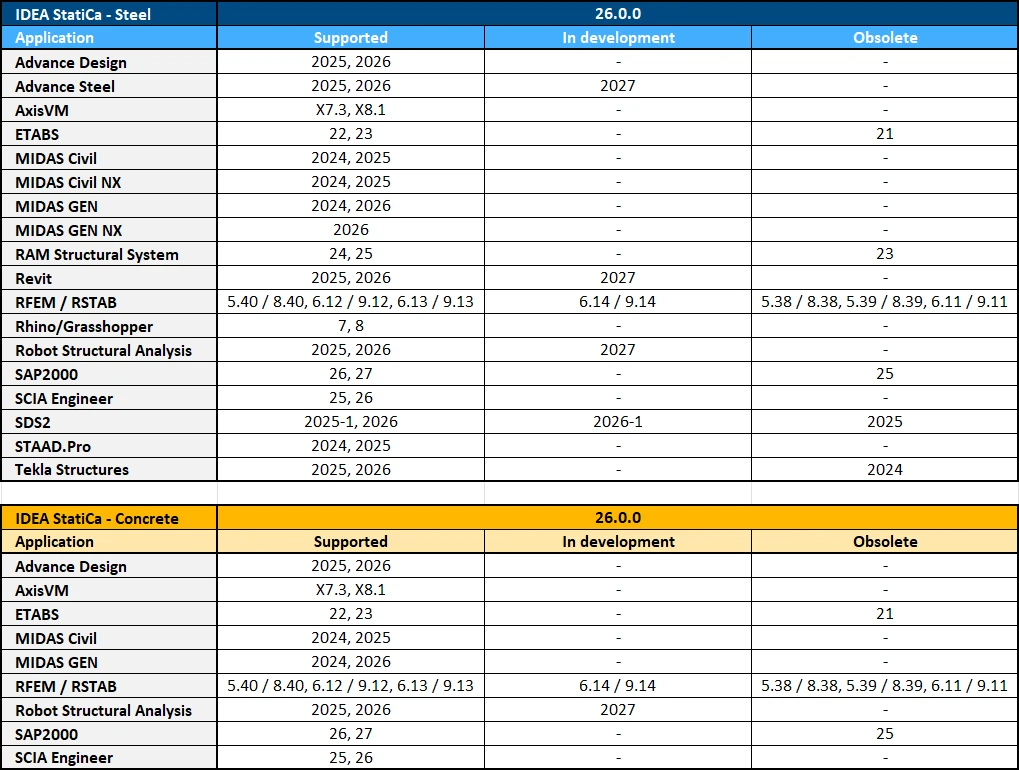
We have updated the BIM links to match the latest versions of the connected 3rd-party FEA and CAD software. BIM links are also continuously updated with each subsequent IDEA StatiCa patch. See the up-to-date list.
Cloud tools and general improvements
New languages in Viewer – German, Spanish, Polish
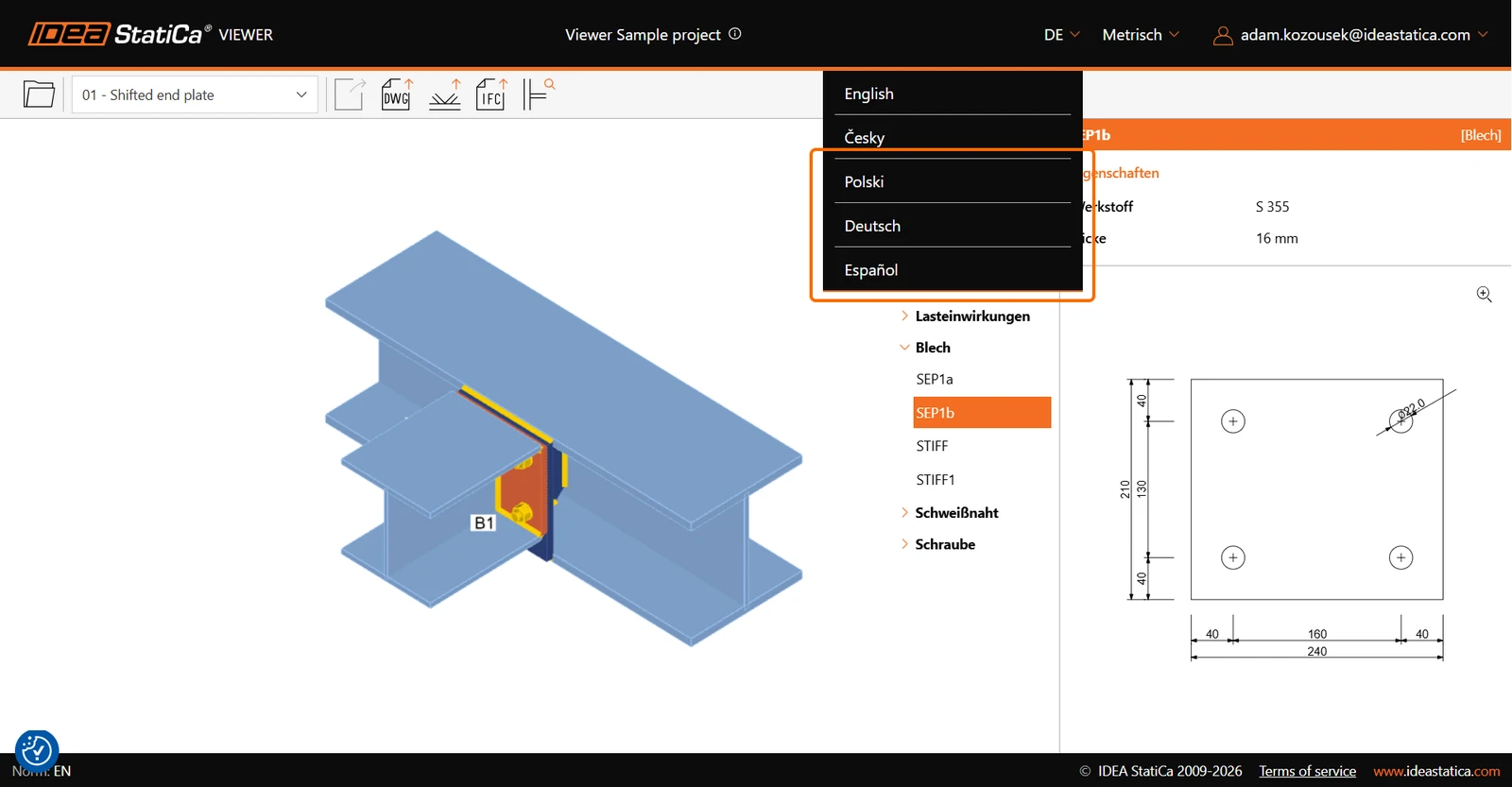
We have added three language variants to the free online Viewer app, German, Spanish, and Polish, next to the default languages of English and Czech.
User Portal – user's last active information
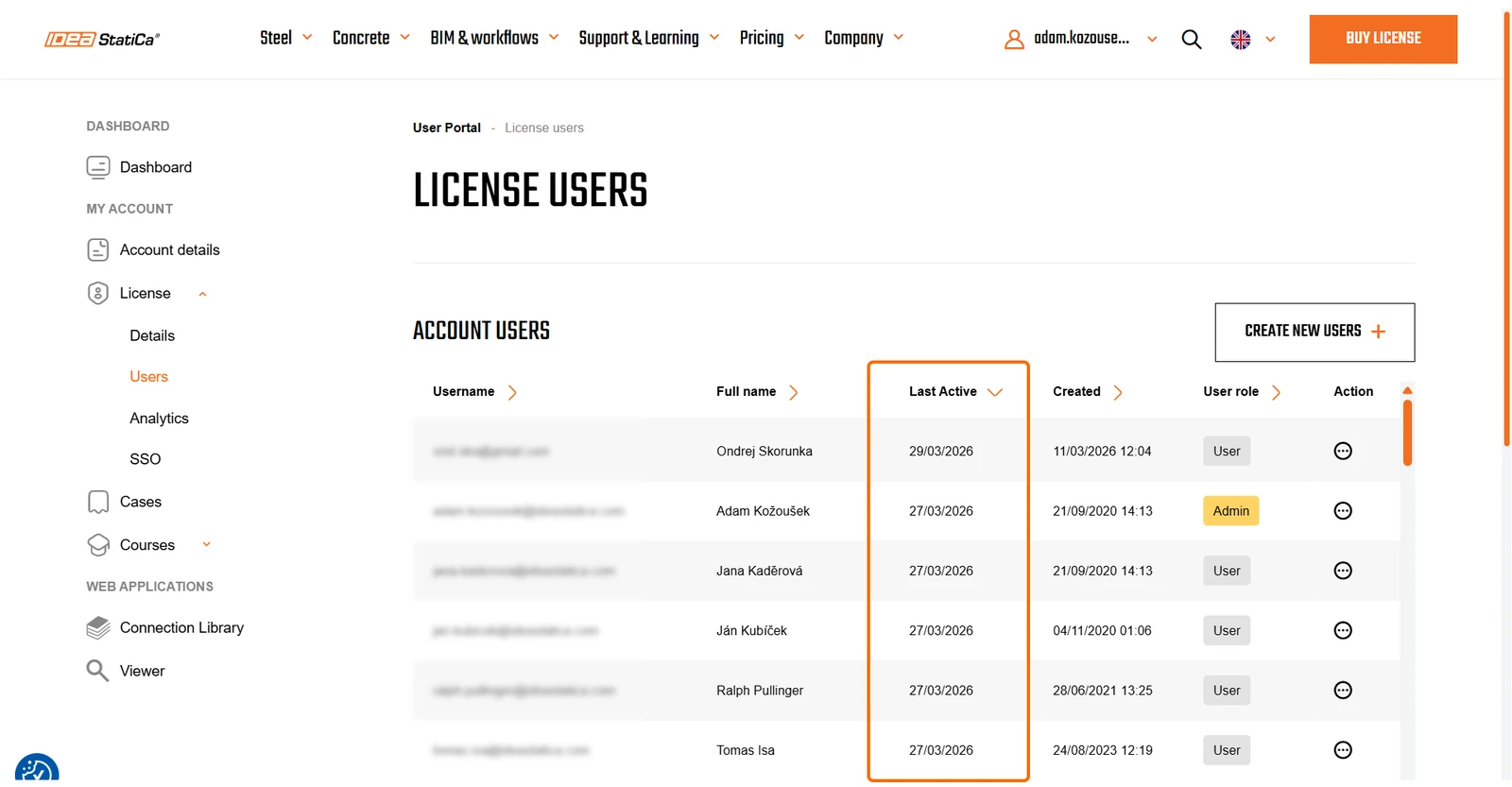
As a License Administrator, you can now see the "Last Active" timestamp for each user in your license. In the User Portal, section License/Users, you can identify the most active and inactive users and optimize your license utilization.
Shared login for web applications
When you work with the Viewer and Connection Library web browser apps, where you need to log in with your credentials, you no longer need to log in separately to each of them. Once you have logged into one of them, your browser remembers, and the apps open with you already logged in.
Self-service setup of Single Sign-On (SSO)
In previous versions, Enterprise customers needed to contact the IDEA StatiCa ICT department to set up SSO. This can now be set by the admin in the User Portal, section Licenses/SSO, without waiting. Learn more in the knowledge base article.
Personalized Launcher content
We have updated the content display in the initial Launcher app. You will now see news, such as webinar announcements or an important technical article, that is tailored to your language and region.