
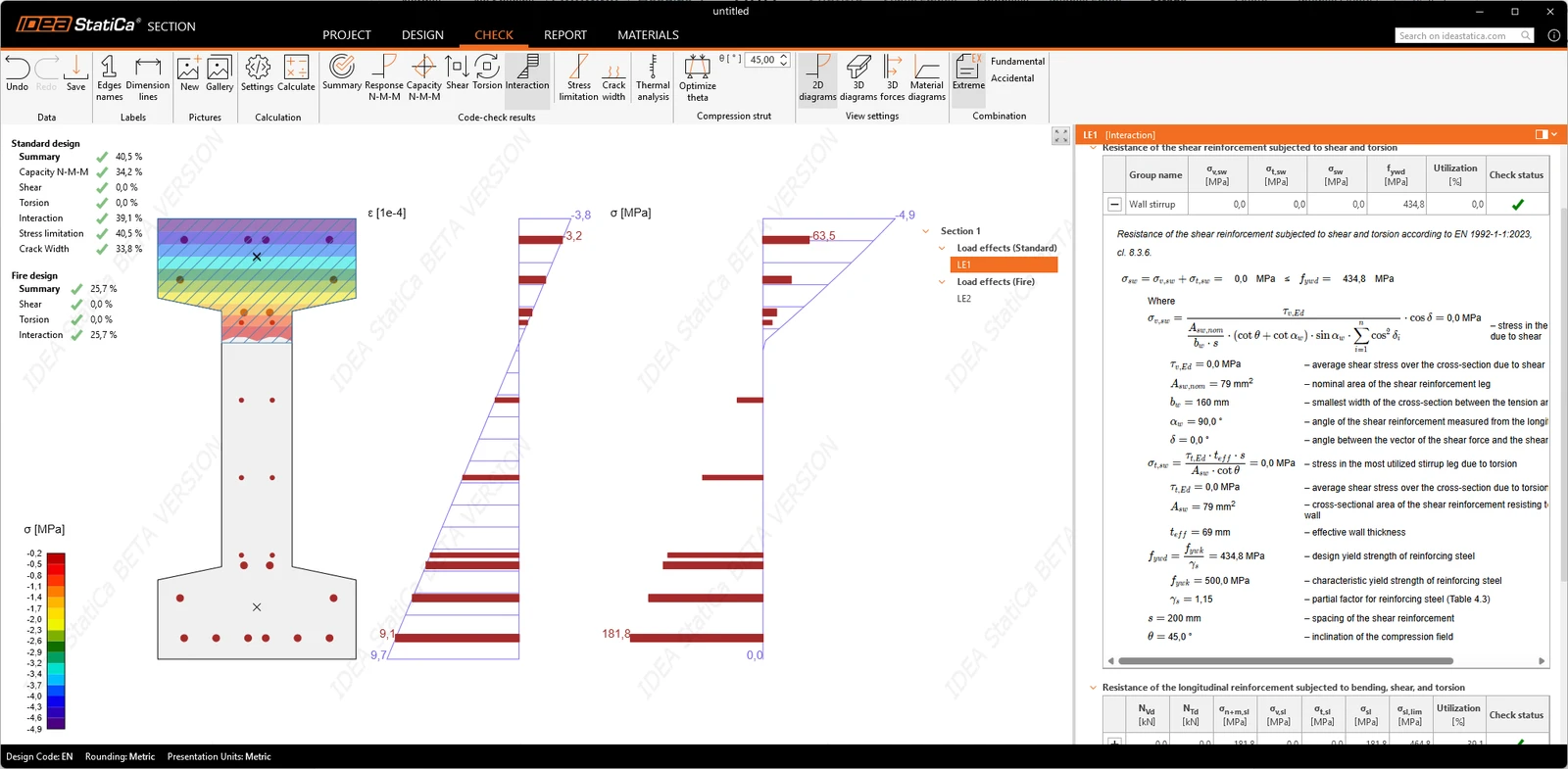


This means earlier access to EN 1992-1-1:2023, clearer and more transparent calculations, and a workflow that better reflects real engineering practice.
IDEA StatiCa Section BETA is an application for designing reinforced concrete sections according to EN 1992-1-1:2023 (ULS & SLS). It allows defining arbitrary section shapes and reinforcement, performing finite-element-based calculations, and displaying results graphically, in tables, and as calculation equations. The Beta version provides an early preview of future development and is primarily intended for user feedback and validation.
The Beta version currently covers:
- RC sections
- ULS
- SLS
- EN 1992-1-1:2023
- Cross-section geometry
- Reinforcement geometry
- A material database compliant with the new code
- Graphical, tabular, and equation-based result presentation
The Section application follows the style of other IDEA StatiCa applications (Connection, Detail). Its main workflow is organized into five tabs: Project, Design, Check, Report, and Materials.
The logic for creating cross-sections and applying loads is the same as in the existing RCS application. For these principles, we recommend referring to RCS materials, including tutorials, etc., even though the UI differs significantly.
Compared to RCS, a major advantage is the greater insight into results, as the Section app provides all formulas, including their numerical values, making it easier to verify them. See more in the Check section.
Project
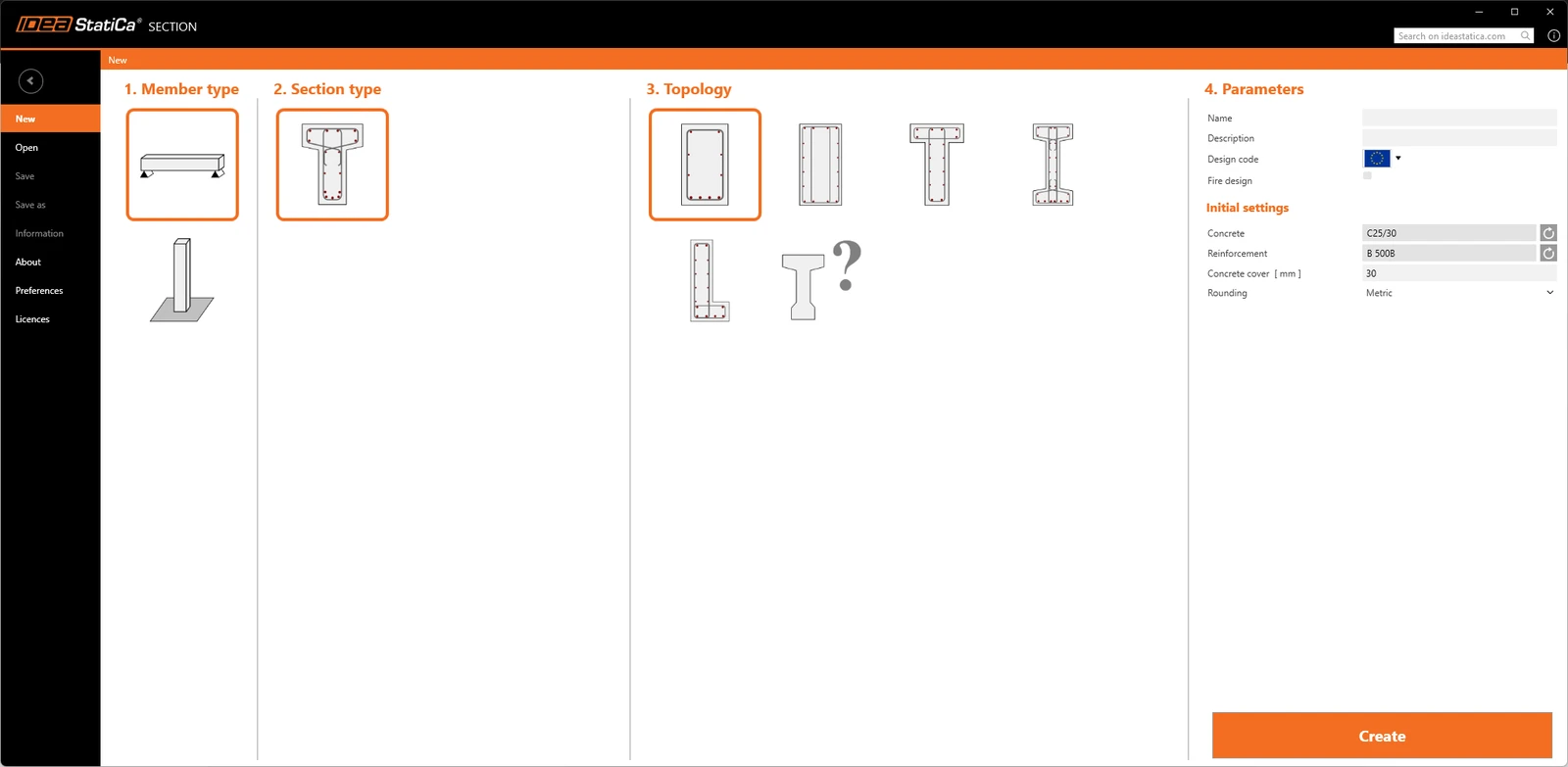
The Backstage view provides access to preferences, opening and saving projects, and configuring initial project data through the startup wizard. Projects can be created from templates or built from scratch.
Design
Member data and geometry
Before defining a cross-section, member data and geometry can be configured, including parameters such as exposure class, relative humidity, and member length. These values serve as a basis for future calculations, including crack width analysis and flexural slenderness checks.
Cross-section definition
The application focuses on beam sections, supporting standard shapes like rectangles as well as arbitrary cross-section geometry, making it a general-purpose tool rather than being limited to a predefined catalog. Section properties are displayed in a read-only view, enabling immediate verification of area and other geometric characteristics within the workflow, reducing the need for external checks.
Calculation control
The "Calculation control" tab is available in the properties panel for both the entire member and individual cross-sections. Analyses can be enabled or disabled globally for the member or locally for specific sections, providing flexible control over the calculations performed.
Load effects input
Load effects are managed through tables that support copying internal forces from Excel, pasting multiple values, adjusting and comparing effects, and exporting data. Bulk input of load pulses is possible when "Load effects" is selected, with effects automatically generated from the number of rows added.
Reinforcement definition and templates
Reinforcement is defined bar by bar or from a parametric cloud template, and the two can be combined in the same rebar assembly. Point-by-point stirrups keep the modeled shape identical to the drawing; templates remain parametric until exploded; and the resulting assembly is shared across sections of the same cross-section type.
Reinforcement one by one – longitudinal bars are defined with three commands (Group on edge, Group in line, On all edges) and stirrups are defined with three more commands (Stirrup from points, Stirrup around longitudinal bars, General stirrup)
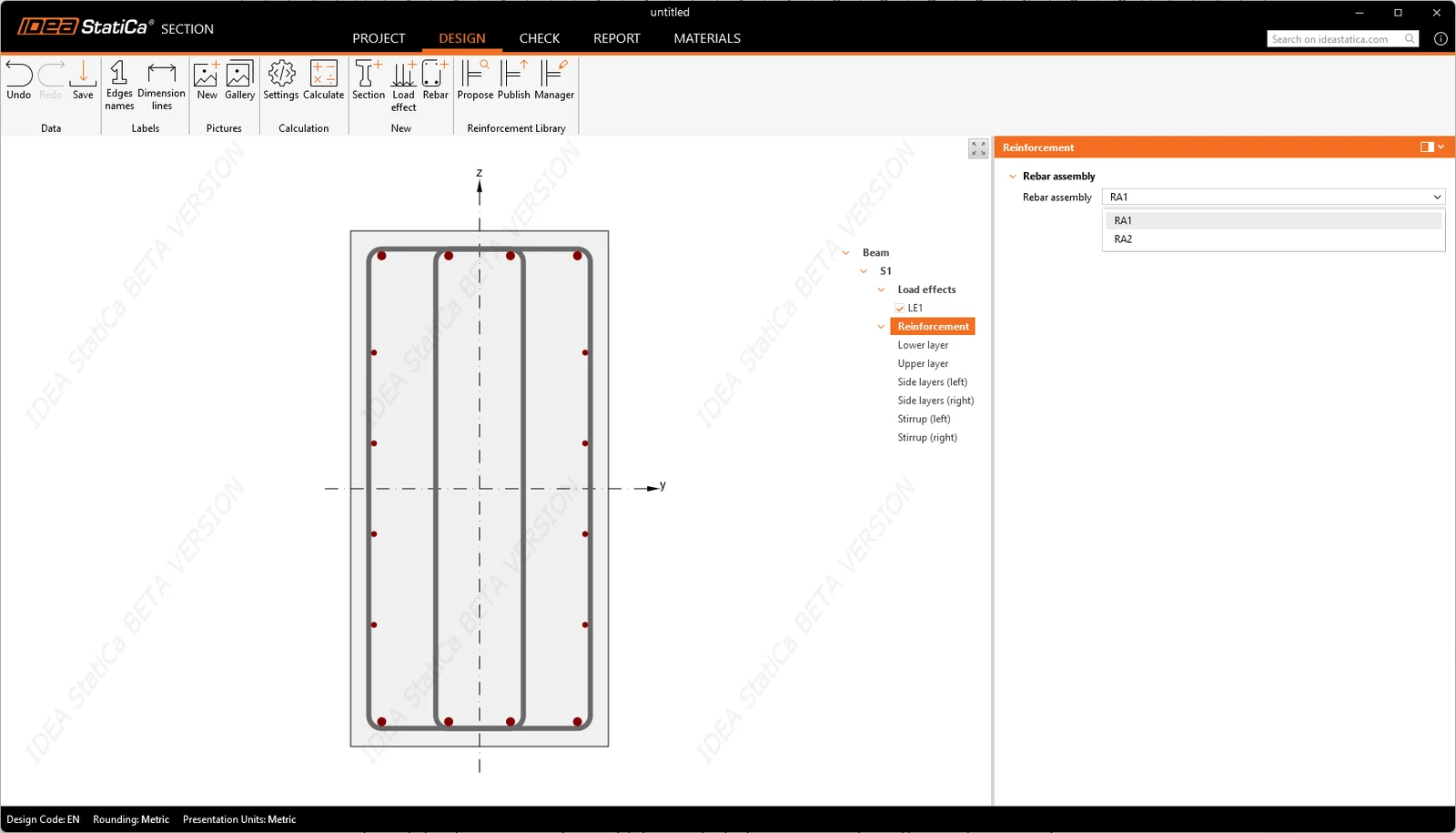
Reinforcement from a cloud template – the cloud reinforcement library uses the same three commands (Propose, Publish, and Manager) known from Connection and Detail apps. Templates are matched to the cross-section shape, so the library only offers layouts that fit the section on screen. Assemblies are created, copied, and deleted from the strip above the data view or from the Materials tab, and the applied assembly is named next to the section in the tree of entities. Rebar assemblies can be shared across the project.
Template adjustment through its parameters – templates carry parameters, and once a template is applied, its parameters appear in the data view and can be changed instead of remodeling the layout. A template stays parametric until it is exploded, so the reinforcement can be tuned repeatedly as the design develops.
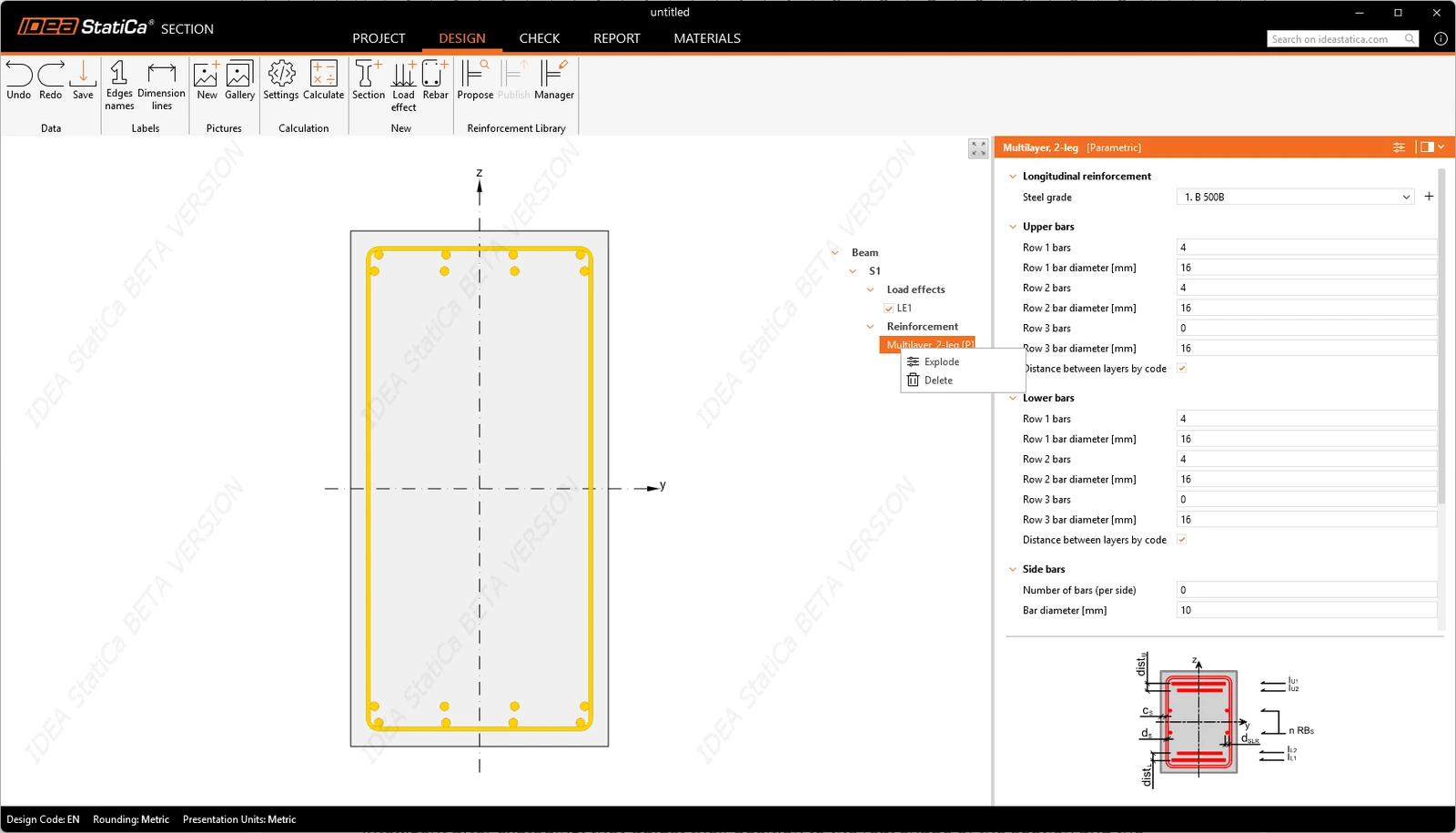
Exploding a template into editable layers – by clicking in the context menu or the strip above the data view, a template explodes into individual reinforcement layers in the tree of entities, each layer editable on its own. After exploding, the layers remain smart: they adjust their positions to match the actual shape of the section and the stirrup. Templates and hand-modeled bars can be combined. A standard layout from the library can be completed with individual bars where the section needs them, all in the same assembly.
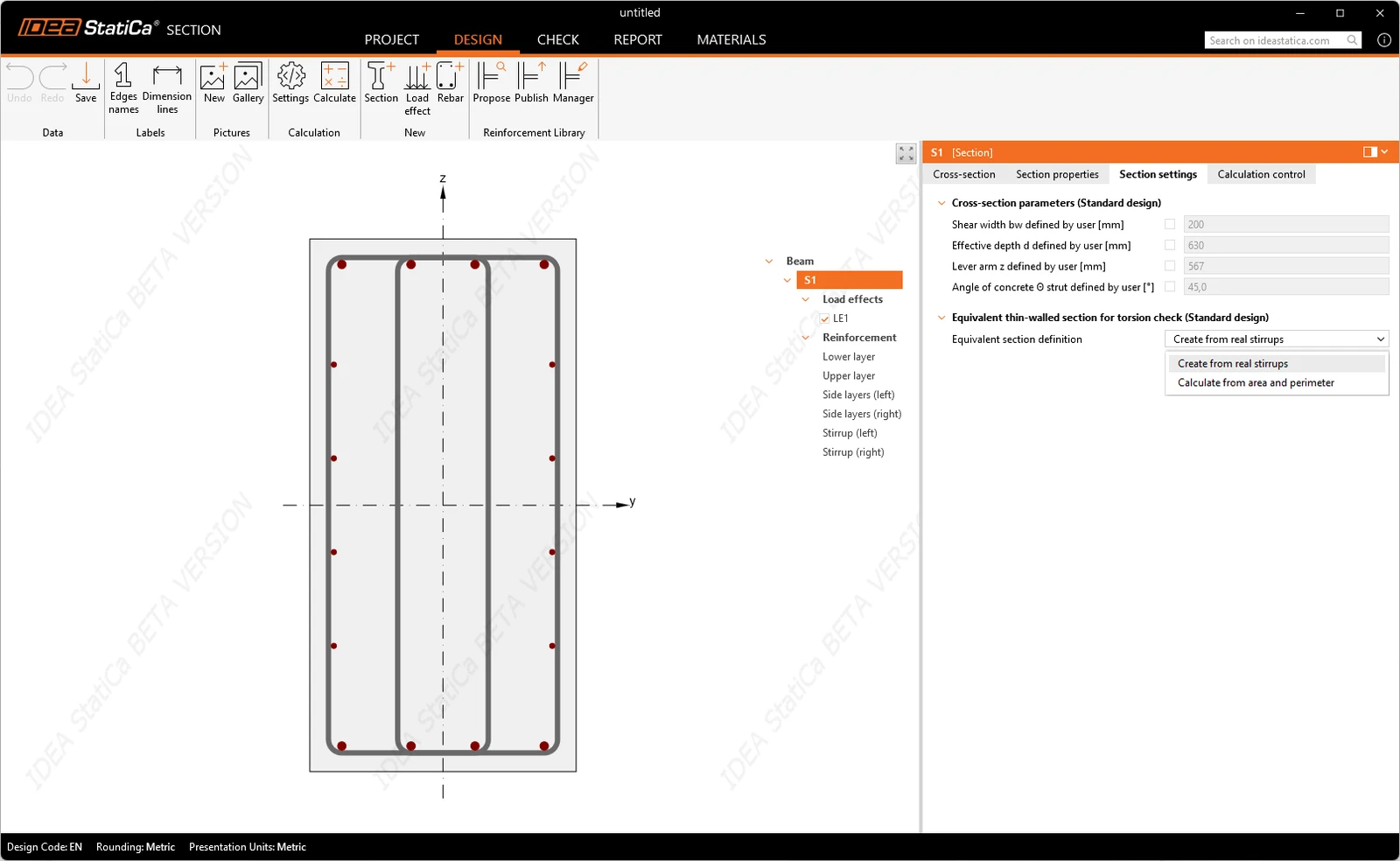
Section properties behind shear and torsion – the section entity has a tab for the cross-section properties that the shear and torsion checks depend on. Each property can be left at its calculated value or overridden with any entered value. The equivalent thin-walled section for the torsion check is defined in three ways: from a real stirrup effective for torsion; from area and perimeter; and by manual input. The idealization is therefore an engineering decision.
Released in IDEA StatiCa version 26.0, updated in version 26.1.
Take the latest version of IDEA StatiCa for a test drive today
Get 14 days of full access, completely free.
Check out IDEA StatiCa for free