
How to run Fire design
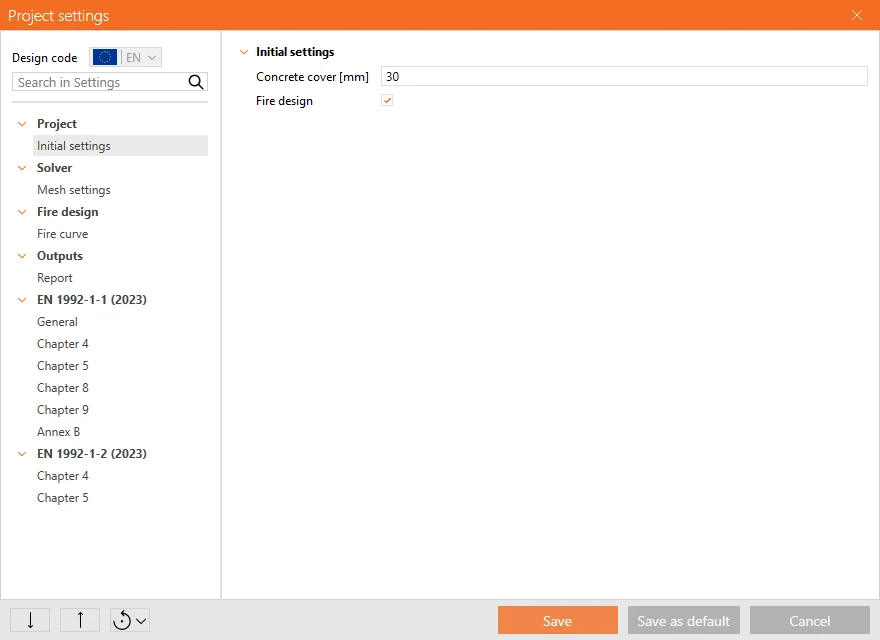
Fire design is calculated only when it is on – either by ticking it in the wizard when creating a project, or by activating it later in Project settings. Projects that do not need it are unaffected. Once activated, the application adapts: additional member data and project settings appear, sections get a new Fire exposure tab, load effects split into two groups, and the Check tab gains thermal analysis results and a dedicated Fire design block in the Overall check.
Inputs
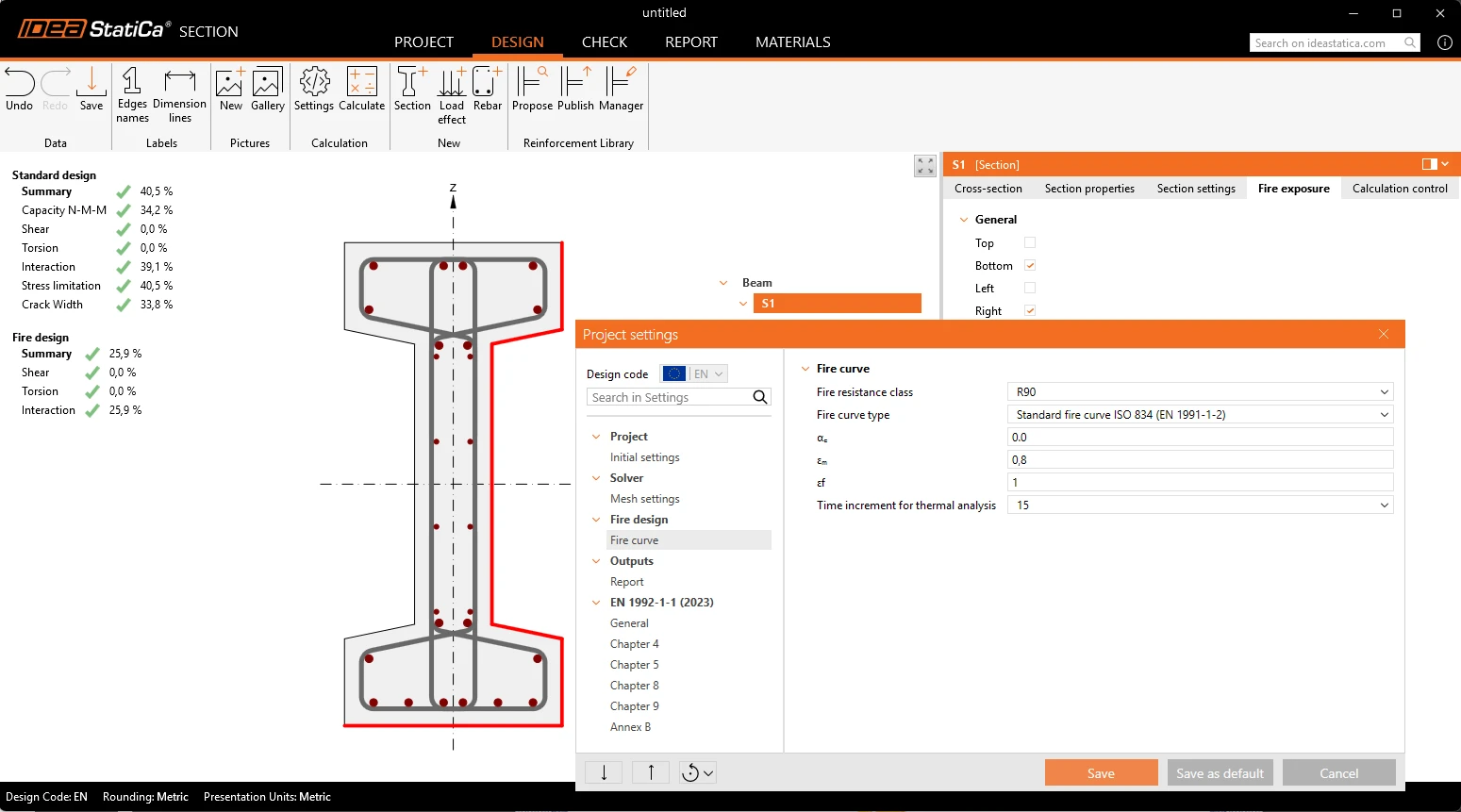
- Fire resistance class – R30 to R240, which drives the duration of the analysis.
- Fire curve – the standard, external and hydrocarbon nominal curves of EN 1991-1-2, plus the ASTM E119 standard time-temperature curve.
- Initial concrete moisture and member temperature – the state of the member before the fire.
- Heat transfer parameters – convective coefficient and the emissivity of the member and of the fire, pre-set per fire curve so the defaults are already the code values.
- Sides exposed to fire – defined per section in the new Fire exposure tab by four simple options (top, bottom, left, right). An algorithm derives which cross-sectional edges that means, including for shapes with re-entrant corners, and the exposed edges are drawn in red in the scene.
Fire load effects
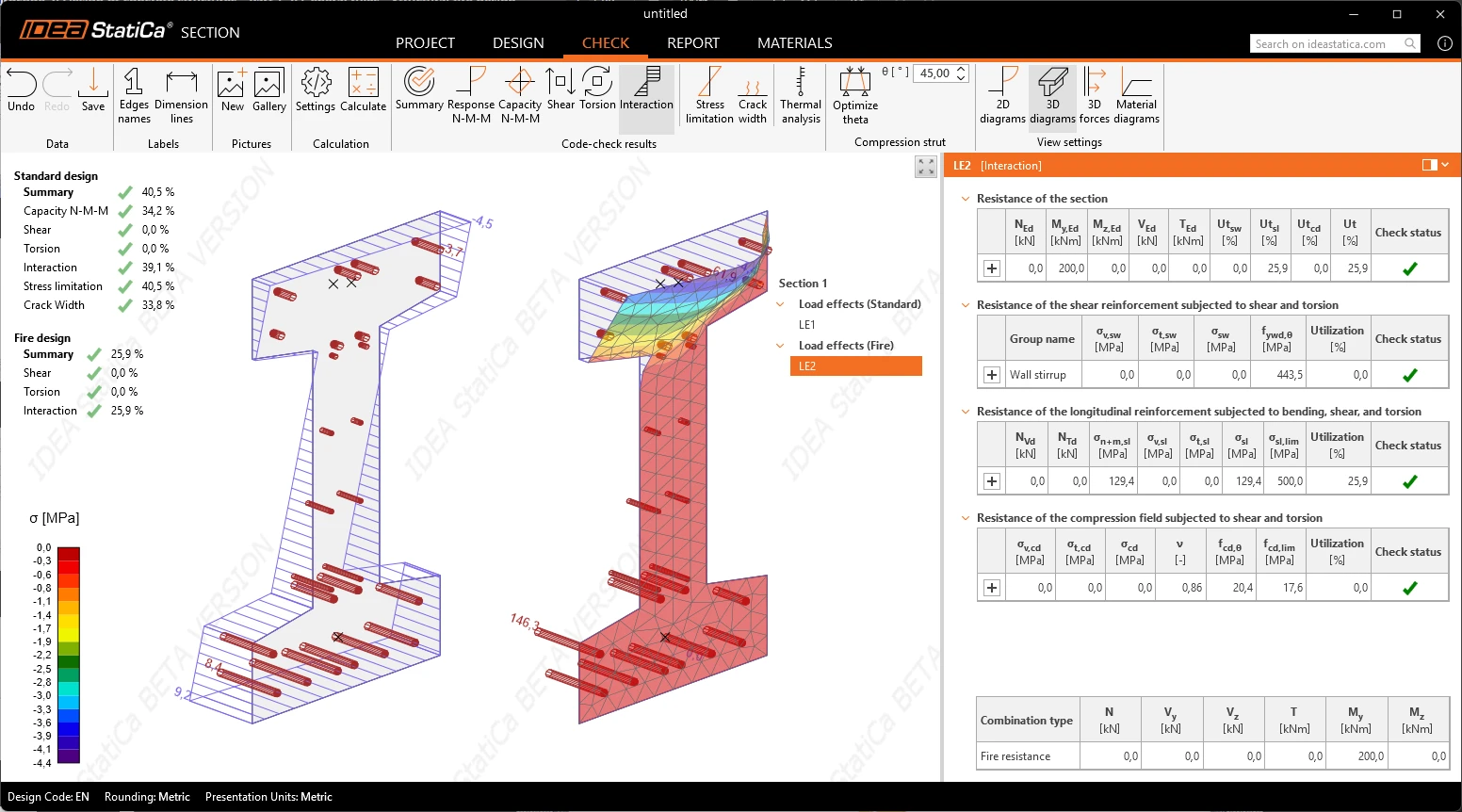
Internal forces for the fire situation are not the same as for ULS and SLS, so the load effects are split. A new Combination type property assigns each effect to either ULS + SLS or Fire design, and the tree groups them accordingly. Bulk input of the fire internal forces is available on the group, the same way as for the ordinary effects.
Material properties
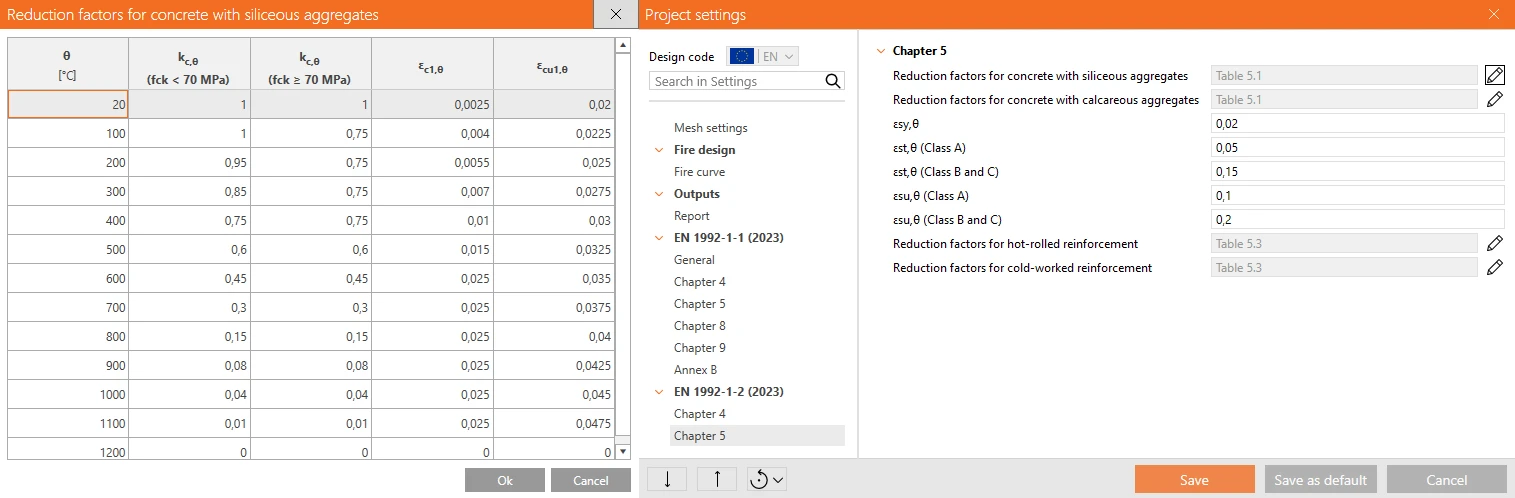
The cross-section is meshed and the temperature field is calculated in time increments up to the required resistance class, using its own mesh settings that are finer than those for the sectional analysis. From the temperature of each concrete element and each individual rebar, the application derives the reduced material properties – concrete strength, reinforcement yield and proportional-limit strength, and the modulus of elasticity – using the reduction factors of EN 1992-1-2. The reduction factor tables are part of Project settings, separately for concrete with siliceous and calcareous aggregates and for hot-rolled and cold-worked reinforcement. They are pre-filled with the code values and remain editable, with the ordering and range rules enforced so an edited table stays physically meaningful.
Result types for the temperature field
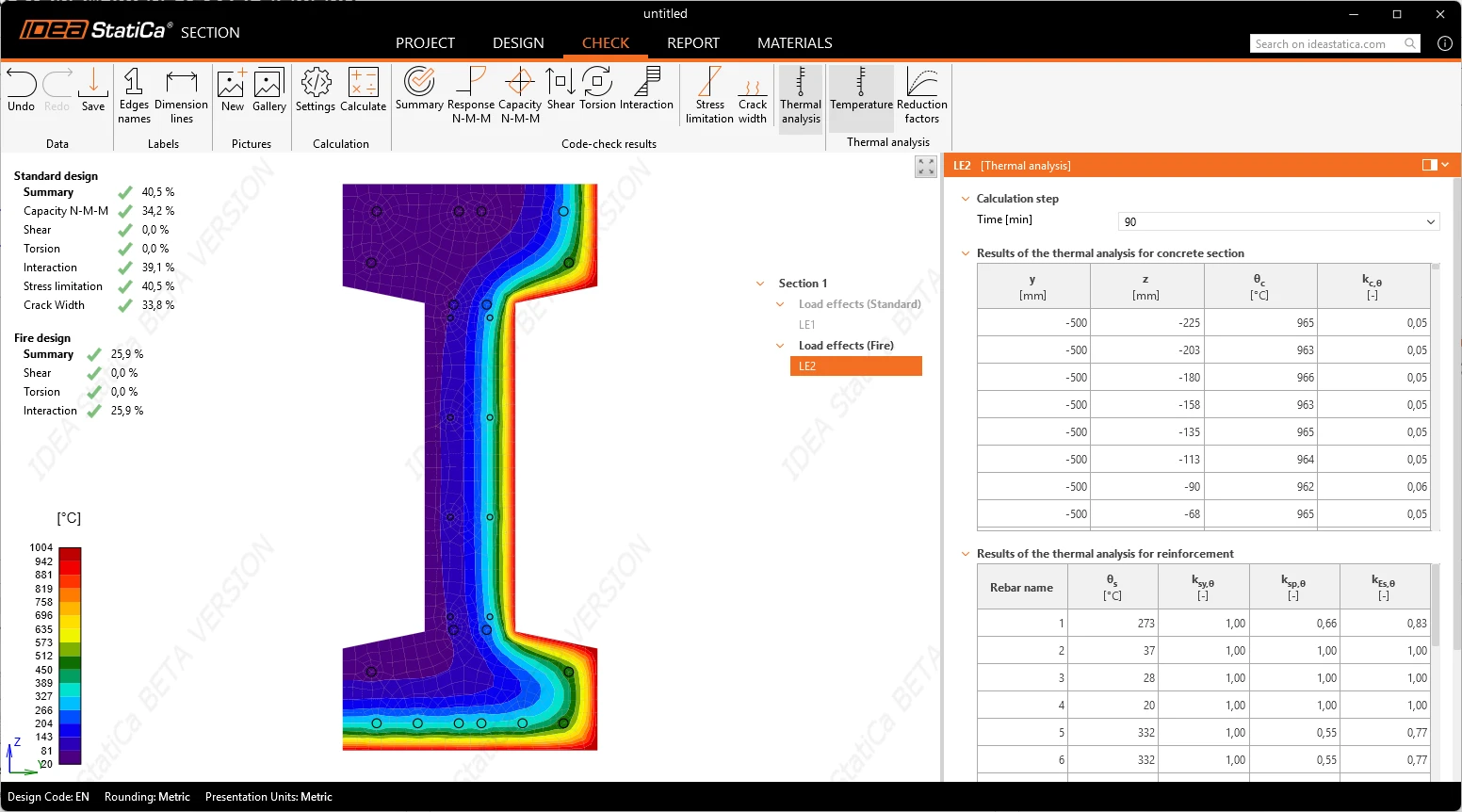
- Temperature – the temperature distribution over the section as a heatmap with its palette.
- Reduction factors – the same view for the resulting strength reduction, which is what actually governs the check.
Both are shown for a selectable time increment, with the last one displayed by default. Alongside the scene, the data view lists the temperature and reduction factors for the concrete elements and, separately, for each rebar – so the engineer can read the value for the specific bar that matters.
Code checks in the fire situation
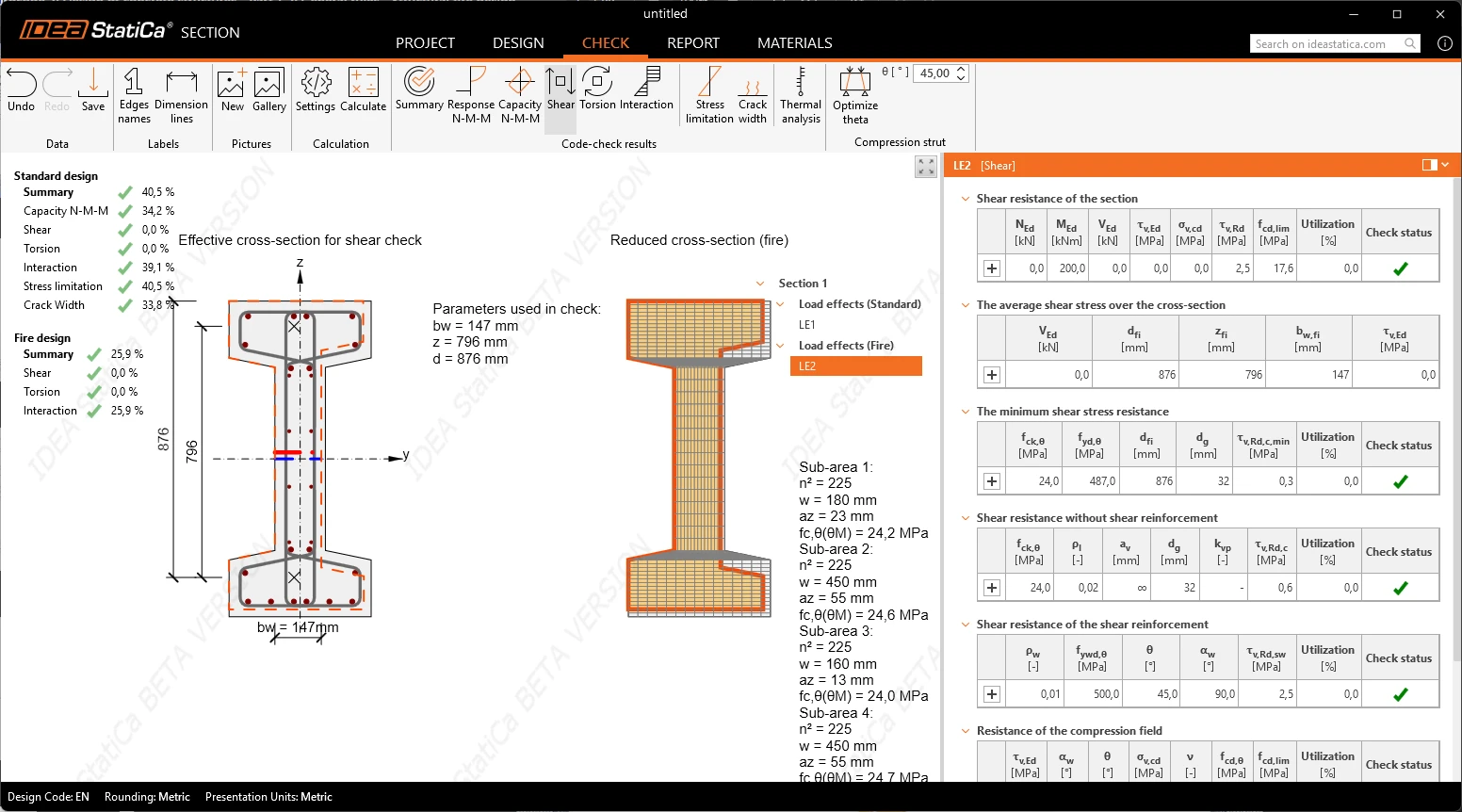
The fire design situation is checked with the same check types users know from usual design: Summary, Response N-M-M, Shear, Torsion and Interaction. Results appear in a separate Fire design block of the Overall check, next to the ULS + SLS block, so both situations are visible side by side. Shear follows the specific approach the code requires for fire: the check is evaluated on a reduced cross-section, with concrete strength taken from the reference temperature at the centroid, and the strength of the links from the reference temperature on the section at mid-depth of the web – recognizing that a stirrup passes through zones of different temperature and equalizes the heat along its length.
As in the rest of the Section, the detailed result tables are expandable to reveal the equations with the intermediate values behind them, and everything can be printed to the report.
Released in IDEA StatiCa version 26.1.
Take the latest version of IDEA StatiCa for a test drive today
Get 14 days of full access, completely free.
Check out IDEA StatiCa for free