

Comment démarrer avec l'API - Importer un modèle et lancer un calcul 03
Premiers pas
Nous recommandons de suivre le tutoriel Comment démarrer avec l'API - Bases 01, qui vous enseigne les bases de l'API et comment configurer l'environnement.
Fichier d'assemblage
Cet exemple est basé sur des fichiers créés dans le tutoriel Comment démarrer avec l'API - Import par lot de combinaisons 02.
Veuillez télécharger les fichiers tutorial 02 with loads.ideaCon et tutorial 02.contemp sur votre PC.
Client Python
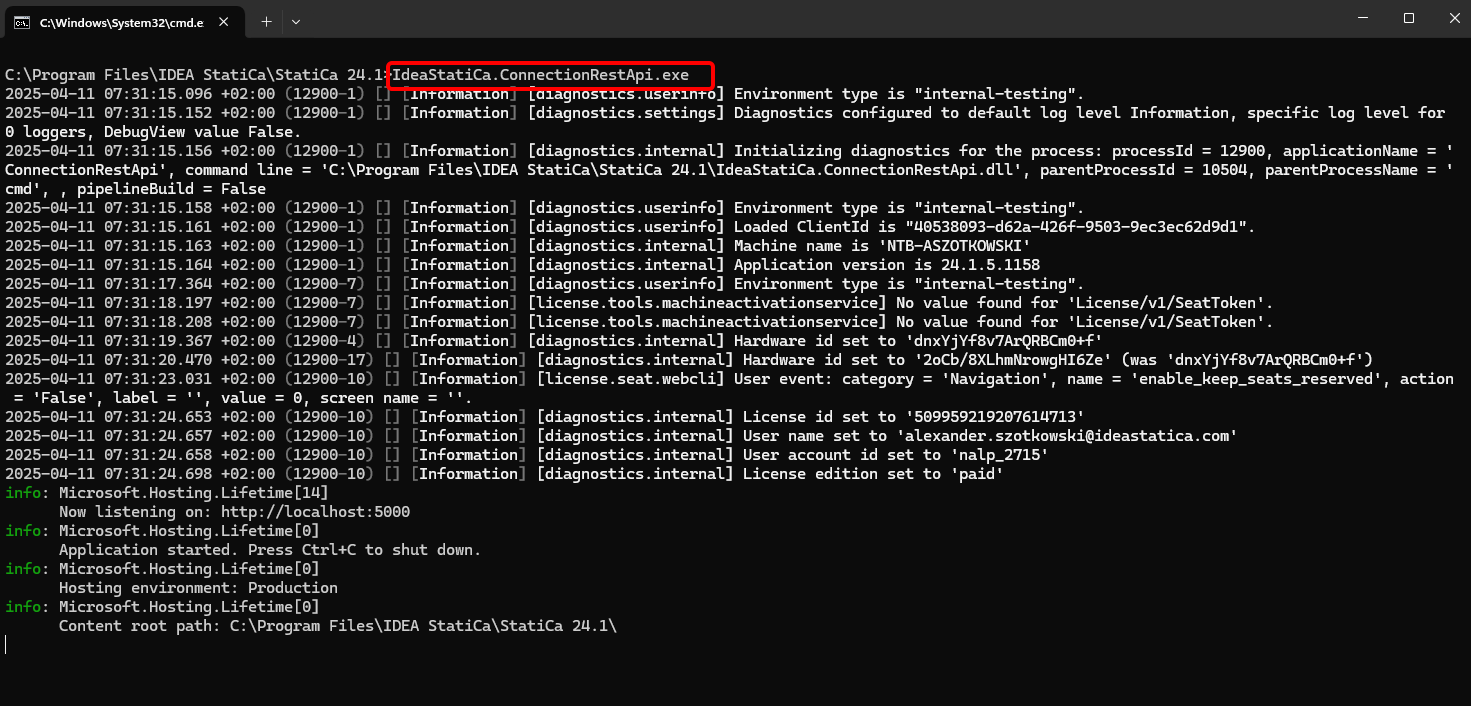
À nouveau, exécutez "IdeaStatiCa.ConnectionRestApi.exe" dans CMD dans le dossier IDEA StatiCa approprié et ouvrez l'outil IDE de votre choix.
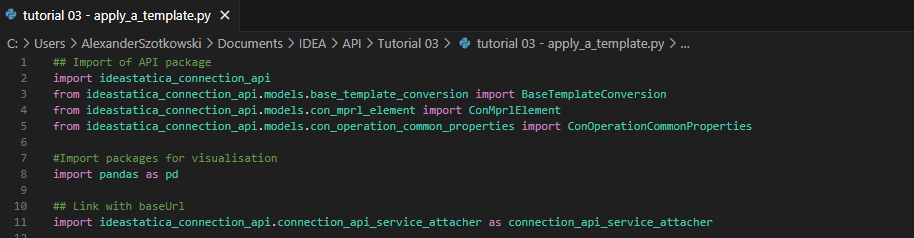
- Créez un nouveau fichier et importez les packages qui permettront l'utilisation du calcul et le lien avec l'URL localhost.
Code source :
## Import of API package
import ideastatica_connection_api
from ideastatica_connection_api.models.base_template_conversion import BaseTemplateConversion
from ideastatica_connection_api.models.con_mprl_element import ConMprlElement
from ideastatica_connection_api.models.con_operation_common_properties import ConOperationCommonProperties
#Import packages for visualisation
import pandas as pd
## Link with baseUrl
import ideastatica_connection_api.connection_api_service_attacher as connection_api_service_attacher
- Configurez la journalisation via la variable "baseUrl," qui chargera votre localhost. Dans la deuxième étape, associez le chemin absolu de votre fichier IDEA StatiCa Connection.
## Configure logging
baseUrl = "http://localhost:5000"
## Absolute path into folder with your python script and connection module
project_file_path = r"C:\Users\AlexanderSzotkowski\Documents\IDEA\API\Tutorial 03\tutorial 02 with loads.ideaCon"
print("Opening project ",project_file_path)

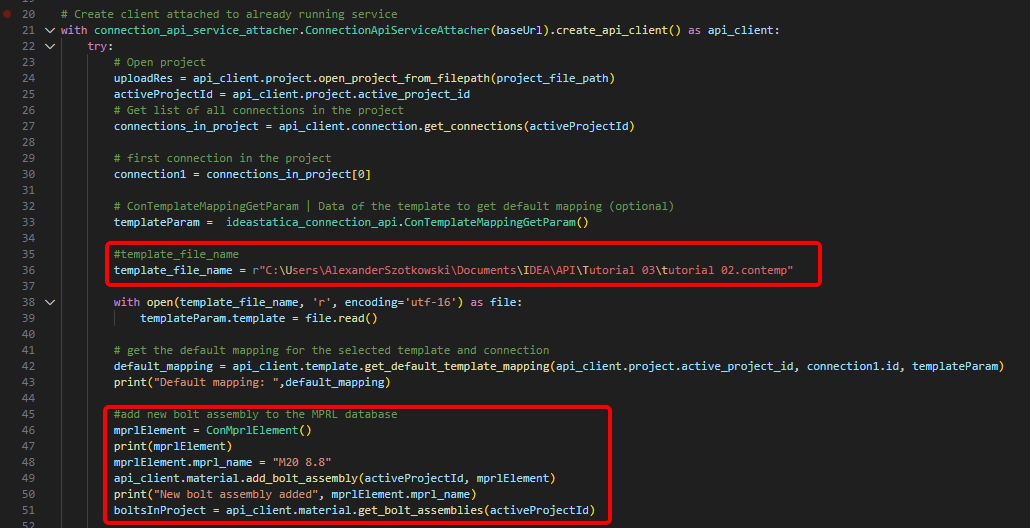
- Associez le client à un service déjà en cours d'exécution. Utilisez le bloc try/except - puisque le bloc try génère une erreur, le bloc except sera exécuté. Dans la première phase, il est nécessaire d'ouvrir le projet et de trouver l'ID de projet de votre projet, qui est unique pour chaque projet IDEA StatiCa. Ensuite, nous avons besoin de tous les assemblages stockés dans notre fichier, car nous souhaitons appliquer le modèle uniquement au premier. À l'étape suivante, nous pouvons lire le fichier de modèle de mappage par défaut et ajouter un autre assemblage de boulons (M20 8.8) à la base de données MPRL.
# Create a client attached to an already running service
with connection_api_service_attacher.ConnectionApiServiceAttacher(baseUrl).create_api_client() as api_client:
try:
# Open project
uploadRes = api_client.project.open_project_from_filepath(project_file_path)
activeProjectId = api_client.project.active_project_id
# Get list of all connections in the project
connections_in_project = api_client.connection.get_connections(activeProjectId)
# first connection in the project
connection1 = connections_in_project[0]
# ConTemplateMappingGetParam | Data of the template to get default mapping (optional)
templateParam = ideastatica_connection_api.ConTemplateMappingGetParam()
#template_file_name
template_file_name = r"C:\Users\AlexanderSzotkowski\Documents\IDEA\API\Tutorial 03\tutorial 02.contemp"
with open(template_file_name, 'r', encoding='utf-16') as file:
templateParam.template = file.read()
# get the default mapping for the selected template and connection
default_mapping = api_client.template.get_default_template_mapping(api_client.project.active_project_id, connection1.id, templateParam)
print("Default mapping: ",default_mapping)
#add new bolt assembly to the MPRL database
mprlElement = ConMprlElement()
print(mprlElement)
mprlElement.mprl_name = "M20 8.8"
api_client.material.add_bolt_assembly(activeProjectId, mprlElement)
print("New bolt assembly added", mprlElement.mprl_name)
boltsInProject = api_client.material.get_bolt_assemblies(activeProjectId)
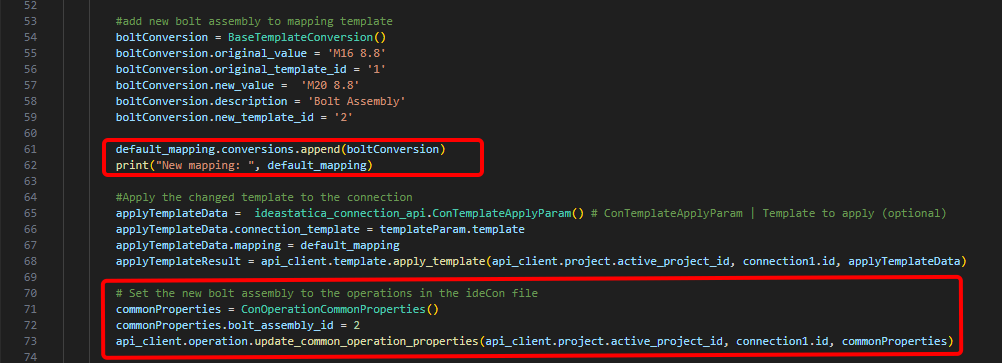
- Si nous souhaitons affecter directement le nouvel assemblage de boulons à l'opération Platine à platine, nous devons exécuter la commande BaseTemplateConversion() et l'ajouter au modèle de mappage.
# add new bolt assembly to mapping template
boltConversion = BaseTemplateConversion()
boltConversion.original_value = 'M16 8.8'
boltConversion.original_template_id = '1'
boltConversion.new_value = 'M20 8.8'
boltConversion.description = 'Bolt Assembly'
boltConversion.new_template_id = '2'
default_mapping.conversions.append(boltConversion)
print("New mapping: ", default_mapping)
# Apply the changed template to the connection
applyTemplateData = ideastatica_connection_api.ConTemplateApplyParam() # ConTemplateApplyParam | Template to apply (optional)
applyTemplateData.connection_template = templateParam.template
applyTemplateData.mapping = default_mapping
applyTemplateResult = api_client.template.apply_template(api_client.project.active_project_id, connection1.id, applyTemplateData)
# Set the new bolt assembly to the operations in the ideaCon file
commonProperties = ConOperationCommonProperties()
commonProperties.bolt_assembly_id = 2
api_client.operation.update_common_operation_properties(api_client.project.active_project_id, connection1.id, commonProperties)
- Nous pouvons également obtenir les coûts de l'assemblage
# Get the costs of the connection with the applied template
costs = api_client.connection.get_production_cost(api_client.project.active_project_id, connection1.id)
print("Costs: ",costs.total_estimated_cost)

- En dernière étape, nous pouvons lancer le calcul, consulter les résultats, enregistrer le fichier sous un nouveau nom et afficher les résultats
# Run stress-strain analysis for the connection
con1_cbfem_results1 = api_client.calculation.calculate(api_client.project.active_project_id, [connection1.id])
results = api_client.calculation.get_results(api_client.project.active_project_id, [connection1.id])
CheckResSummary = pd.DataFrame(results[0].check_res_summary)
print("Results summary: \n",CheckResSummary[1])
#Create new ideaCon file and apply the template
updated_file_name = r'C:\Users\AlexanderSzotkowski\Documents\IDEA\API\Tutorial 03\tutorial 03 with template.ideaCon'
api_client.project.download_project(api_client.project.active_project_id, updated_file_name )
print("New project with template ",updated_file_name)
except Exception as e:
print("Operation failed : %s\n" % e)


Les résultats sont corrects. Dans le tutoriel suivant, nous nous concentrerons sur l'optimisation de certains composants.
Téléchargements joints
- tutorial 02.contemp (CONTEMP, 34 kB)
- tutorial 03 - apply_a_template.py (PY, 5 kB)
- tutorial 03 with template.ideaCon (IDEACON, 14 kB)
- tutorial 02 with loads.ideaCon (IDEACON, 9 kB)