

Hoe te beginnen met API - Batch import van combinaties 02
Eerste stappen
We raden aan de tutorial Hoe te beginnen met API - Basics 01 te doorlopen, waarin u leert over de API en hoe u de omgeving instelt.
Verbindingsbestand
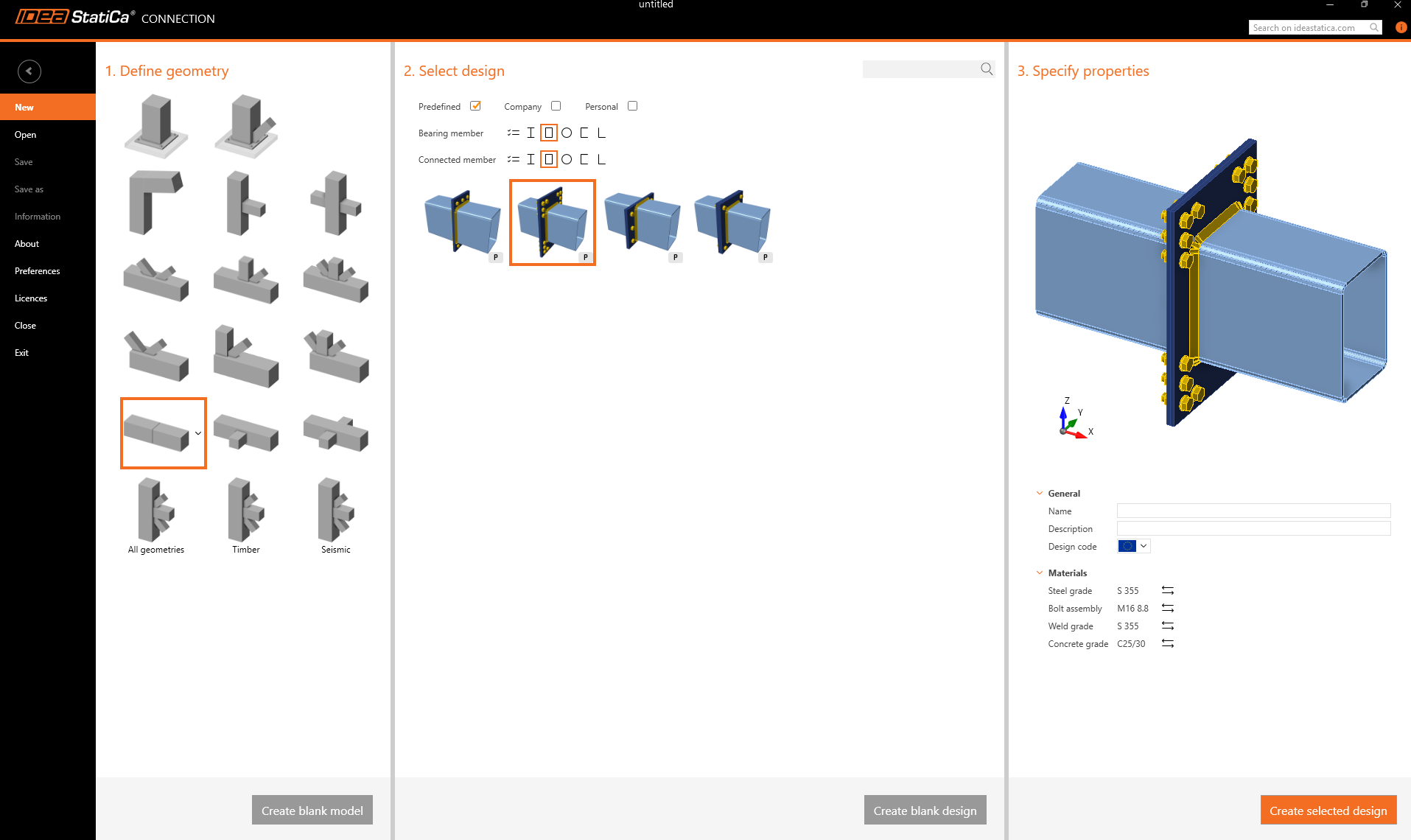
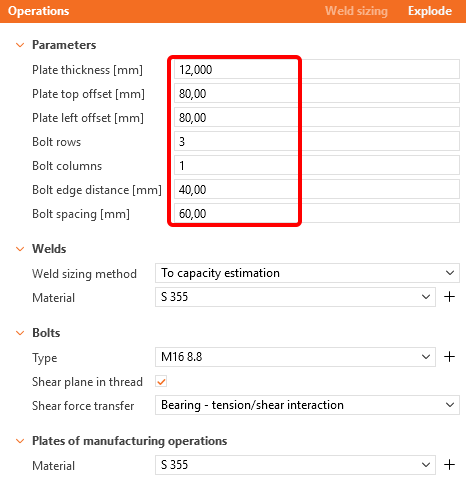
Maak eerst een verbinding van twee holle doorsneden RHS 300/200/8 en wijzig de parameters volgens de volgende afbeeldingen.
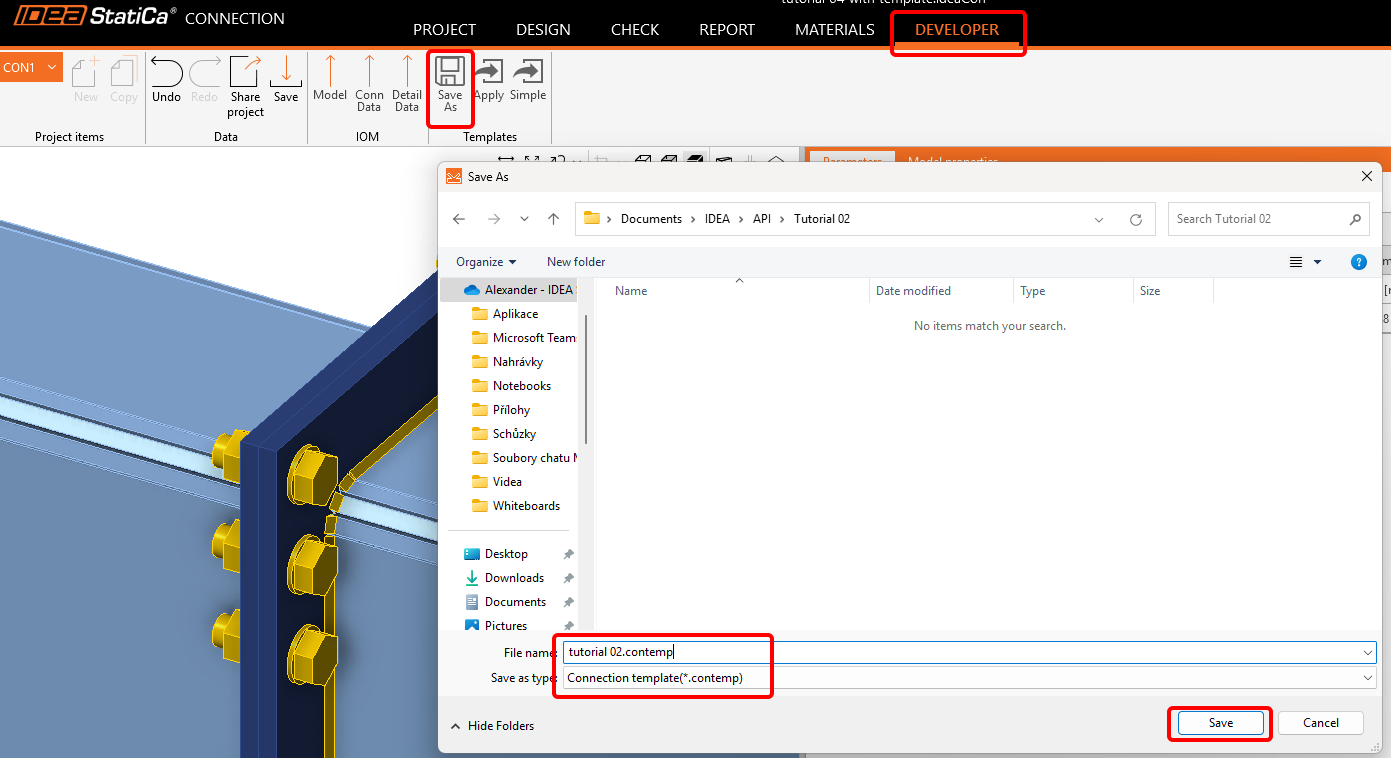
Ga nu naar het tabblad Developer en sla het op als een template met de naam tutorial 02.contemp. We zullen het gebruiken in de volgende tutorial.
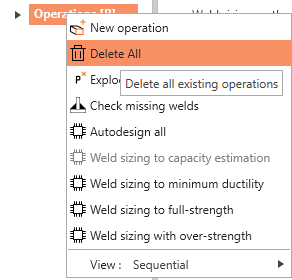
Ga terug naar het tabblad Design, klik met de rechtermuisknop op Bewerkingen / Alles verwijderen, en sla dit lege bestand op als tutorial 02 - empty.ideaCon.
Excel-sheet met lastcombinaties
Bereid als volgende stap een Excel-sheet voor met de belastingen die we willen importeren in het .ideaCon-bestand. U kunt het onderaan deze pagina downloaden.
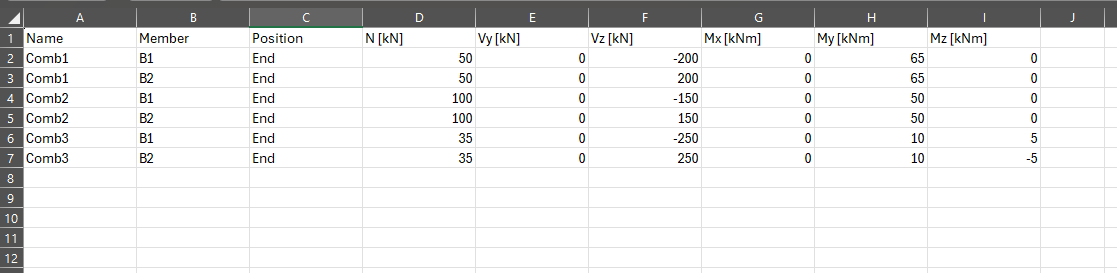
Gebruik de exacte namen van de kolommen zoals ze worden gebruikt in het Python-script.
Python client
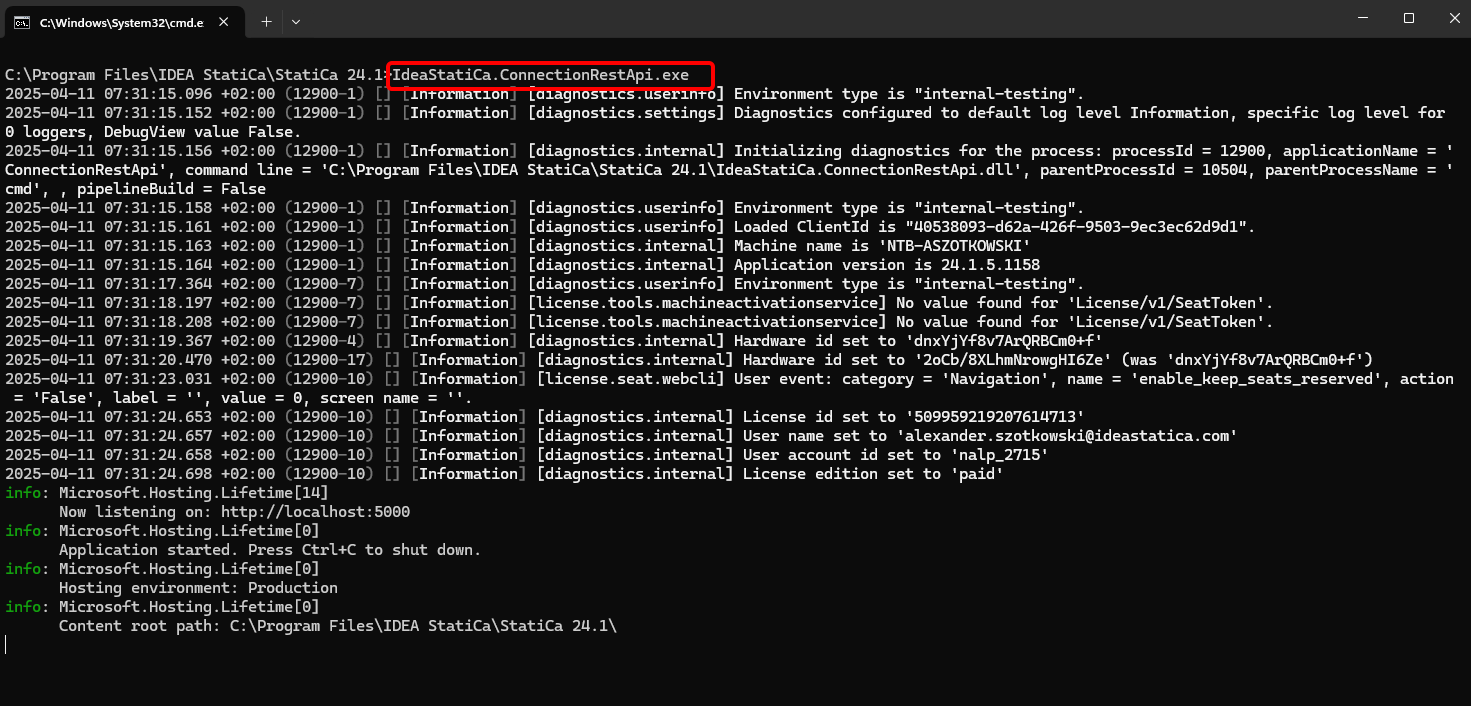
Voer "IdeaStatiCa.ConnectionRestApi.exe" uit in CMD binnen de juiste IDEA StatiCa-map en open de IDE-tool naar keuze.
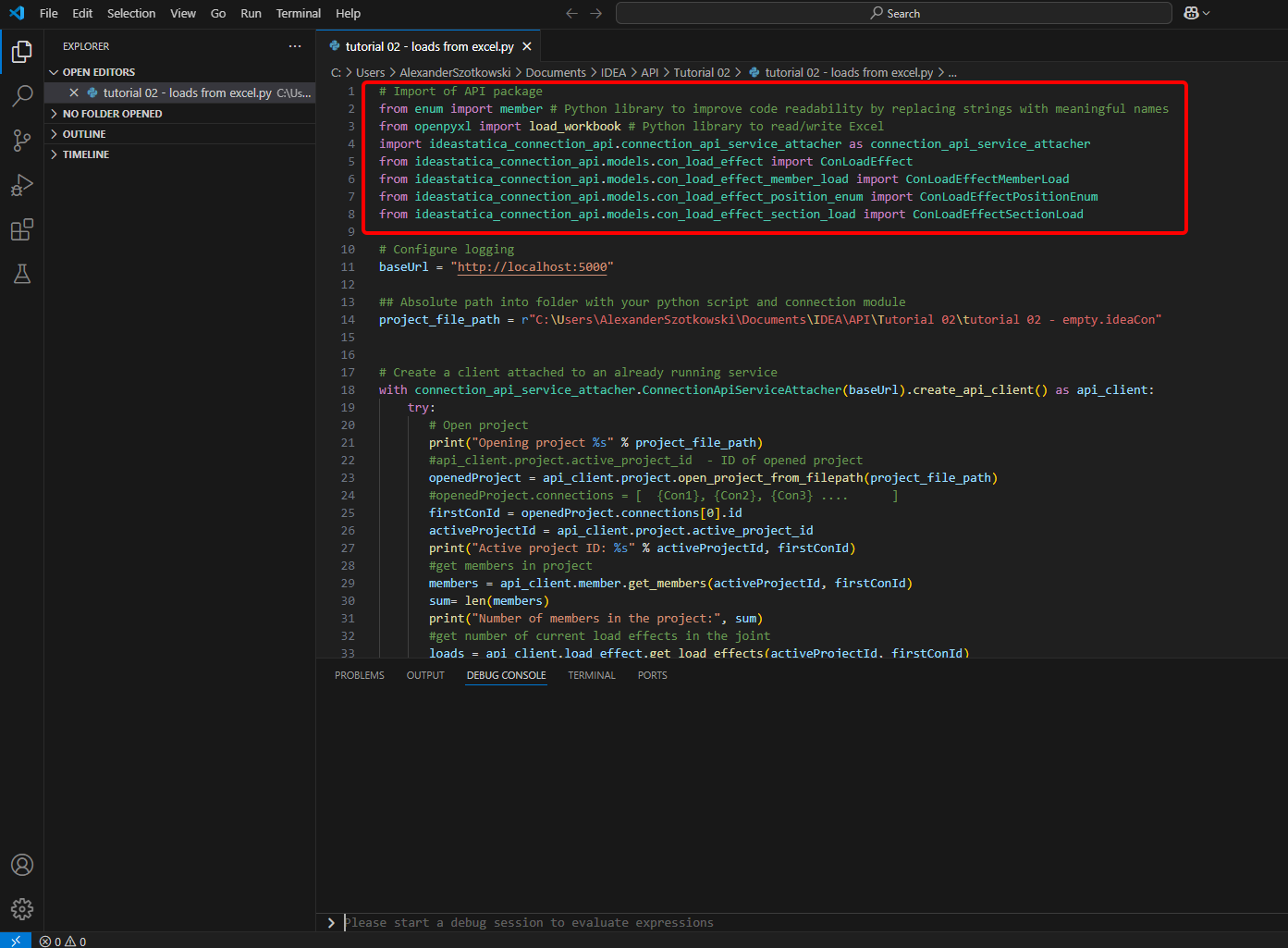
- Maak een nieuw bestand en importeer de pakketten die het gebruik van berekeningen en de koppeling met de localhost-URL mogelijk maken.
Broncode:
## Import of API package
from enum import member # Python library to improve code readability by replacing strings with meaningful names
from openpyxl import load_workbook # Python library to read/write Excel
import ideastatica_connection_api.connection_api_service_attacher as connection_api_service_attacher
from ideastatica_connection_api.models.con_load_effect import ConLoadEffect
from ideastatica_connection_api.models.con_load_effect_member_load import ConLoadEffectMemberLoad
from ideastatica_connection_api.models.con_load_effect_position_enum import ConLoadEffectPositionEnum
from ideastatica_connection_api.models.con_load_effect_section_load import ConLoadEffectSectionLoad
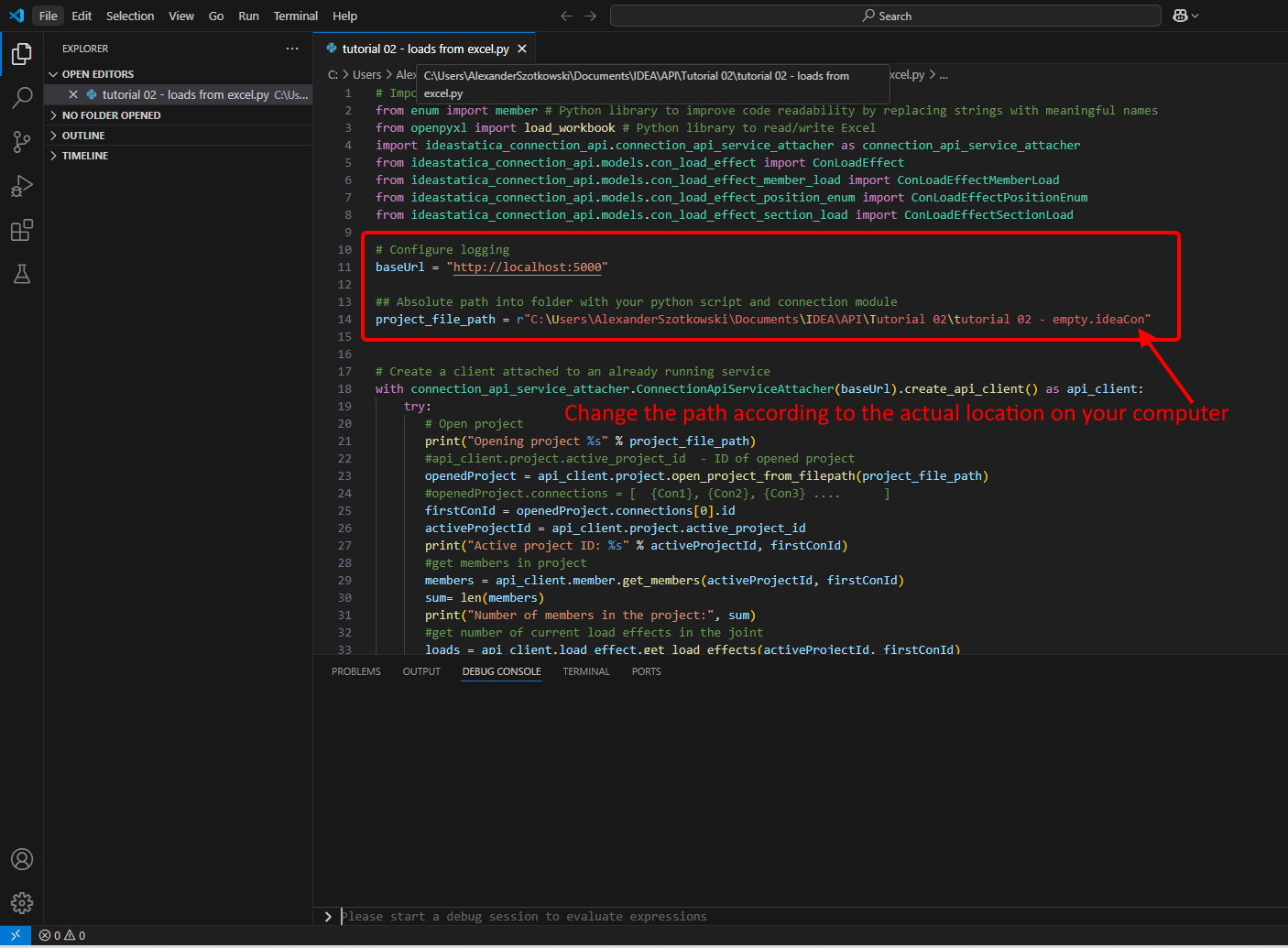
- Configureer de logging via de variabele "baseUrl," die uw localhost ophaalt. Koppel in de tweede stap het absolute pad van uw IDEA StatiCa Connection-bestand.
Broncode:
## Configure logging
baseUrl = "http://localhost:5000"
## Absolute path into a folder with your python script and connection module
project_file_path = r"C:\Users\*username*\Documents\IDEA\API\Tutorial 02\tutorial 02 - empty.ideaCon"
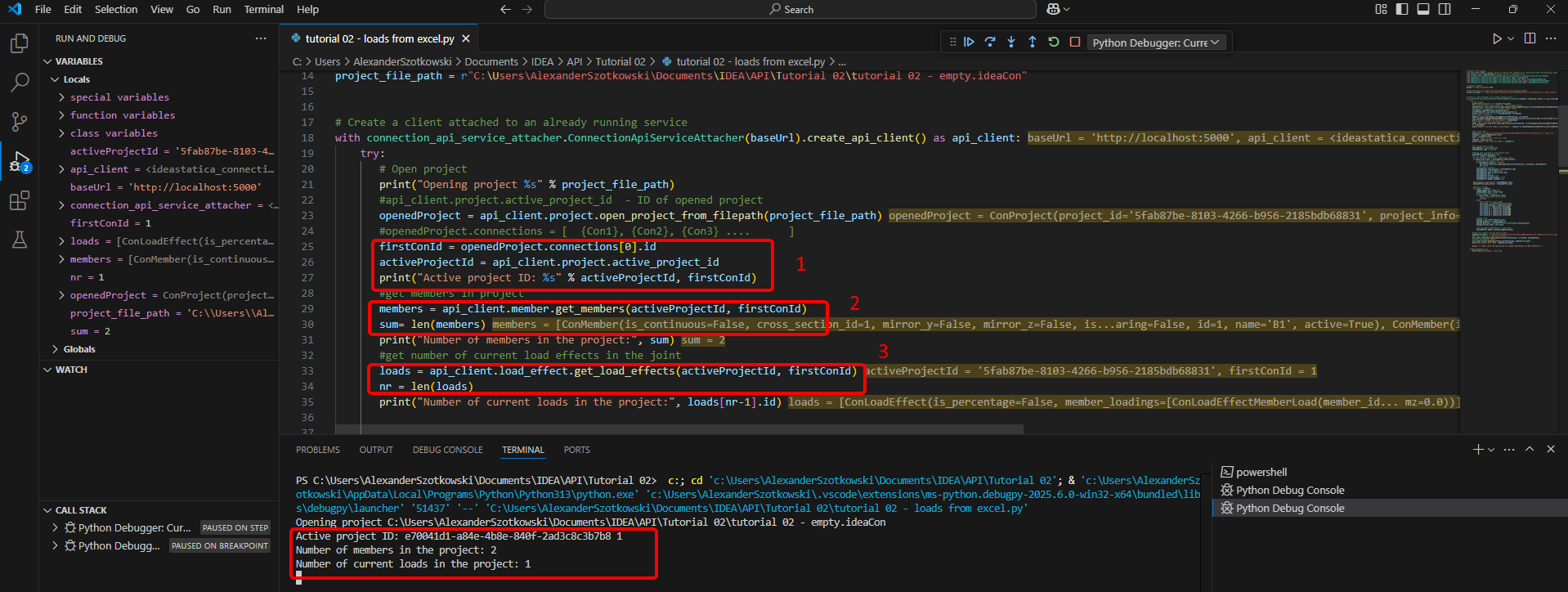
- Koppel de client aan een reeds actieve service. Gebruik het blok try/except - als het try-blok een fout genereert, wordt het except-blok uitgevoerd. In de eerste fase is het noodzakelijk het project te openen en de project-ID te vinden die uniek is voor elk IDEA StatiCa-project. Als u het script uitvoert, kunt u het afgedrukte pad, de unieke ID(1), het aantal gekoppelde staven(2) en het huidige aantal belastingen(3) aflezen.
Broncode:
# Create a client attached to an already running service
with connection_api_service_attacher.ConnectionApiServiceAttacher(baseUrl).create_api_client() as api_client:
try:
## Open the project
print("Opening project %s" % project_file_path)
#api_client.project.active_project_id - ID of opened project
openedProject = api_client.project.open_project_from_filepath(project_file_path)
#openedProject.connections = [ {Con1}, {Con2}, {Con3} .... ]
firstConId = openedProject.connections[0].id
activeProjectId = api_client.project.active_project_id
print("Active project ID: %s" % activeProjectId, firstConId)
#get members in project
members = api_client.member.get_members(activeProjectId, firstConId)
sum= len(members)
print("Number of members in the project:", sum)
#get number of current load effects in the joint
loads = api_client.load_effect.get_load_effects(activeProjectId, firstConId)
nr = len(loads)
print("Number of current loads in the project:", loads[nr-1].id)
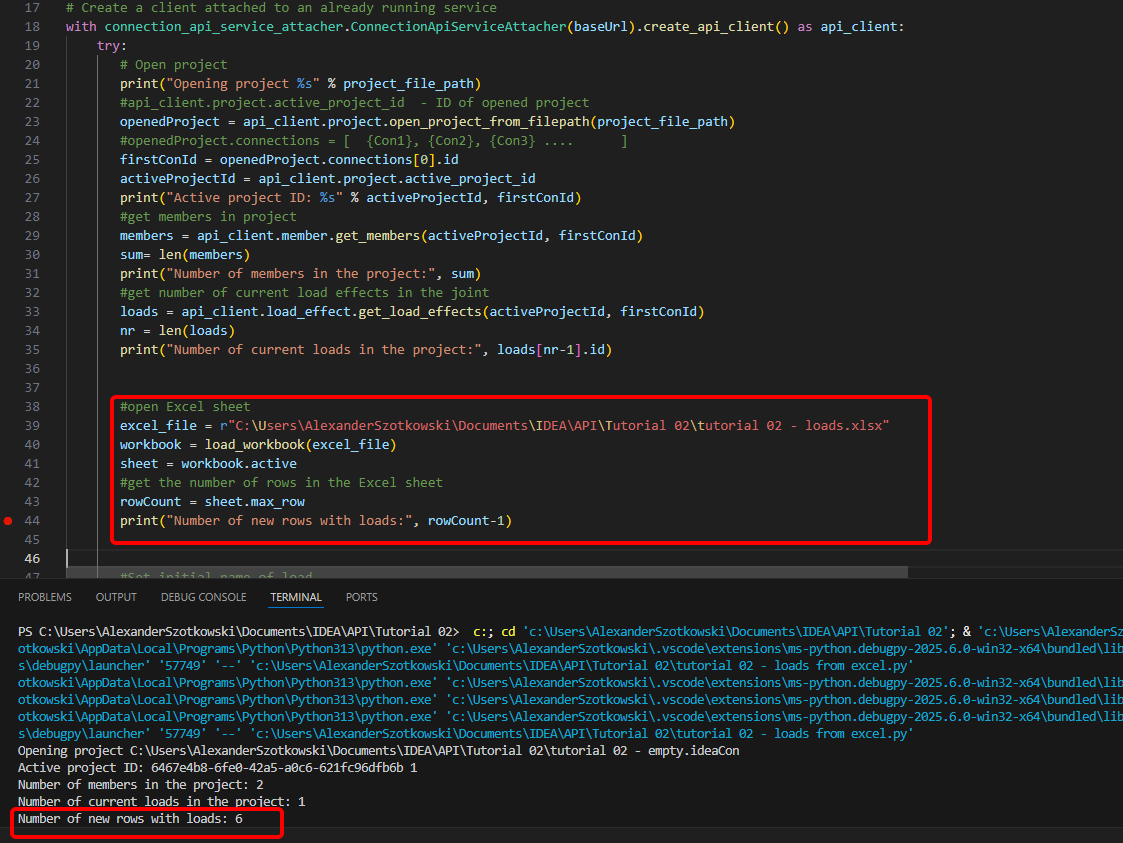
- Open de Excel-sheet en lees het aantal rijen met belastingen.
Broncode:
#open Excel sheet
excel_file = r"C:\Users\*username*\Documents\IDEA\API\Tutorial 02\tutorial 02 - loads.xlsx"
workbook = load_workbook(excel_file)
sheet = workbook.active
#get the number of rows in the Excel sheet
rowCount = sheet.max_row
print("Number of new rows with loads:", rowCount-1)
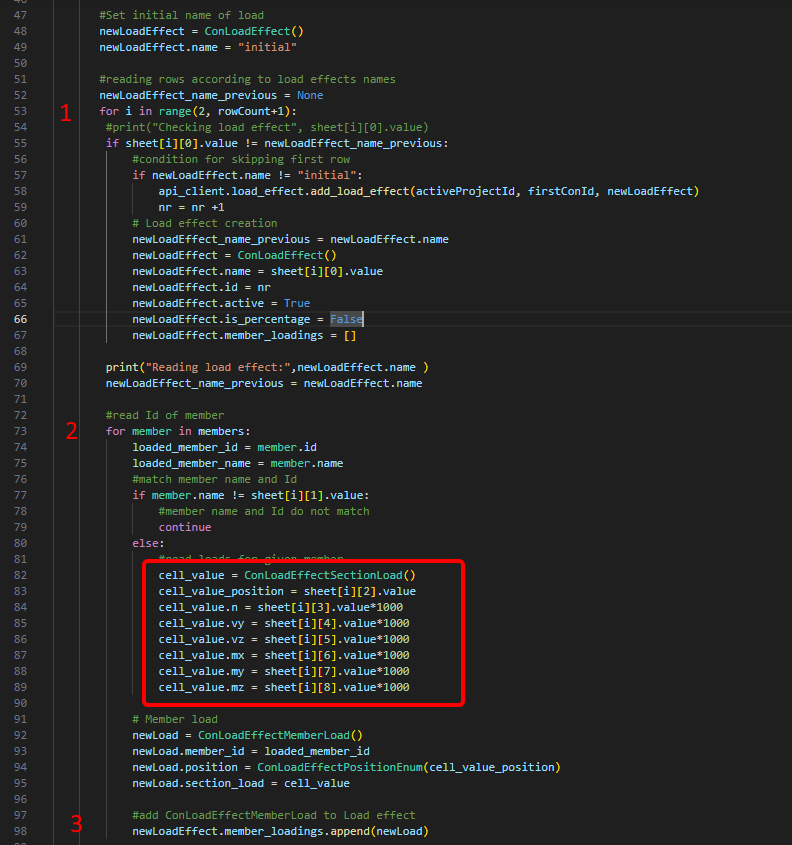
- Start een lus om de rijen met dezelfde lastcombinatienaam te detecteren(1). Binnen deze lus wordt een andere lus gestart die belastingen aan elke staaf toevoegt(2). Na elke lus wordt één regel met belastingen toegevoegd(3).
#Set initial name of load
newLoadEffect = ConLoadEffect()
newLoadEffect.name = "initial"
#reading rows according to load effects names
newLoadEffect_name_previous = None
for i in range(2, rowCount+1):
#print("Checking load effect", sheet[i][0].value)
if sheet[i][0].value != newLoadEffect_name_previous:
#condition for skipping first row
if newLoadEffect.name != "initial":
api_client.load_effect.add_load_effect(activeProjectId, firstConId, newLoadEffect)
nr = nr +1
# Load effect creation
newLoadEffect_name_previous = newLoadEffect.name
newLoadEffect = ConLoadEffect()
newLoadEffect.name = sheet[i][0].value
newLoadEffect.id = nr
newLoadEffect.active = True
newLoadEffect.is_percentage = False
newLoadEffect.member_loadings = []
print("Reading load effect:",newLoadEffect.name )
newLoadEffect_name_previous = newLoadEffect.name
#read Id of member
for member in members:
loaded_member_id = member.id
loaded_member_name = member.name
#match member name and Id
if member.name != sheet[i][1].value:
#member name and Id do not match
continue
else:
#read loads for given member
cell_value = ConLoadEffectSectionLoad()
cell_value_position = sheet[i][2].value
cell_value.n = sheet[i][3].value*1000
cell_value.vy = sheet[i][4].value*1000
cell_value.vz = sheet[i][5].value*1000
cell_value.mx = sheet[i][6].value*1000
cell_value.my = sheet[i][7].value*1000
cell_value.mz = sheet[i][8].value*1000
# Member load
newLoad = ConLoadEffectMemberLoad()
newLoad.member_id = loaded_member_id
newLoad.position = ConLoadEffectPositionEnum(cell_value_position)
newLoad.section_load = cell_value
#add ConLoadEffectMemberLoad to Load effect
newLoadEffect.member_loadings.append(newLoad)
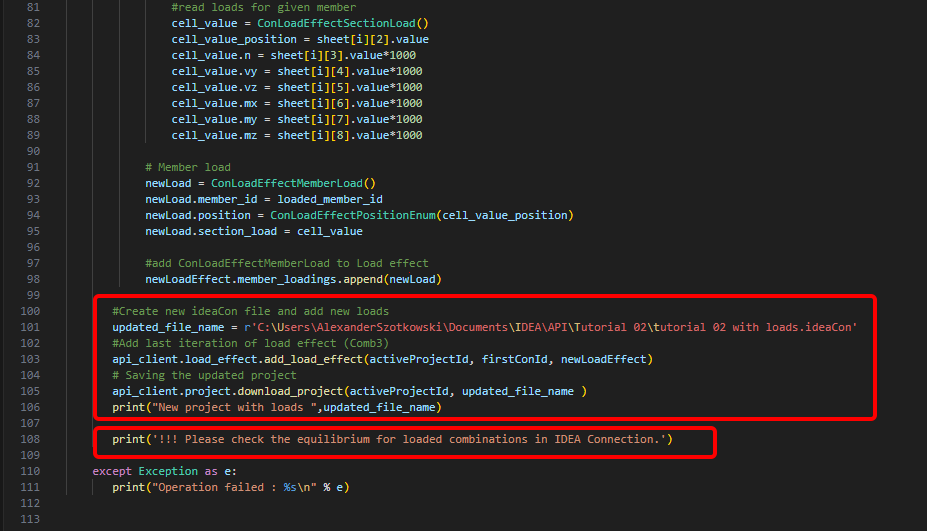
- Maak een nieuw bestand en sla het bijgewerkte project op met de nieuw toegevoegde combinaties. Een opmerking over het controleren van het evenwicht wordt toegevoegd.
Broncode:
#Create new ideaCon file and add new loads
updated_file_name = r'C:\Users\AlexanderSzotkowski\Documents\IDEA\API\Tutorial 02\tutorial 02 with loads.ideaCon'
#Add last iteration of load effect (Comb3)
api_client.load_effect.add_load_effect(activeProjectId, firstConId, newLoadEffect)
# Saving the updated project
api_client.project.download_project(activeProjectId, updated_file_name )
print("New project with loads ",updated_file_name)
print('!!! Please check the equilibrium for loaded combinations in IDEA Connection.')
except Exception as e:
print("Operation failed : %s\n" % e)
Nu kunt u het nieuwe bestand controleren om te zien of u succesvol was.
Toegevoegde downloads
- tutorial 02 - loads from excel.py (PY, 5 kB)
- tutorial 02 - empty.ideaCon (IDEACON, 38 kB)
- tutorial 02 - loads.xlsx (XLSX, 9 kB)