


Introducere
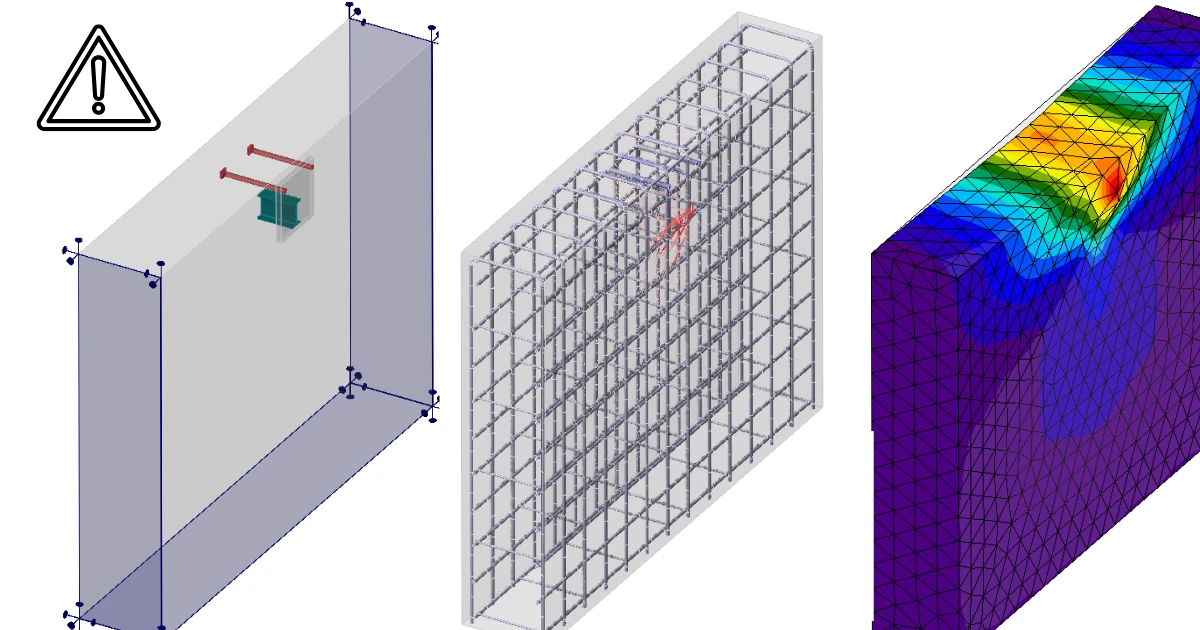
La începutul acestui text, să definim la ce folosește aplicația. În versiunea curentă, am dezvoltat instrumente și am verificat soluția doar pentru ancorarea structurilor metalice în blocuri simple din beton armat.
Textul următor este împărțit în două părți: limitările aplicației și ale metodei în sine, și limitările importului din IDEA StatiCa Connection.
Limitările aplicației
Beton armat
3D CSFM nu este conceput pentru beton simplu sau beton slab armat. În acest caz, rezultatul calculului poate duce la rezultate eronate sau la divergența calculului neliniar.
Puteți citi mai multe în Fundamente teoretice.
Motivul principal pentru care doar elementele din beton armat trebuie modelate în aplicație este că rezistența la întindere a betonului este neglijabilă. Toate eforturile de întindere trebuie, prin urmare, preluate de armătură.
Al doilea motiv este: în IDEA StatiCa Detail 3D nu este utilizată mecanica ruperii. Modelul nu simulează propagarea explicită a fisurilor și nu folosește parametri de mecanica ruperii ai betonului (G_f, K_IC, forma suprafeței de rupere). Betonul este modelat ca un material ductil cu o ramură plastică orizontală la compresiune – odată atinsă tensiunea limită de compresiune, tensiunea rămâne constantă, iar doar deformațiile continuă să crească până la o limită prescrisă. Drept urmare, Detail 3D poate surprinde redistribuirea plastică a tensiunilor și deformațiilor în zonele D, dar nu modelează explicit mecanismele de cedare fragilă guvernate de mecanica ruperii (de exemplu, cedarea la forfecare pură a betonului simplu, propagarea instabilă a unei singure fisuri dominante etc.).
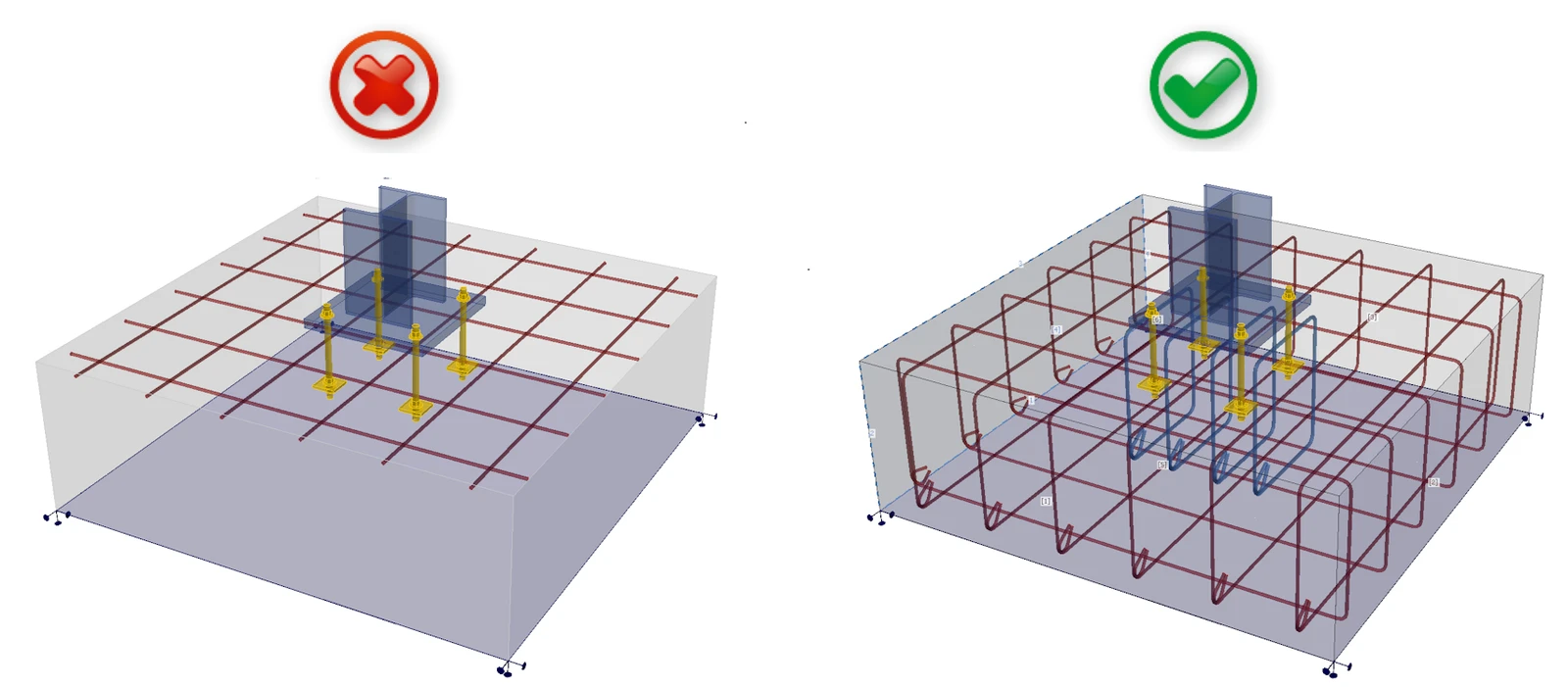
Pe scurt, modelele dumneavoastră trebuie să respecte definiția betonului armat așa cum este prezentată în standardele internaționale. Respectați regulile de detaliere și obțineți rezultate corecte.
Starea limită ultimă
Toate calculele și verificările conform codului sunt implementate doar pentru SLU. Definirea materialelor și modul de calcul în sine trebuie să fie diferite pentru SLS. Puteți vedea această diferență în Detail 2D.
Rezistența redusă a betonului comprimat
Mai întâi, să definim ce este rezistența redusă a betonului comprimat: Betonul comprimat pierde din rezistență și rigiditate atunci când este, în același timp, puternic fisurat la întindere, adică atunci când sunt prezente deformații transversale de întindere mari.
În cazurile în care rezistența este guvernată de o bielă comprimată (diagonala comprimată) care traversează beton puternic fisurat, Detail 3D tinde să supraestimeze capacitatea (adică să fie ușor neconservator) dacă rezultatul este interpretat direct ca fiind capacitatea ultimă reală.
Din aceste motive, modulul 3D este potrivit pentru utilizare doar la verificarea rezistenței ancorării în blocuri simple din beton armat.
Deși este posibilă modelarea, de exemplu, a unui radier pe piloți folosind reazeme pe o zonă mică, verificarea nu este fiabilă deoarece efectul rezistenței reduse devine semnificativ, în special în problemele legate de străpungere. Aceeași situație poate apărea în cazul unei plăci subțiri cu un stâlp așezat pe ea și în alte cazuri similare.
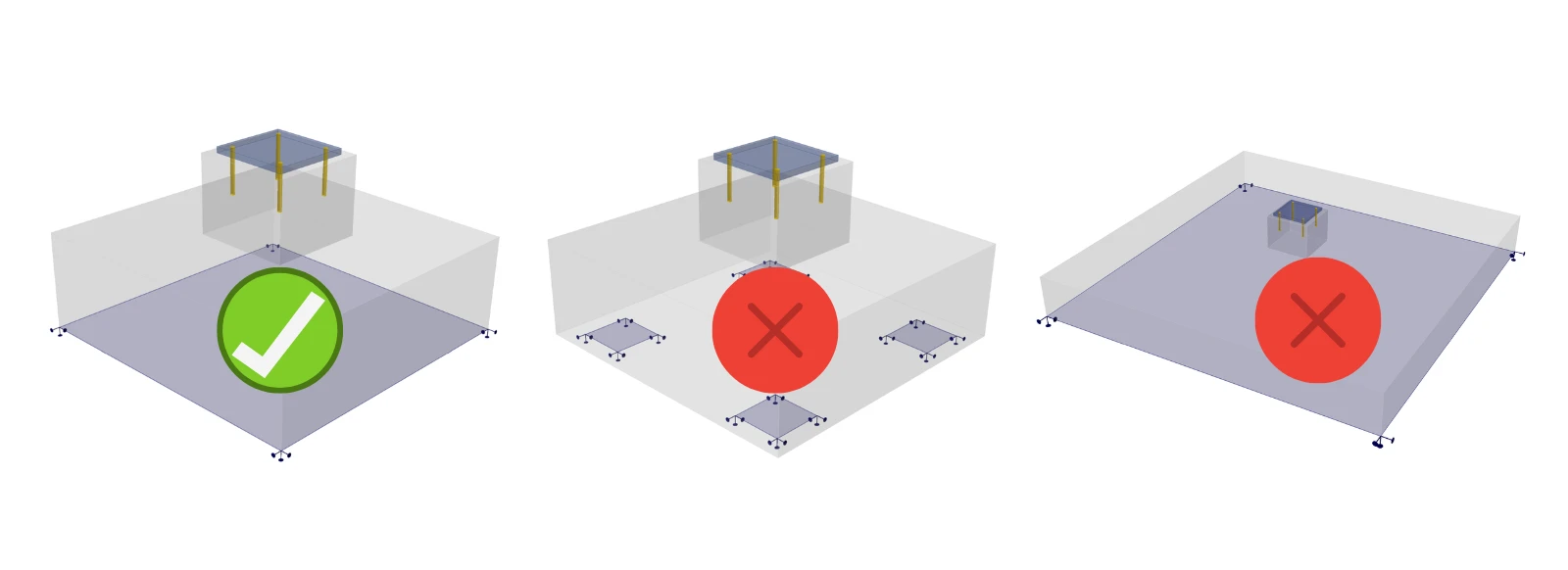
Pentru aceste situații, este necesară implementarea rezistenței reduse a betonului comprimat, care este momentan disponibilă doar în modulul 2D. Prin urmare, modulul 3D poate fi utilizat doar pentru verificarea cedărilor unde acest efect nu are influență.
Verificarea ancorei
Elementul ancorei este definit ca fiind capabil să transfere forțe normale de întindere sau compresiune, precum și forțe de forfecare, luând în considerare și rigiditatea la încovoiere, așa cum este descris în Fundamente teoretice.
Susținem verificări conform codurilor relevante (doar EN), prin urmare IDEA StatiCa Detail poate fi utilizat independent pentru evaluarea ancorelor (ancore, armătură, beton).
Coduri implementate: EN 1992-4, EN 1993-1-8, EN 1994-1-1
Pentru verificarea altor componente ale îmbinării (suduri, plăci etc.), trebuie să utilizați IDEA StatiCa Connection, unde puteți efectua și verificarea completă a ancorei pentru beton simplu. Ancorarea din Connection —împreună cu forțele aplicate—poate fi exportată în Detail pentru proiectarea suplimentară a armăturii.
Pentru codul ACI și cel australian, verificările conform codului pentru ancore la forfecare și la forfecare combinată cu întindere nu sunt încă implementate, prin urmare este întotdeauna necesar să utilizați ambele aplicații pentru verificări complete conform codului ale ancorelor.
Răsturnare
Dacă încărcarea introdusă provoacă răsturnarea modelului, modelul va calcula până la divergență sau până la atingerea unui criteriu. Acest lucru durează de obicei mult timp și veți primi următorul rezultat:
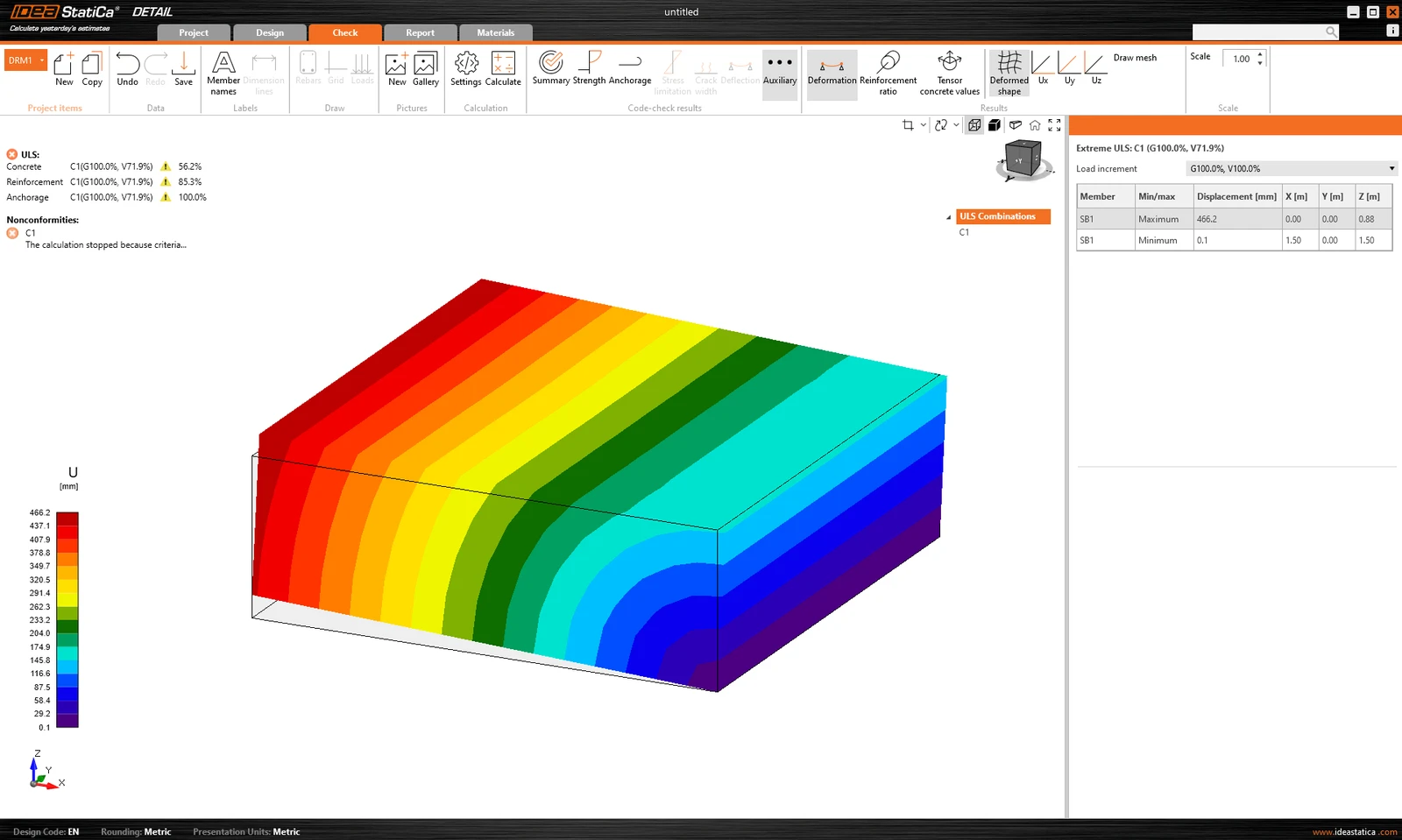
Este afișat procentul din încărcarea transferată. În plus, în Rezultate auxiliare este afișată deformația extremă.
Soluție alternativă: Se recomandă calcularea oricărui model mai întâi cu Multiplicatorul dimensiunii implicite a plasei setat la o valoare mare (4-5). Acest multiplicator se găsește în Setări -> Setări plasă. Calculul va fi rapid și veți putea vedea dacă răsturnarea este sau nu problema.
Este necesar să verificați dacă greutatea proprie a blocului din beton este inclusă, deoarece aceasta poate împiedica răsturnarea modelului. Rețineți că, la importul din aplicația Connection, greutatea proprie nu este introdusă automat în model — vedeți textul de mai jos pentru detalii.
Limitări ale importului din Connection
Contacte
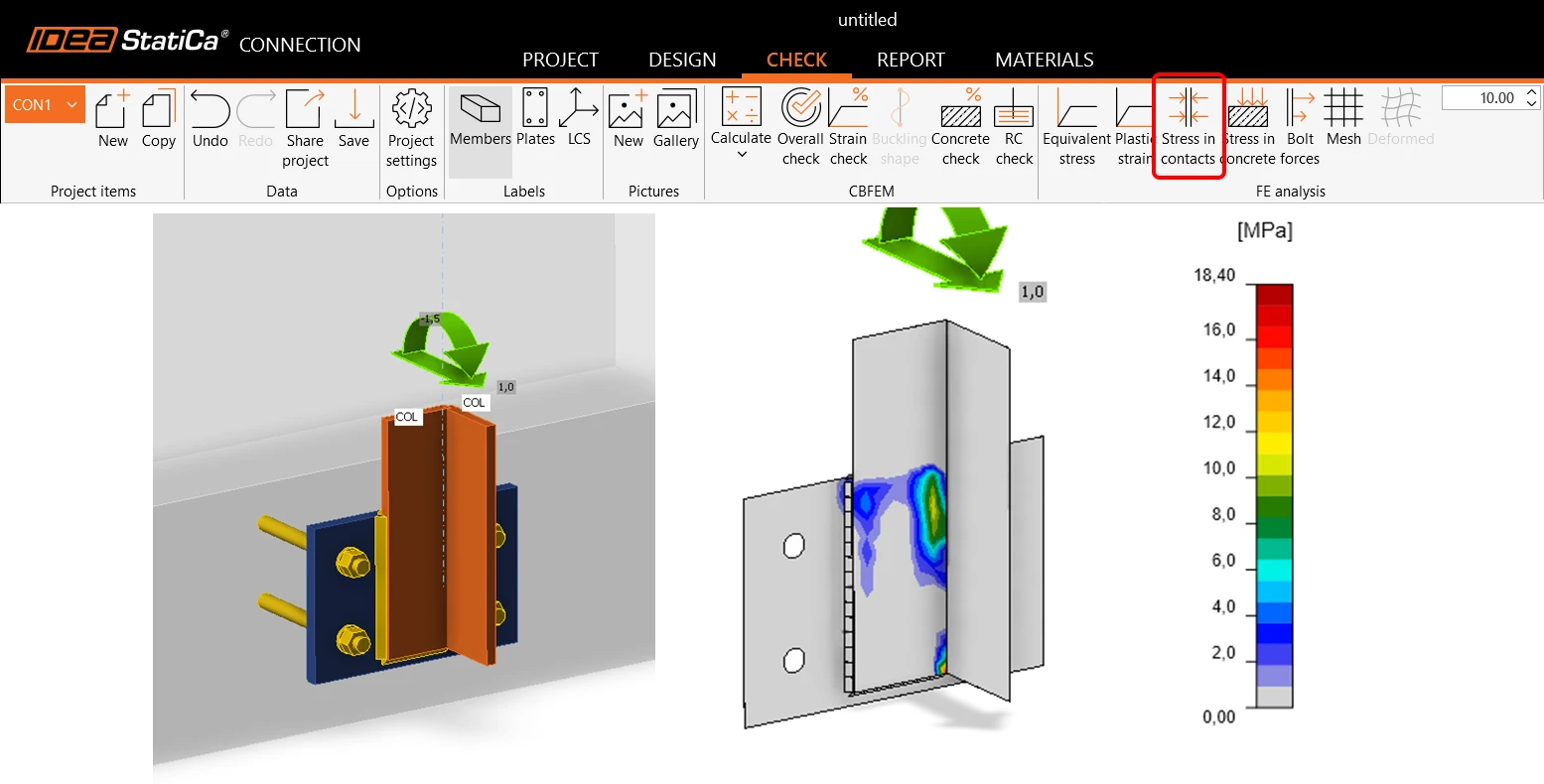
În general, importul forțelor care acționează pe placa de bază prin contact cu o altă placă metalică nu este suportat. Aceasta se aplică atât tipului de contact margine-suprafață, cât și tipului de contact suprafață-suprafață. Citiți mai multe în acest articol.
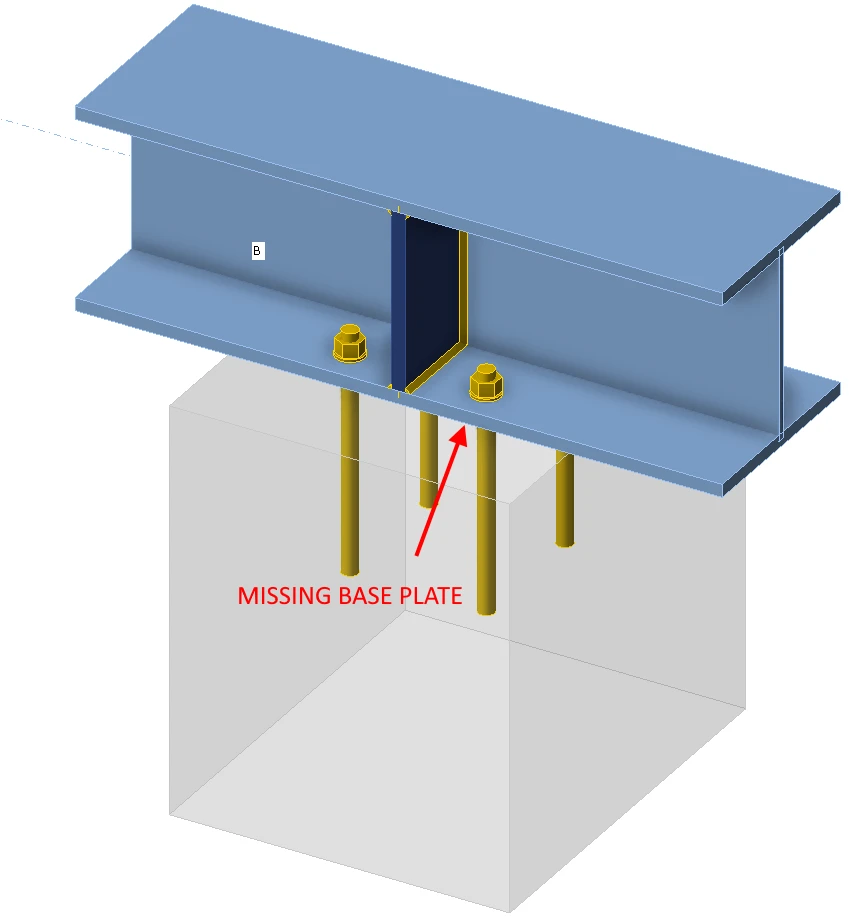
Ancorare prin element
Doar modelele ancorate prin placa de bază pot fi importate corect în aplicația Detail. Pentru modelele în care elementele sunt conectate direct la blocurile din beton, placa de conectare a elementului cu ancorele este importată fără încărcări.
Greutatea proprie nu este adăugată automat
Greutatea proprie nu este calculată/adăugată automat. Aceasta trebuie inclusă manual în proiectul pentru Detail. Acest lucru poate afecta în principal verificarea ancorării la fundații, unde neconsiderarea greutății proprii ar putea duce la răsturnarea fundației, așa cum s-a menționat în paragraful anterior.
Tipuri de ancorare nesuportate pentru export
Ancorele cu cârlig nu sunt suportate în Detail. În fișierul exportat va fi utilizată în schimb o placă tip șaibă.
Placa tip șaibă este modelată ca un element de tip placă-înveliș atașat direct de tija ancorei, transferând încărcarea către beton exclusiv prin contact de compresiune. Placa în sine este modelată liniar, fără plasticitate, și nu este supusă verificărilor de rezistență. Deoarece tija are aderență zero, întreaga încărcare este transferată către beton prin placa tip șaibă. Mai multe despre tipurile de ancore pot fi găsite în articolul: Definirea unei ancore simple.
Combinații nesuportate pentru tipurile de ancore
Aplicația Detail nu suportă combinarea dornurilor cu cap sau a armăturii cu alte tipuri de ancore. Aceste tipuri de ancore nu vor fi incluse în rezultat. Mai multe despre opțiunile plăcilor pot fi găsite în articolul: Opțiuni pentru plăcile de ancorare.
Combinarea încărcărilor importate și a încărcărilor introduse de utilizator
Încărcările importate și încărcările introduse de utilizator nu pot fi combinate în același model. Din motivele descrise în Fundamente teoretice. Ancorele sunt importate deconectate de plăcile de bază. Dacă creați un caz de încărcare definit de utilizator, este evident că încărcarea nu va fi transferată corect.
Soluție alternativă: Copiați elementul de Proiect importat, ștergeți toate încărcările importate, interconectați toate ancorele cu placa de bază și apoi puteți introduce cazul de încărcare definit de utilizator.
Mai multe blocuri din beton
Este suportat doar un singur bloc din beton în Detail. Totuși, blocul din beton poate fi modificat utilizând operațiile Volum negativ, Plan de tăiere și Tăiere. Astfel, este posibilă modelarea unor forme mai complexe, precum socluri, extensii de tălpi de fundație, ancorare lângă goluri etc.
Este de asemenea posibil să importați două blocuri independente din beton din Connection, care sunt importate în Detail ca două entități de model ce pot fi modificate ulterior utilizând operația de tăiere.
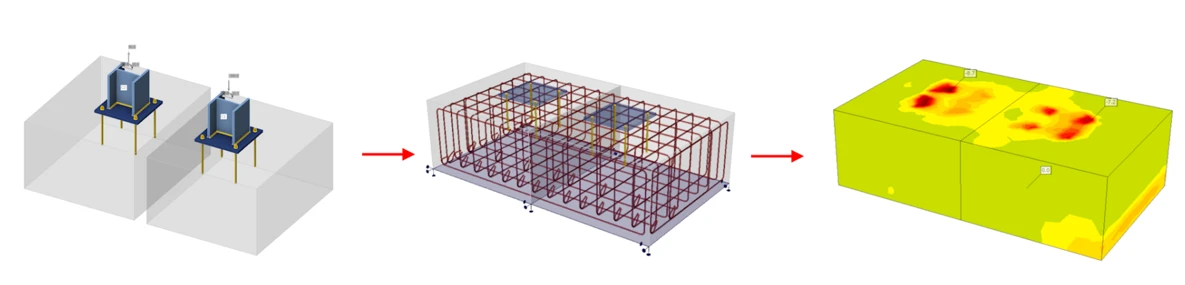
Mai multe plăci de bază într-un singur bloc
Exportul mai multor plăci de bază într-un singur bloc este suportat, deși nu este recomandat importul așa-numitei ancorări de margine.
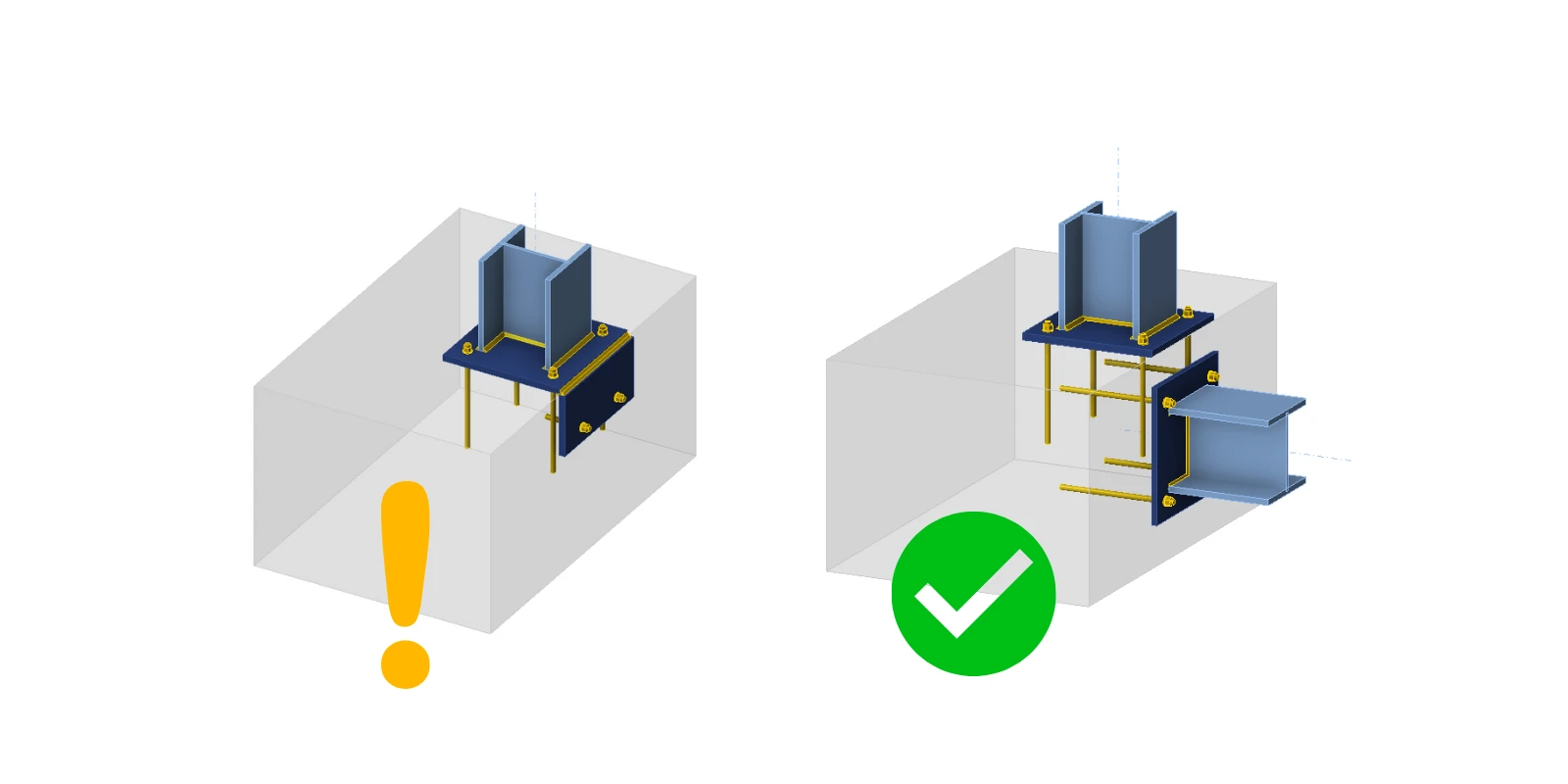
În aplicația Connection, betonul este modelat într-o manieră simplificată, folosind mediul elastic Winkler. Pe de altă parte, modelul părții metalice de deasupra blocului din beton este modelat detaliat, inclusiv plasticitatea materialelor. Pentru o verificare mai detaliată a betonului armat sub placa de bază, este posibil să exportați placa de bază, ancorele și încărcările către aplicația Detail. Acolo, betonul este modelat plastic.
Ancorele sunt exportate deconectate axial, iar încărcarea dintre ele este înlocuită printr-o pereche de forțe egale dar opuse (tocmai din cauza lipsei de rigiditate a părții metalice de deasupra plăcii de bază). Prin urmare, nu este posibil ca forțele axiale din ancore să se modifice dacă stratul de acoperire din colțul blocului din beton devine plastic. În mod similar, sudurile plăcilor de bază sunt exportate deconectate, îmbinarea fiind înlocuită prin forțe egale dar opuse. Prin urmare, nu poate exista nicio modificare a tensiunii din sudură în cazul plasticizării colțului din beton.
Rezultă că, după export, deși toate forțele care acționează asupra plăcilor de bază sunt în echilibru, condițiile de deformație nu vor fi îndeplinite.
Se aplică versiunii curente 25.1.2. Poate diferi în versiunile anterioare, deoarece lucrăm treptat la eliminarea acestor limitări. Puteți găsi mai multe informații despre fiecare versiune în notele de lansare.