


第一步
我们建议先阅读教程 如何开始使用 API - 基础 01,该教程将介绍 API 的基本概念以及如何配置环境。
Connection 文件
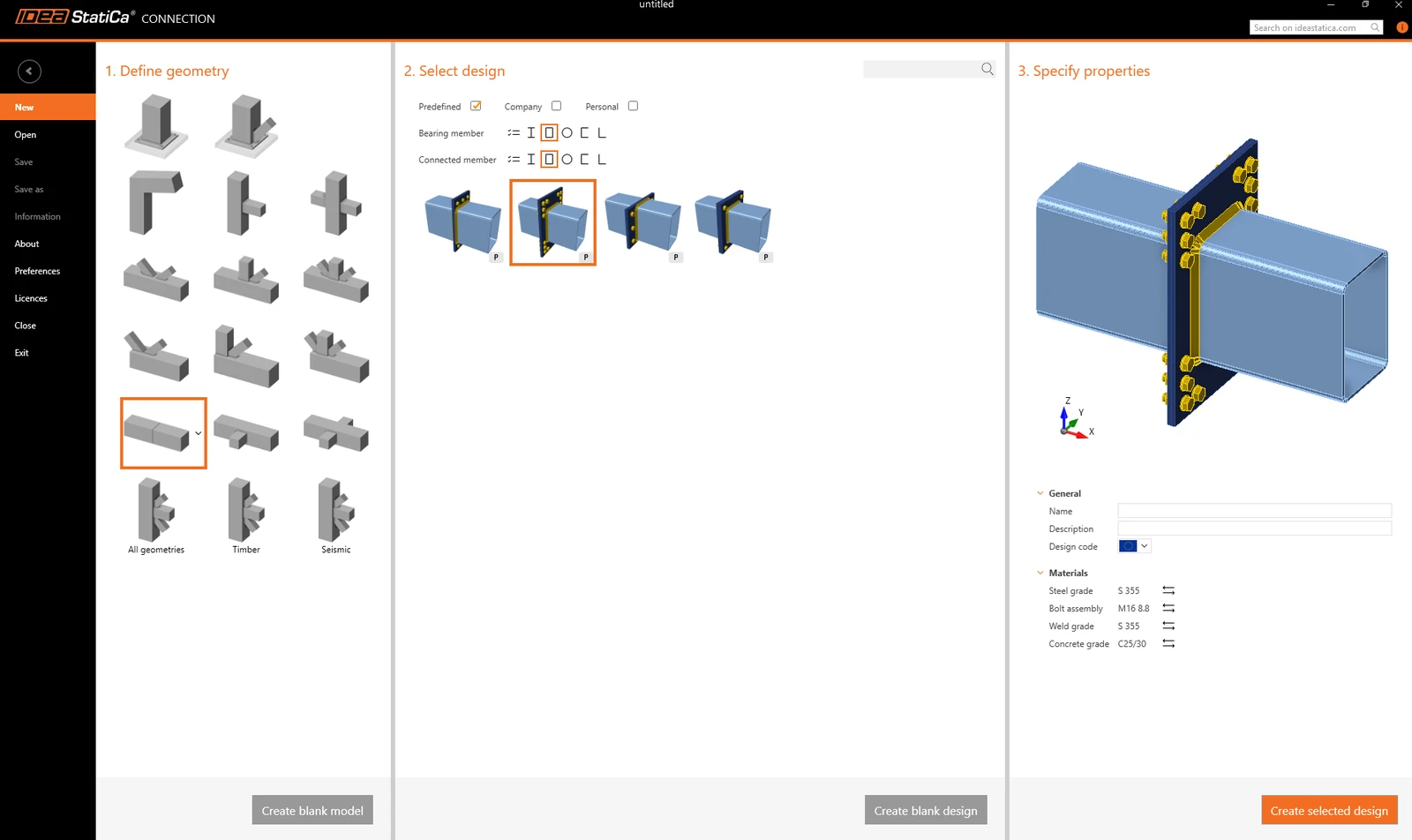
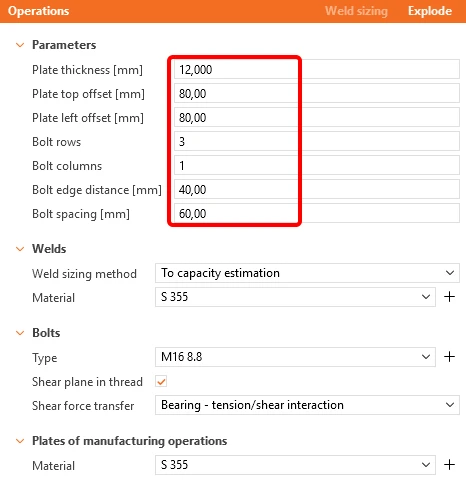
首先,创建两个空心截面 RHS 300/200/8 的节点,并根据以下图片修改参数。
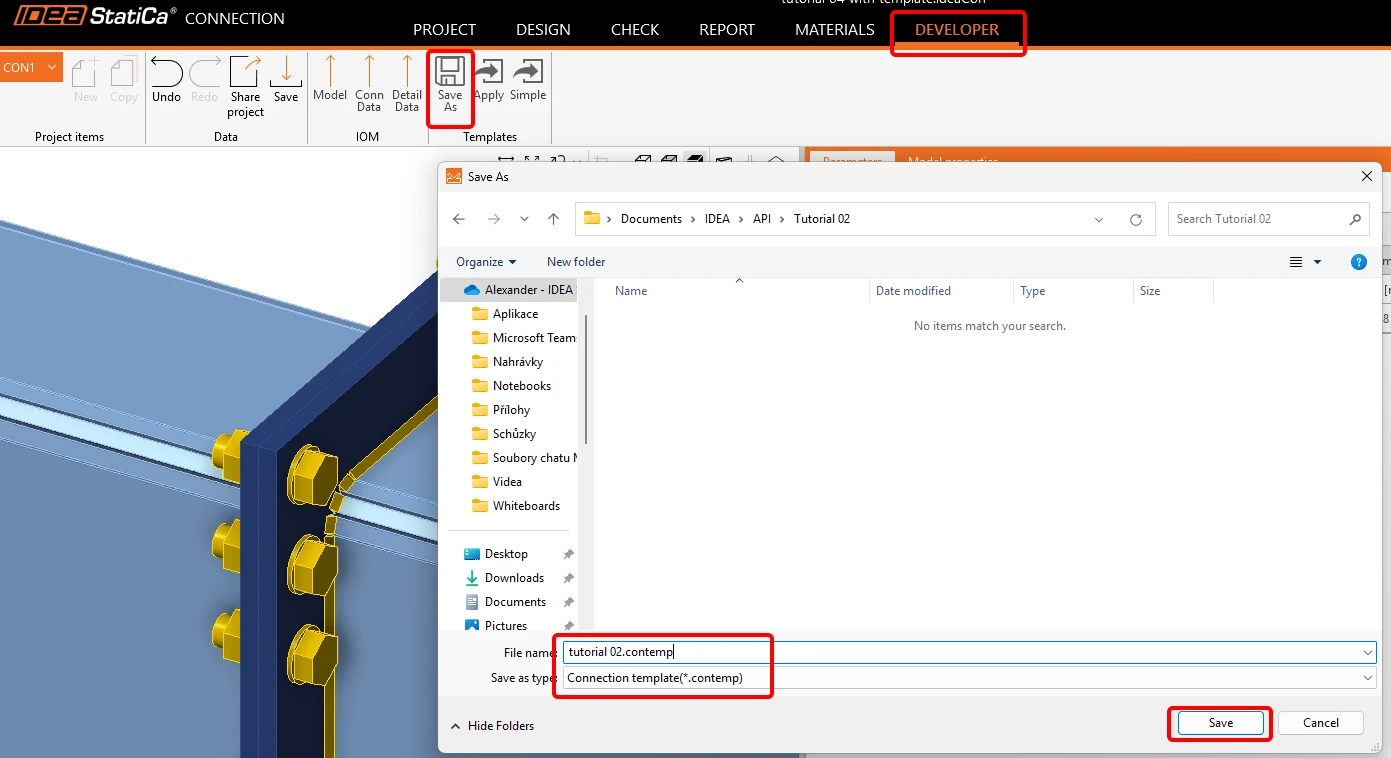
现在,转到 Developer 选项卡,将其另存为名称为 tutorial 02.contemp 的模板。 我们将在下一个教程中使用它。
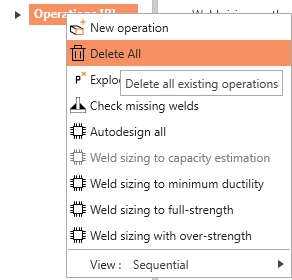
返回 Design 选项卡,右键单击 Operations / Delete All,并将此空文件保存为 tutorial 02 - empty.ideaCon。
包含荷载组合的 Excel 表格
下一步,准备一个包含要导入到 .ideaCon 文件中的荷载的 Excel 表格。您可以在本页底部下载该文件。
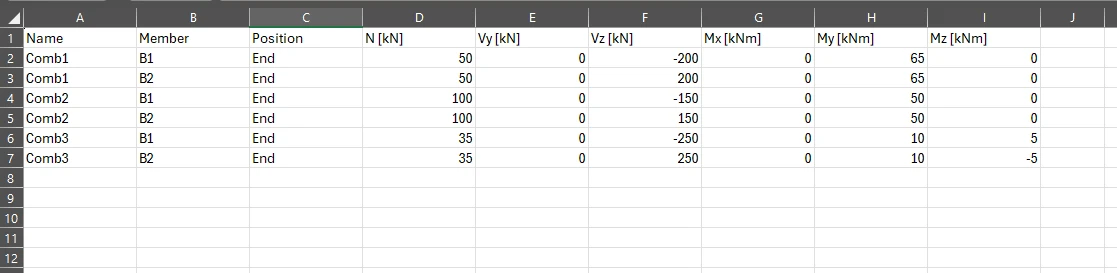
请使用与 Python 脚本中完全相同的列名称。
Python 客户端
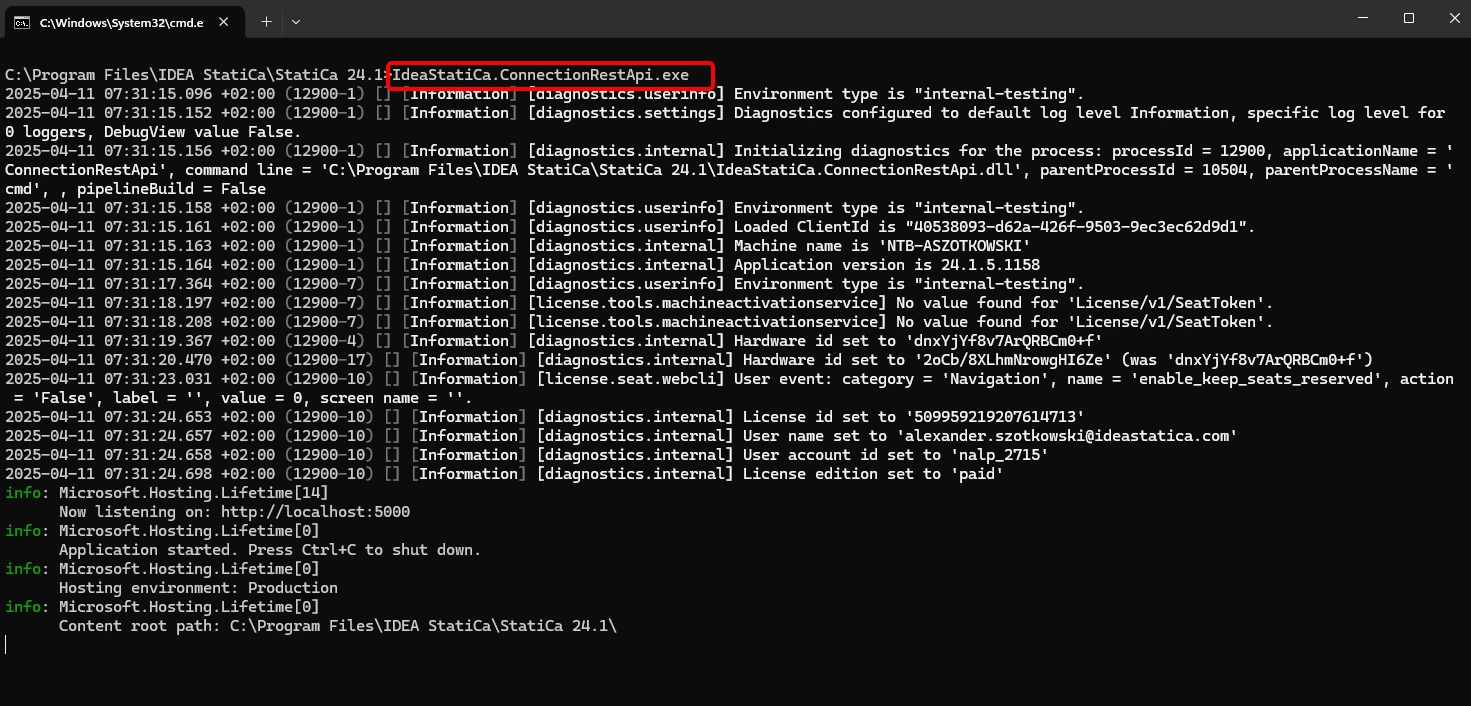
在 CMD 中于正确的 IDEA StatiCa 文件夹内运行"IdeaStatiCa.ConnectionRestApi.exe",然后打开您选择的 IDE 工具。
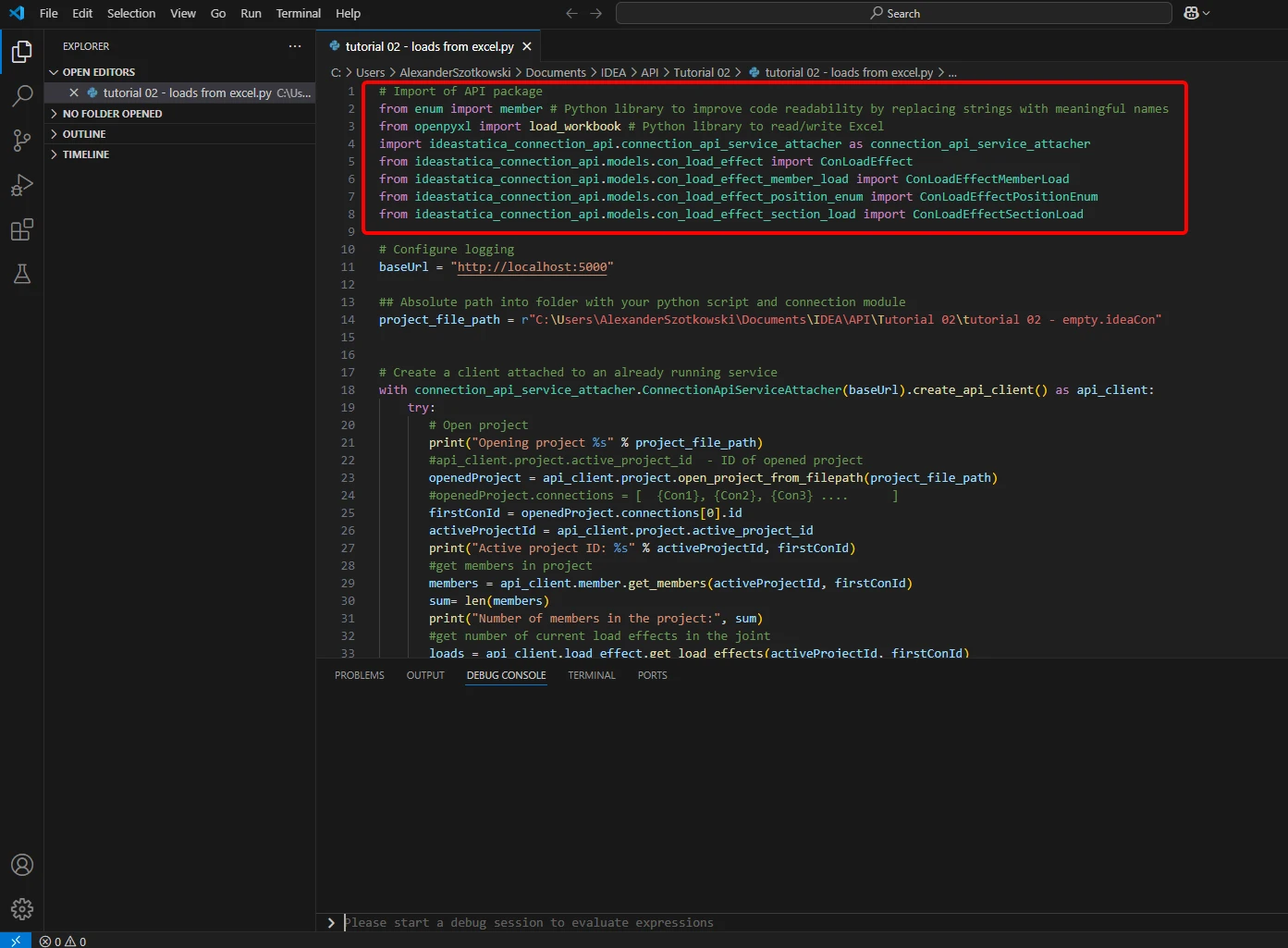
- 创建一个新文件并导入所需的包,这些包将支持计算功能以及与本地主机 URL 的连接。
源代码:
## 导入 API 包
from enum import member # Python 库,通过用有意义的名称替换字符串来提高代码可读性
from openpyxl import load_workbook # Python 库,用于读写 Excel
import ideastatica_connection_api.connection_api_service_attacher as connection_api_service_attacher
from ideastatica_connection_api.models.con_load_effect import ConLoadEffect
from ideastatica_connection_api.models.con_load_effect_member_load import ConLoadEffectMemberLoad
from ideastatica_connection_api.models.con_load_effect_position_enum import ConLoadEffectPositionEnum
from ideastatica_connection_api.models.con_load_effect_section_load import ConLoadEffectSectionLoad
- 通过变量"baseUrl"配置日志记录,该变量将调用您的本地主机。第二步,配置您的 IDEA StatiCa Connection 文件的绝对路径。
源代码:
## 配置日志记录
baseUrl = "http://localhost:5000"
## Python 脚本和 Connection 模块所在文件夹的绝对路径
project_file_path = r"C:\Users\*username*\Documents\IDEA\API\Tutorial 02\tutorial 02 - empty.ideaCon"
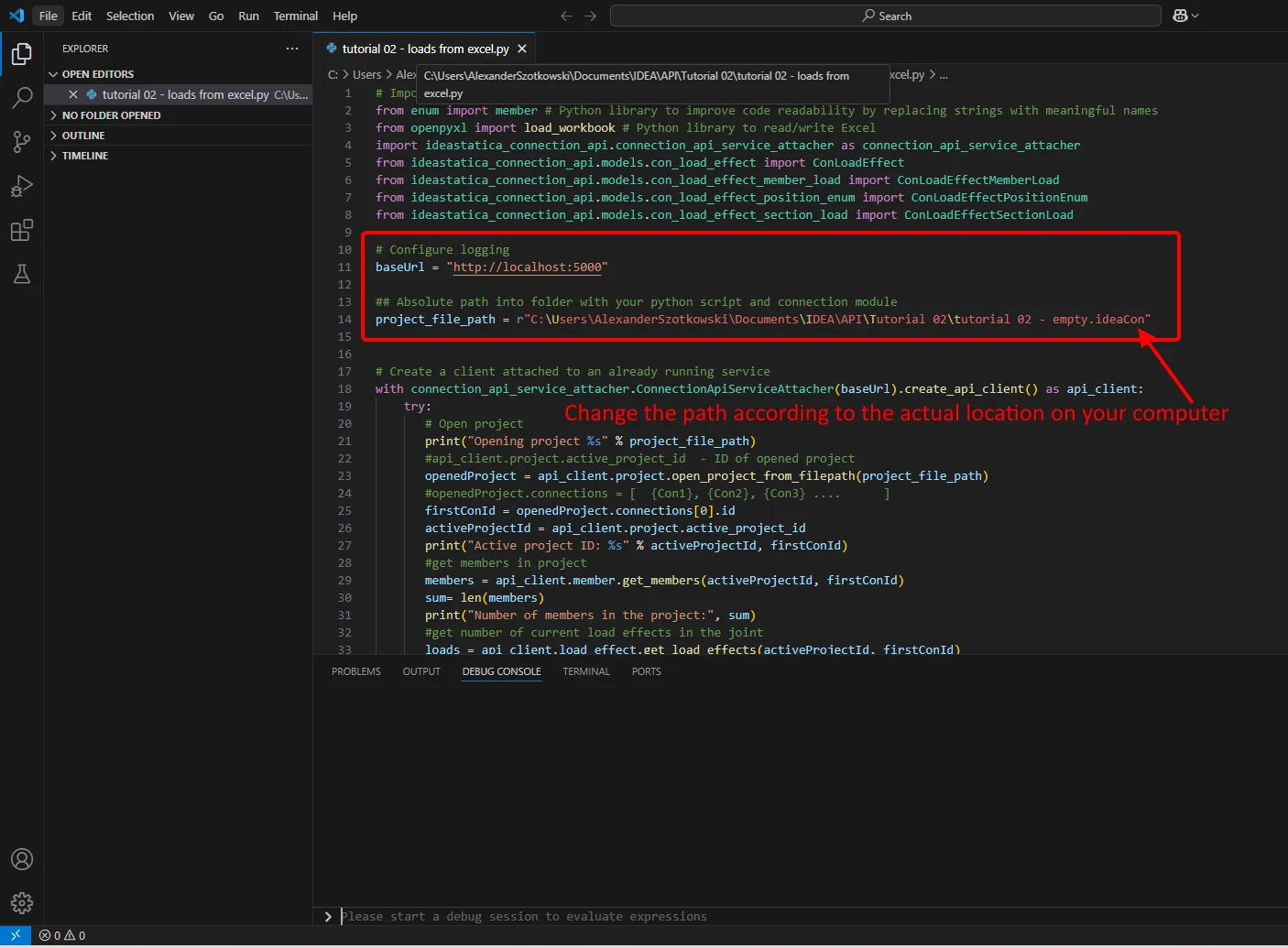
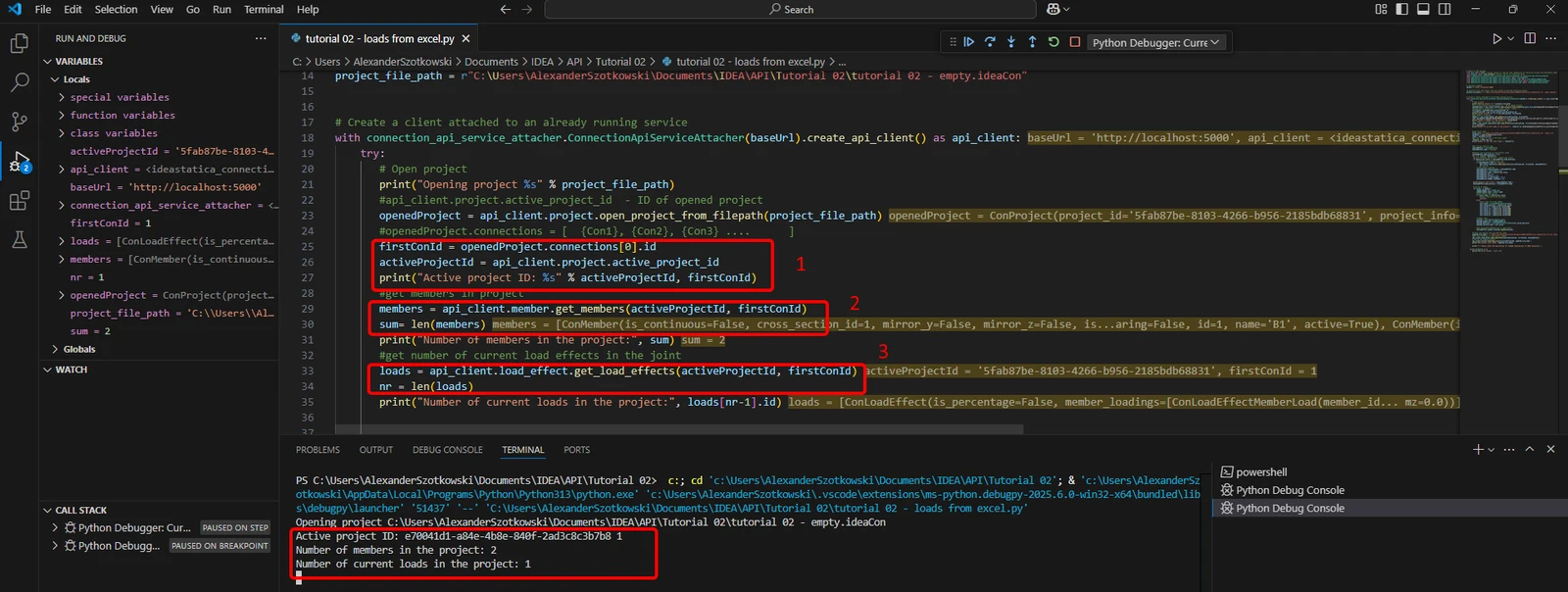
- 将客户端与已运行的服务配对。使用 try/except 块——当 try 块引发错误时,将执行 except 块。第一阶段需要打开项目并查找项目 ID,该 ID 对每个 IDEA StatiCa 项目是唯一的。运行脚本后,您可以读取打印出的路径、唯一 ID(1)、已附加构件数量(2)以及当前荷载数量(3)。
源代码:
# 创建连接到已运行服务的客户端
with connection_api_service_attacher.ConnectionApiServiceAttacher(baseUrl).create_api_client() as api_client:
try:
## 打开项目
print("Opening project %s" % project_file_path)
#api_client.project.active_project_id - 已打开项目的 ID
openedProject = api_client.project.open_project_from_filepath(project_file_path)
#openedProject.connections = [ {Con1}, {Con2}, {Con3} .... ]
firstConId = openedProject.connections[0].id
activeProjectId = api_client.project.active_project_id
print("Active project ID: %s" % activeProjectId, firstConId)
#获取项目中的构件
members = api_client.member.get_members(activeProjectId, firstConId)
sum= len(members)
print("Number of members in the project:", sum)
#获取节点中当前荷载效应的数量
loads = api_client.load_effect.get_load_effects(activeProjectId, firstConId)
nr = len(loads)
print("Number of current loads in the project:", loads[nr-1].id)
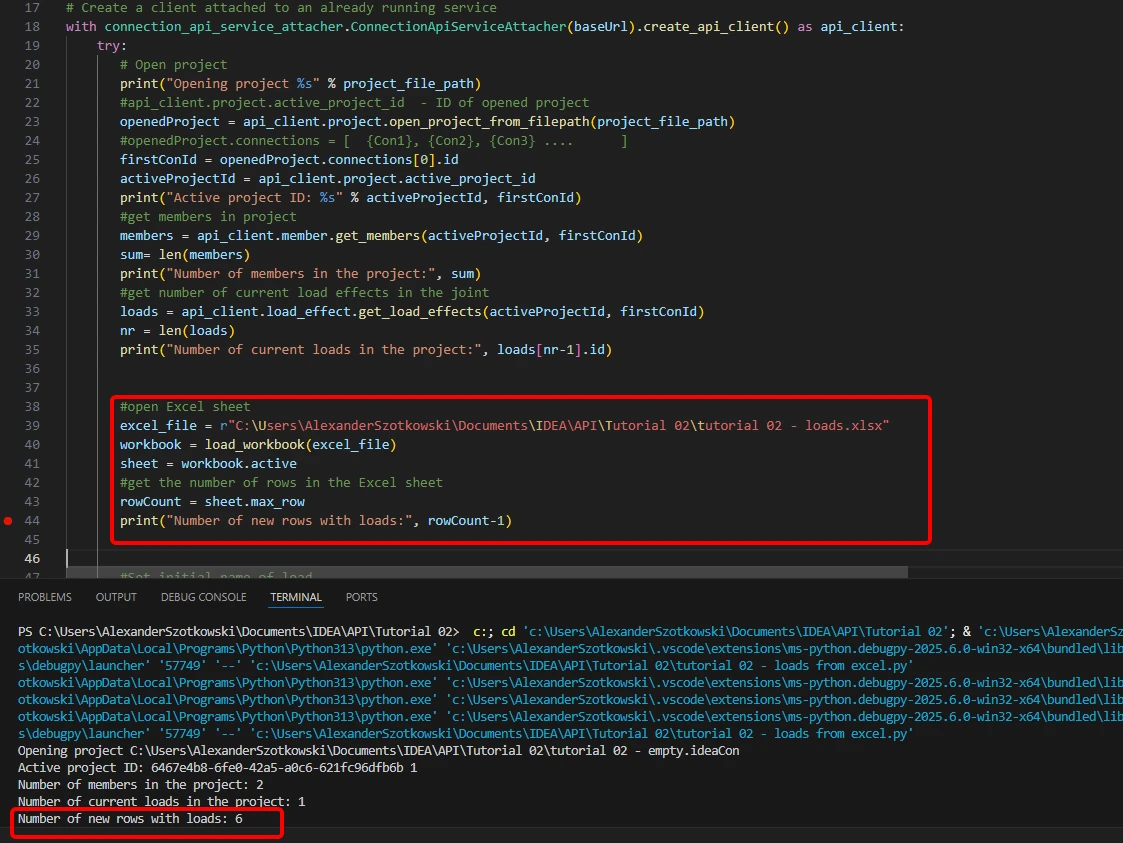
- 打开 Excel 表格,读取包含荷载的行数。
源代码:
#打开 Excel 表格
excel_file = r"C:\Users\*username*\Documents\IDEA\API\Tutorial 02\tutorial 02 - loads.xlsx"
workbook = load_workbook(excel_file)
sheet = workbook.active
#获取 Excel 表格中的行数
rowCount = sheet.max_row
print("Number of new rows with loads:", rowCount-1)
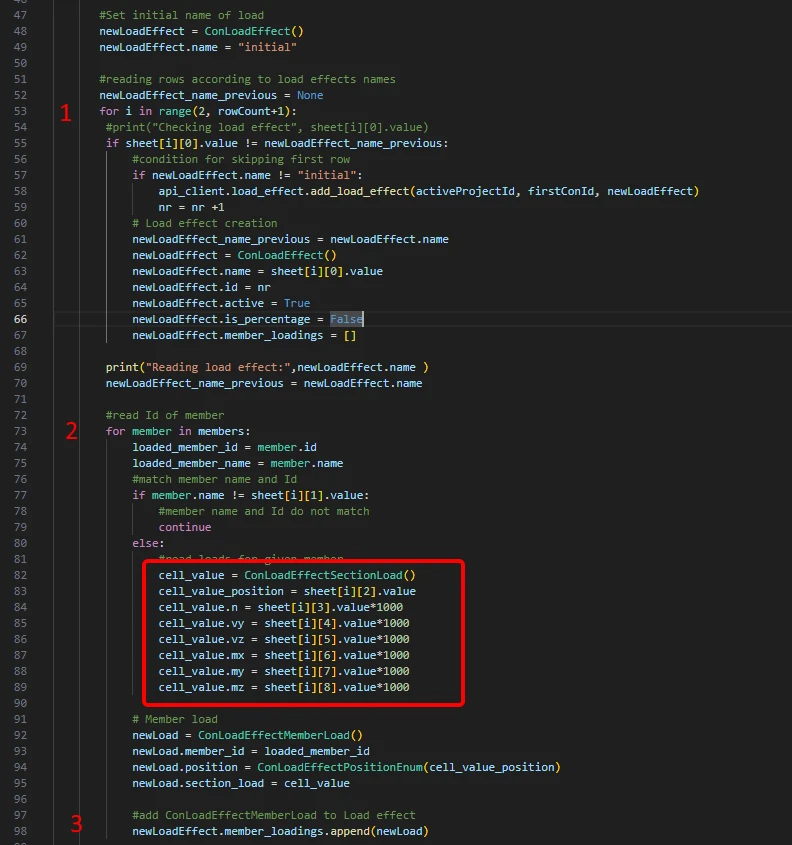
- 启动一个循环以检测具有相同荷载组合名称的行(1)。在此循环内,启动另一个循环将荷载添加到每个构件(2)。每次循环结束后,添加一行荷载数据(3)。
#设置荷载的初始名称
newLoadEffect = ConLoadEffect()
newLoadEffect.name = "initial"
#根据荷载效应名称读取行
newLoadEffect_name_previous = None
for i in range(2, rowCount+1):
#print("Checking load effect", sheet[i][0].value)
if sheet[i][0].value != newLoadEffect_name_previous:
#跳过第一行的条件
if newLoadEffect.name != "initial":
api_client.load_effect.add_load_effect(activeProjectId, firstConId, newLoadEffect)
nr = nr +1
# 创建荷载效应
newLoadEffect_name_previous = newLoadEffect.name
newLoadEffect = ConLoadEffect()
newLoadEffect.name = sheet[i][0].value
newLoadEffect.id = nr
newLoadEffect.active = True
newLoadEffect.is_percentage = False
newLoadEffect.member_loadings = []
print("Reading load effect:",newLoadEffect.name )
newLoadEffect_name_previous = newLoadEffect.name
#读取构件 ID
for member in members:
loaded_member_id = member.id
loaded_member_name = member.name
#匹配构件名称和 ID
if member.name != sheet[i][1].value:
#构件名称和 ID 不匹配
continue
else:
#读取指定构件的荷载
cell_value = ConLoadEffectSectionLoad()
cell_value_position = sheet[i][2].value
cell_value.n = sheet[i][3].value*1000
cell_value.vy = sheet[i][4].value*1000
cell_value.vz = sheet[i][5].value*1000
cell_value.mx = sheet[i][6].value*1000
cell_value.my = sheet[i][7].value*1000
cell_value.mz = sheet[i][8].value*1000
# 构件荷载
newLoad = ConLoadEffectMemberLoad()
newLoad.member_id = loaded_member_id
newLoad.position = ConLoadEffectPositionEnum(cell_value_position)
newLoad.section_load = cell_value
#将 ConLoadEffectMemberLoad 添加到荷载效应
newLoadEffect.member_loadings.append(newLoad)
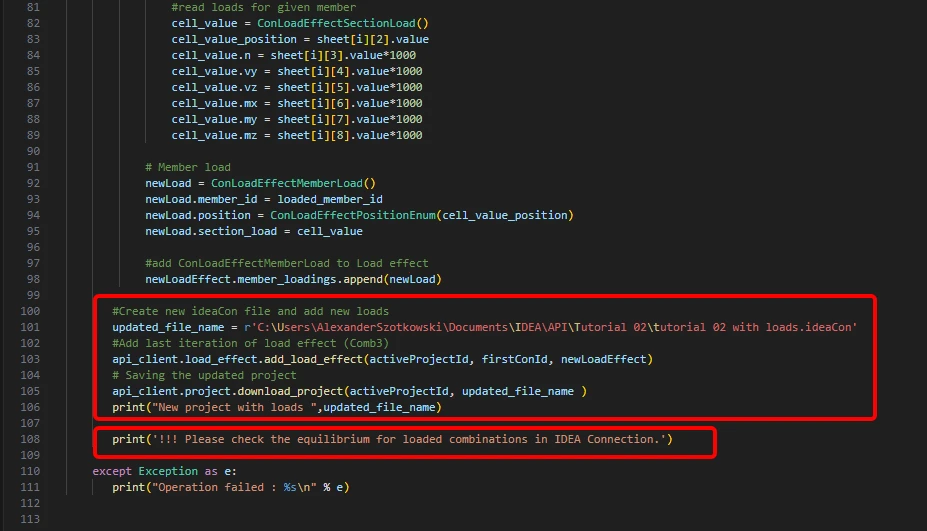
- 创建一个新文件,并保存包含新添加组合的更新项目。同时添加了关于检查平衡条件的说明。
源代码:
#创建新的 ideaCon 文件并添加新荷载
updated_file_name = r'C:\Users\AlexanderSzotkowski\Documents\IDEA\API\Tutorial 02\tutorial 02 with loads.ideaCon'
#添加最后一次迭代的荷载效应(Comb3)
api_client.load_effect.add_load_effect(activeProjectId, firstConId, newLoadEffect)
# 保存更新后的项目
api_client.project.download_project(activeProjectId, updated_file_name )
print("New project with loads ",updated_file_name)
print('!!! Please check the equilibrium for loaded combinations in IDEA Connection.')
except Exception as e:
print("Operation failed : %s\n" % e)
现在,您可以检查新文件以确认操作是否成功。