


Các bước đầu tiên
Chúng tôi khuyến nghị bạn xem qua hướng dẫn Cách bắt đầu với API - Cơ bản 01, hướng dẫn này sẽ giúp bạn hiểu về API và cách thiết lập môi trường.
Tệp Connection
Ví dụ này dựa trên các tệp được tạo trong hướng dẫn Cách bắt đầu với API - Nhập hàng loạt tổ hợp tải trọng 02.
Vui lòng tải xuống các tệp tutorial 02 with loads.ideaCon và tutorial 02.contemp về máy tính của bạn.
Python client
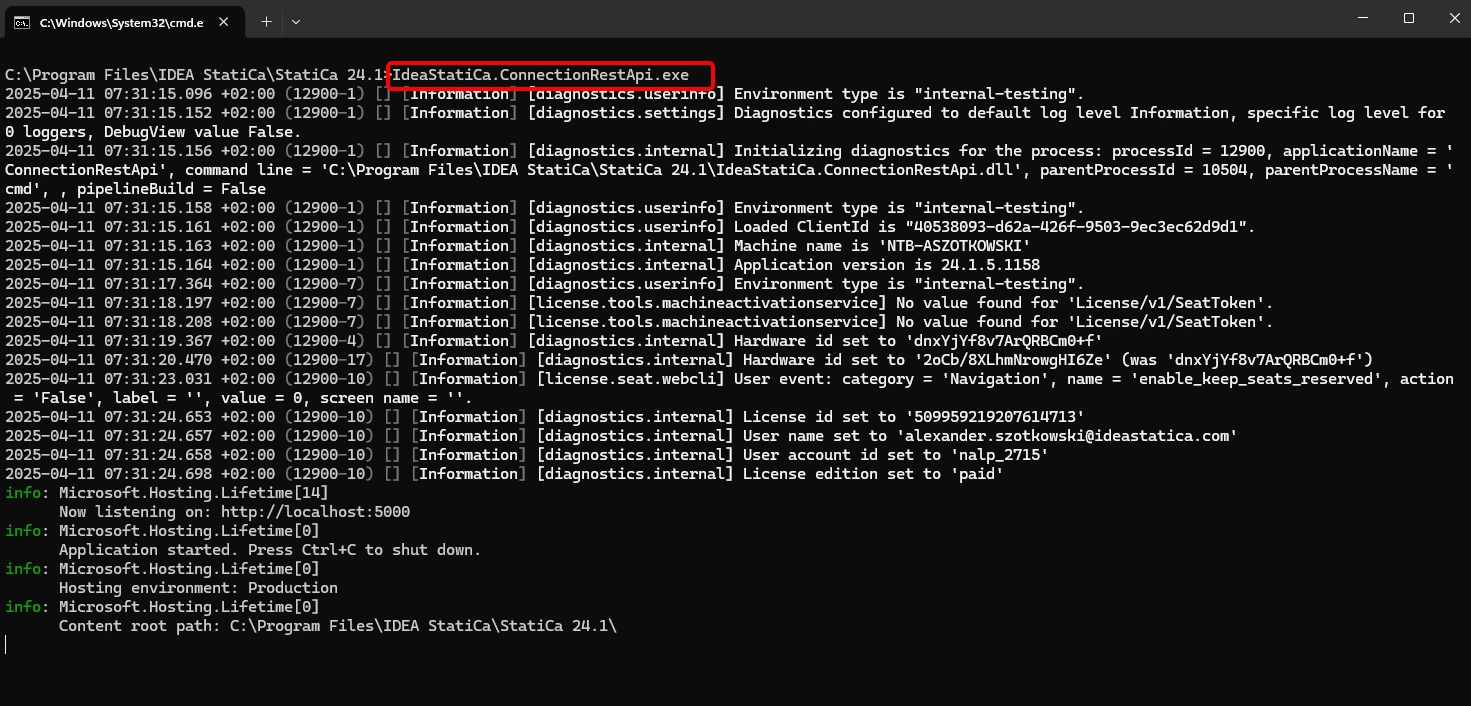
Một lần nữa, hãy chạy "IdeaStatiCa.ConnectionRestApi.exe" trong CMD trong thư mục IDEA StatiCa phù hợp và mở công cụ IDE mà bạn chọn.
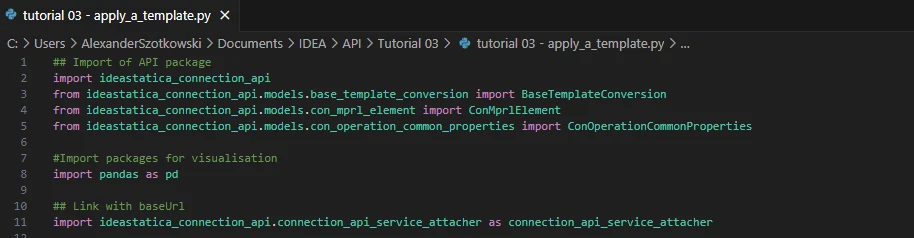
- Tạo một tệp mới và nhập các gói sẽ cho phép sử dụng tính toán và liên kết với URL localhost.
Mã nguồn:
## Import of API package
import ideastatica_connection_api
from ideastatica_connection_api.models.base_template_conversion import BaseTemplateConversion
from ideastatica_connection_api.models.con_mprl_element import ConMprlElement
from ideastatica_connection_api.models.con_operation_common_properties import ConOperationCommonProperties
#Import packages for visualisation
import pandas as pd
## Link with baseUrl
import ideastatica_connection_api.connection_api_service_attacher as connection_api_service_attacher
- Cấu hình ghi nhật ký thông qua biến "baseUrl," sẽ kéo lên localhost của bạn. Ở bước thứ hai, ghép nối đường dẫn tuyệt đối của tệp IDEA StatiCa Connection của bạn.
## Configure logging
baseUrl = "http://localhost:5000"
## Absolute path into folder with your python script and connection module
project_file_path = r"C:\Users\AlexanderSzotkowski\Documents\IDEA\API\Tutorial 03\tutorial 02 with loads.ideaCon"
print("Opening project ",project_file_path)

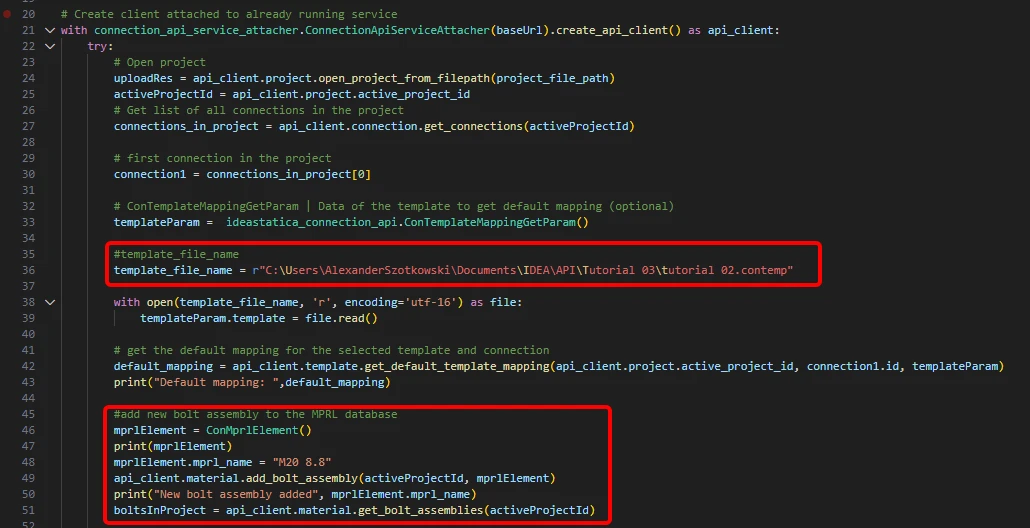
- Ghép nối client với một dịch vụ đang chạy sẵn. Sử dụng khối try/except - vì khối try phát sinh lỗi, khối except sẽ được thực thi. Trong giai đoạn đầu, cần mở dự án và tìm ID dự án của bạn, ID này là duy nhất cho mỗi dự án IDEA StatiCa. Sau đó chúng ta cần tất cả các liên kết được lưu trong tệp của mình, vì chúng ta muốn áp dụng mẫu chỉ cho liên kết đầu tiên. Ở bước tiếp theo, có thể đọc tệp mẫu ánh xạ mặc định và thêm một cụm bu lông khác (M20 8.8) vào cơ sở dữ liệu MPRL.
# Create a client attached to an already running service
with connection_api_service_attacher.ConnectionApiServiceAttacher(baseUrl).create_api_client() as api_client:
try:
# Open project
uploadRes = api_client.project.open_project_from_filepath(project_file_path)
activeProjectId = api_client.project.active_project_id
# Get list of all connections in the project
connections_in_project = api_client.connection.get_connections(activeProjectId)
# first connection in the project
connection1 = connections_in_project[0]
# ConTemplateMappingGetParam | Data of the template to get default mapping (optional)
templateParam = ideastatica_connection_api.ConTemplateMappingGetParam()
#template_file_name
template_file_name = r"C:\Users\AlexanderSzotkowski\Documents\IDEA\API\Tutorial 03\tutorial 02.contemp"
with open(template_file_name, 'r', encoding='utf-16') as file:
templateParam.template = file.read()
# get the default mapping for the selected template and connection
default_mapping = api_client.template.get_default_template_mapping(api_client.project.active_project_id, connection1.id, templateParam)
print("Default mapping: ",default_mapping)
#add new bolt assembly to the MPRL database
mprlElement = ConMprlElement()
print(mprlElement)
mprlElement.mprl_name = "M20 8.8"
api_client.material.add_bolt_assembly(activeProjectId, mprlElement)
print("New bolt assembly added", mprlElement.mprl_name)
boltsInProject = api_client.material.get_bolt_assemblies(activeProjectId)
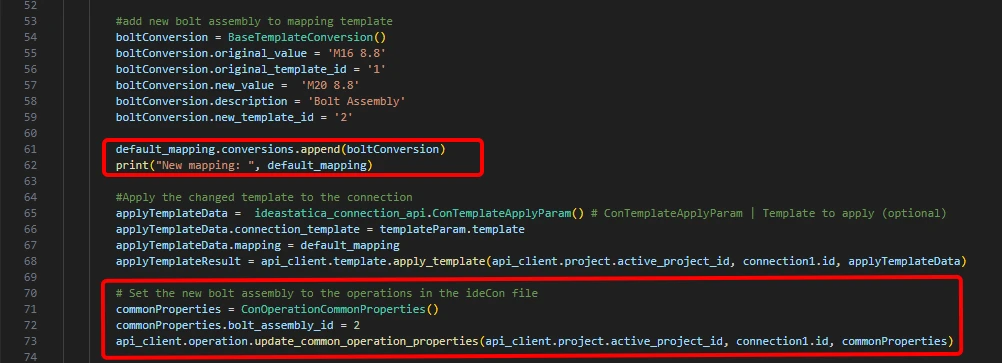
- Nếu chúng ta muốn gán cụm bu lông mới cho thao tác Plate to plate trực tiếp, chúng ta phải chạy lệnh BaseTemplateConversion() và thêm nó vào mẫu ánh xạ.
# add new bolt assembly to mapping template
boltConversion = BaseTemplateConversion()
boltConversion.original_value = 'M16 8.8'
boltConversion.original_template_id = '1'
boltConversion.new_value = 'M20 8.8'
boltConversion.description = 'Bolt Assembly'
boltConversion.new_template_id = '2'
default_mapping.conversions.append(boltConversion)
print("New mapping: ", default_mapping)
# Apply the changed template to the connection
applyTemplateData = ideastatica_connection_api.ConTemplateApplyParam() # ConTemplateApplyParam | Template to apply (optional)
applyTemplateData.connection_template = templateParam.template
applyTemplateData.mapping = default_mapping
applyTemplateResult = api_client.template.apply_template(api_client.project.active_project_id, connection1.id, applyTemplateData)
# Set the new bolt assembly to the operations in the ideaCon file
commonProperties = ConOperationCommonProperties()
commonProperties.bolt_assembly_id = 2
api_client.operation.update_common_operation_properties(api_client.project.active_project_id, connection1.id, commonProperties)
- Chúng ta cũng có thể lấy chi phí cho liên kết
# Get the costs of the connection with the applied template
costs = api_client.connection.get_production_cost(api_client.project.active_project_id, connection1.id)
print("Costs: ",costs.total_estimated_cost)

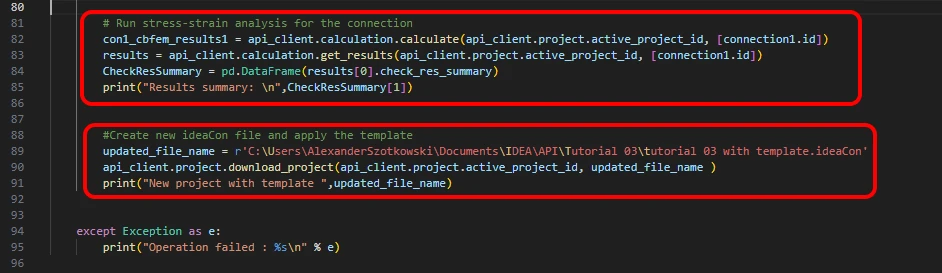
- Ở bước cuối cùng, chúng ta có thể chạy tính toán, xem kết quả, lưu tệp với tên mới và xem kết quả
# Run stress-strain analysis for the connection
con1_cbfem_results1 = api_client.calculation.calculate(api_client.project.active_project_id, [connection1.id])
results = api_client.calculation.get_results(api_client.project.active_project_id, [connection1.id])
CheckResSummary = pd.DataFrame(results[0].check_res_summary)
print("Results summary: \n",CheckResSummary[1])
#Create new ideaCon file and apply the template
updated_file_name = r'C:\Users\AlexanderSzotkowski\Documents\IDEA\API\Tutorial 03\tutorial 03 with template.ideaCon'
api_client.project.download_project(api_client.project.active_project_id, updated_file_name )
print("New project with template ",updated_file_name)
except Exception as e:
print("Operation failed : %s\n" % e)
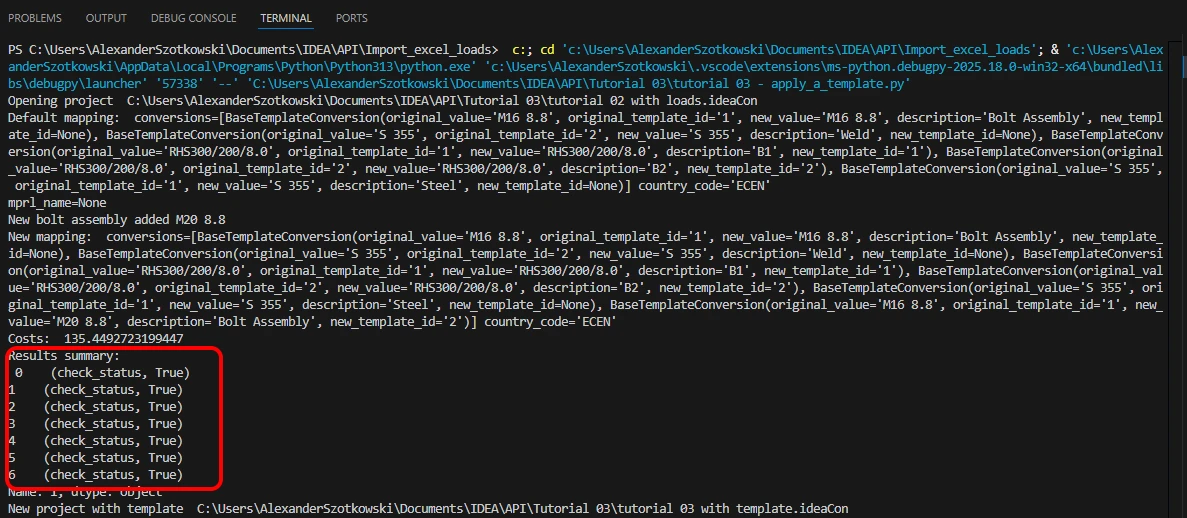
Kết quả đạt yêu cầu. Trong hướng dẫn tiếp theo, chúng ta sẽ tập trung vào việc tối ưu hóa một số cấu kiện.